> ## Documentation Index
> Fetch the complete documentation index at: https://sitespeak.ai/docs/llms.txt
> Use this file to discover all available pages before exploring further.
# How to add a ChatGPT AI support agent to any HTML website
> How to add your custom ChatGPT trained AI support agent to any HTML website.
You want to embed your custom trained AI support agent to your **HTML** website. Here's how to add an AI support agent to any HTML website with SiteSpeakAI.
**Please Note!** For this process you need to have access to your website's source code.
## Add your AI support agent to your **HTML** website
### In SiteSpeakAI
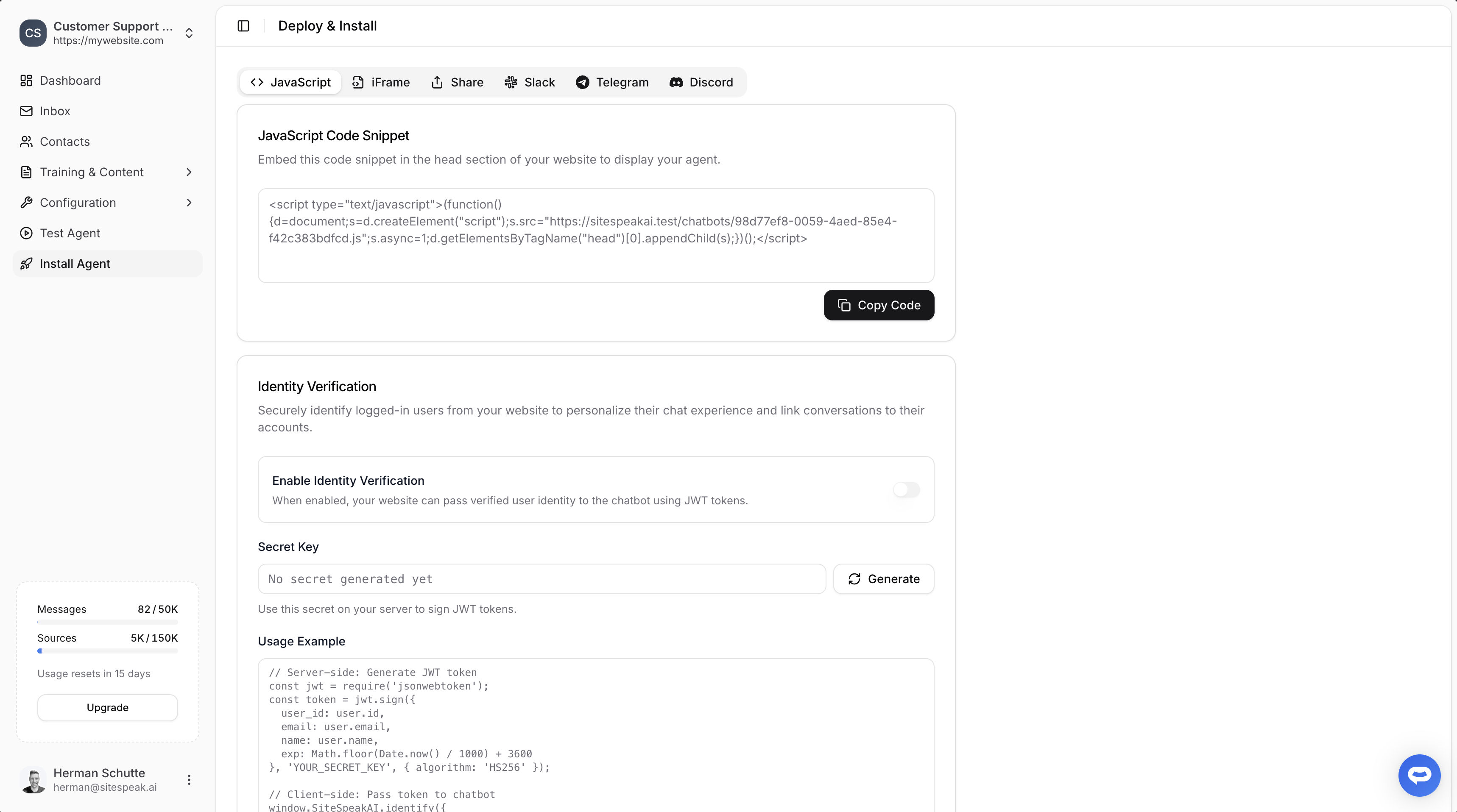
Select your chatbot from the dropdown menu at the top, click on the **Install Agent** section in the sidebar, then click on the **Copy Code** button to copy your code snippet.
 ### In your website
#### 1. Adding the code
Using a simple editor e.g. **Notepad** (Windows), **TextEdit** (Mac), or a code editor like **VS Code**, add the code snippet to your the website HTML code in the `` or `` section of your HTML file.
```html theme={null}
```
#### 2. Please note
* **Caching:** Browsers often cache (save) files. If you make changes and they don't appear, on Windows you can press F5 (or Shift+F5) or clear your browser's cache (usually in your browser settings).
* **Code Editors:** Using a code editor like **VS Code** will make writing and managing your code much easier. They provide syntax highlighting, error checking, and other helpful features.
***
Join over 1000+ businesses, websites and startups automating their customer service and other tasks with a custom trained AI agent.
### In your website
#### 1. Adding the code
Using a simple editor e.g. **Notepad** (Windows), **TextEdit** (Mac), or a code editor like **VS Code**, add the code snippet to your the website HTML code in the `` or `` section of your HTML file.
```html theme={null}
```
#### 2. Please note
* **Caching:** Browsers often cache (save) files. If you make changes and they don't appear, on Windows you can press F5 (or Shift+F5) or clear your browser's cache (usually in your browser settings).
* **Code Editors:** Using a code editor like **VS Code** will make writing and managing your code much easier. They provide syntax highlighting, error checking, and other helpful features.
***
Join over 1000+ businesses, websites and startups automating their customer service and other tasks with a custom trained AI agent.