> ## Documentation Index
> Fetch the complete documentation index at: https://sitespeak.ai/docs/llms.txt
> Use this file to discover all available pages before exploring further.
# How to add ChatGPT to APage Studio
> How to add your custom ChatGPT trained AI support agent to your APage Studio website.
You want to embed your custom trained AI support agent in your **APage Studio** website page. Here's how to add an AI support agent to APage Studio with SiteSpeakAI.
**APage Studio** is a no-code website builder specifically designed for **real estate agents and teams**. It's built around the concept of creating highly engaging, interactive property pages that go far beyond traditional static listings. Think of it as a powerful, streamlined way to create immersive digital brochures for your properties.
**Website URL:** [APage Studio](https://apagestudio.com/)
## Add your AI support agent to your **APage Studio** website
### In SiteSpeakAI
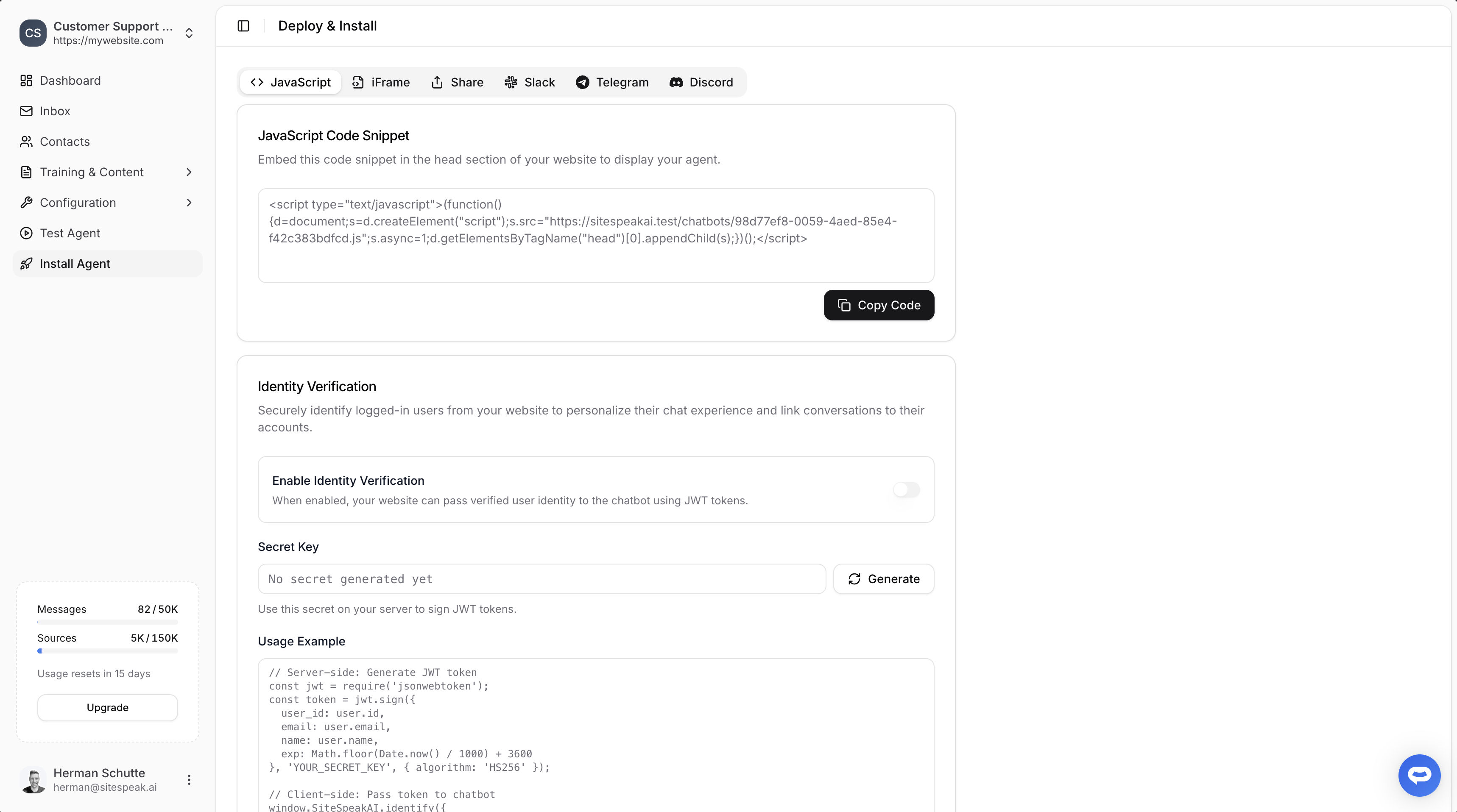
Select your chatbot from the dropdown menu at the top, click on the **Install Agent** section in the sidebar, then click on the **Copy Code** button to copy your code snippet.
 ### In APage Studio
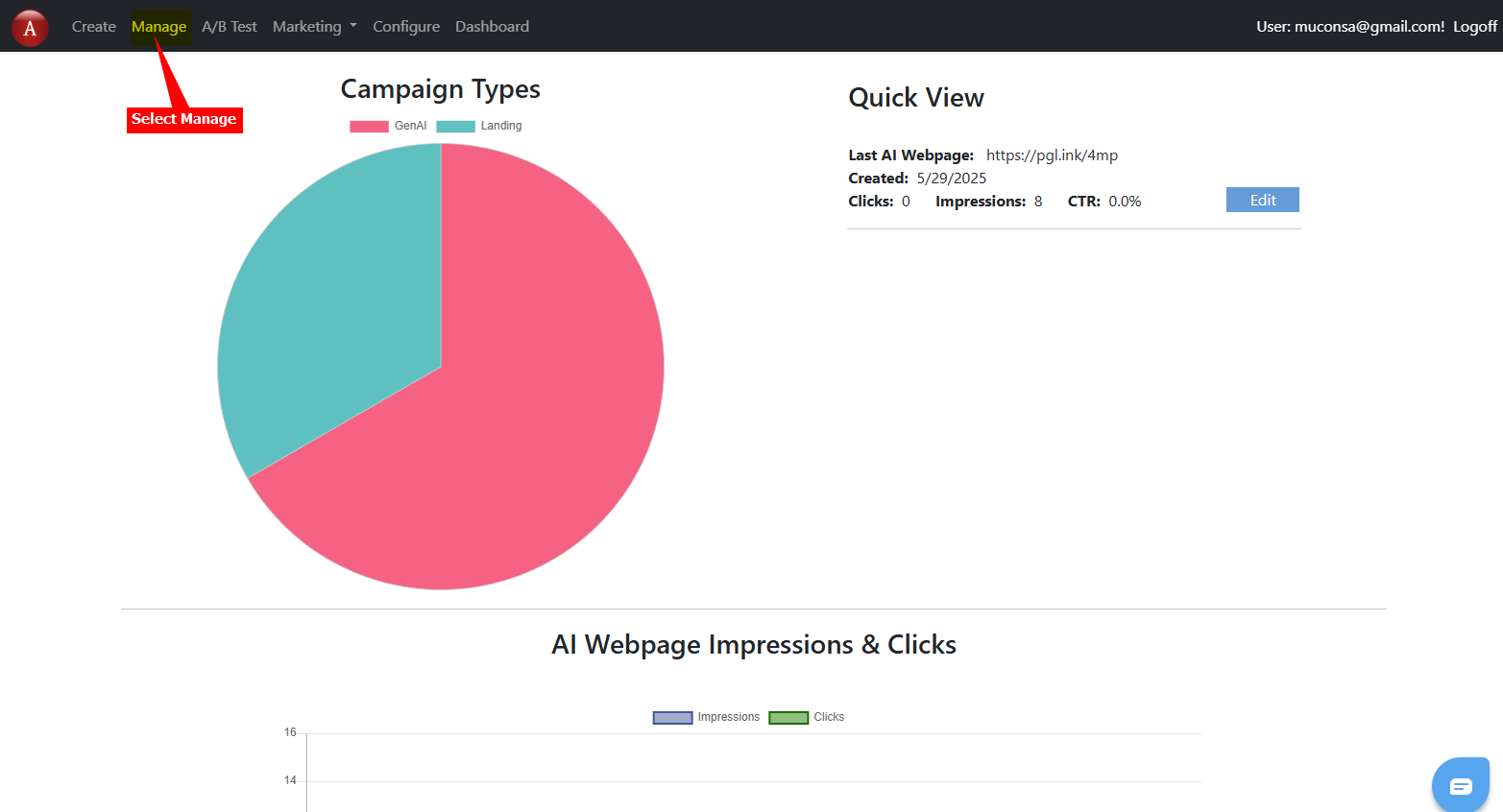
1. Log into your **APage Studio** account and on the dashboard, click on **Manage**
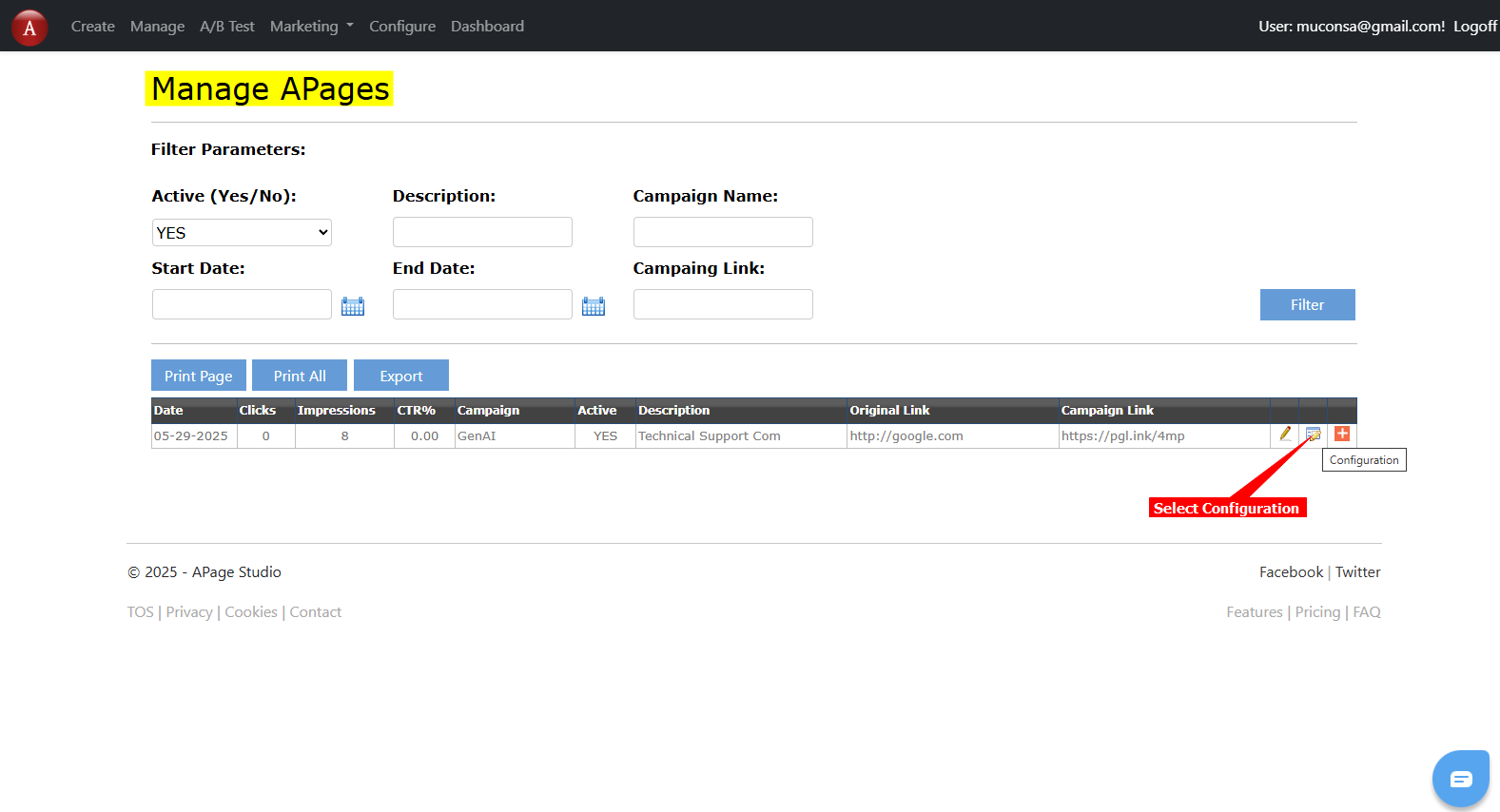
2. On the **Manage APages** page, select the configuration option for the page you want to add your chatbot to
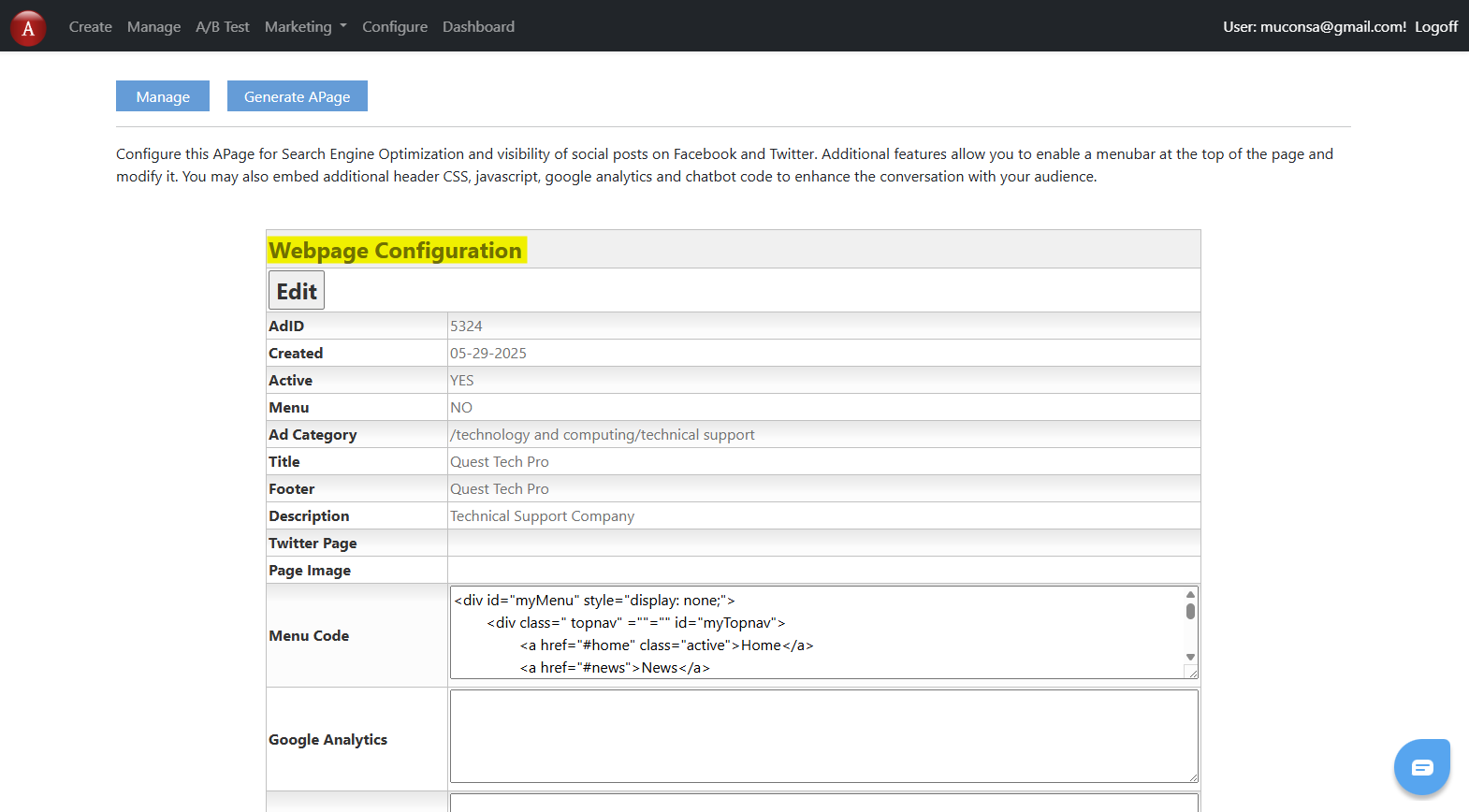
3. This will open the **Webpage Configuration** page
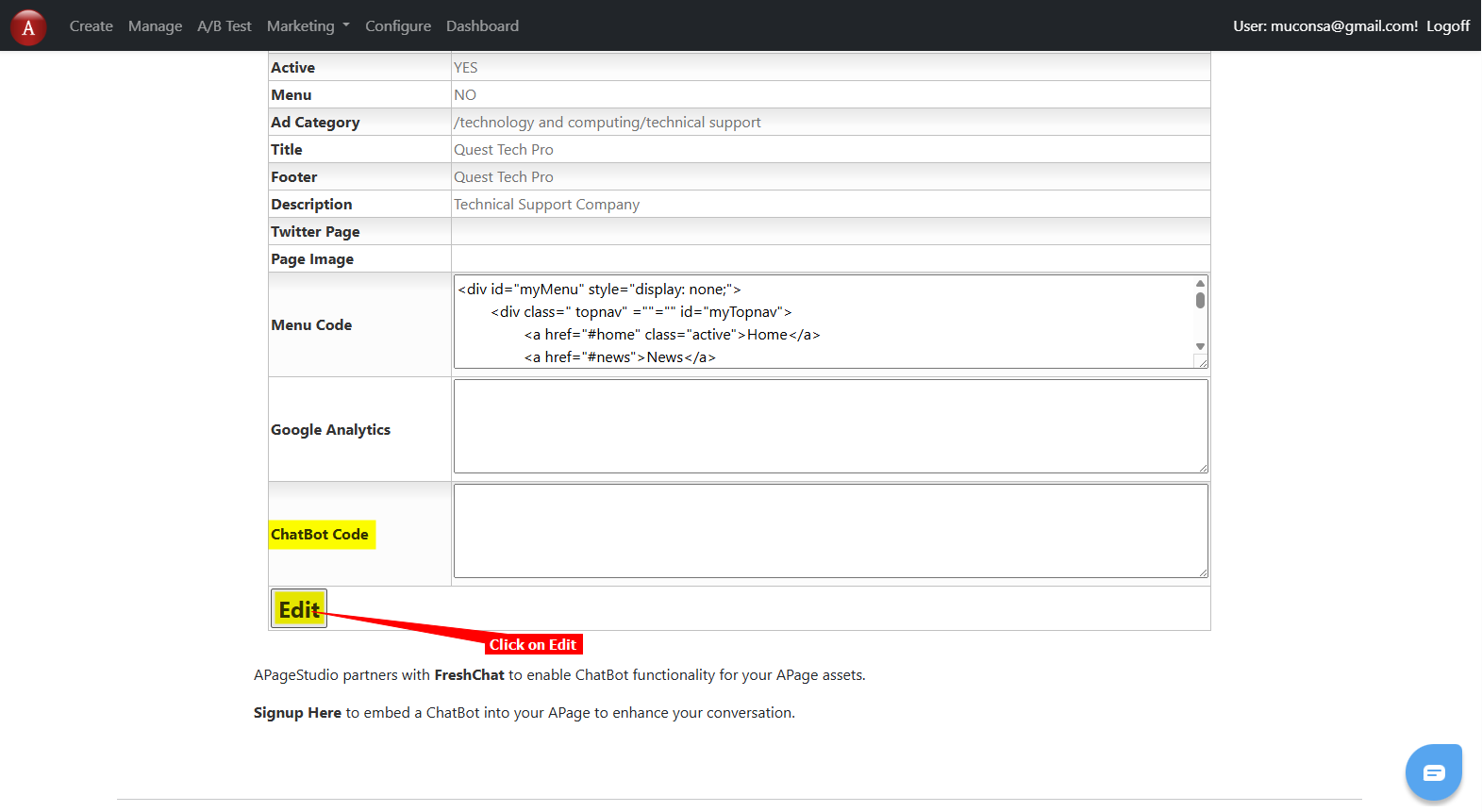
4. Scroll down on the Webpage Configuration page until you see the **Chatbot Code** box and then click on **Edit** to open the **Configuration** editor
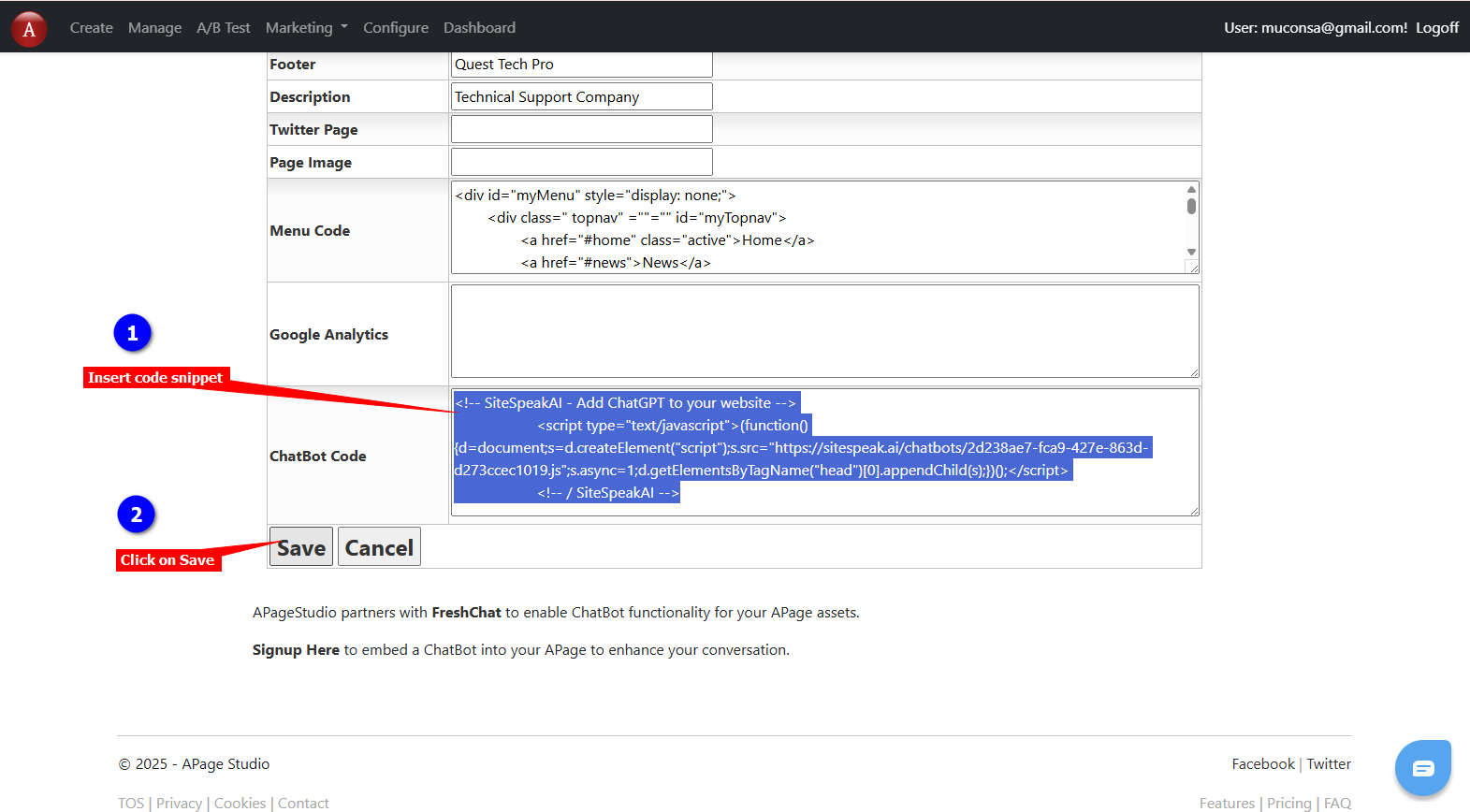
5. Insert your chatbot code snippet into the Chatbot Code box and click on **Save**
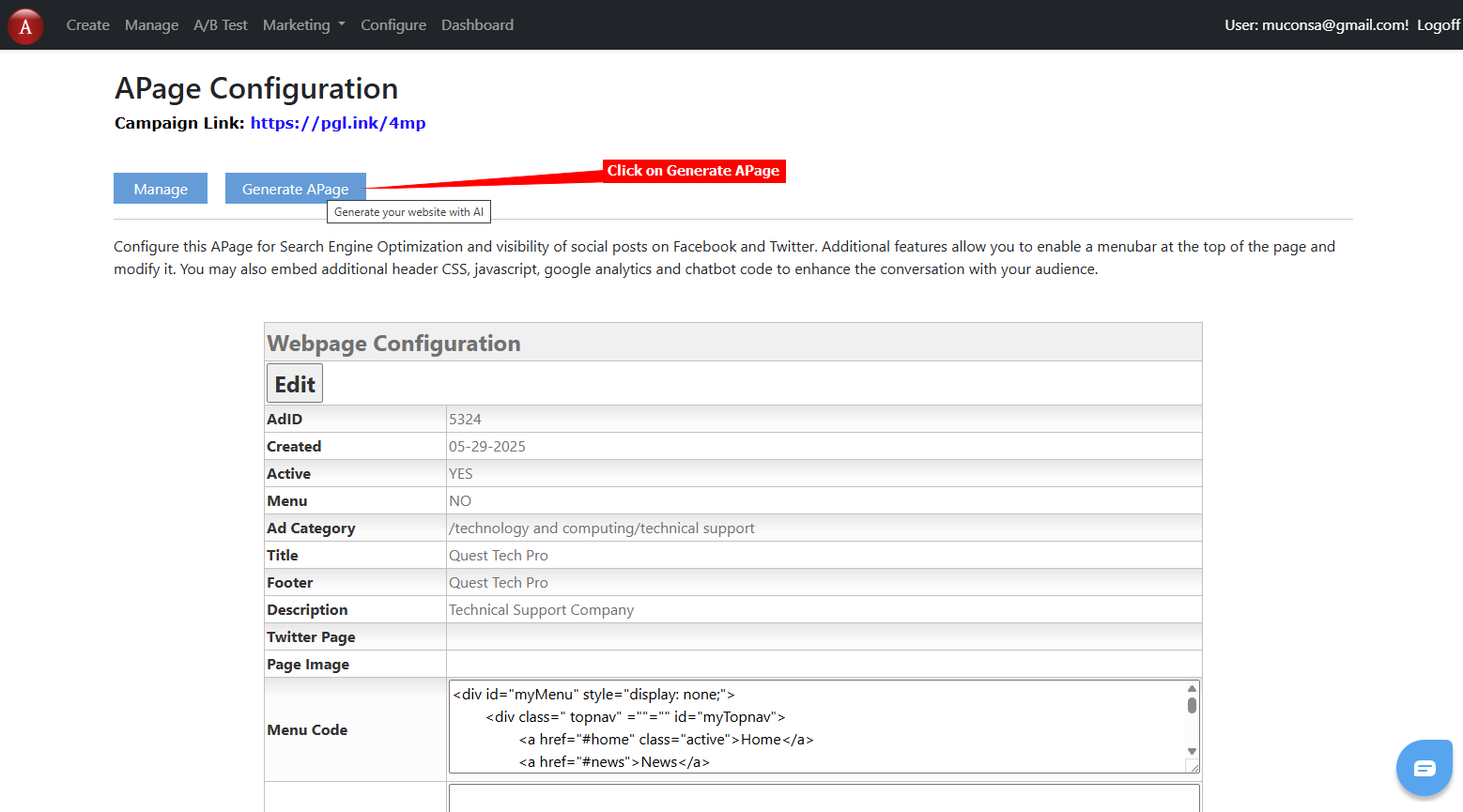
6. Click on **Generate APage** to display your page in edit mode
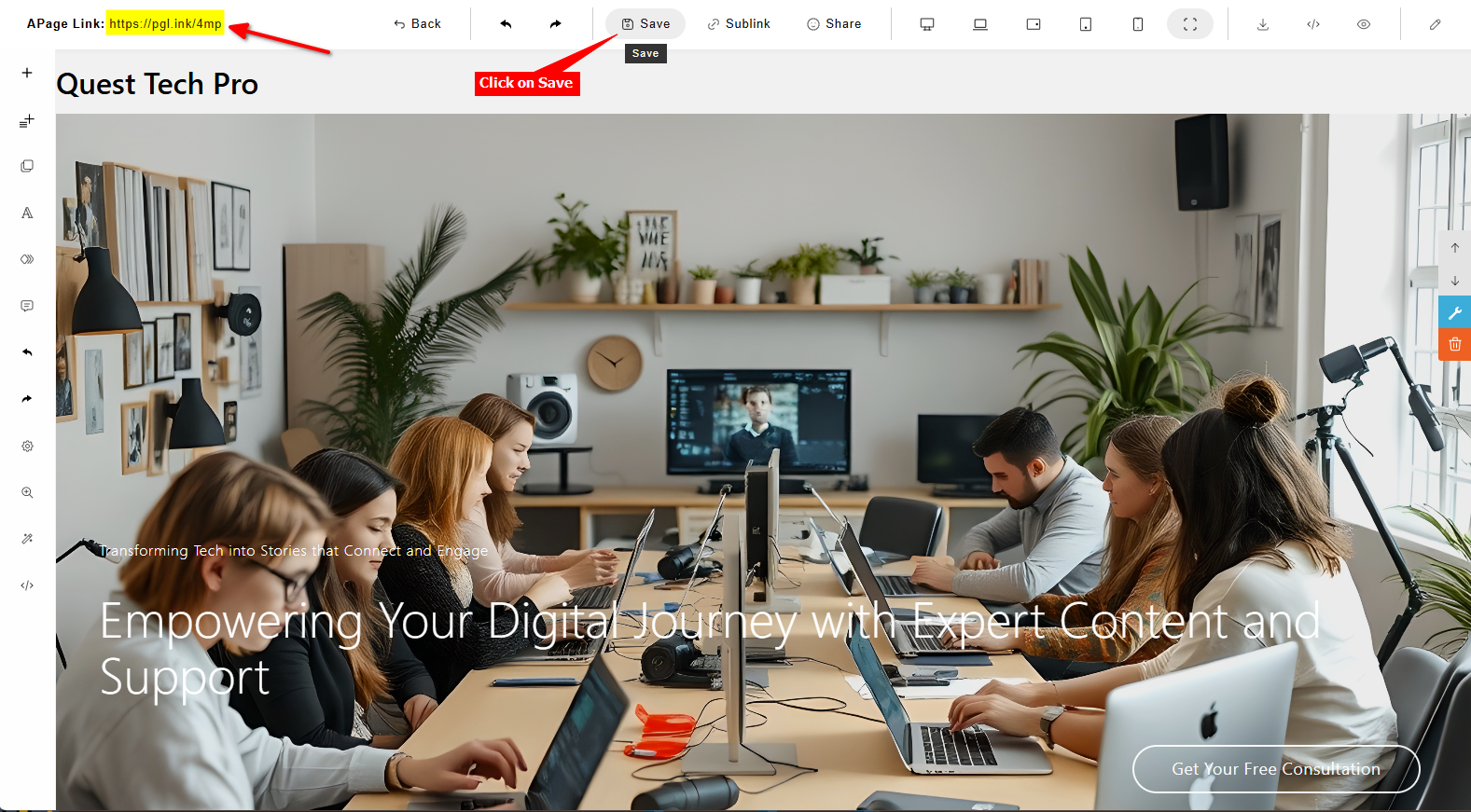
7. There is nothing to edit here so click on **Save** and then click on the **APage Link** to view your page
8. Your AI support agent button will now be displayed on your **APage Studio** website page

9. If you click on the button it will display the AI support agent dialogue
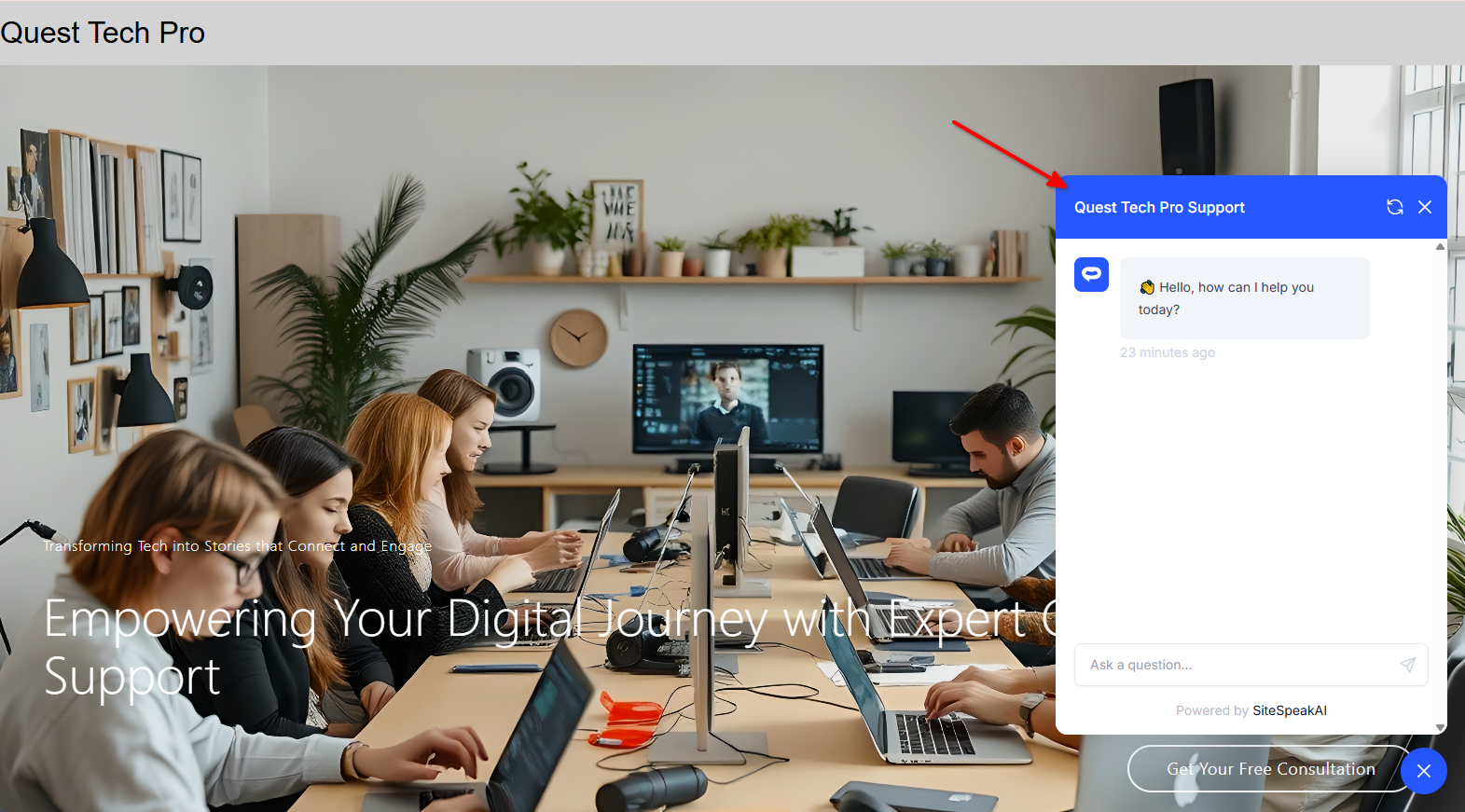
Your AI support agent has now been added to your **APage Studio** website and your visitors/customers can start interacting with it!
***
Join over 1000+ businesses, websites and startups automating their customer service and other tasks with a custom trained AI agent.
### In APage Studio
1. Log into your **APage Studio** account and on the dashboard, click on **Manage**

2. On the **Manage APages** page, select the configuration option for the page you want to add your chatbot to

3. This will open the **Webpage Configuration** page

4. Scroll down on the Webpage Configuration page until you see the **Chatbot Code** box and then click on **Edit** to open the **Configuration** editor

5. Insert your chatbot code snippet into the Chatbot Code box and click on **Save**

6. Click on **Generate APage** to display your page in edit mode

7. There is nothing to edit here so click on **Save** and then click on the **APage Link** to view your page

8. Your AI support agent button will now be displayed on your **APage Studio** website page

9. If you click on the button it will display the AI support agent dialogue

Your AI support agent has now been added to your **APage Studio** website and your visitors/customers can start interacting with it!
***
Join over 1000+ businesses, websites and startups automating their customer service and other tasks with a custom trained AI agent.