> ## Documentation Index
> Fetch the complete documentation index at: https://sitespeak.ai/docs/llms.txt
> Use this file to discover all available pages before exploring further.
# How to add a ChatGPT AI support agent to base44
> How to add your custom ChatGPT trained AI support agent to your base44 app.
You want to embed your custom trained AI support agent in your **base44** app. Here's how to add an AI support agent to base44 with SiteSpeakAI.
**base44** is an AI-powered app builder that lets you create fully functional apps using just your words in minutes. No code required.
Build an app at the speed of thought: Type your idea in plain language and watch it transform into a working app, generating the frontend, backend, data models, and logic in real time. Base44 securely stores your app’s data, manages accounts and logins if you need them, and keeps everything running smoothly.
**Website URL**: [base44](https://app.base44.com/)
## Add your AI support agent to your base44 app
### In SiteSpeakAI
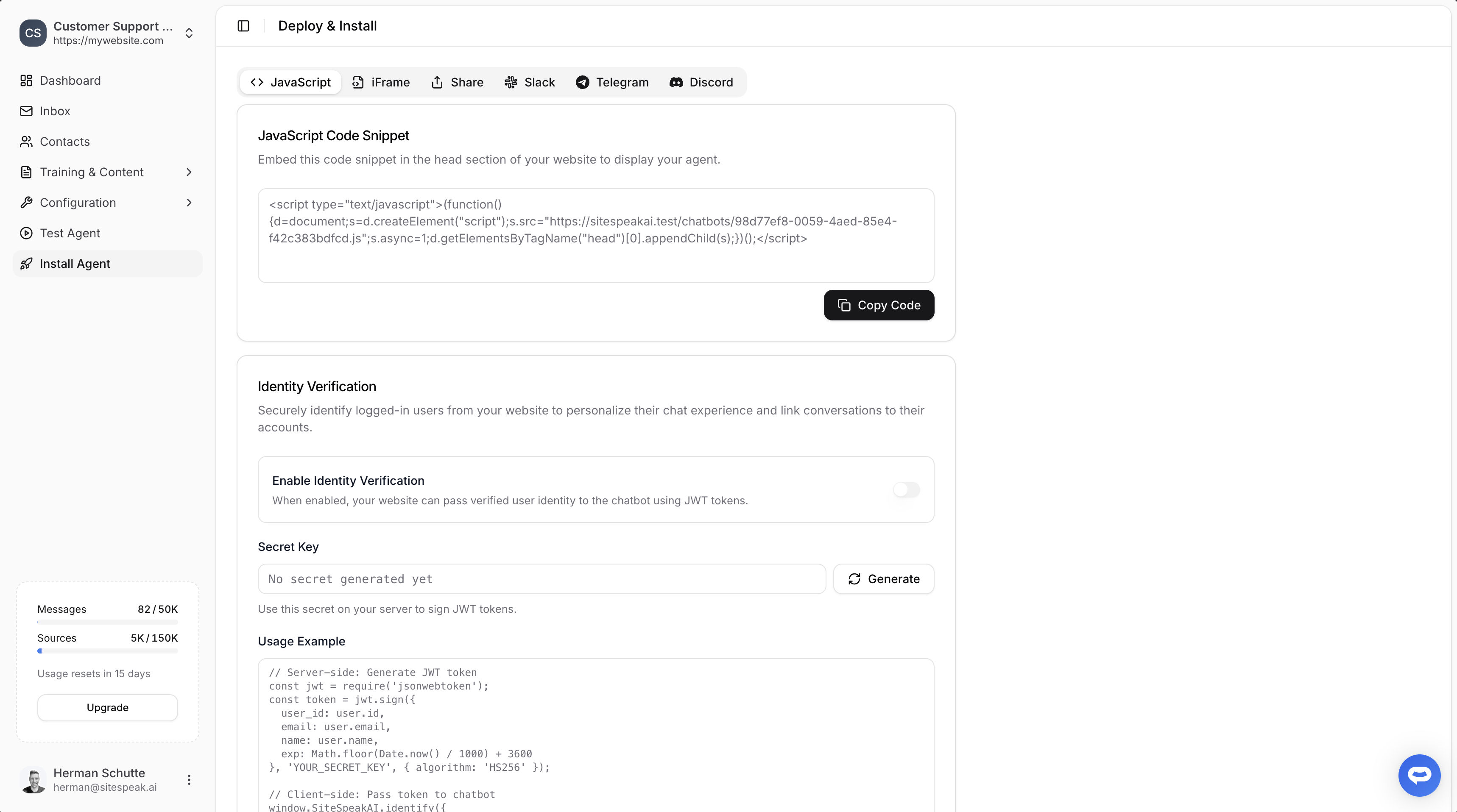
Select your chatbot from the dropdown menu at the top, click on the **Install Agent** section in the sidebar, then click on the **Copy Code** button to copy your code snippet.
 ### In base44
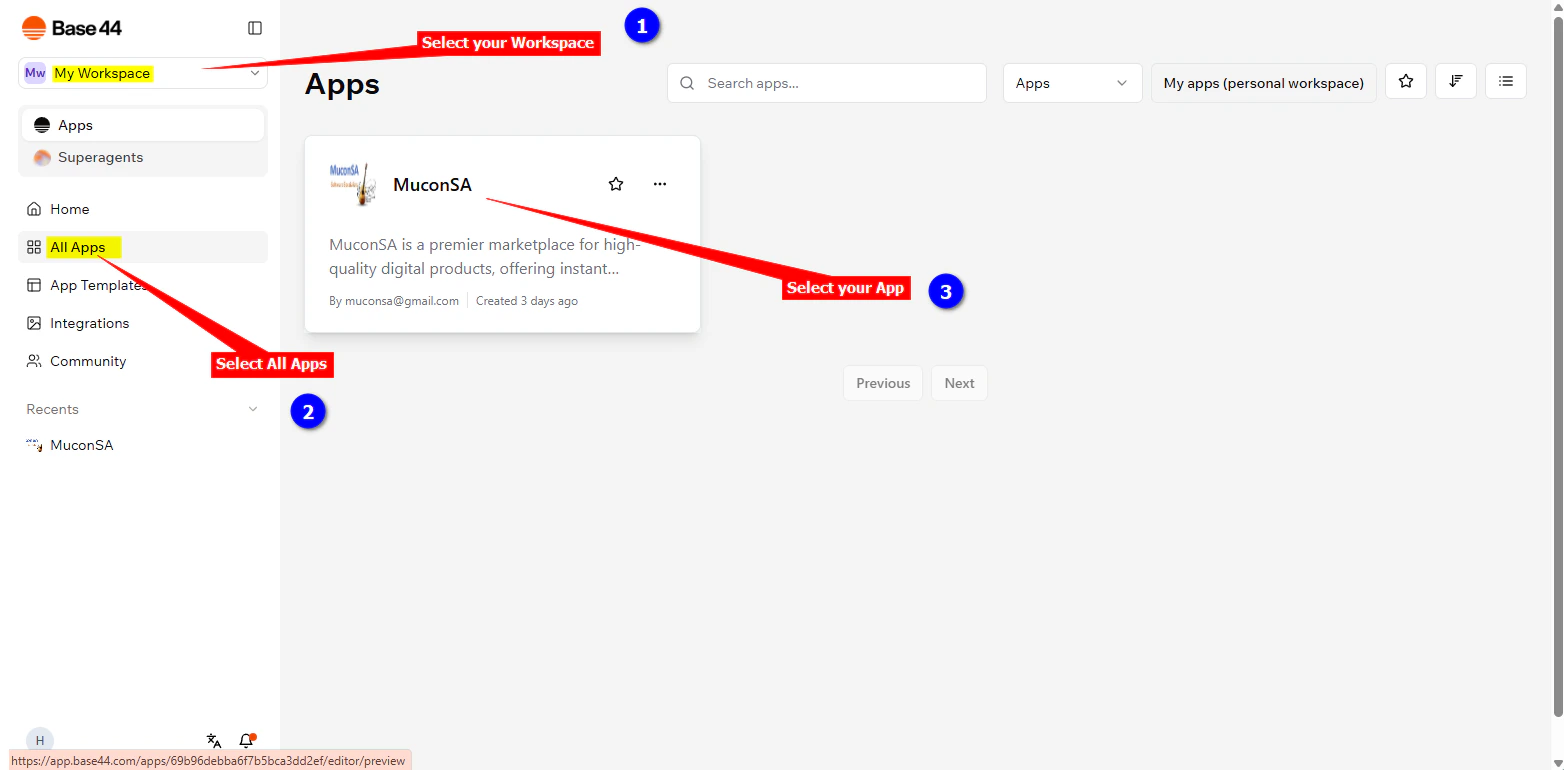
1. Log into your **base44** account and on the dashboard select your workspace where your apps live, click on **All Apps** and select the app that you want to add your support agent snippet to
### In base44
1. Log into your **base44** account and on the dashboard select your workspace where your apps live, click on **All Apps** and select the app that you want to add your support agent snippet to
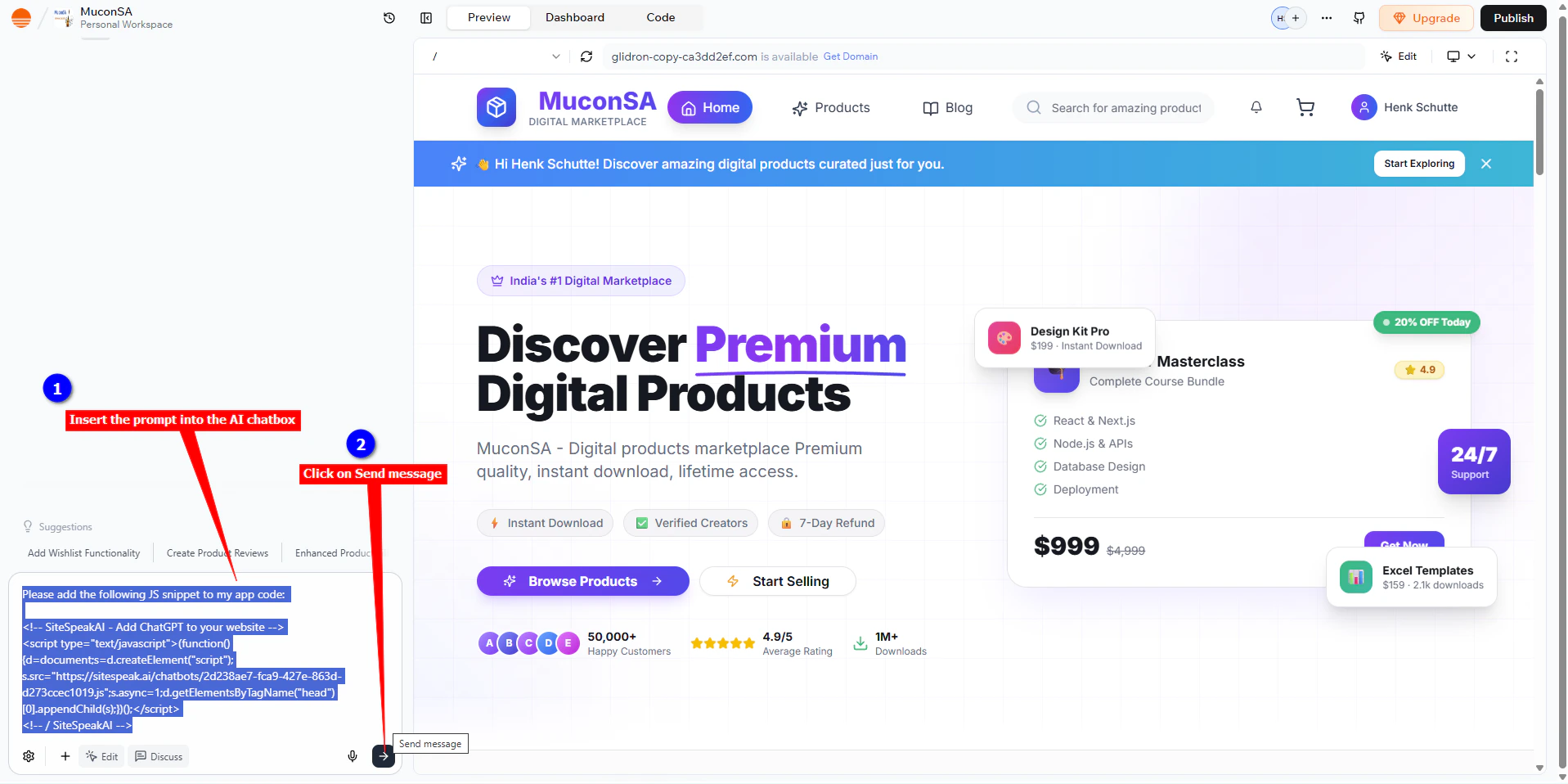
 We are going to use a prompt to instruct the base44 AI to insert the snippet for us. The prompt consists of the instruction, "Please add the following JS snippet to my app code:" followed by the snippet code as copied at the beginning of this tutorial.
```
Please add the following JS snippet to my app code:
```
2. Insert this prompt into AI chatbox and click on **Send message**
We are going to use a prompt to instruct the base44 AI to insert the snippet for us. The prompt consists of the instruction, "Please add the following JS snippet to my app code:" followed by the snippet code as copied at the beginning of this tutorial.
```
Please add the following JS snippet to my app code:
```
2. Insert this prompt into AI chatbox and click on **Send message**
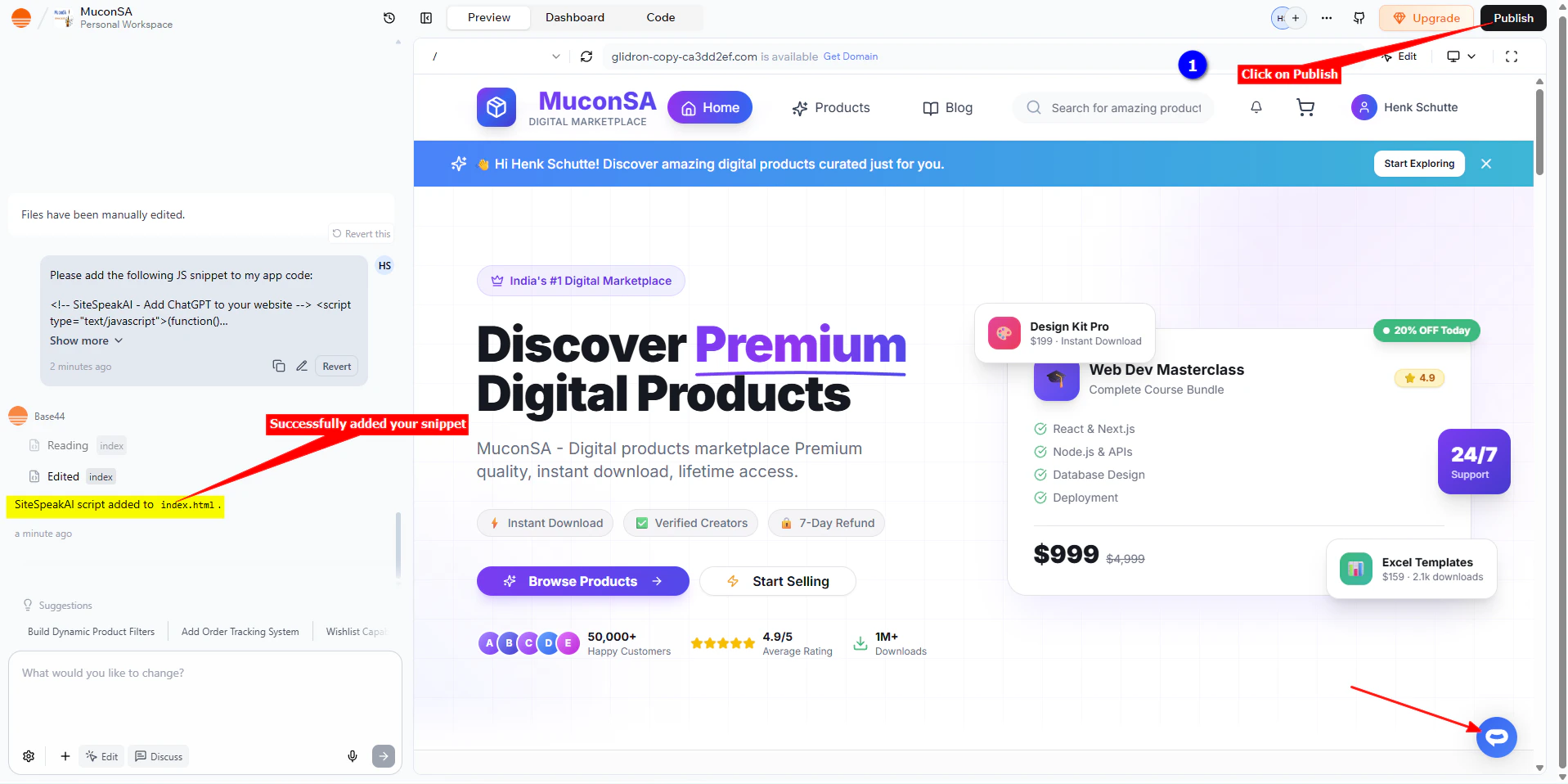
 It will go through a whole process of inserting your snippet and then display a message indicating that the snippet was added and also display the support Agent button on the Preview page.
3. Click on **Publish** to publish your changes
It will go through a whole process of inserting your snippet and then display a message indicating that the snippet was added and also display the support Agent button on the Preview page.
3. Click on **Publish** to publish your changes
 4. Your AI support agent button will now be displayed on your **base44** app page
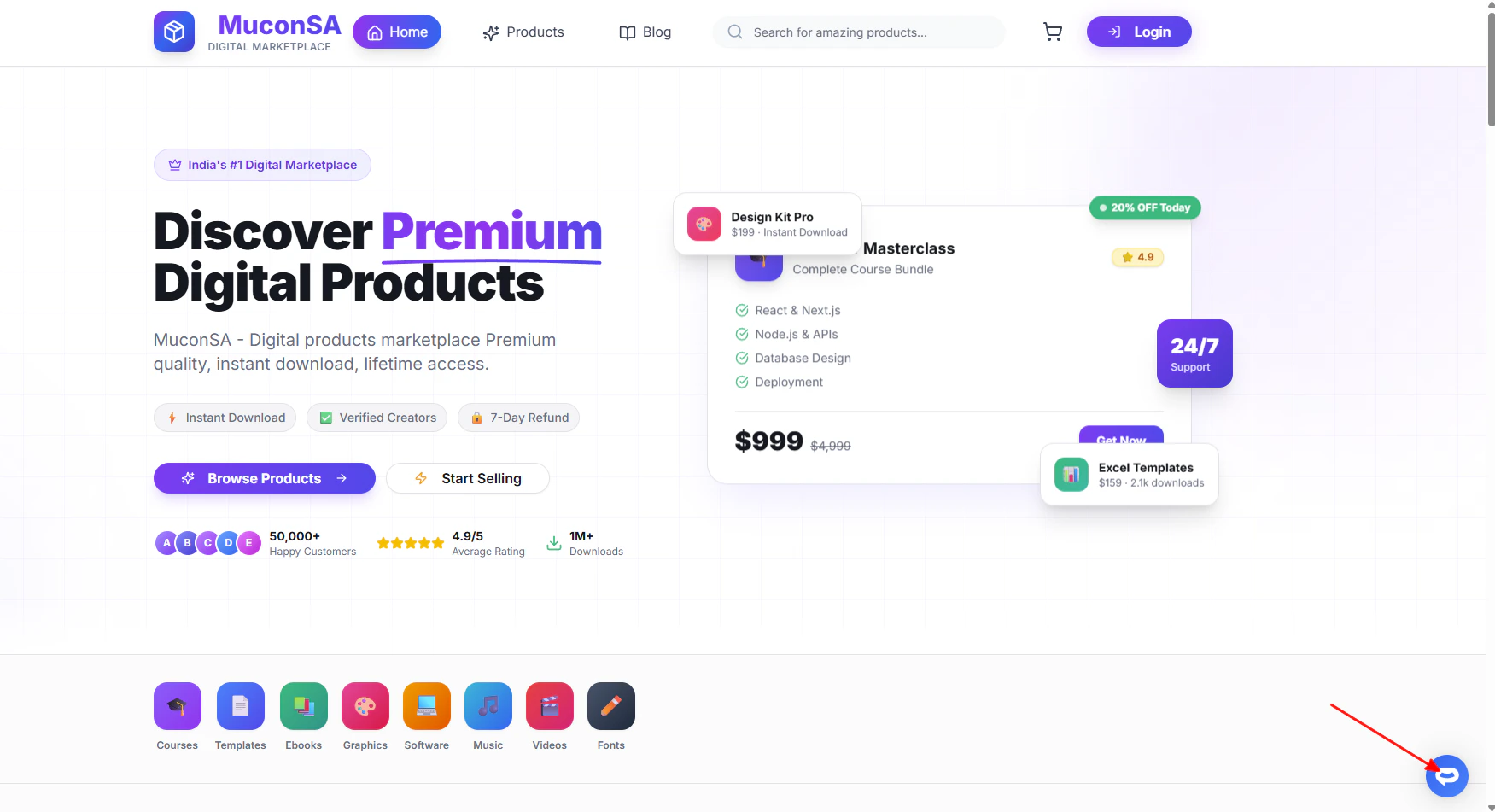 5. If you click on the button it will display the AI support agent dialogue
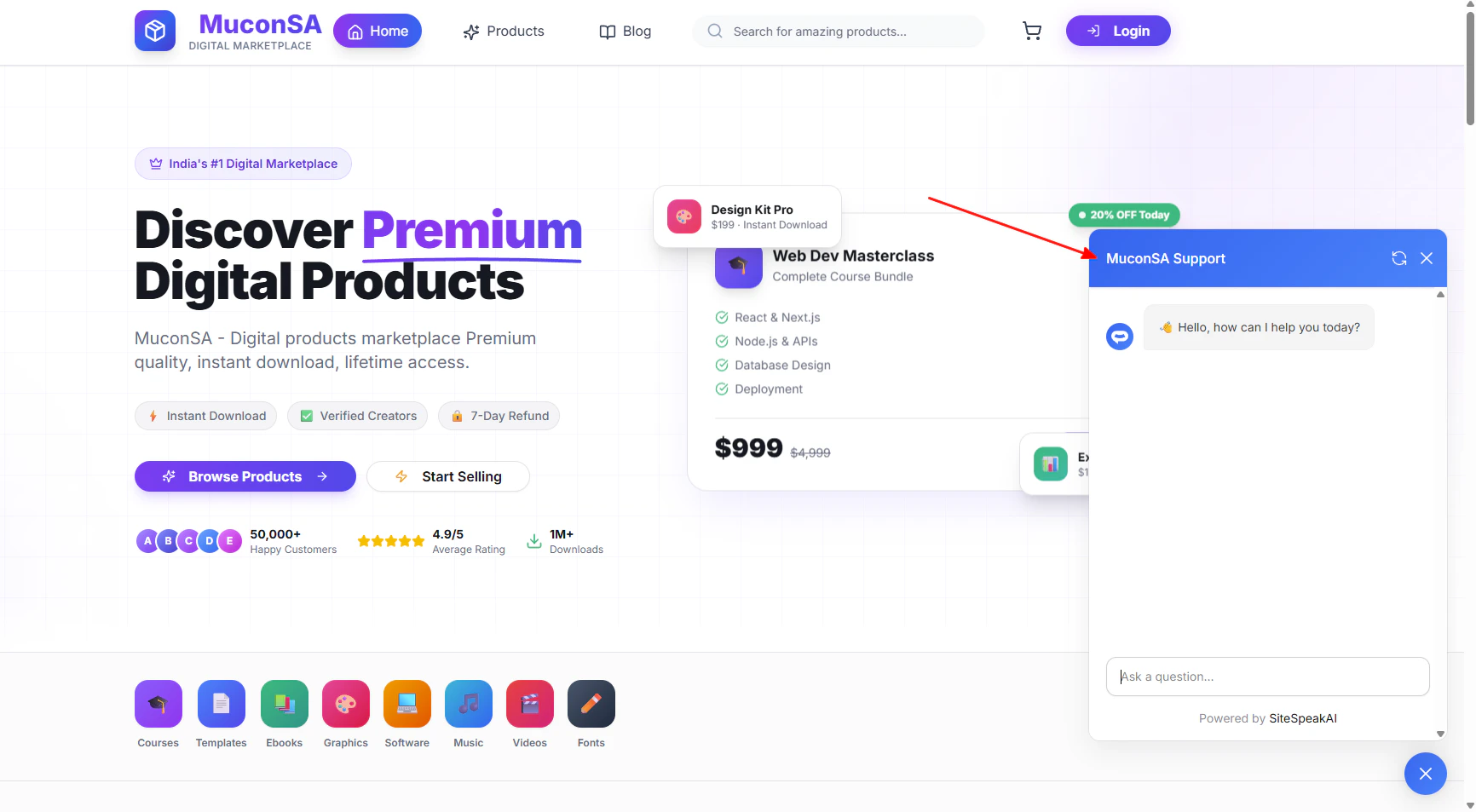 Your AI support agent has now been added to your **base44** app and your visitors/customers can start interacting with it!
***
Join over 1000+ businesses, websites and startups automating their customer service and other tasks with a custom trained AI agent.
Your AI support agent has now been added to your **base44** app and your visitors/customers can start interacting with it!
***
Join over 1000+ businesses, websites and startups automating their customer service and other tasks with a custom trained AI agent.