> ## Documentation Index
> Fetch the complete documentation index at: https://sitespeak.ai/docs/llms.txt
> Use this file to discover all available pages before exploring further.
# How to add a ChatGPT AI support agent to Carrd
> How to add your custom ChatGPT trained chatbot to your Carrd website.
You want to embed your custom trained chatbot in your **Carrd** website. Here's how to add ChatGPT to Carrd with SiteSpeakAI.
**Carrd** allows you to build one-page sites for pretty much anything whether it's a personal profile, a landing page to capture emails, or something a bit more elaborate, Carrd has you covered.
**Website URL:** [Carrd](https://carrd.co/)
## Add your AI support agent to your Carrd website
### In SiteSpeakAI
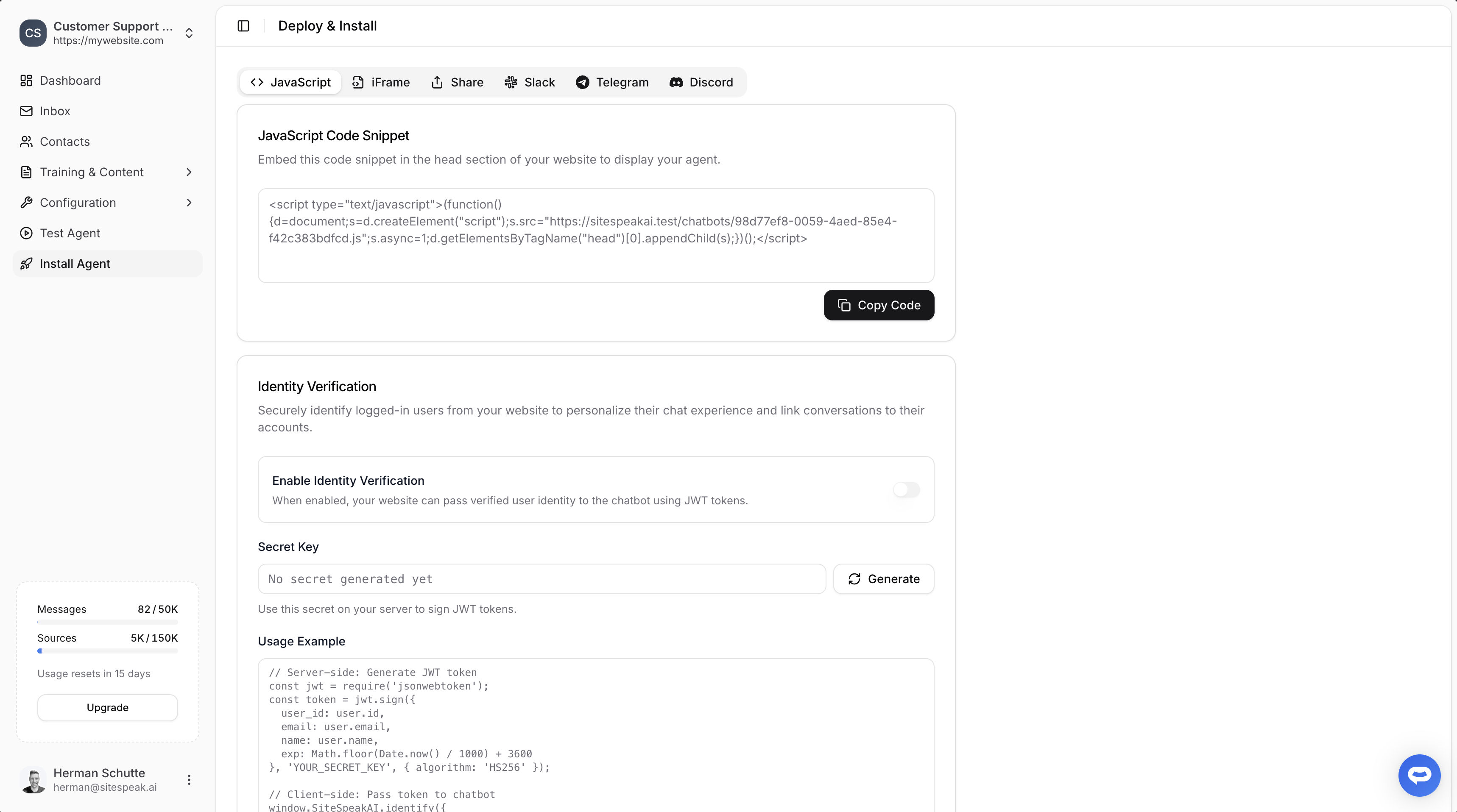
Select your chatbot from the dropdown menu at the top, click on the **Install Agent** section in the sidebar, then click on the **Copy Code** button to copy your code snippet.
 ### In Carrd
Go to the **Carrd** page where you want to add your AI support agent.
1. Click the **+** icon and select **embed**
2. Add your code snippet under **Code** on the left-hand section
3. Save your page and preview your AI support agent.
***
Join over 1000+ businesses, websites and startups automating their customer service and other tasks with a custom trained AI agent.
### In Carrd
Go to the **Carrd** page where you want to add your AI support agent.
1. Click the **+** icon and select **embed**
2. Add your code snippet under **Code** on the left-hand section
3. Save your page and preview your AI support agent.
***
Join over 1000+ businesses, websites and startups automating their customer service and other tasks with a custom trained AI agent.