> ## Documentation Index
> Fetch the complete documentation index at: https://sitespeak.ai/docs/llms.txt
> Use this file to discover all available pages before exploring further.
# How to add a ChatGPT AI support agent to Designmodo
> How to add your custom ChatGPT trained AI support agent to your Designmodo website.
You want to embed your custom trained AI support agent in your **Designmodo** website page. Here's how to add an AI support agent to Designmodo with SiteSpeakAI.
**Designmodo** consists of 3 Apps, i.e. **Postcards**, **Slides** and **Startup**
* **Postcards** - A Powerfully Simple Email Template Builder. **Postcards** is how you design email newsletters that shine, in a fraction of the time, with one-click exports to every ESP [Learn more](https://designmodo.com/postcards/).
* **Slides** - A No-Code Website Builder for Creating Beautiful and Animated Pages. In **Slides**, you can tell an unforgettable story. Bring your website vision to life with smooth animations and bold creative. It is a fast, intuitive website builder to generate beautiful, animated websites without a single line of coding. Choose from hundreds of premade UI blocks or use a template, then just drag and drop them into place [Learn more](https://designmodo.com/slides/).
* **Startup** - A Drag & Drop Bootstrap Template Builder. With **Startup**, every developer is more productive. Publish perfect, responsive landing pages faster, with a simple drag-and-drop interface. It is a platform offering a curated collection of website templates and resources specifically geared towards early-stage startups. It provides a marketplace for designers and developers to find and purchase professionally designed website solutions [Learn more](https://designmodo.com/startup/).
In this tutorial we will look at **Slides** as well as **Startup**
## A. Add your AI support agent to your Designmodo website using the Slides App
### In SiteSpeakAI
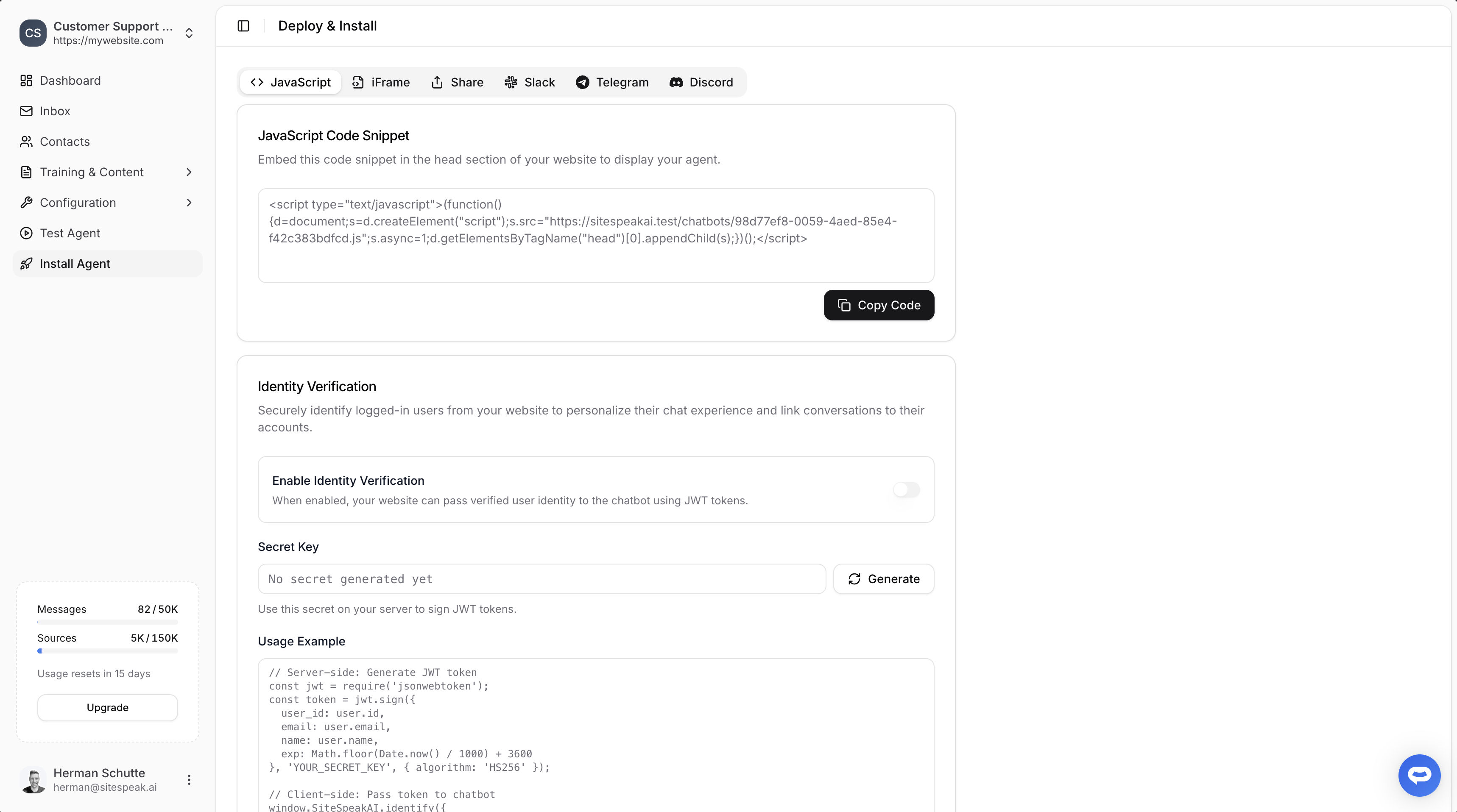
Select your chatbot from the dropdown menu at the top, click on the **Install Agent** section in the sidebar, then click on the **Copy Code** button to copy your code snippet.
 ### In Designmodo
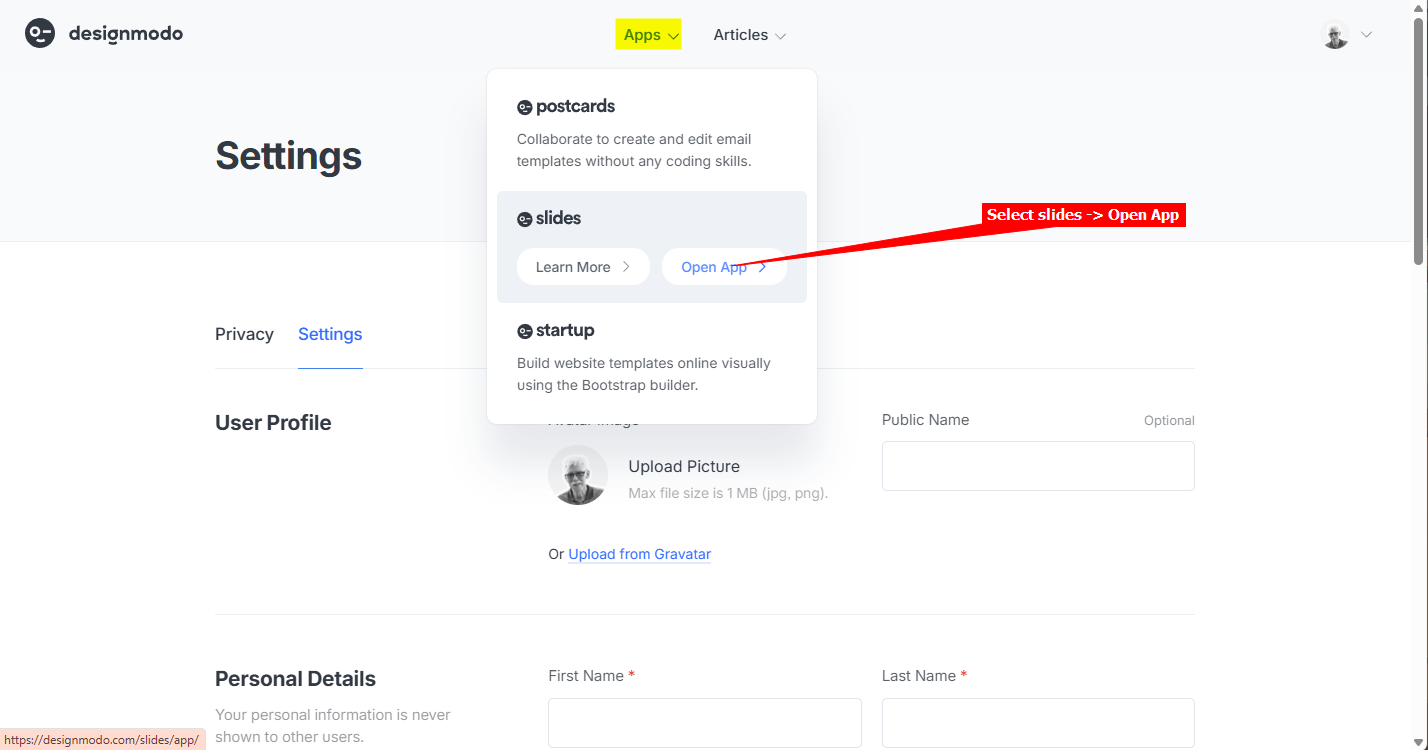
1. Log into your **Designmodo** account and select **slides** -> **Open App** on the **Apps** dropdown
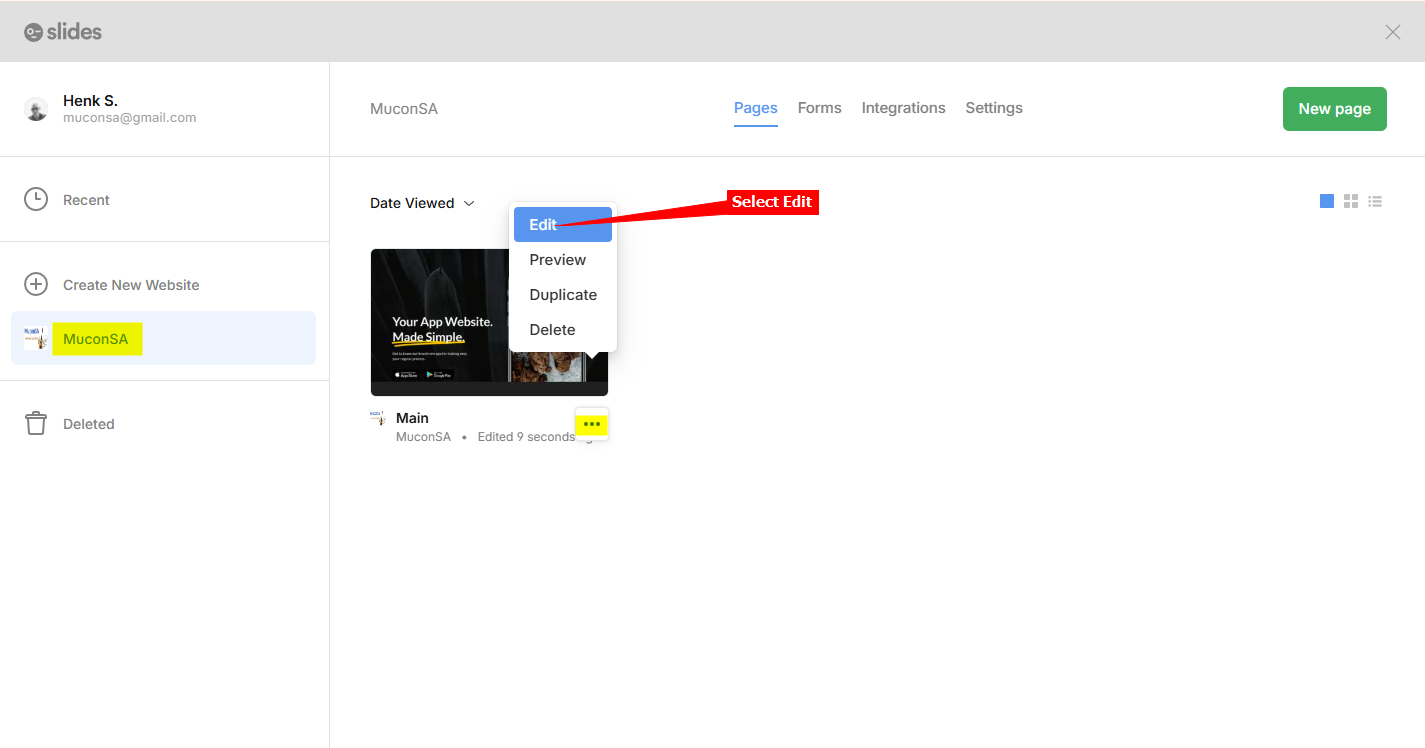
2. For the website you want to add your AI support agent to, click on the hamburger menu and select **Edit**
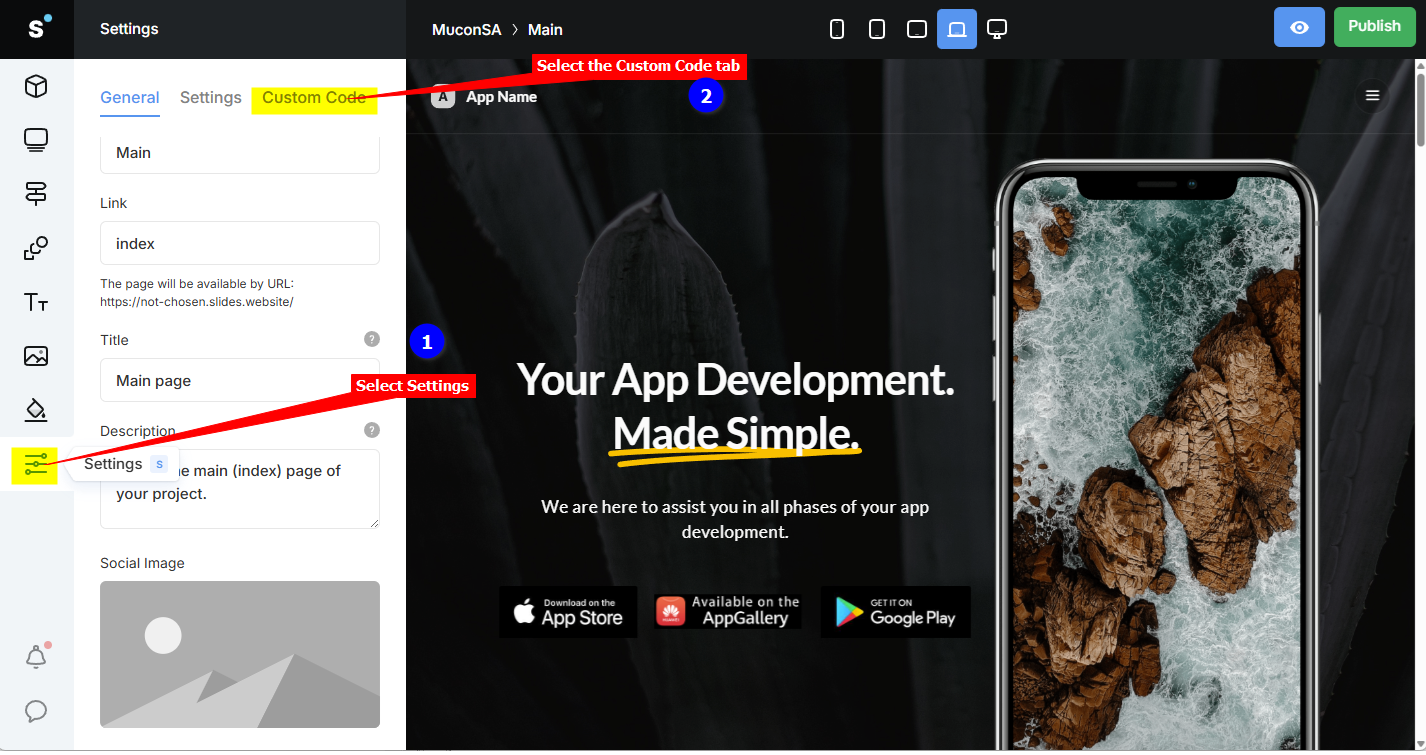
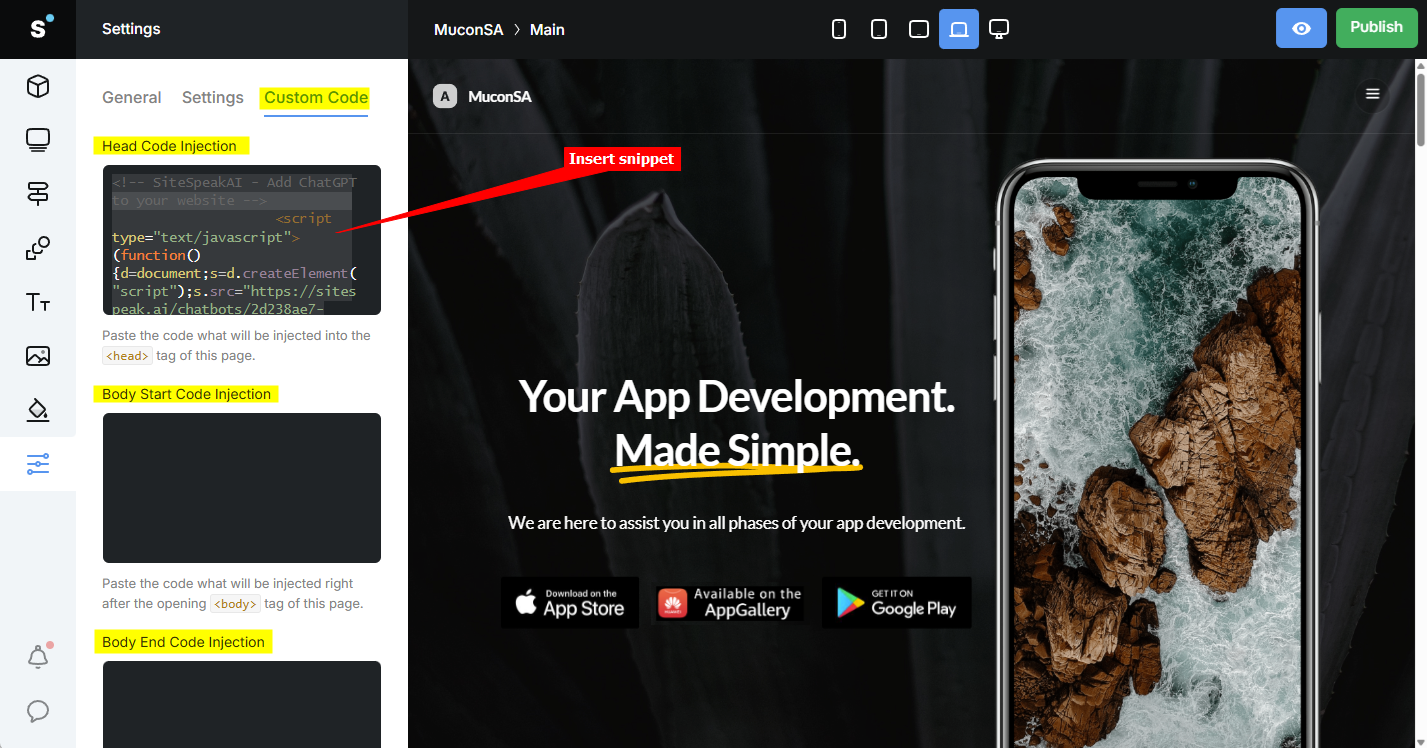
3. Select **Settings** on the left sidebar and select the **Custom Code** tab
4. Under **Custom Code** insert your AI support agent snippet in anyone of the available **Injection** areas, i.e. **Head Code Injection**, **Body Start Code Injection** or **Body End Code Injection**
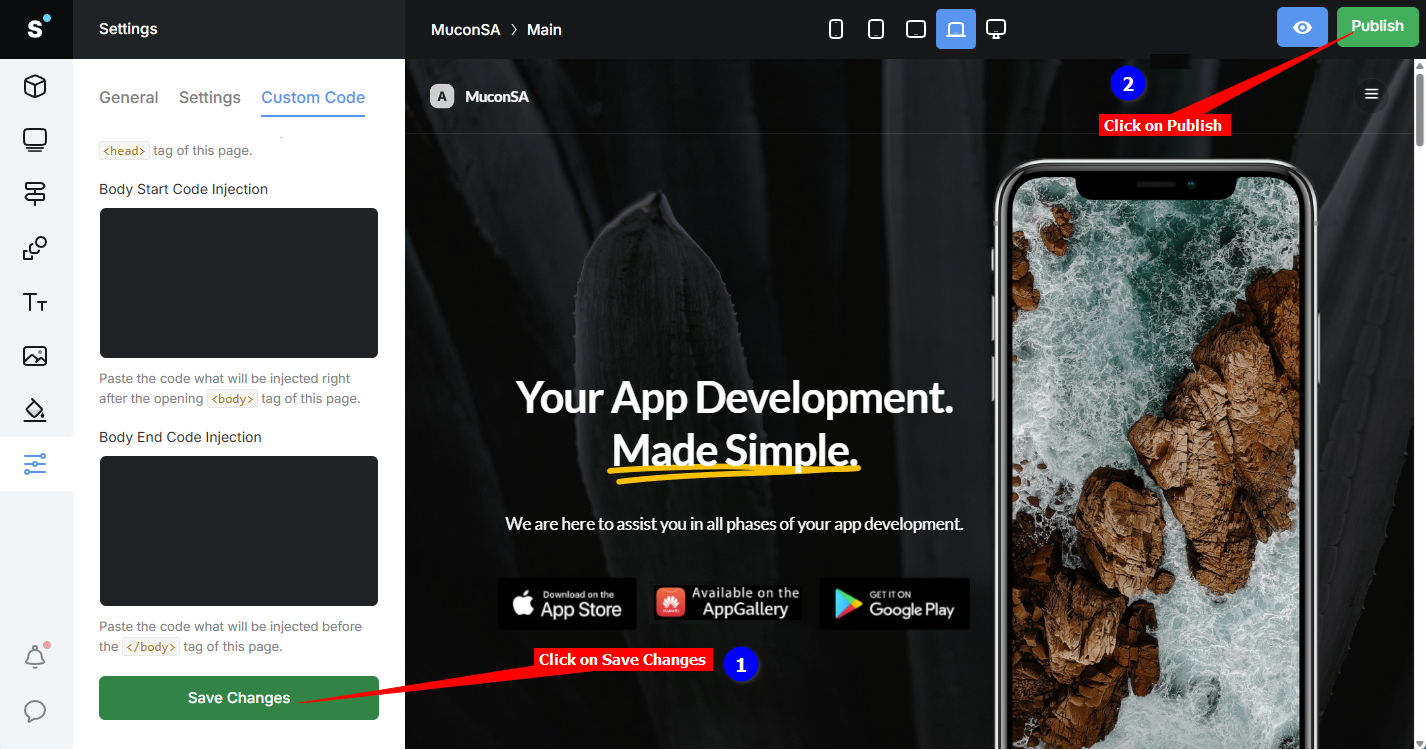
5. Click on **Save Changes** and **Publish**
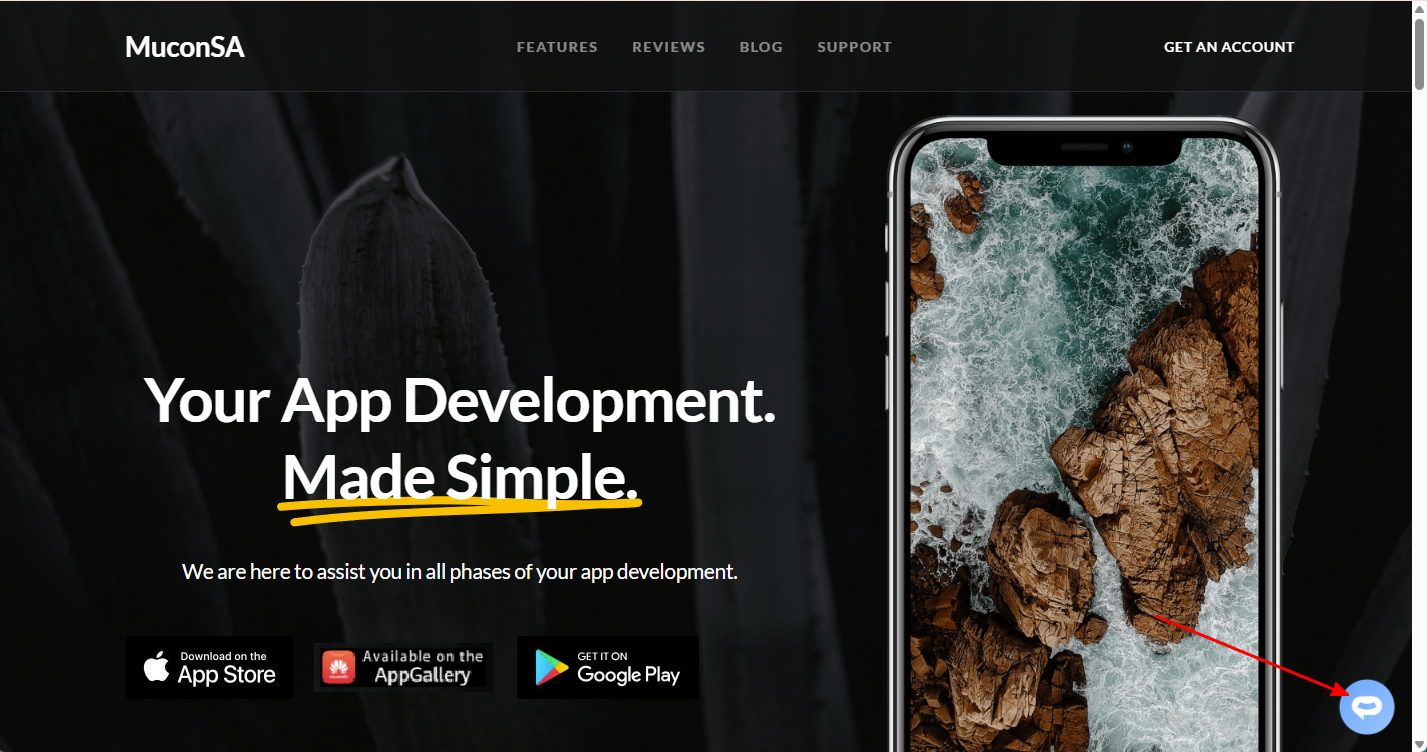
6. Your AI support agent button will now be displayed on your **Designmodo slides** website page
7. If you click on the button it will display the AI support agent dialogue
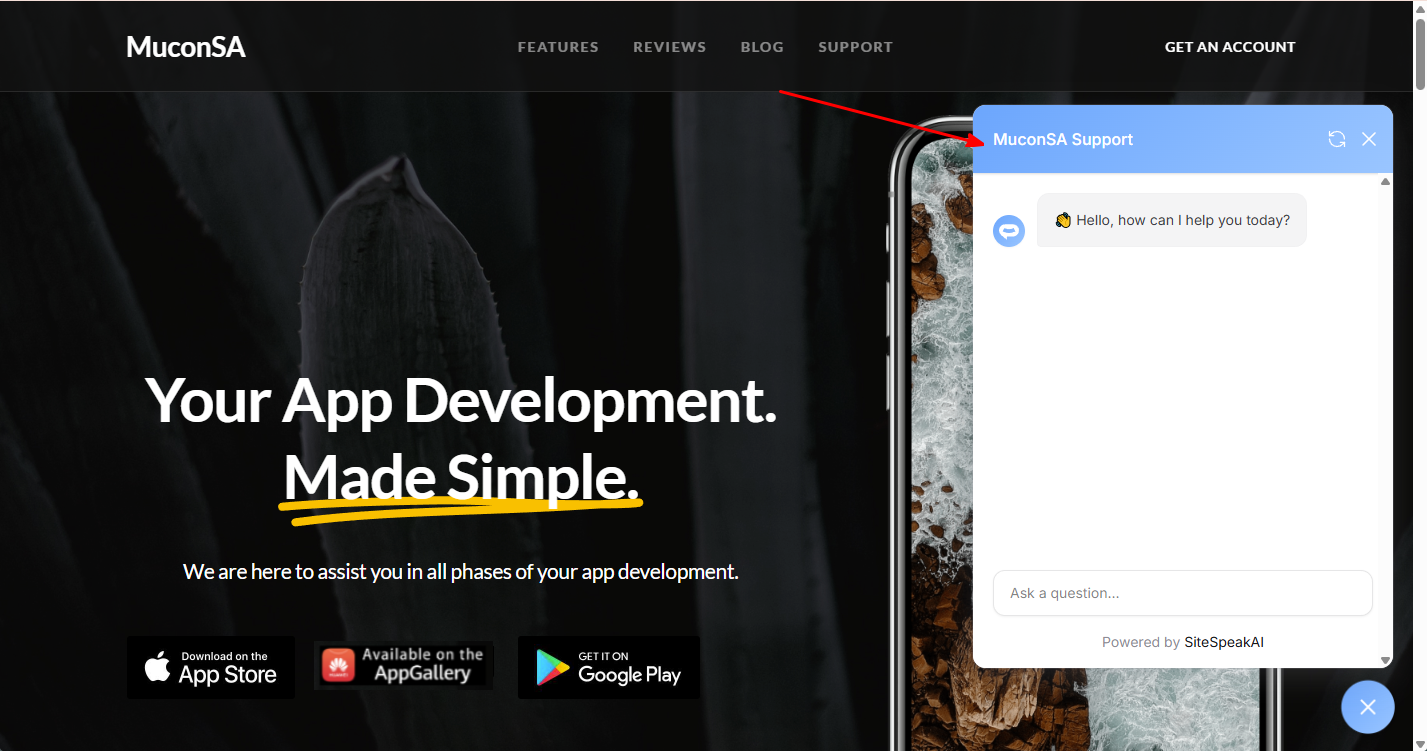
Your AI support agent has now been added to your **Designmodo slides** website and your visitors/customers can start interacting with it!
## B. Add your AI support agent to your Designmodo website using the Startup App
### In SiteSpeakAI
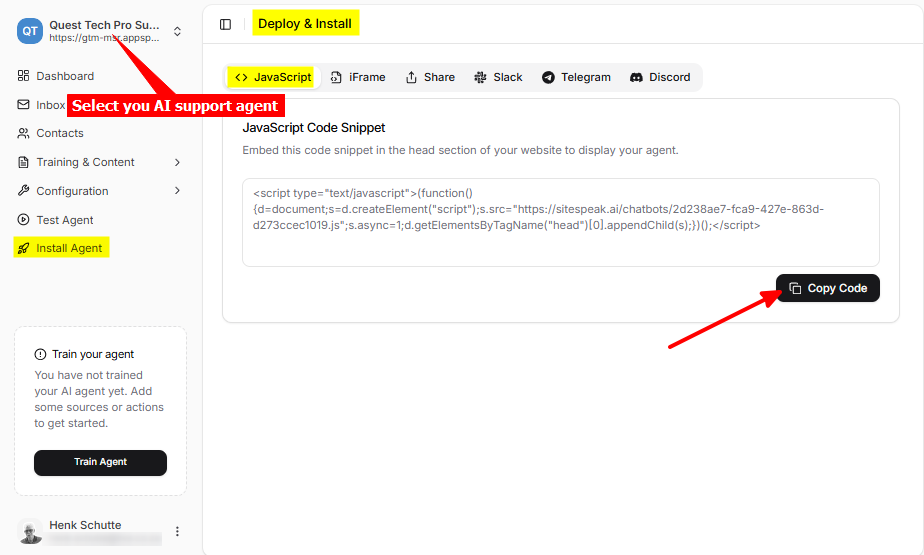
Log into your SiteSpeakAI account and select your agent from the dropdown menu at the top, click on the **Install Agent** section in the sidebar, select the **Javascript** tab and then click on the **Copy Code** button to copy your agent code snippet.
### In Designmodo
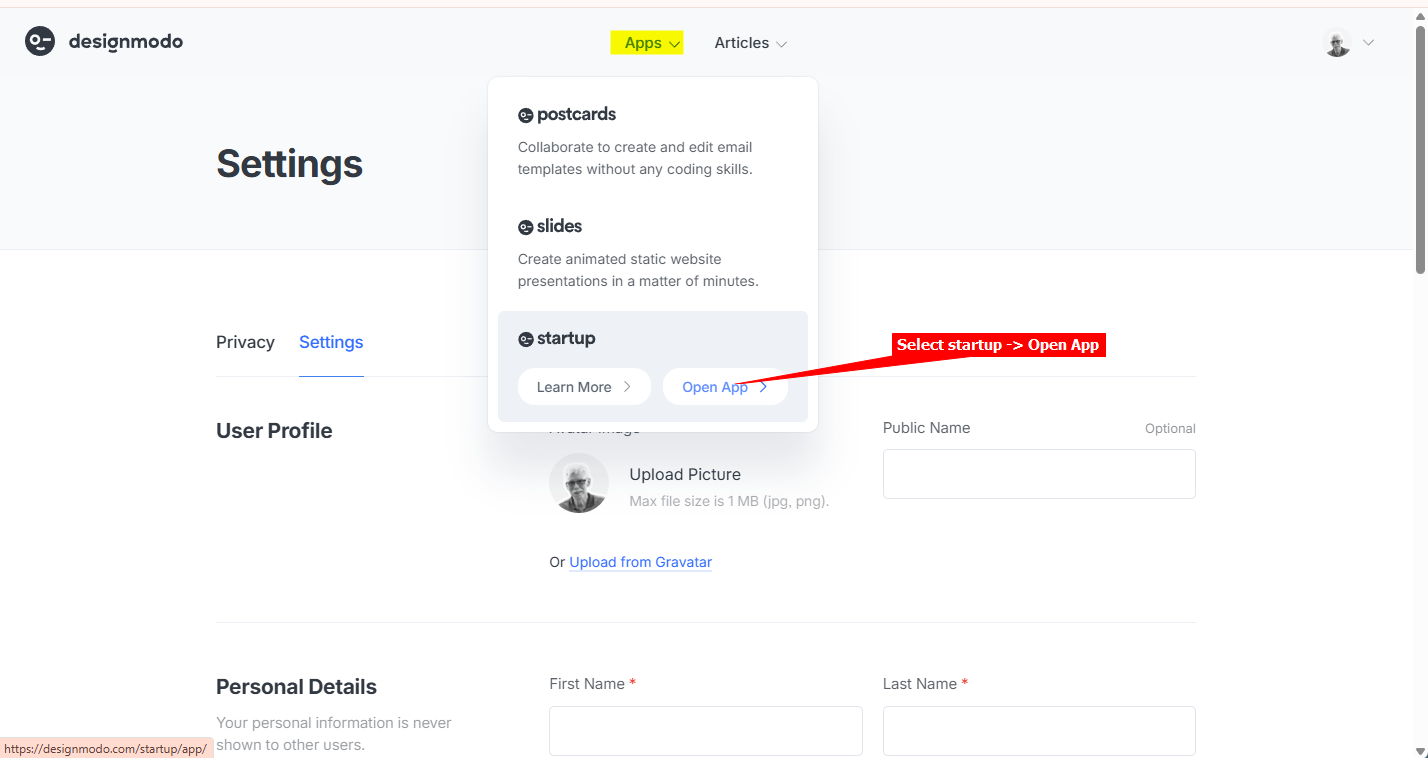
1. Log into your **Designmodo** account and select **startup** -> **Open App** on the **Apps** dropdown
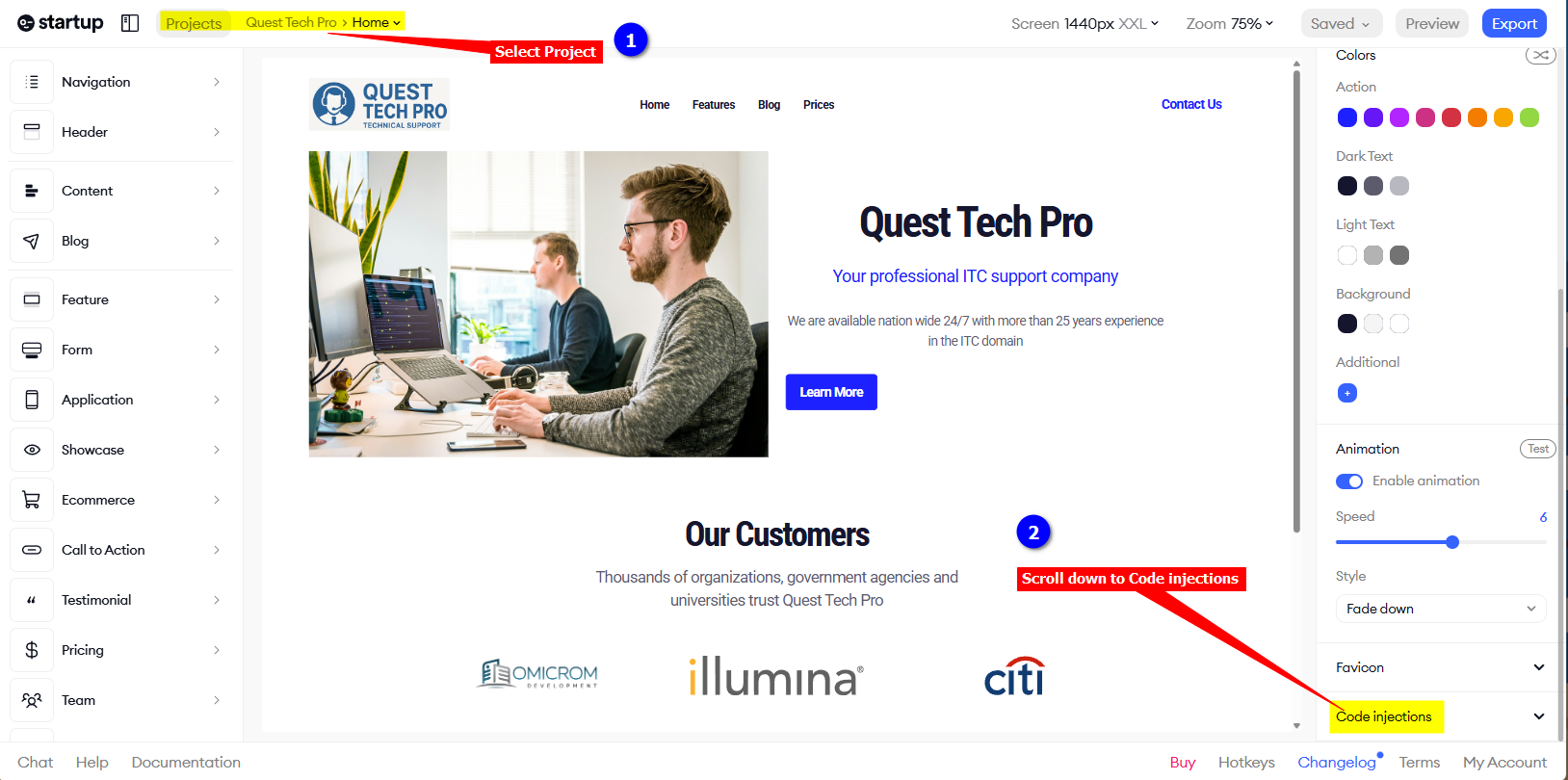
2. Make sure your project is selected and on the right sidebar, scroll down to **Code injections**
3. Under **Code injections** insert your AI support agent snippet in anyone of the available **Injection** areas, i.e. **Head**, **Body start** or **Body end** and click on **Save** (it does an Autosave)
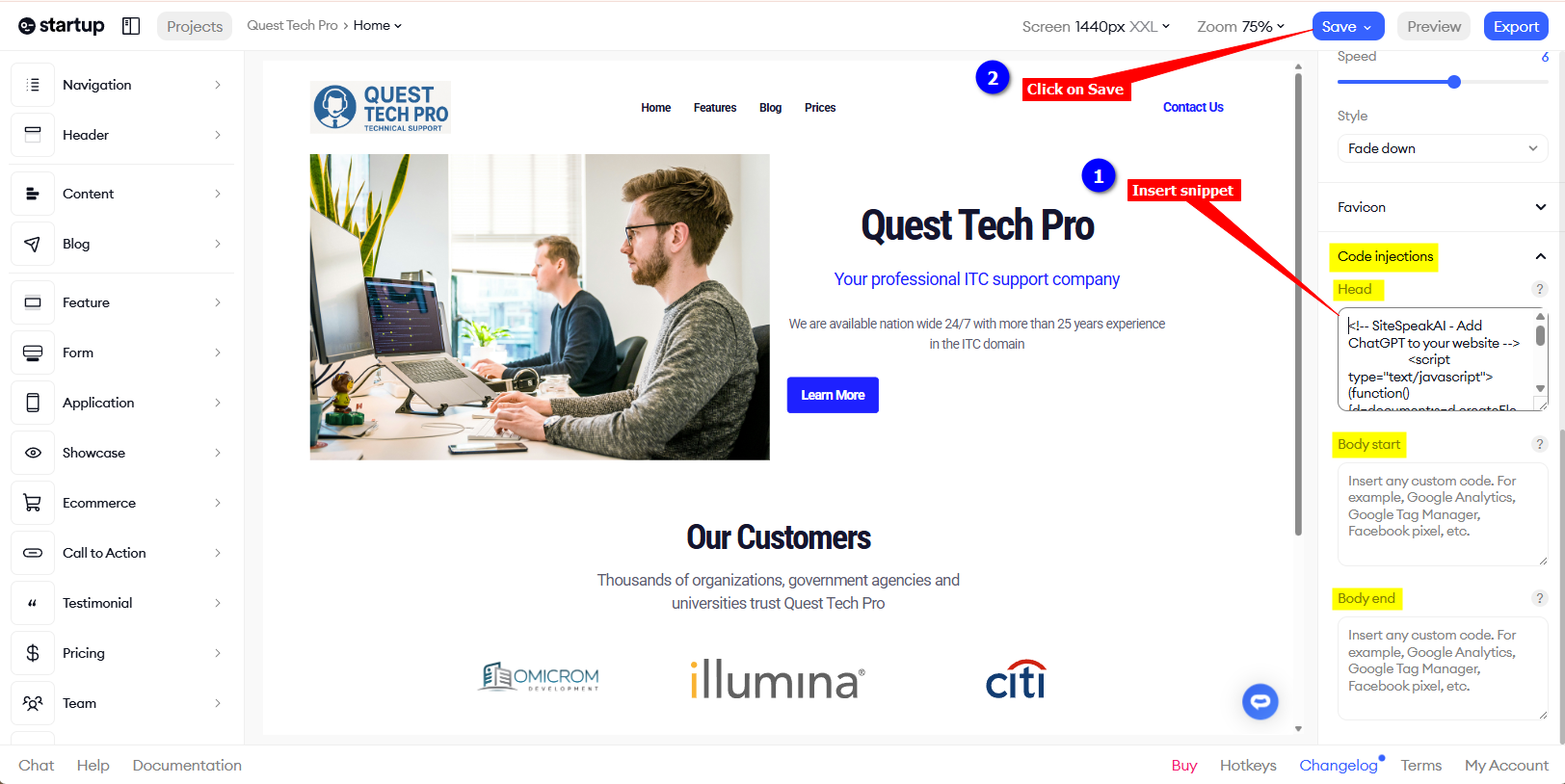
4. Your AI support agent button will now be displayed on your **Designmodo startup** website page
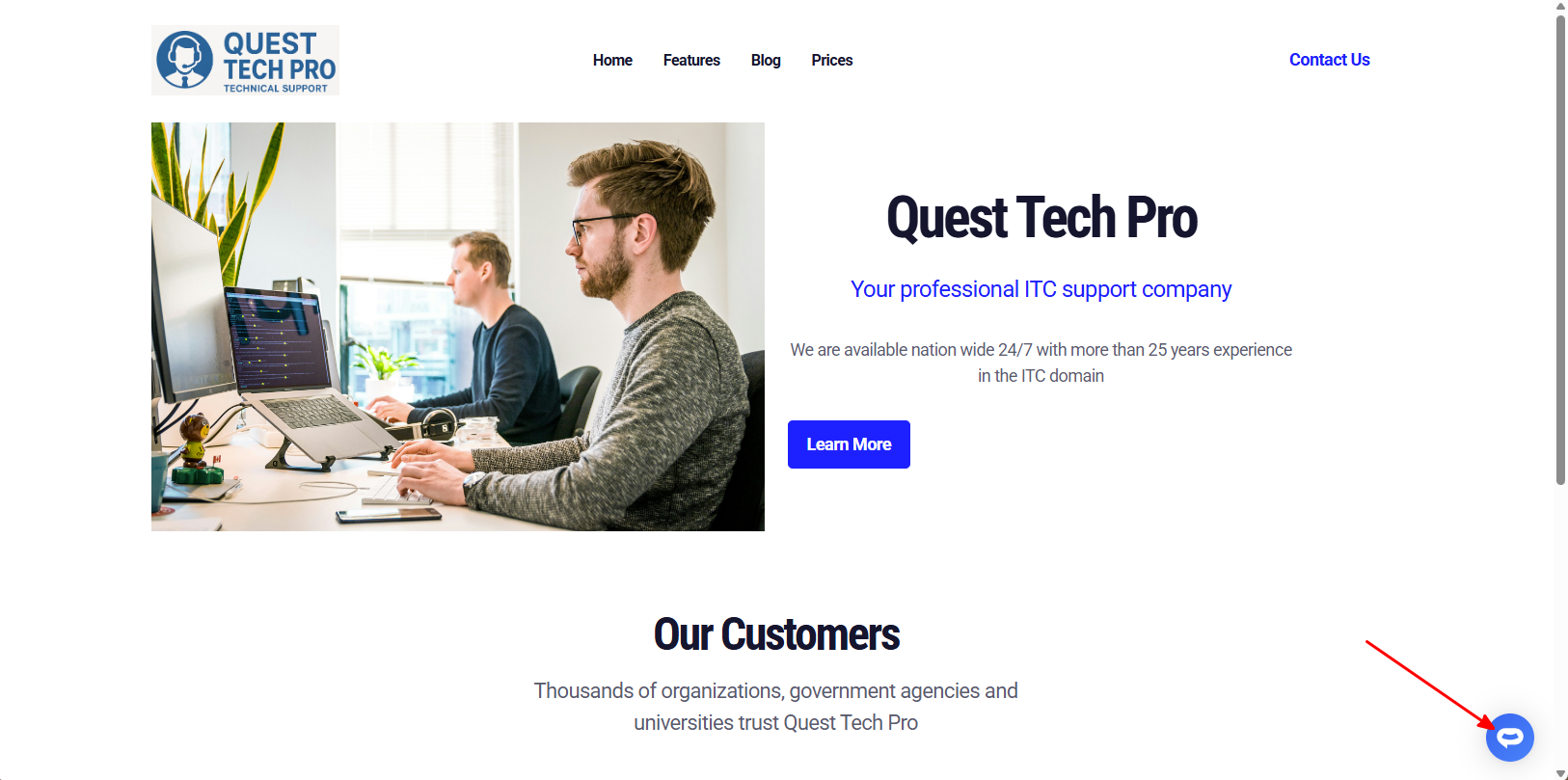
5. If you click on the button it will display the AI support agent dialogue
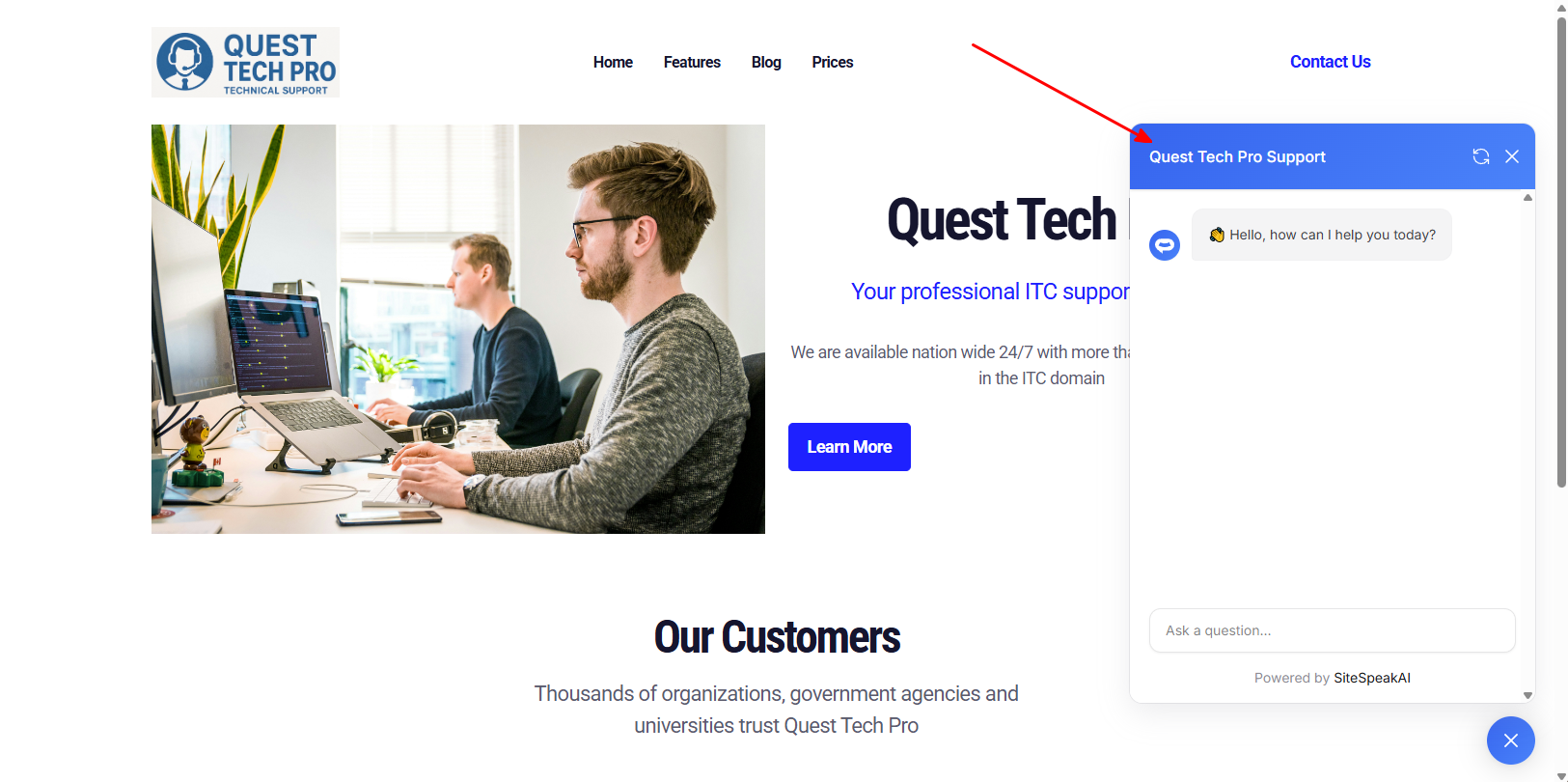
Your AI support agent has now been added to your **Designmodo startup** website and your visitors/customers can start interacting with it!
***
Join over 1000+ businesses, websites and startups automating their customer service and other tasks with a custom trained AI agent.
### In Designmodo
1. Log into your **Designmodo** account and select **slides** -> **Open App** on the **Apps** dropdown

2. For the website you want to add your AI support agent to, click on the hamburger menu and select **Edit**

3. Select **Settings** on the left sidebar and select the **Custom Code** tab

4. Under **Custom Code** insert your AI support agent snippet in anyone of the available **Injection** areas, i.e. **Head Code Injection**, **Body Start Code Injection** or **Body End Code Injection**

5. Click on **Save Changes** and **Publish**

6. Your AI support agent button will now be displayed on your **Designmodo slides** website page

7. If you click on the button it will display the AI support agent dialogue

Your AI support agent has now been added to your **Designmodo slides** website and your visitors/customers can start interacting with it!
## B. Add your AI support agent to your Designmodo website using the Startup App
### In SiteSpeakAI
Log into your SiteSpeakAI account and select your agent from the dropdown menu at the top, click on the **Install Agent** section in the sidebar, select the **Javascript** tab and then click on the **Copy Code** button to copy your agent code snippet.

### In Designmodo
1. Log into your **Designmodo** account and select **startup** -> **Open App** on the **Apps** dropdown

2. Make sure your project is selected and on the right sidebar, scroll down to **Code injections**

3. Under **Code injections** insert your AI support agent snippet in anyone of the available **Injection** areas, i.e. **Head**, **Body start** or **Body end** and click on **Save** (it does an Autosave)

4. Your AI support agent button will now be displayed on your **Designmodo startup** website page

5. If you click on the button it will display the AI support agent dialogue

Your AI support agent has now been added to your **Designmodo startup** website and your visitors/customers can start interacting with it!
***
Join over 1000+ businesses, websites and startups automating their customer service and other tasks with a custom trained AI agent.