> ## Documentation Index
> Fetch the complete documentation index at: https://sitespeak.ai/docs/llms.txt
> Use this file to discover all available pages before exploring further.
# How to add a ChatGPT AI support agent to Duda
> How to add your custom ChatGPT trained AI support agent to your Duda website.
You want to embed your custom trained AI support agent in your **Duda** website page. Here's how to add an AI support agent to Duda with SiteSpeakAI.
**Duda** is a website builder designed for entrepreneurs and small businesses. It allows users to create and manage websites without coding, using AI, templates or from scratch.
**Website URL:** [Duda](https://www.duda.co/)
## Add your AI support agent to your **Duda** website
### In SiteSpeakAI
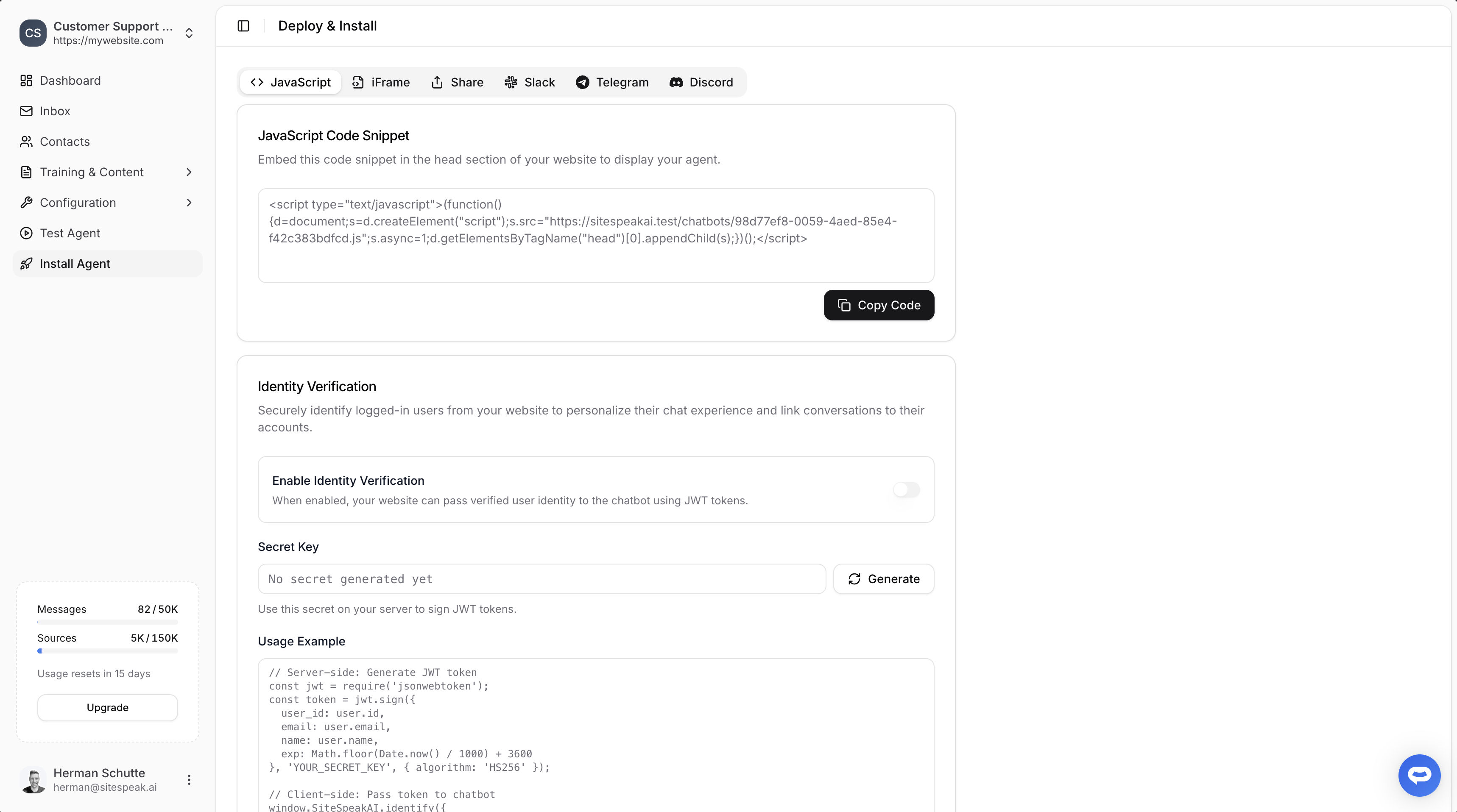
Select your chatbot from the dropdown menu at the top, click on the **Install Agent** section in the sidebar, then click on the **Copy Code** button to copy your code snippet.
 ### In Duda
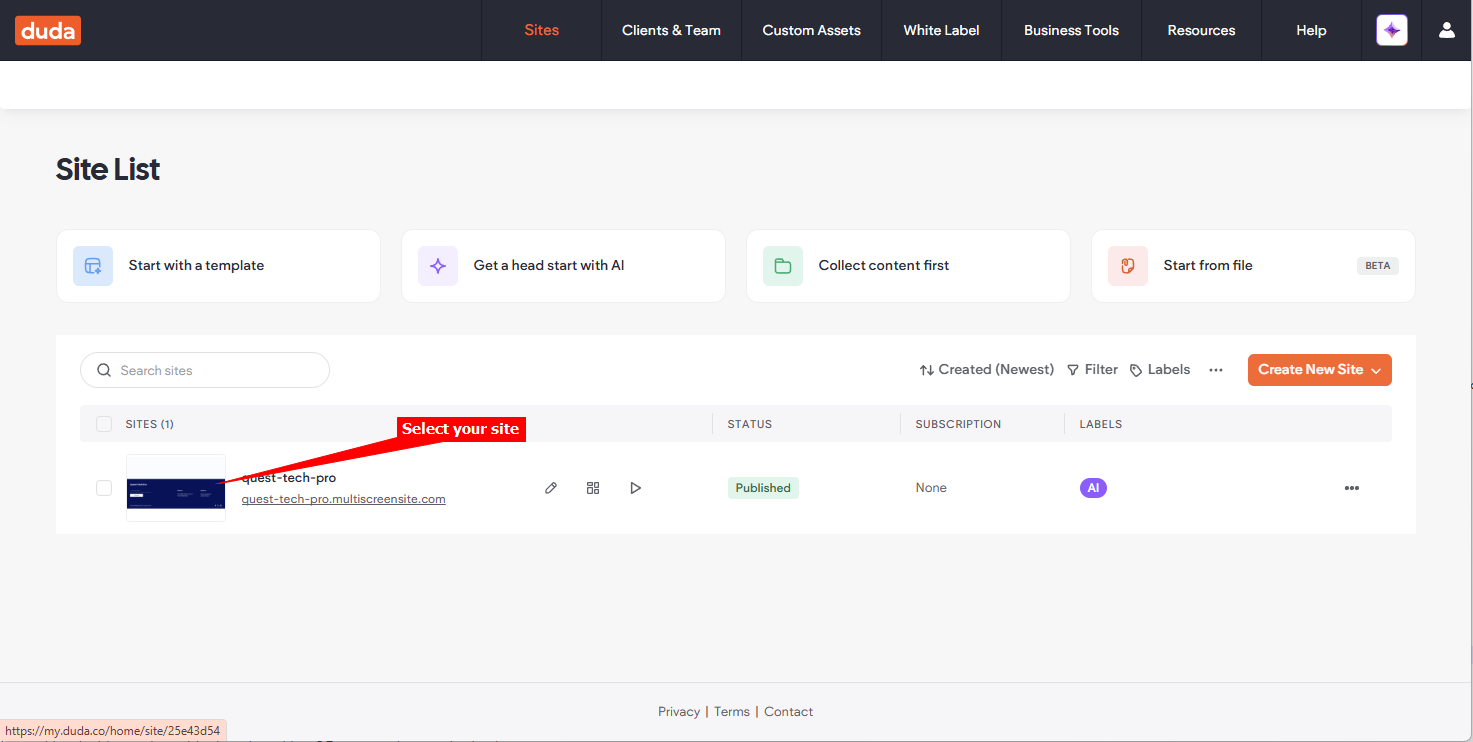
1. Log into your **Duda** account and on your dashboard select your site under **Sites**
### In Duda
1. Log into your **Duda** account and on your dashboard select your site under **Sites**
 **Note!** Duda allows adding your snippet site wide as well as per page. Adding site wide is achieved by editing the **Settings** and per page is achieved by adding the **Html** widget to the page.
#### A. Site Wide
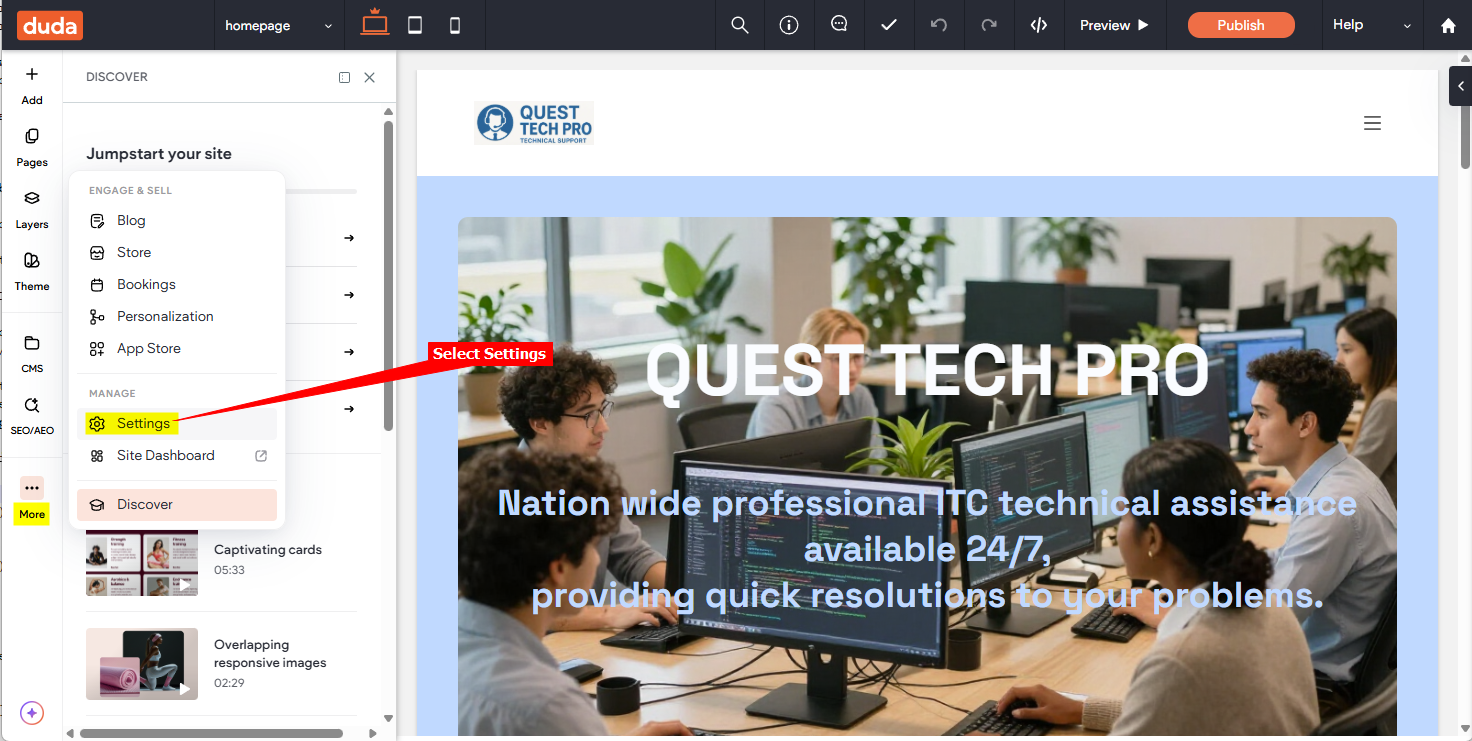
1. Click on the **More** item on the left side toolbar and select **Settings**
**Note!** Duda allows adding your snippet site wide as well as per page. Adding site wide is achieved by editing the **Settings** and per page is achieved by adding the **Html** widget to the page.
#### A. Site Wide
1. Click on the **More** item on the left side toolbar and select **Settings**
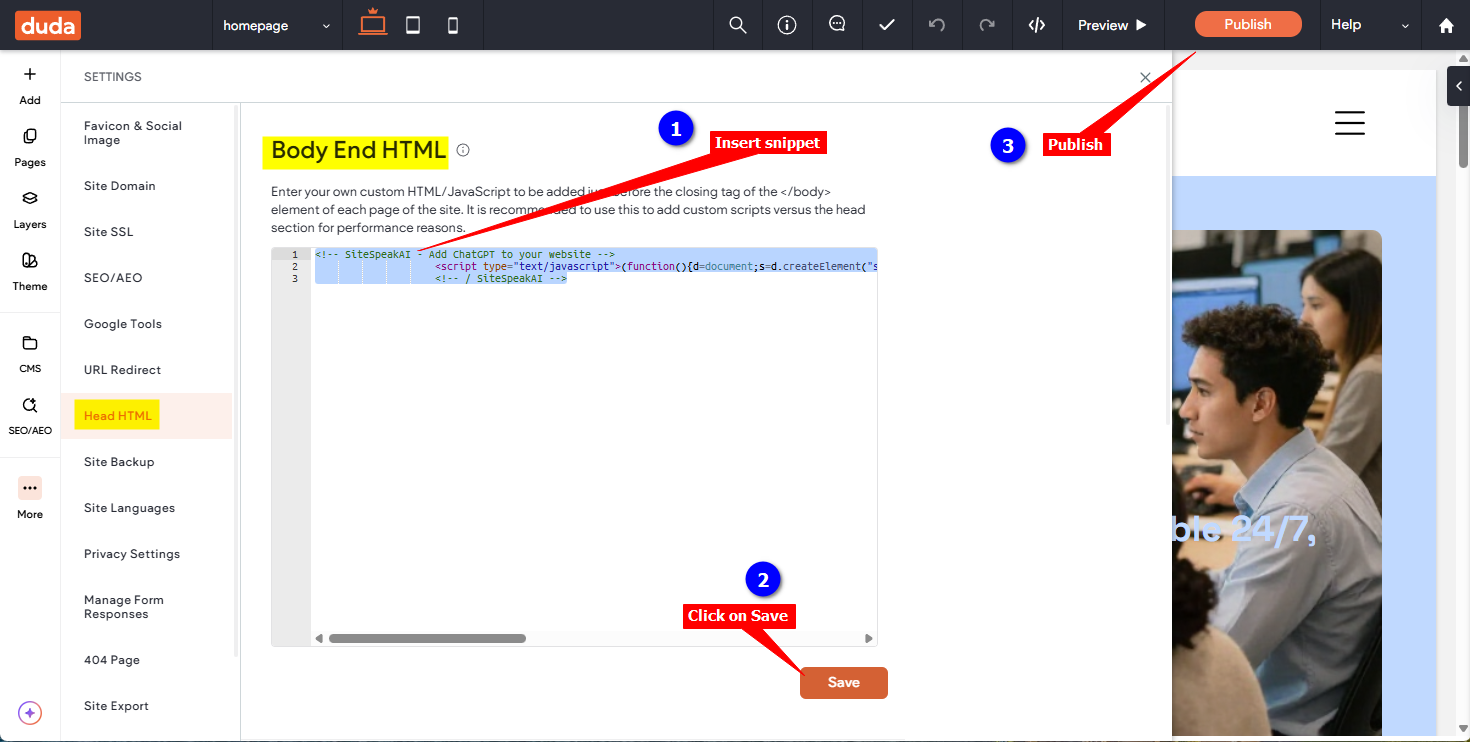
 2. Select **Head HTML** and insert your AI support agent snippet in the **Body End HTML** input box. Click on **Save** and then on **Publish**
 #### B. Per page
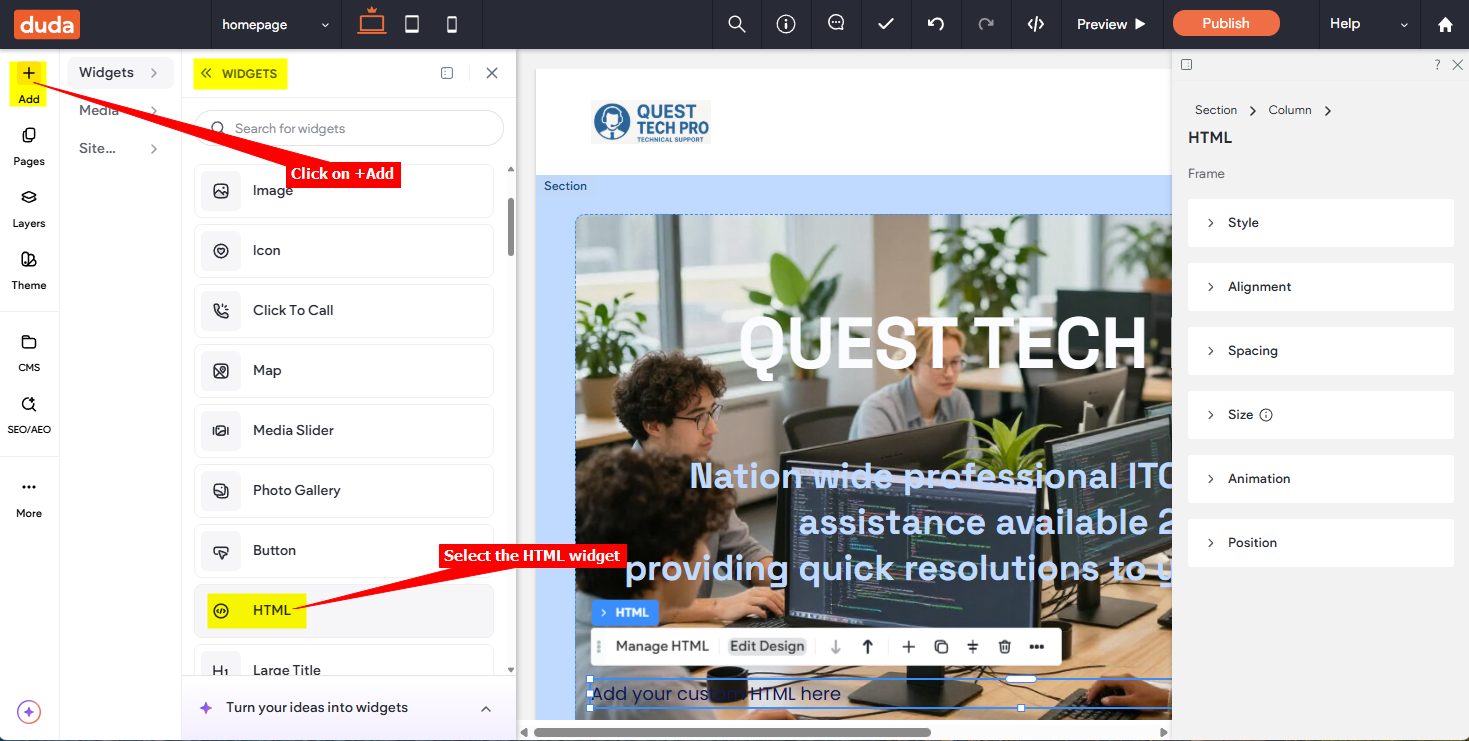
1. Click on **+ Add** to add a **Widget**, scroll down on the list of widgets and select **HTML**
#### B. Per page
1. Click on **+ Add** to add a **Widget**, scroll down on the list of widgets and select **HTML**
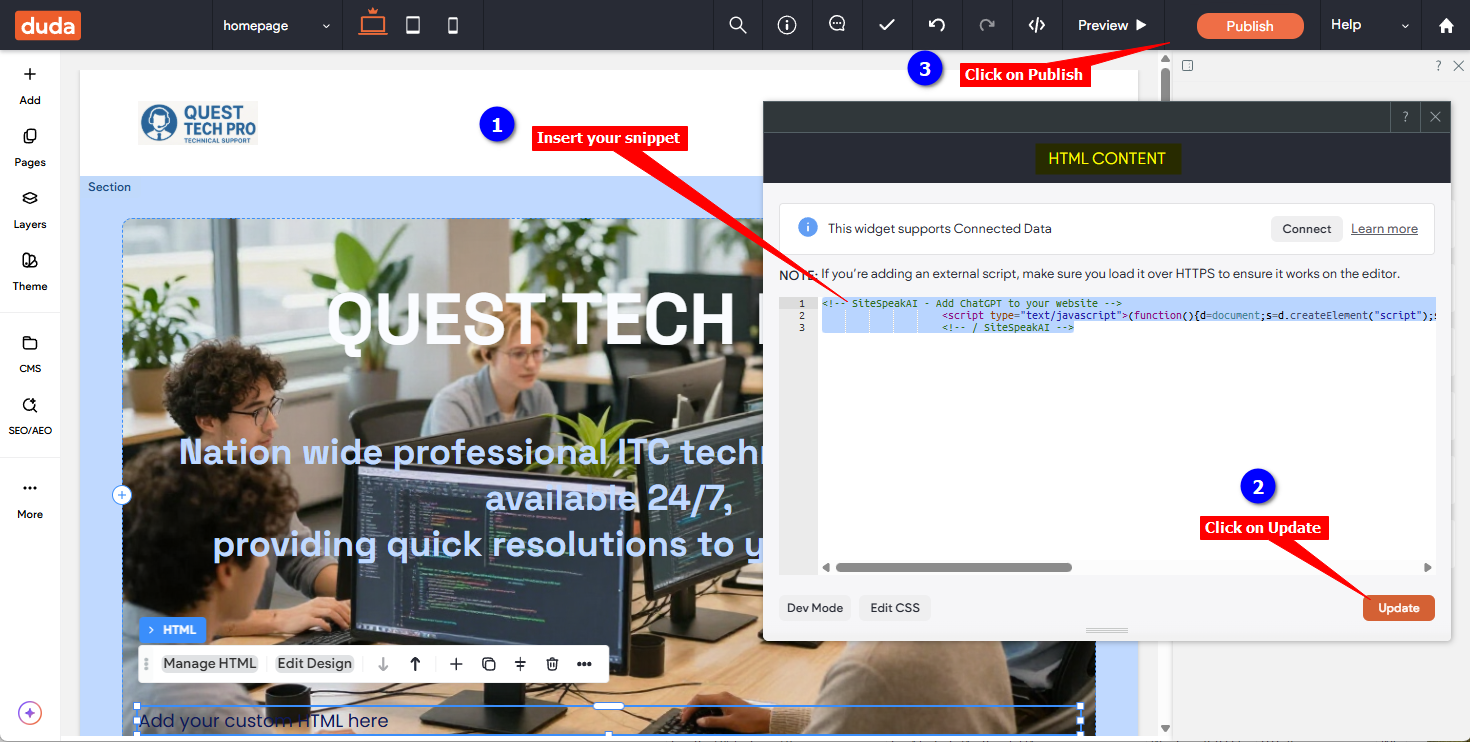
 2. Insert your **AI** support agent snippet in the **HTML CONTENT** input box, click on **Update** and then on **Publish**
 #### C. For all options
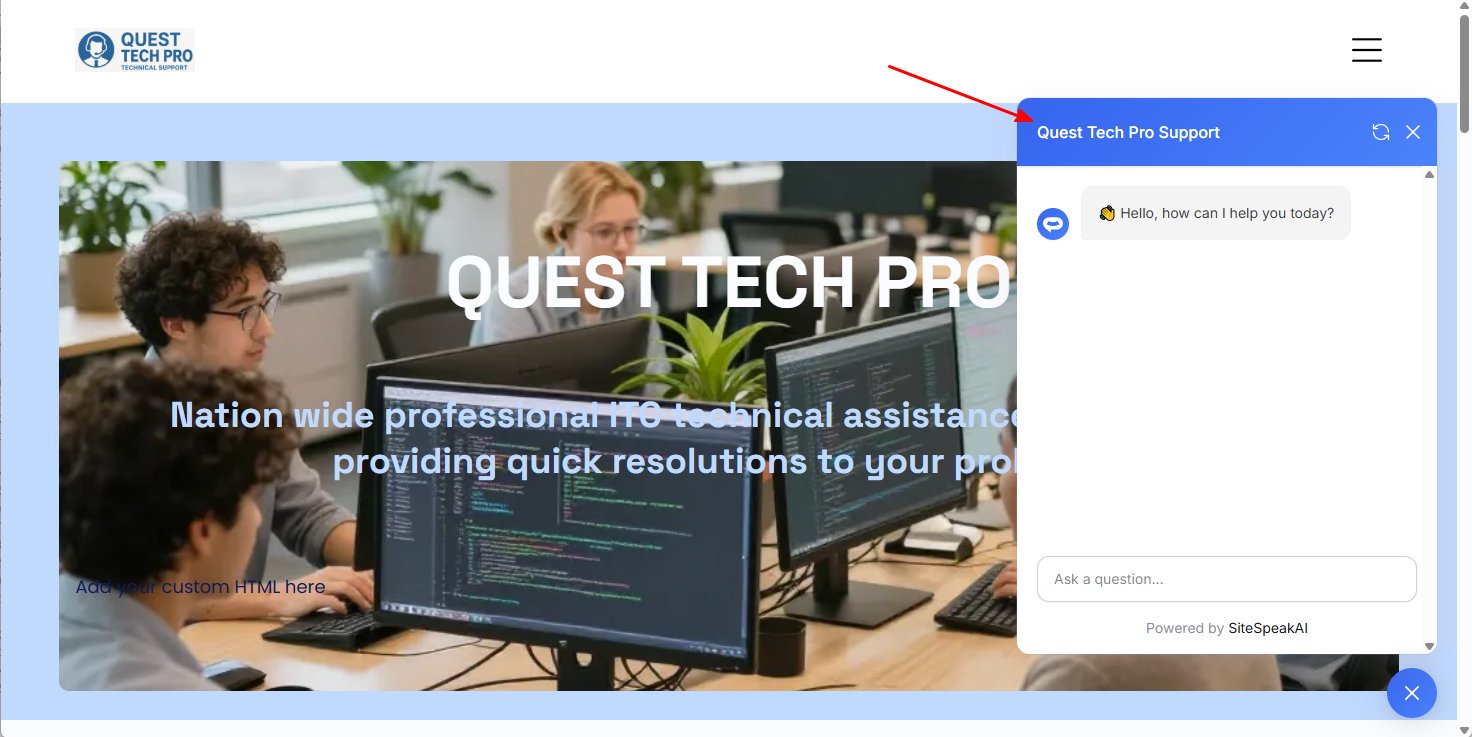
1. Your AI support agent button will now be displayed on your live **Duda** website page
#### C. For all options
1. Your AI support agent button will now be displayed on your live **Duda** website page
 2. If you click on the button it will display the AI support agent dialogue
 Your AI support agent has now been added to your **Duda** website and your visitors/customers can start interacting with it!
***
Join over 1000+ businesses, websites and startups automating their customer service and other tasks with a custom trained AI agent.
Your AI support agent has now been added to your **Duda** website and your visitors/customers can start interacting with it!
***
Join over 1000+ businesses, websites and startups automating their customer service and other tasks with a custom trained AI agent.