> ## Documentation Index
> Fetch the complete documentation index at: https://sitespeak.ai/docs/llms.txt
> Use this file to discover all available pages before exploring further.
# How to add a ChatGPT AI support agent to Emergent
> How to add your custom ChatGPT trained AI support agent to your Emergent website or app.
You want to embed your custom trained AI support agent to your **Emergent** website or app. Here's how to add ChatGPT to Emergent with SiteSpeakAI.
**Emergent** lets you build production-ready apps and website/landing pages through conversation.
Chat with AI agents that design, code, and deploy your application from start to finish.
**Website URL:** [Emergent](https://app.emergent.sh/home)
## Add your AI support agent to your **Emergent** website or app
### In SiteSpeakAI
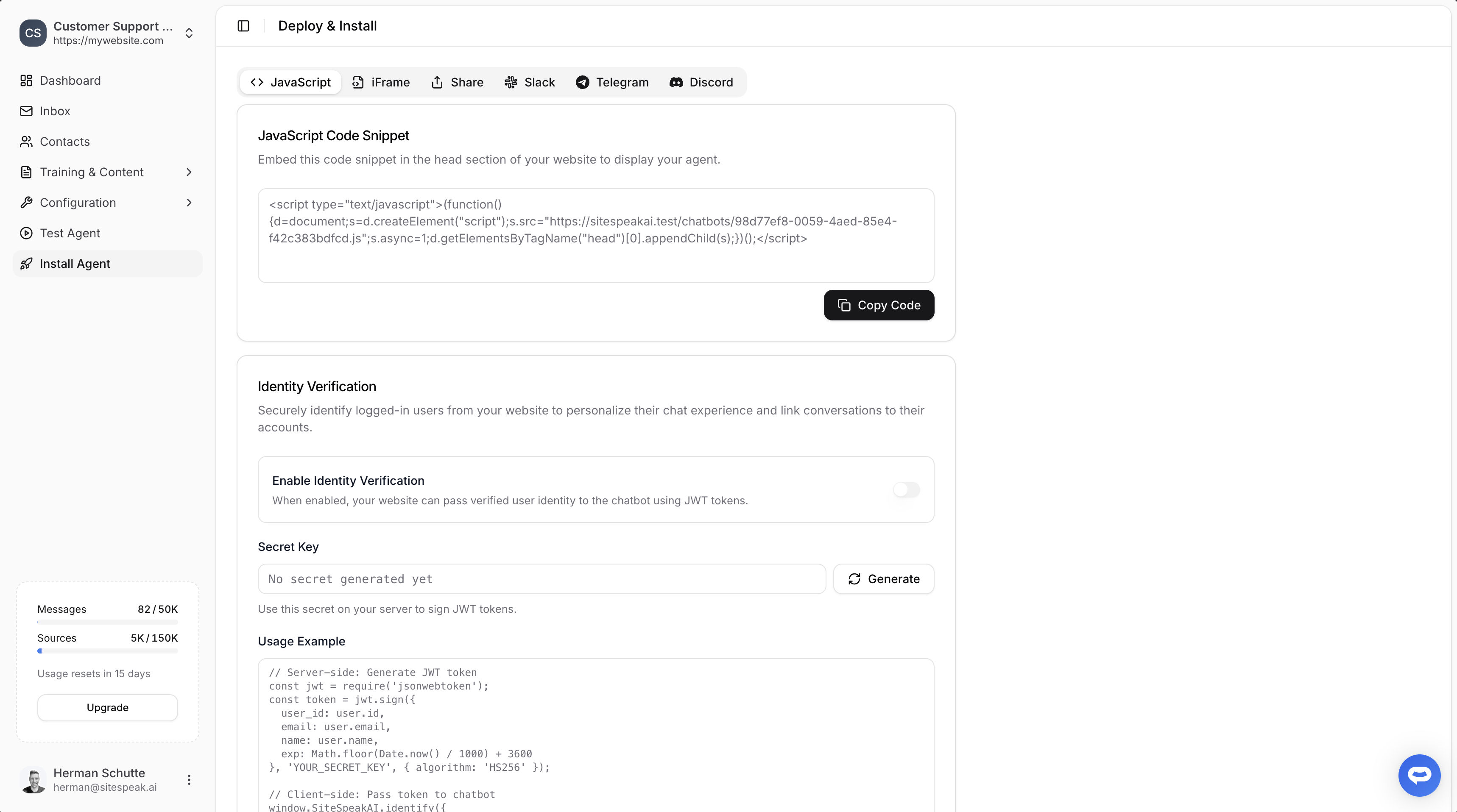
Select your chatbot from the dropdown menu at the top, click on the **Install Agent** section in the sidebar, then click on the **Copy Code** button to copy your code snippet.
 ### In Emergent
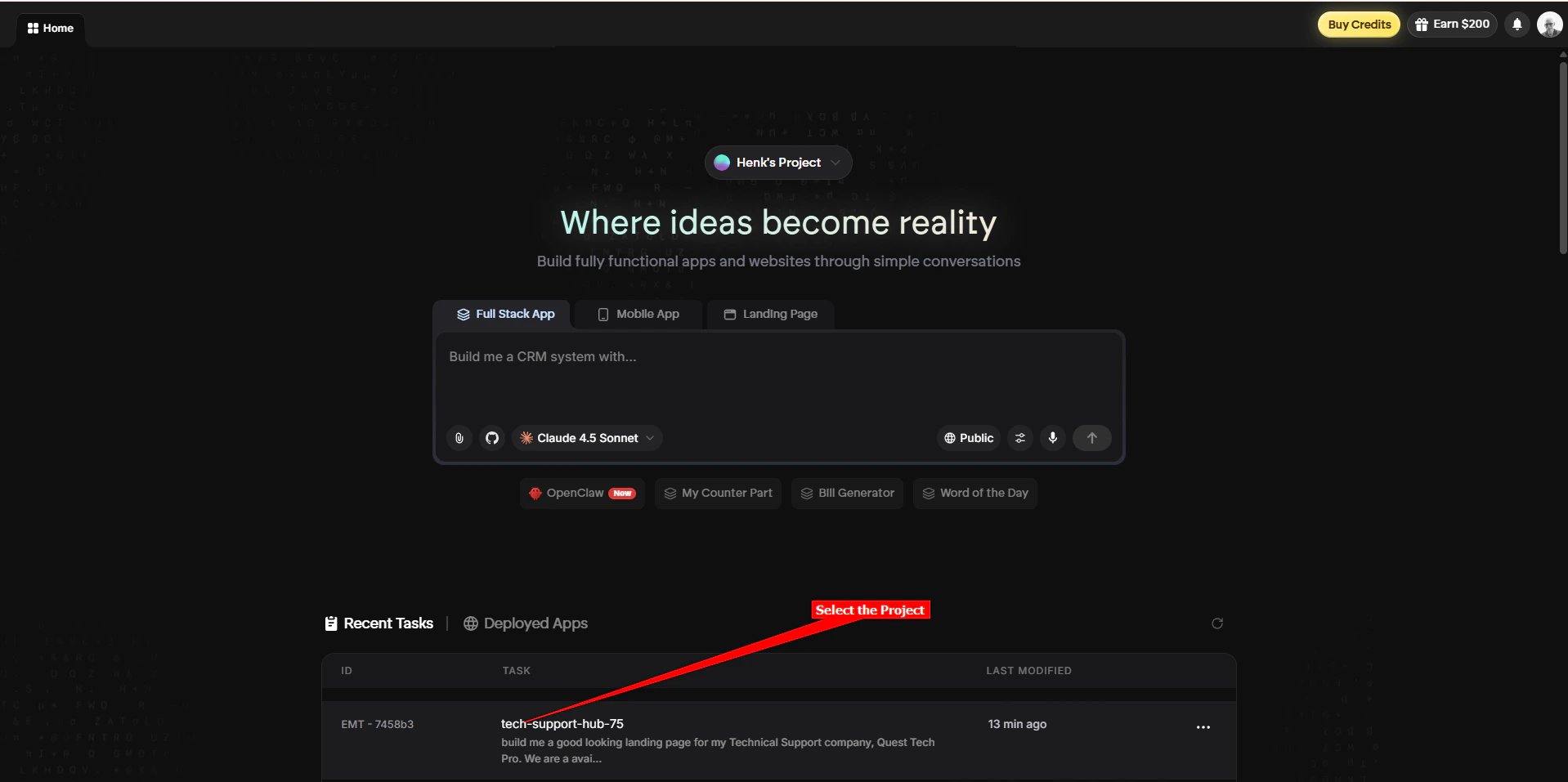
1. Log in to your **Emergent** account and on the dashboard select the project you want to edit
### In Emergent
1. Log in to your **Emergent** account and on the dashboard select the project you want to edit
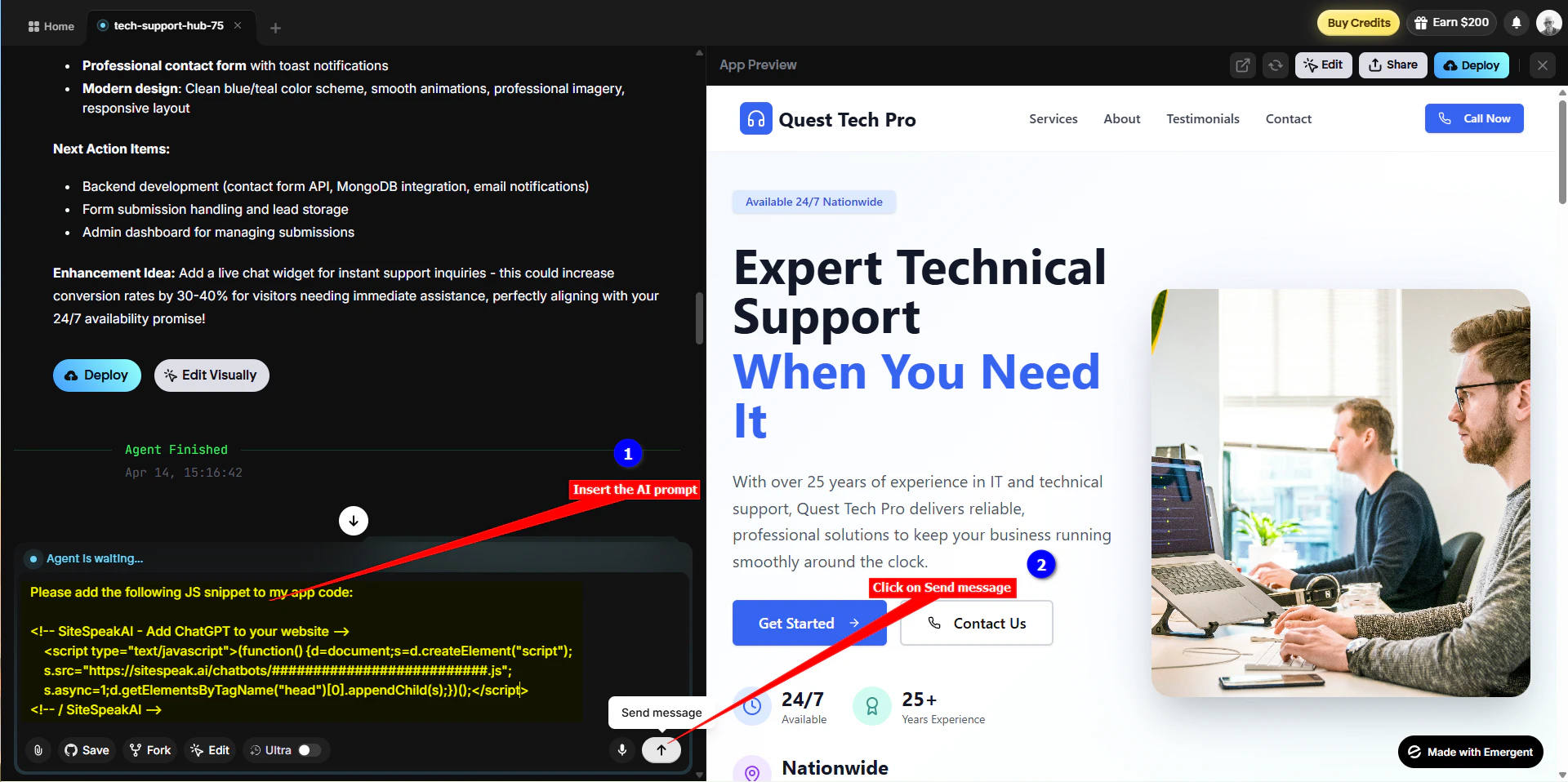
 We are going to use a prompt to instruct the Emergent AI to insert the snippet for us. The prompt consists of the instruction, "Please add the following JS snippet to my app code:" followed by the snippet code as copied at the beginning of this tutorial.
```
Please add the following JS snippet to my app code:
```
2. Insert this prompt into the AI chatbox and click on **Send message**
We are going to use a prompt to instruct the Emergent AI to insert the snippet for us. The prompt consists of the instruction, "Please add the following JS snippet to my app code:" followed by the snippet code as copied at the beginning of this tutorial.
```
Please add the following JS snippet to my app code:
```
2. Insert this prompt into the AI chatbox and click on **Send message**
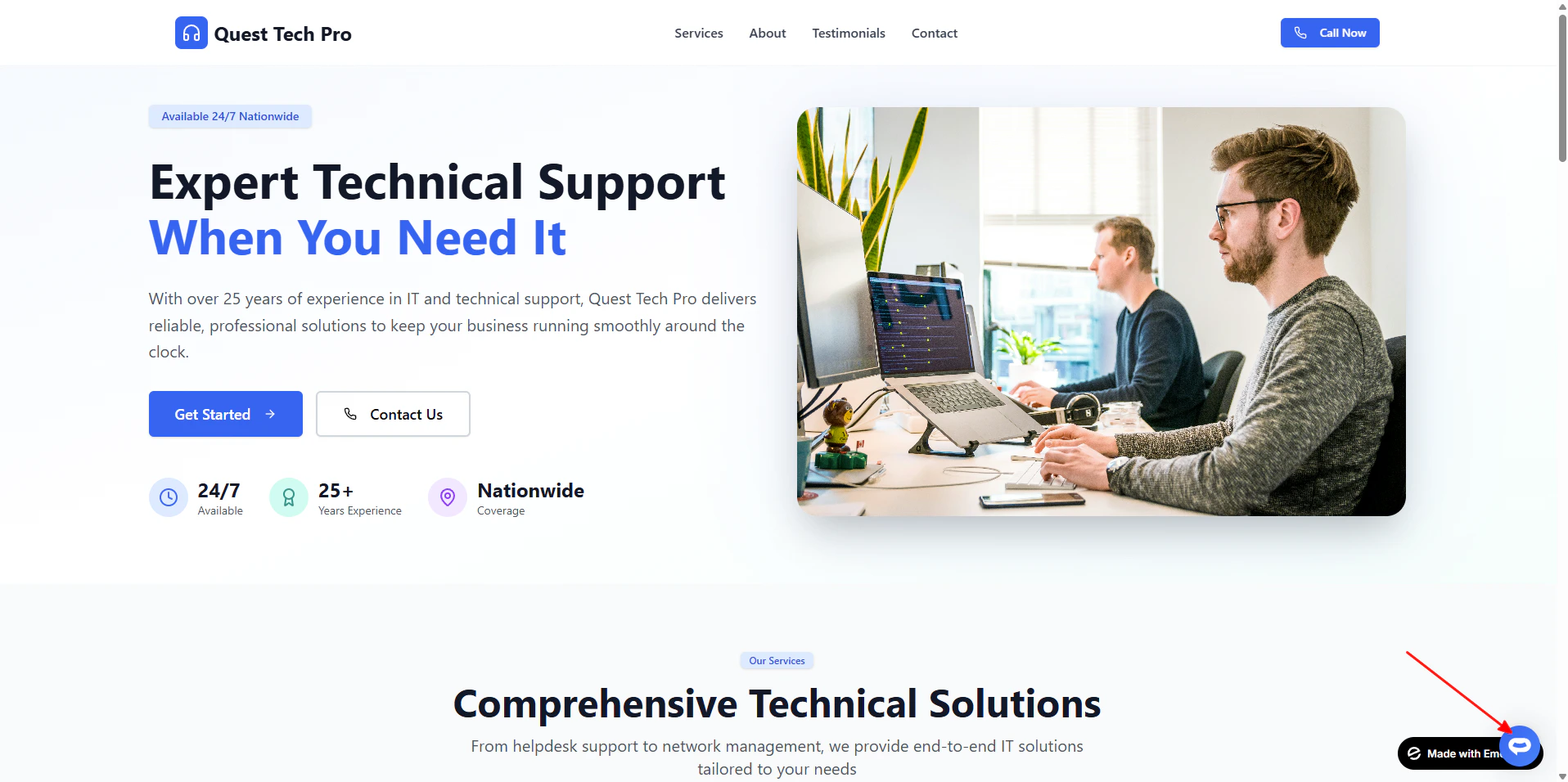
 It will go through a whole process of inserting your snippet and then display a message indicating that the snippet was added successfully.
3. Your AI support agent button will now be displayed on your **Emergent** website or app
It will go through a whole process of inserting your snippet and then display a message indicating that the snippet was added successfully.
3. Your AI support agent button will now be displayed on your **Emergent** website or app
 4. If you click on the button it will display the AI support agent dialogue
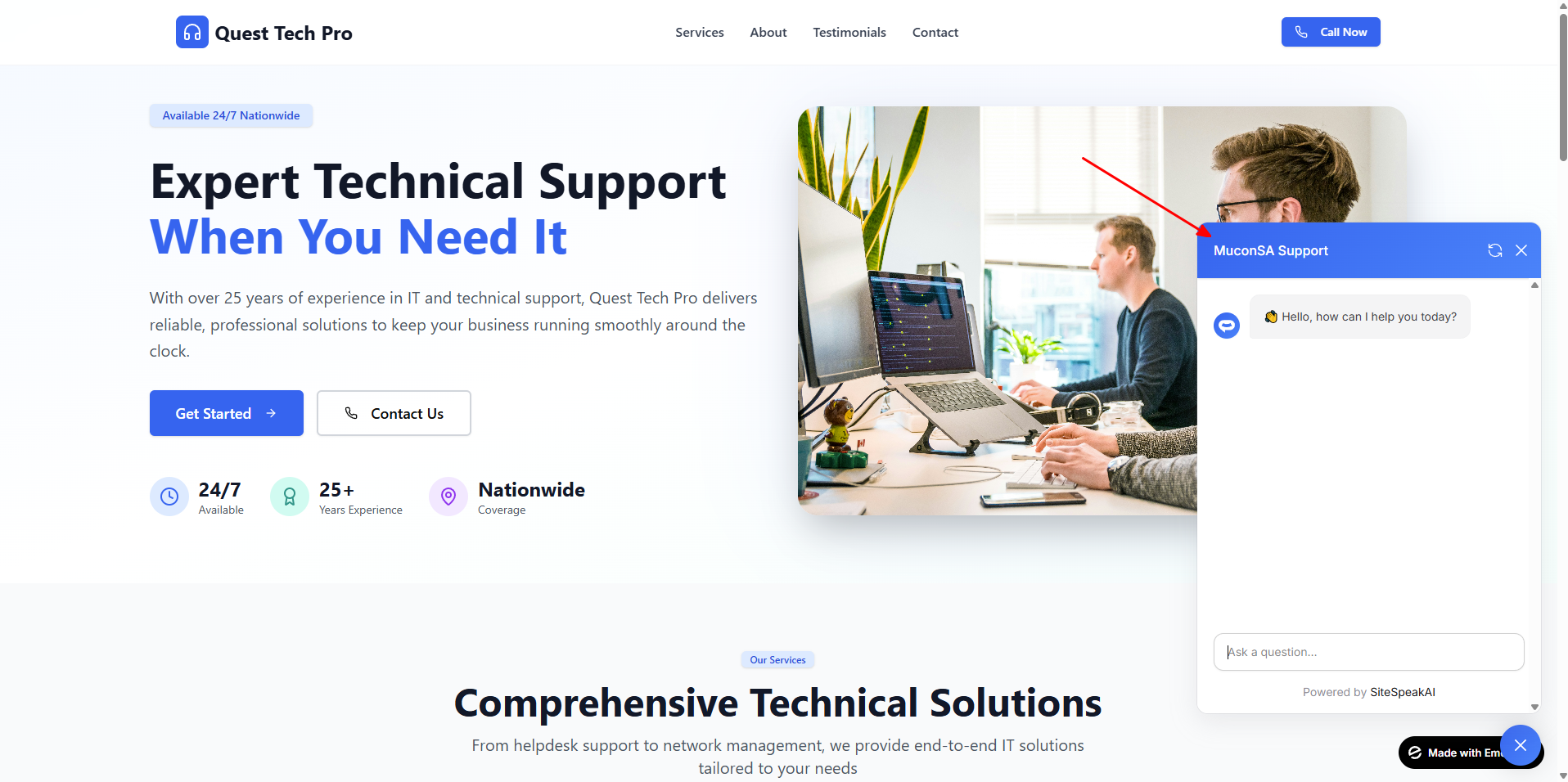 Your AI support agent has now been added to your **Emergent** website or app and your visitors/customers can start interacting with it!
***
Join over 1000+ businesses, websites and startups automating their customer service and other tasks with a custom trained AI agent.
Your AI support agent has now been added to your **Emergent** website or app and your visitors/customers can start interacting with it!
***
Join over 1000+ businesses, websites and startups automating their customer service and other tasks with a custom trained AI agent.