> ## Documentation Index
> Fetch the complete documentation index at: https://sitespeak.ai/docs/llms.txt
> Use this file to discover all available pages before exploring further.
# How to add a ChatGPT AI support agent to Format
> How to add your custom ChatGPT trained AI support agent to your Format website.
You want to embed your custom trained AI support agent in your **Format** website page. Here's how to add an AI support agent to Format with SiteSpeakAI.
**Format** is a website builder that focuses on **visual simplicity and speed**. Unlike some builders that require a lot of coding or dragging and dropping complex elements, Format uses a **"block-based" system**. You essentially stack and arrange pre-designed blocks (like text, images, buttons, forms, videos, etc.) to build your website.
**Website URL:** [Format](https://format.com/)
## Add your AI support agent to your **Format** website
### In SiteSpeakAI
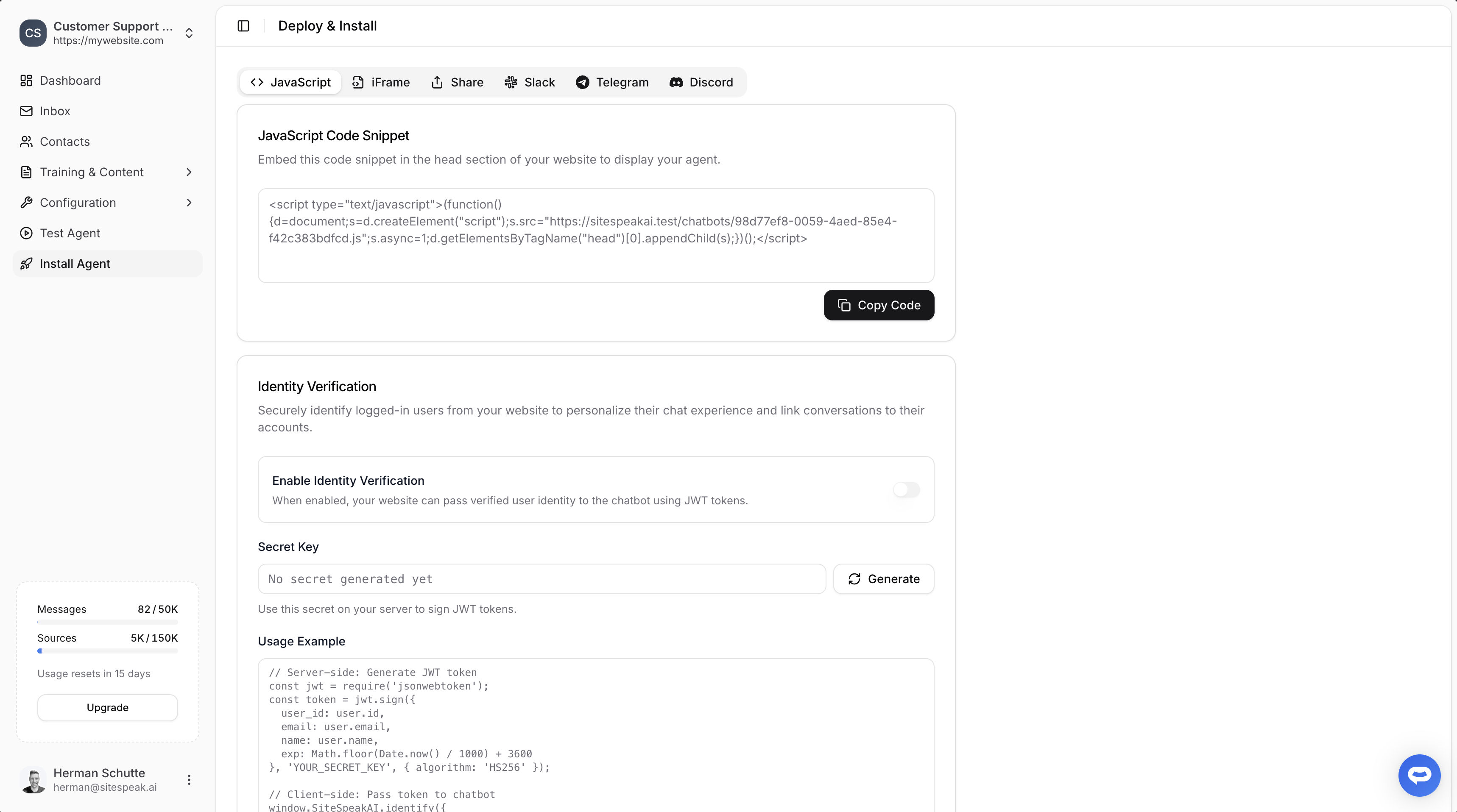
Select your chatbot from the dropdown menu at the top, click on the **Install Agent** section in the sidebar, then click on the **Copy Code** button to copy your code snippet.
 ### In Format
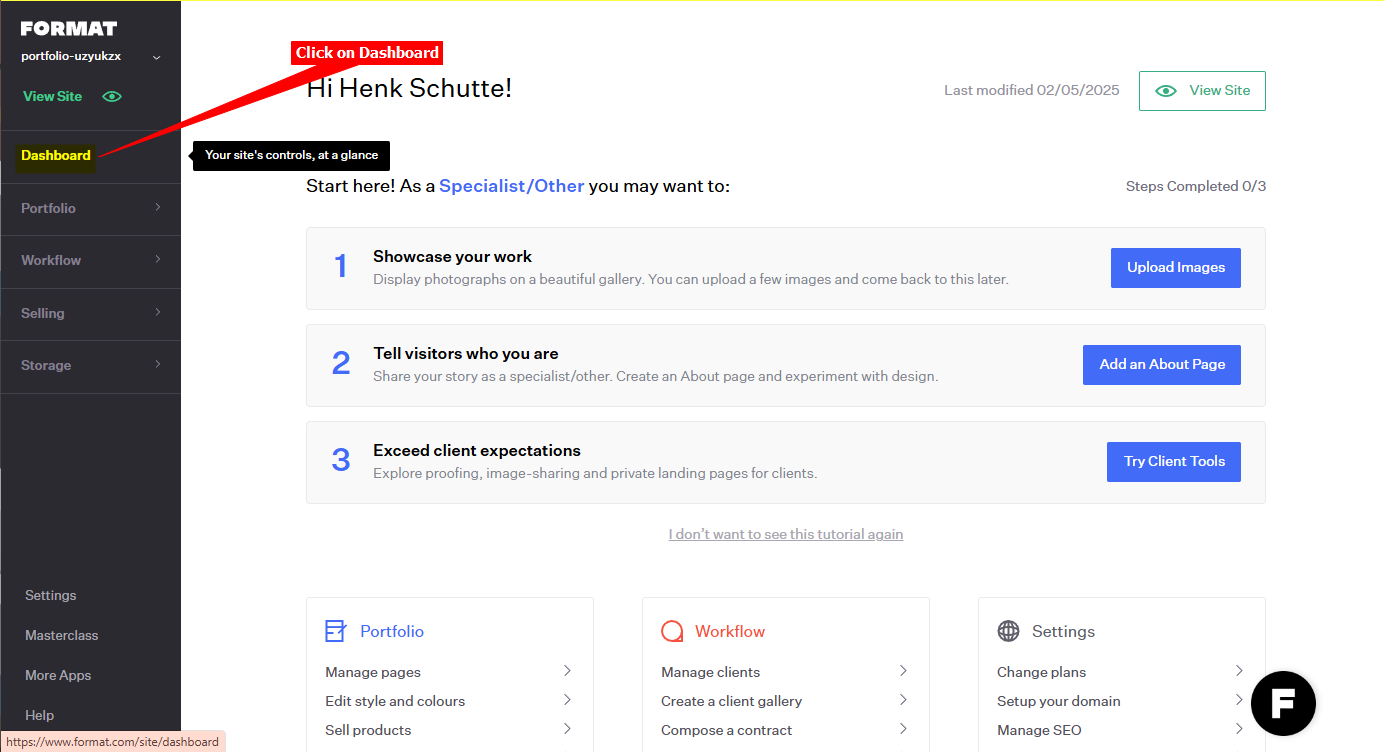
1. Log into your **Format** account and select **Dashboard** (if not already selected)
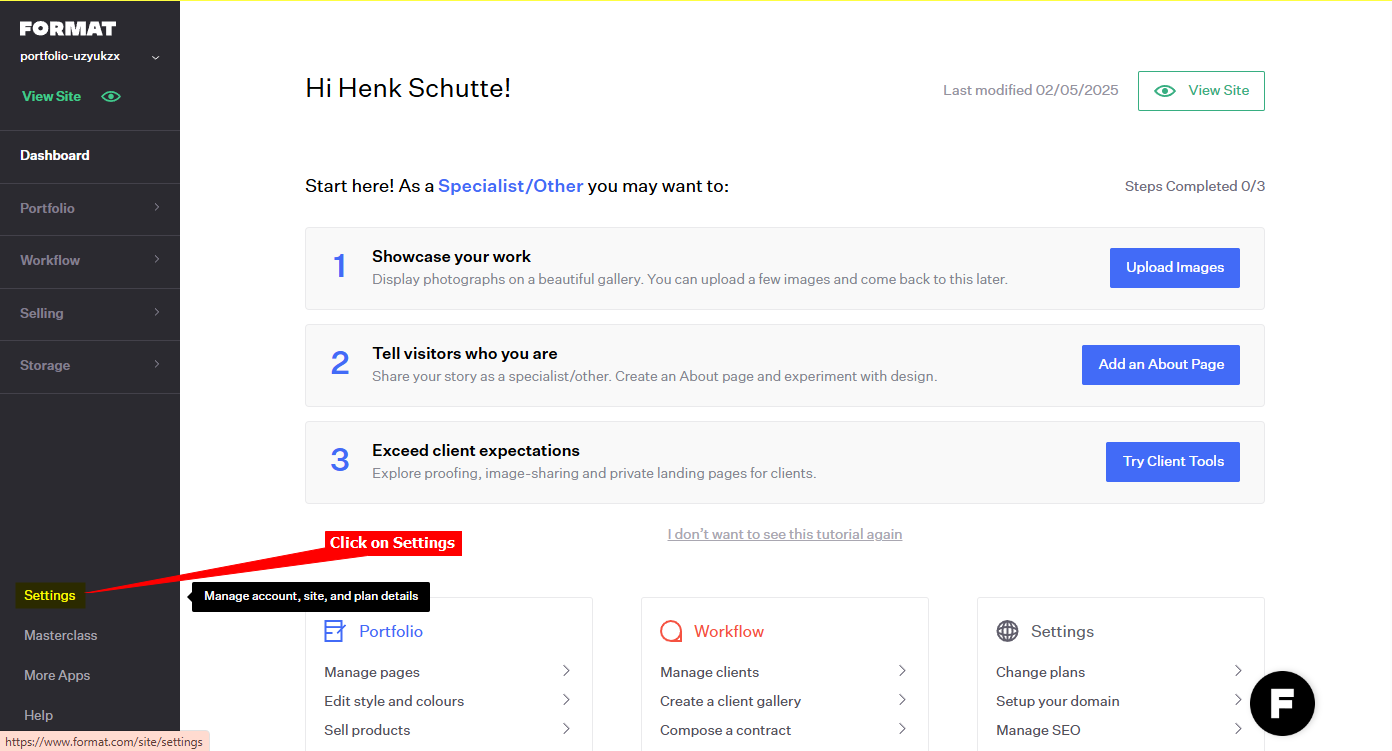
2. Click on **Settings** in the left side menu
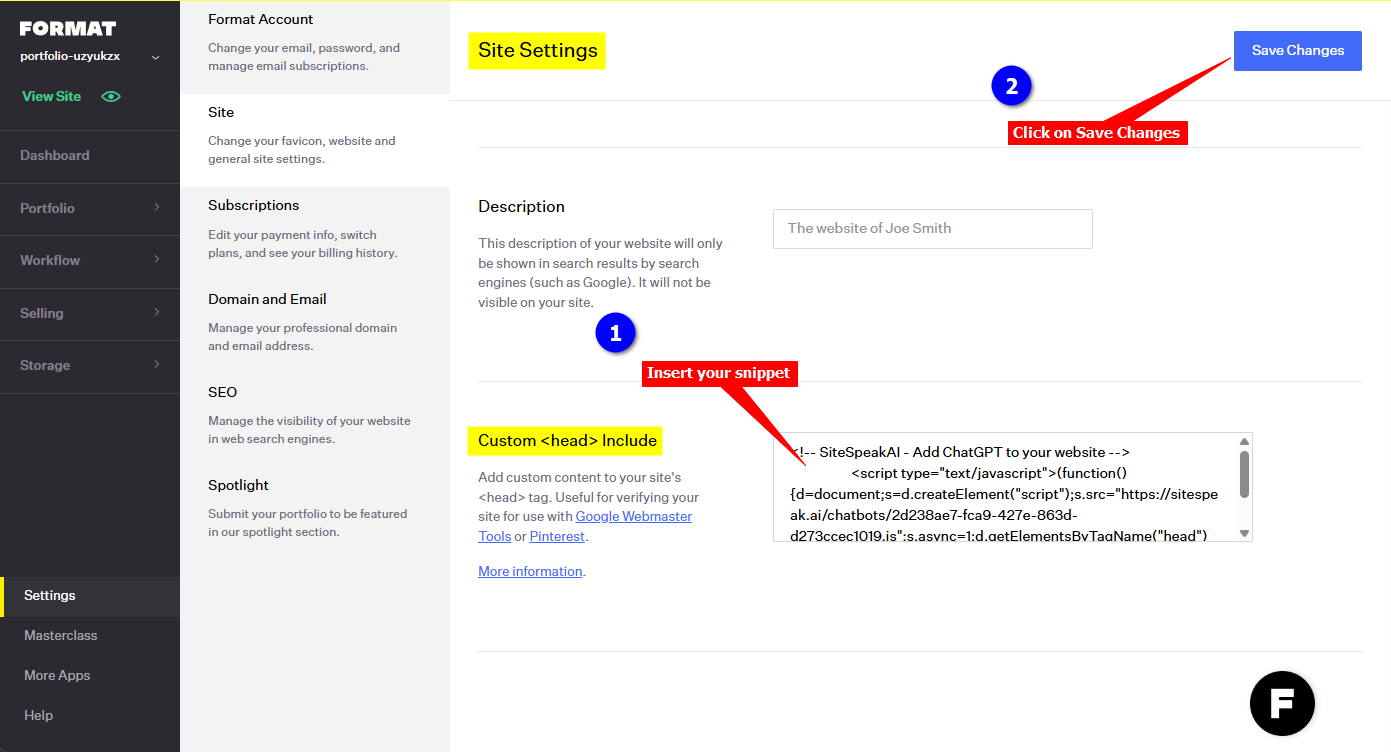
3. Under **Site Settings**, scroll down to `Custom Include`, insert your agent snippet in the provided text box and click on **Save Changes**
4. Your AI support agent button will now be displayed on your **Format** website page
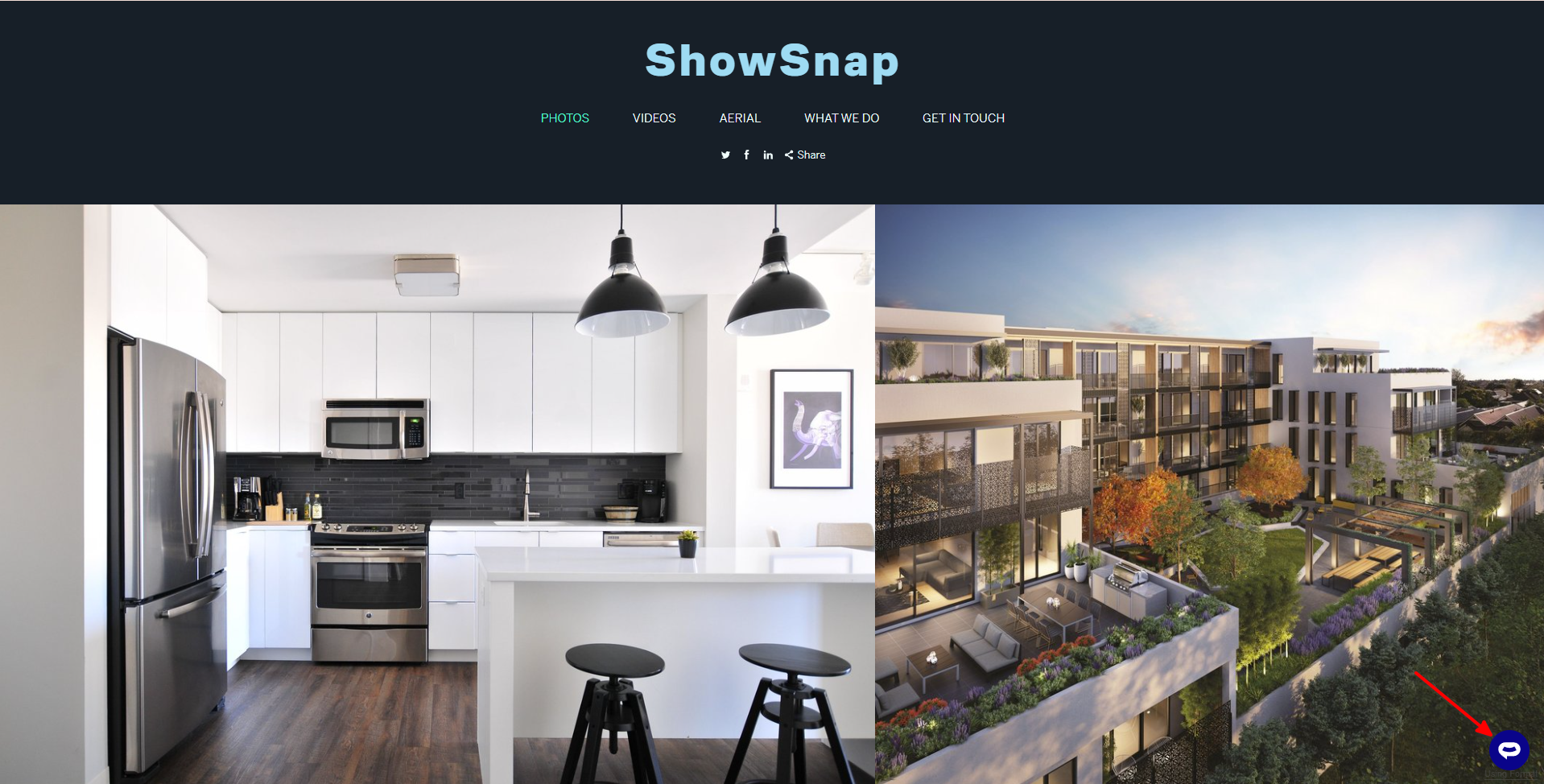
5. If you click on the button it will display the AI support agent dialogue
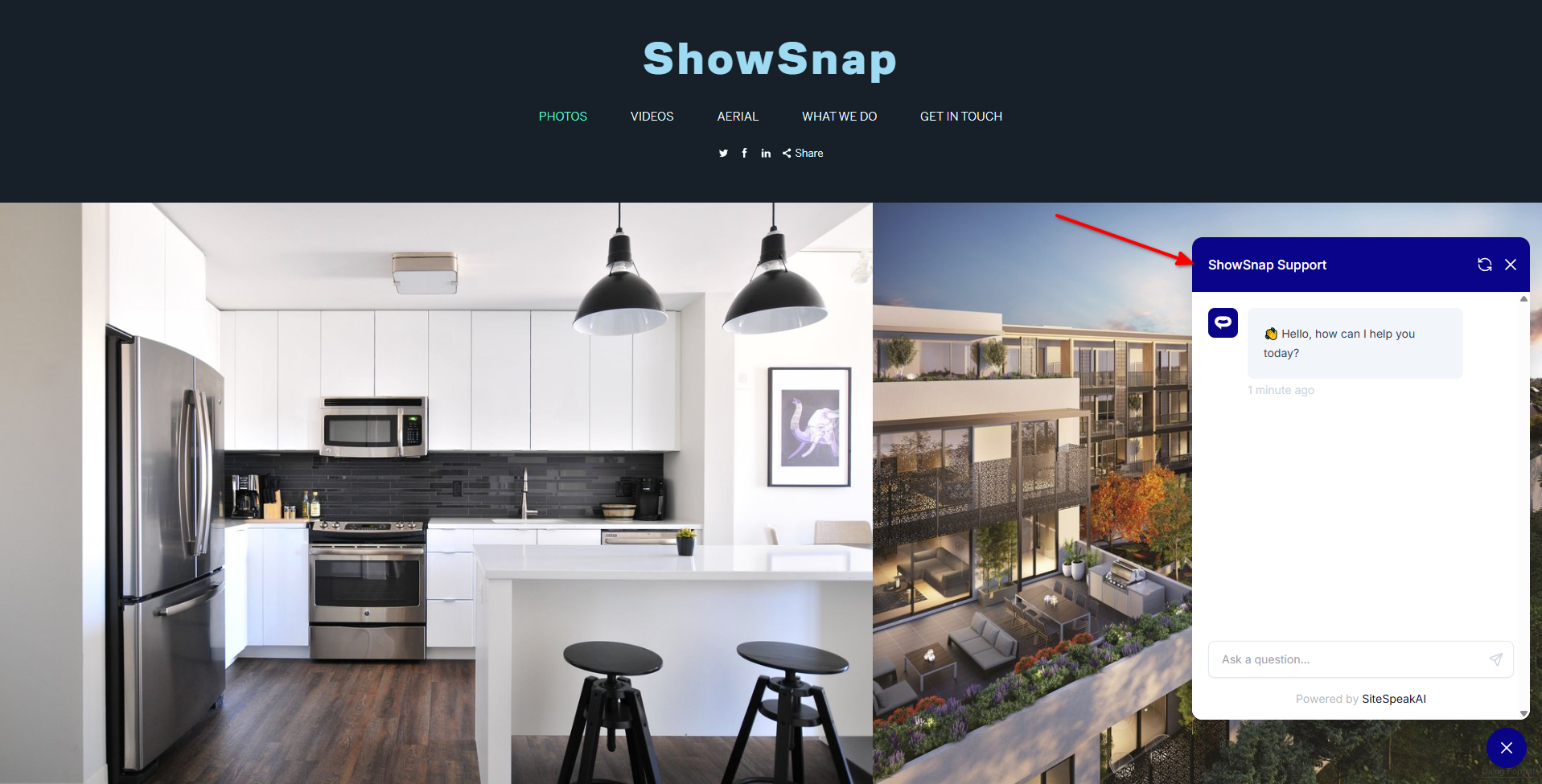
Your AI support agent has now been added to your **Format** website and your visitors/customers can start interacting with it!
***
Join over 1000+ businesses, websites and startups automating their customer service and other tasks with a custom trained AI agent.
### In Format
1. Log into your **Format** account and select **Dashboard** (if not already selected)

2. Click on **Settings** in the left side menu

3. Under **Site Settings**, scroll down to `Custom Include`, insert your agent snippet in the provided text box and click on **Save Changes**

4. Your AI support agent button will now be displayed on your **Format** website page

5. If you click on the button it will display the AI support agent dialogue

Your AI support agent has now been added to your **Format** website and your visitors/customers can start interacting with it!
***
Join over 1000+ businesses, websites and startups automating their customer service and other tasks with a custom trained AI agent.