> ## Documentation Index
> Fetch the complete documentation index at: https://sitespeak.ai/docs/llms.txt
> Use this file to discover all available pages before exploring further.
# How to add a ChatGPT AI support agent to Hubspot CMS
> How to add your custom ChatGPT trained AI support agent to your Hubspot CMS website.
You want to embed your custom trained AI support agent in your **Hubspot CMS** website page. Here's how to add an AI support agent to Hubspot CMS with SiteSpeakAI.
**HubSpot CMS** is a content management system (CMS) built directly into the HubSpot Marketing Hub and CRM. It allows marketers and businesses to create and manage website content, including pages, blog posts, and landing pages, without needing to rely on external platforms like WordPress. It's tightly integrated with HubSpot's other tools (email marketing, forms, sales, etc.), enabling a seamless workflow for content creation, personalization, and lead generation. It's known for its ease of use, drag-and-drop interface, and focus on marketing automation.
**Website URL:** [HubSpot CMS](https://www.hubspot.com/cms)
## Add your AI support agent to your **Hubspot CMS** website
### In SiteSpeakAI
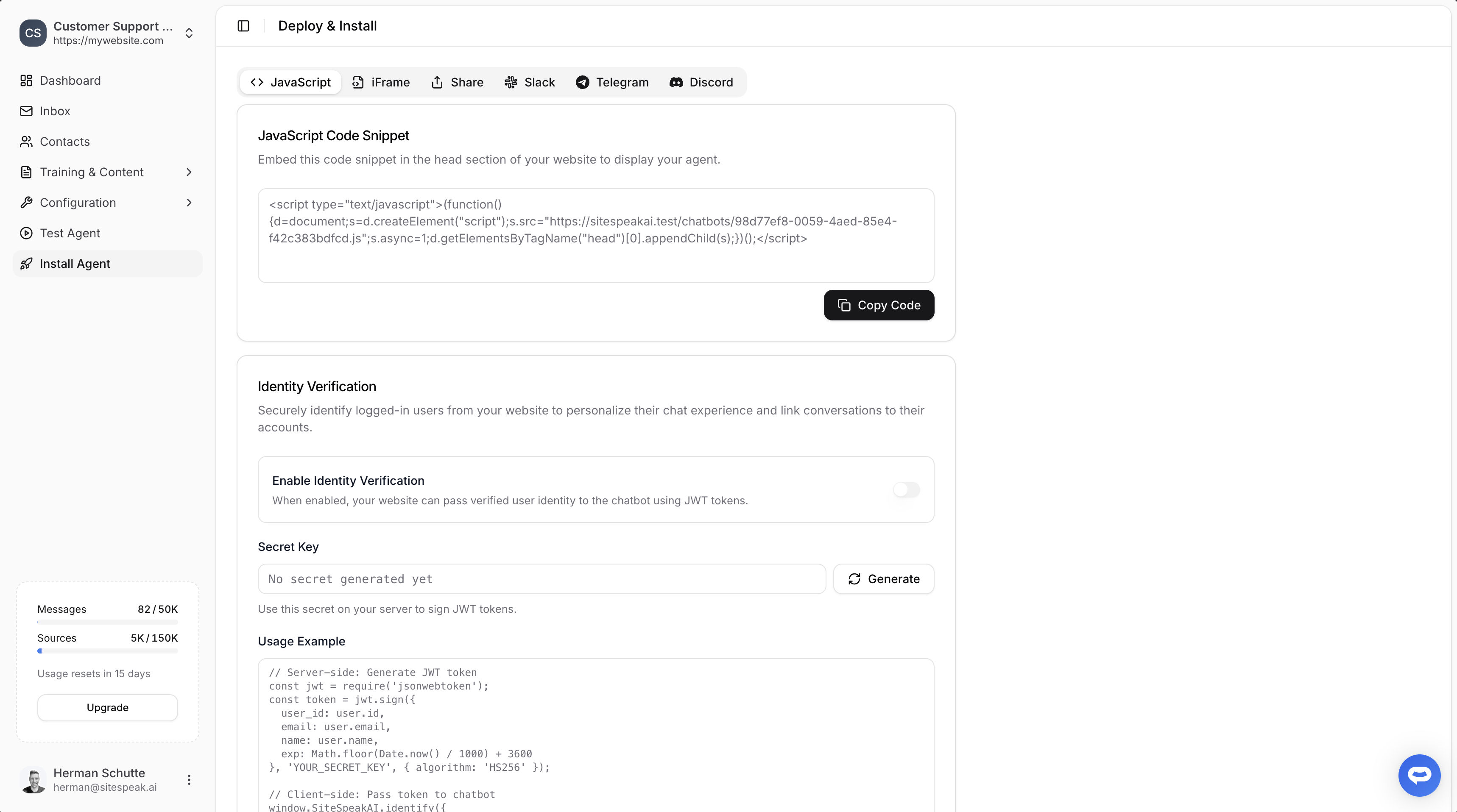
Select your chatbot from the dropdown menu at the top, click on the **Install Agent** section in the sidebar, then click on the **Copy Code** button to copy your code snippet.
 ### In Hubspot CMS
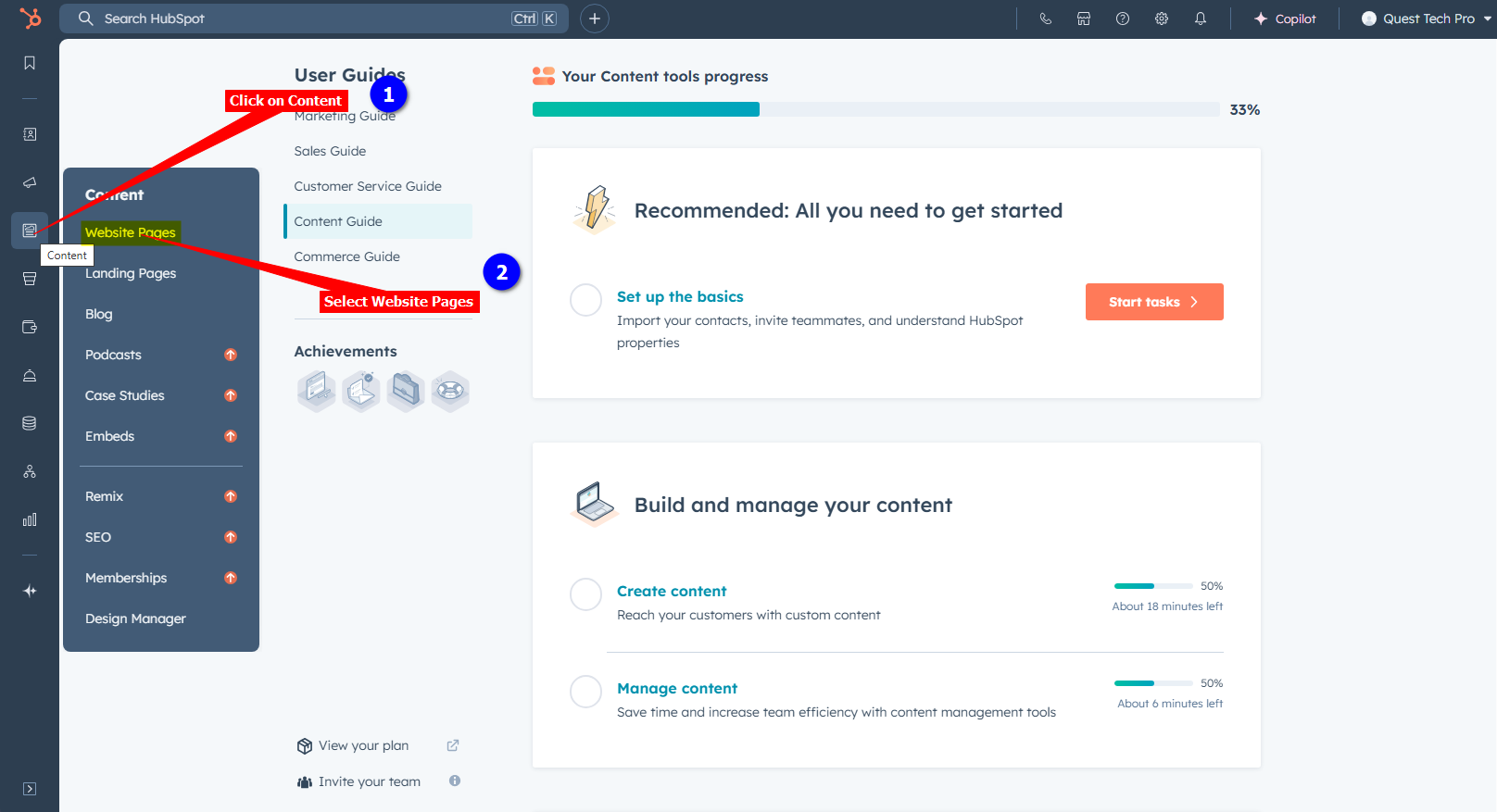
1. Log into your **Hubspot CMS** account and on the dashboard, click on **Content** in the left-side menu bar and select **Website Pages**
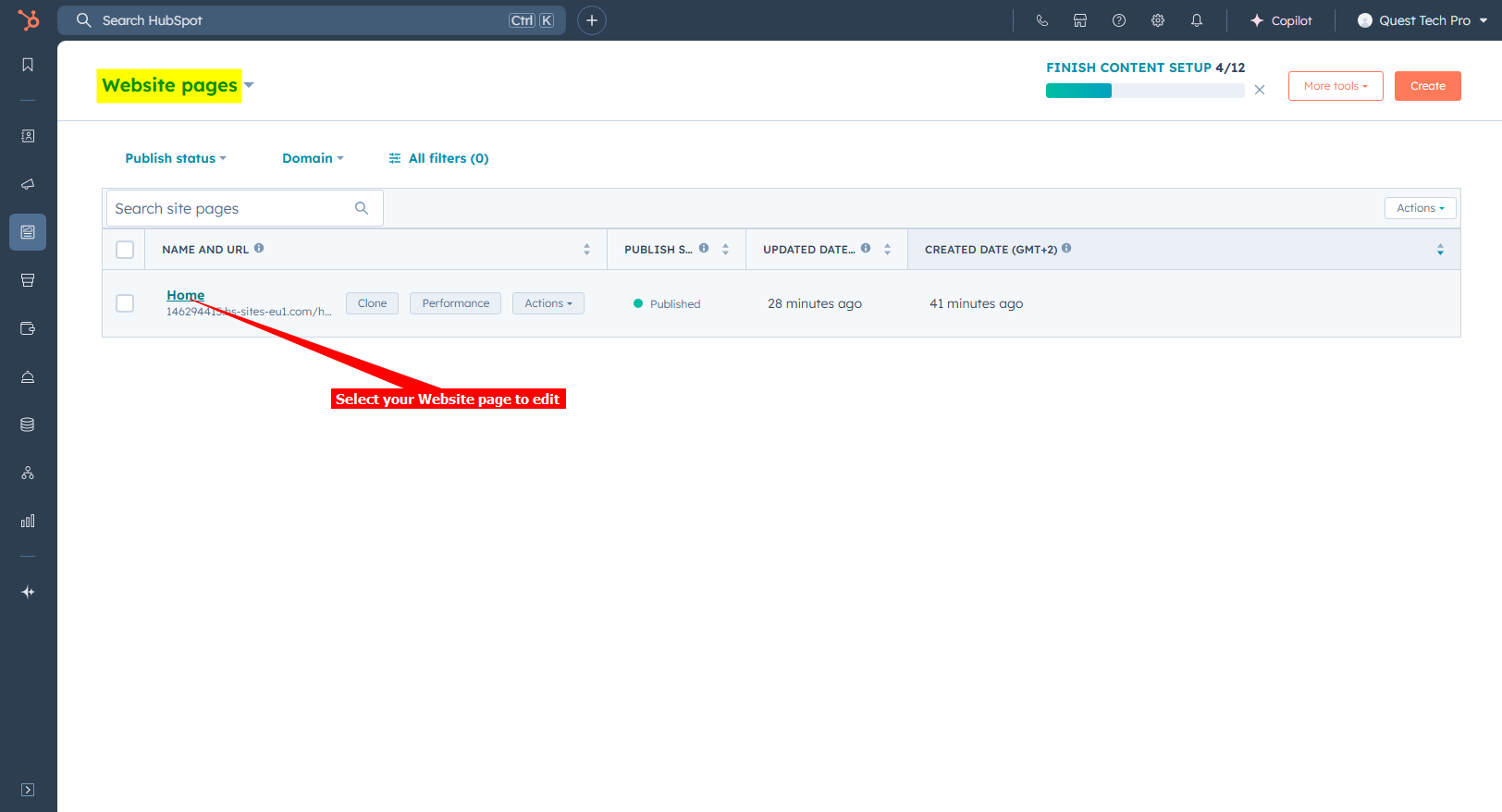
2. Select the Website page you want to add your AI support agent button to
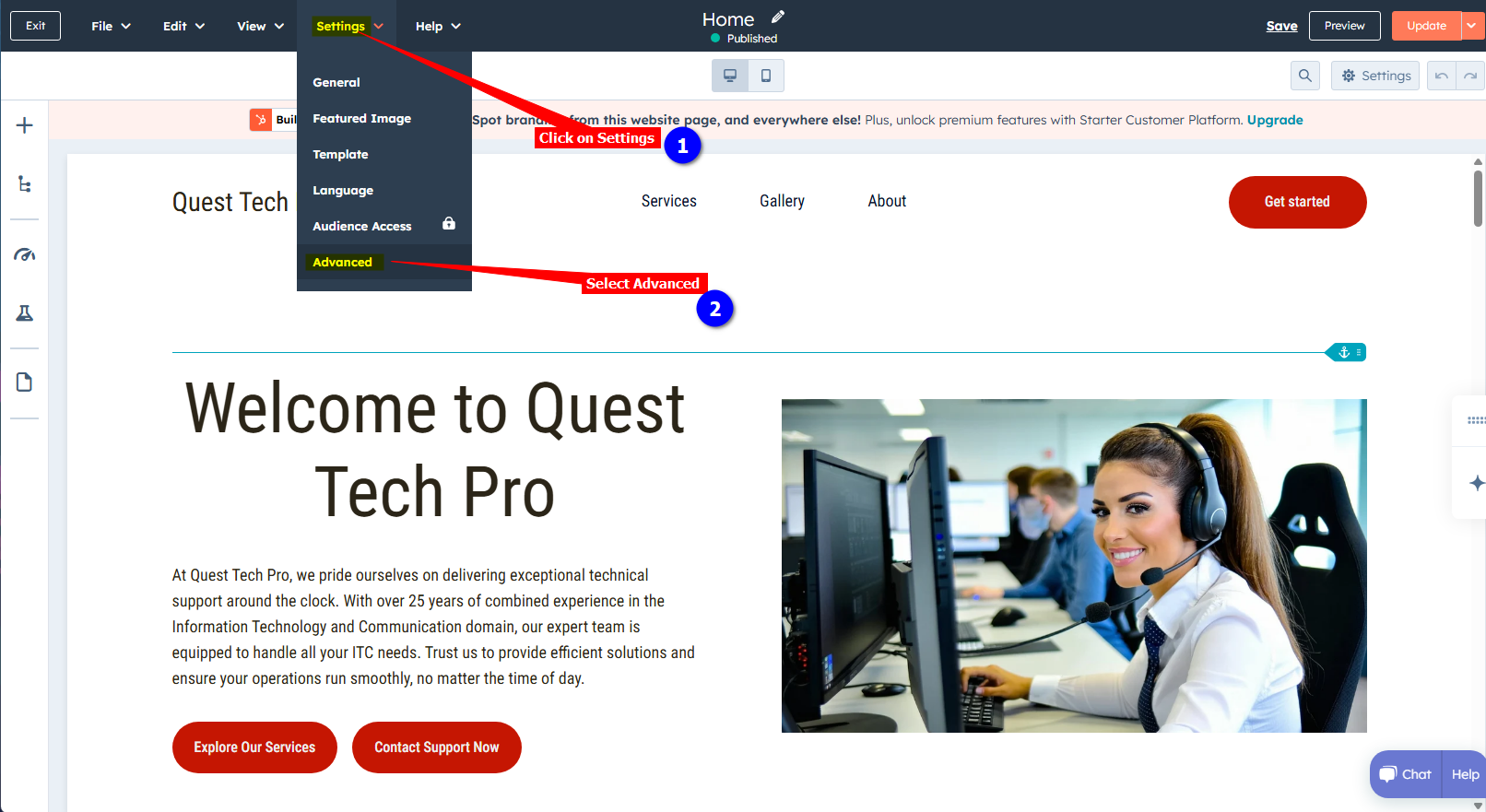
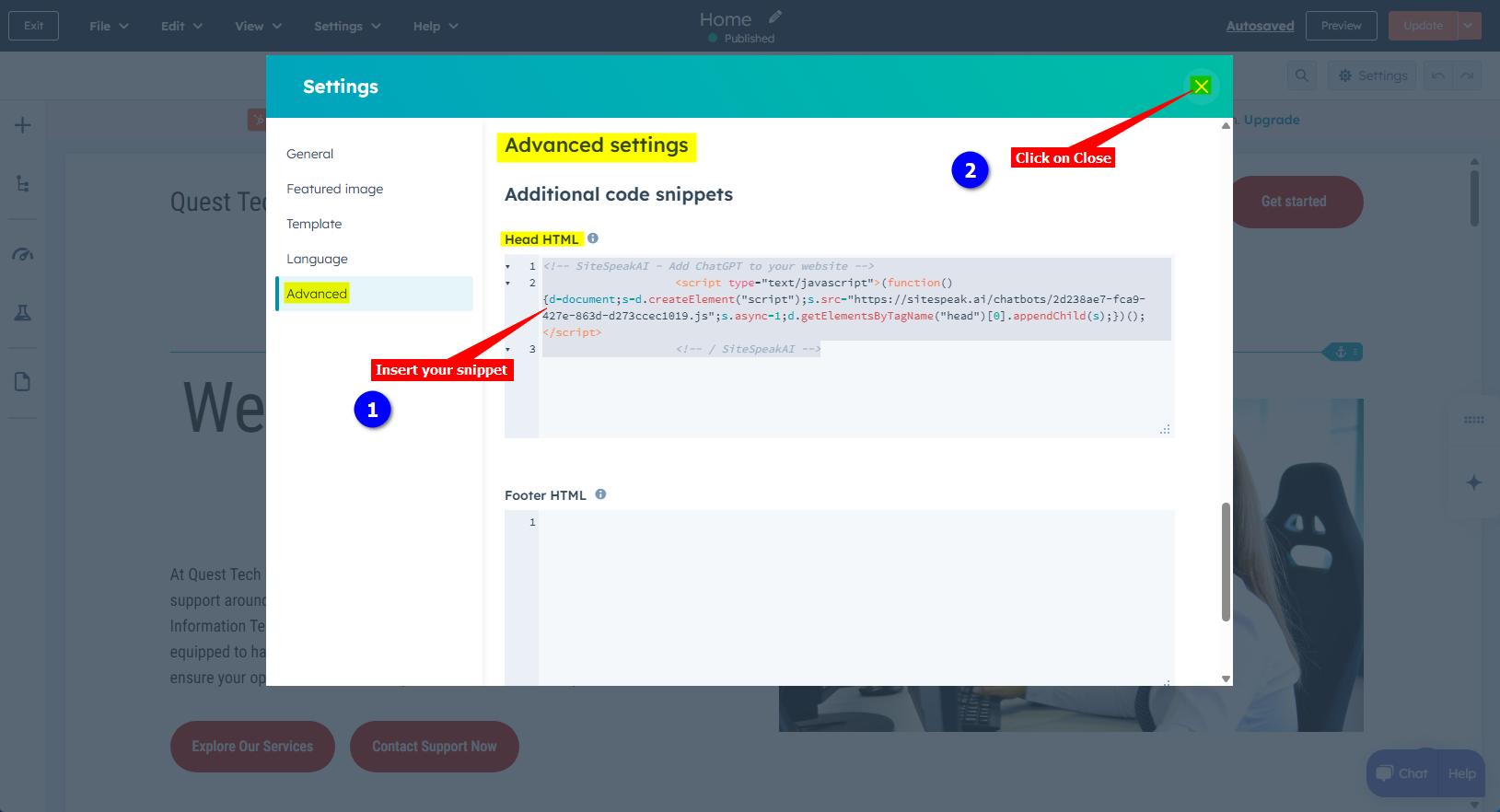
3. Click on **Settings** and select the **Advanced** item on the dropdown list
4. On the **Advanced settings** page, under **Additional code snippets**, insert your snippet in the **Head HTML** (or the Footer HTML) box. Click on **X** (Close button) to close the Settings dialogue. Your snippet is saved automatically.
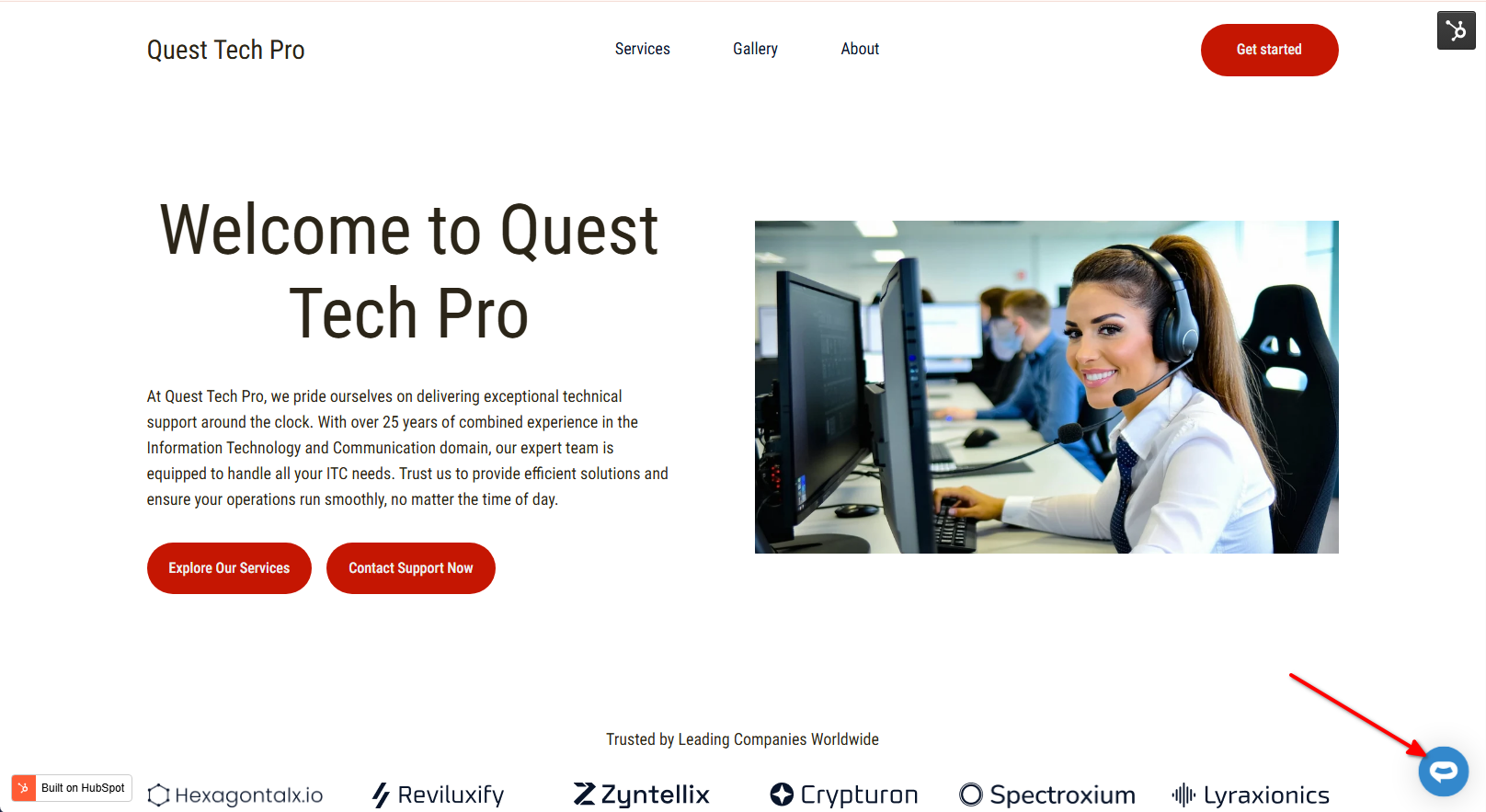
5. Your AI support agent button will now be displayed on your **Hubspot CMS** website page
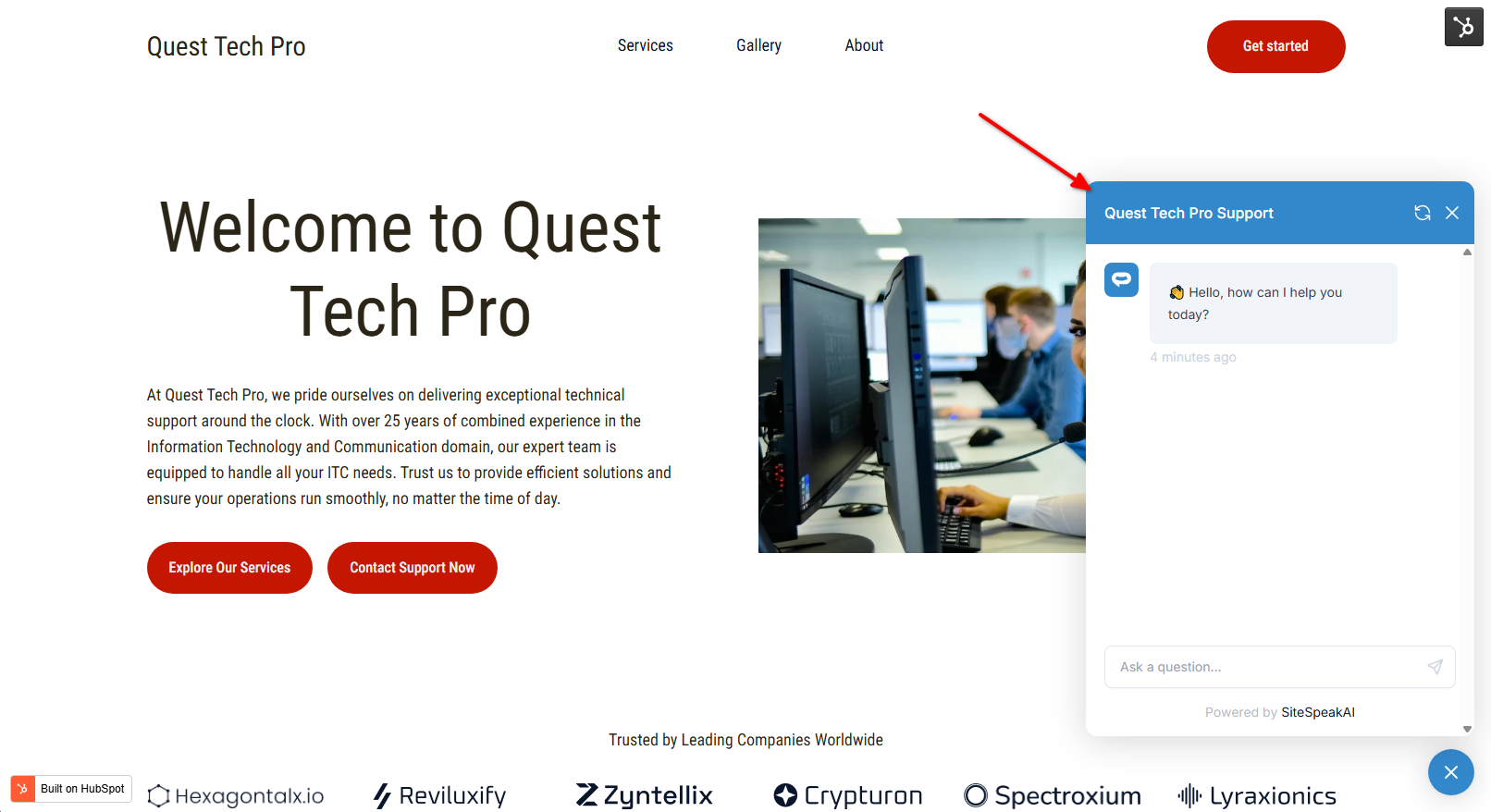
6. If you click on the button it will display the AI support agent dialogue
Your AI support agent has now been added to your **Hubspot CMS** website and your visitors can start interacting with it!
***
Join over 1000+ businesses, websites and startups automating their customer service and other tasks with a custom trained AI agent.
### In Hubspot CMS
1. Log into your **Hubspot CMS** account and on the dashboard, click on **Content** in the left-side menu bar and select **Website Pages**

2. Select the Website page you want to add your AI support agent button to

3. Click on **Settings** and select the **Advanced** item on the dropdown list

4. On the **Advanced settings** page, under **Additional code snippets**, insert your snippet in the **Head HTML** (or the Footer HTML) box. Click on **X** (Close button) to close the Settings dialogue. Your snippet is saved automatically.

5. Your AI support agent button will now be displayed on your **Hubspot CMS** website page

6. If you click on the button it will display the AI support agent dialogue

Your AI support agent has now been added to your **Hubspot CMS** website and your visitors can start interacting with it!
***
Join over 1000+ businesses, websites and startups automating their customer service and other tasks with a custom trained AI agent.