> ## Documentation Index
> Fetch the complete documentation index at: https://sitespeak.ai/docs/llms.txt
> Use this file to discover all available pages before exploring further.
# How to add a ChatGPT AI support agent to LAUNCHED
> How to add your custom ChatGPT trained AI support agent to your LAUNCHED website.
You want to embed your custom trained AI support agent in your **LAUNCHED** website page. Here's how to add an AI support agent to LAUNCHED with SiteSpeakAI.
**LAUNCHED** is a super-easy website builder designed for *non-techies*. It's built around a unique "block" system, you drag and drop pre-designed blocks (like text, images, videos, forms, buttons, etc.) onto a page to build your site. The biggest selling point is its speed and simplicity. You don't need to know HTML, CSS, or any coding. It focuses on creating beautiful, functional websites quickly, especially for portfolios, landing pages, small business sites, and online stores. It also automatically handles SEO (search engine optimization) to help your site get found on Google.
**Website URL:** [LAUNCHED](https://launched.site/)
## Add your AI support agent to your **LAUNCHED** website
### In SiteSpeakAI
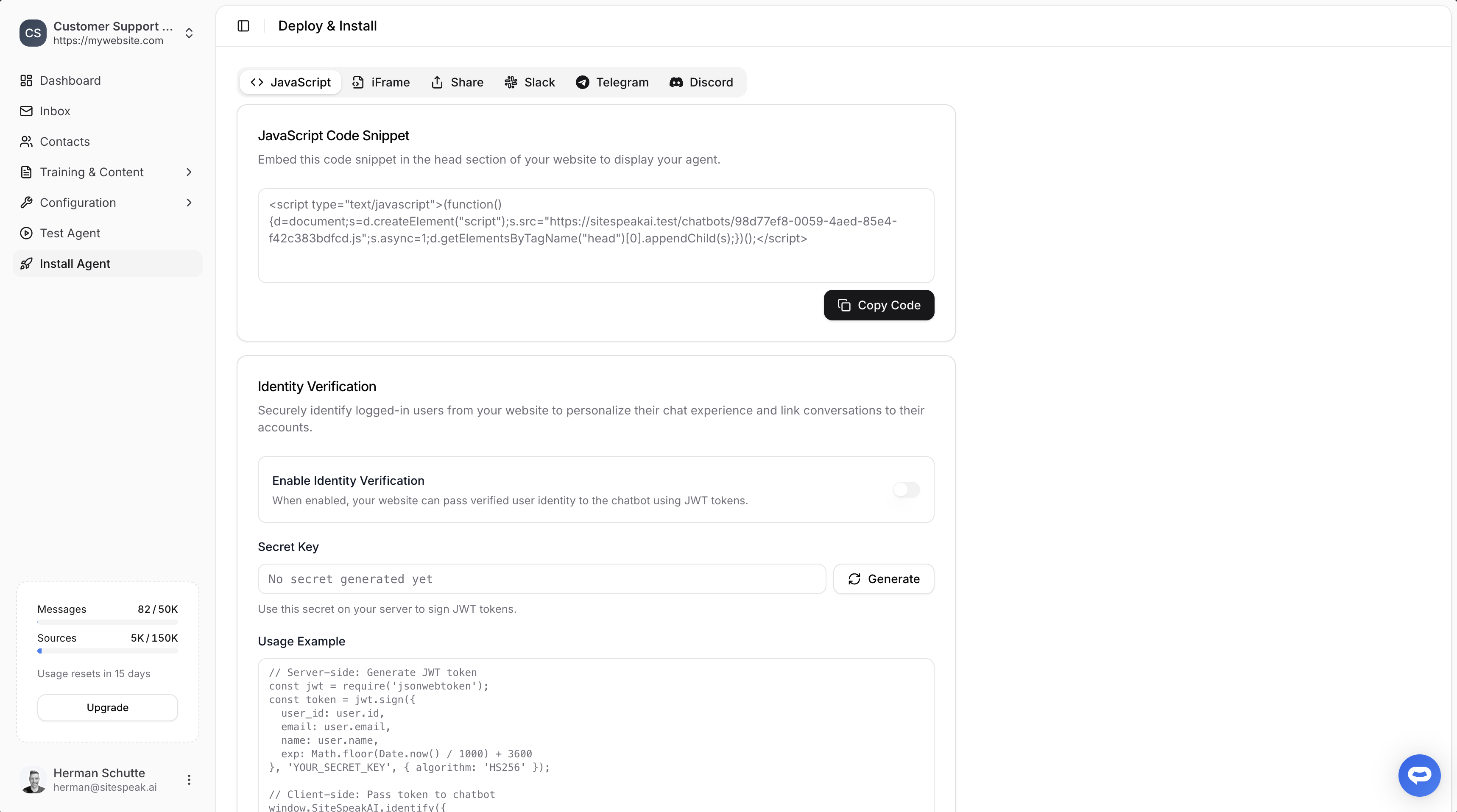
Select your chatbot from the dropdown menu at the top, click on the **Install Agent** section in the sidebar, then click on the **Copy Code** button to copy your code snippet.
 ### In LAUNCHED
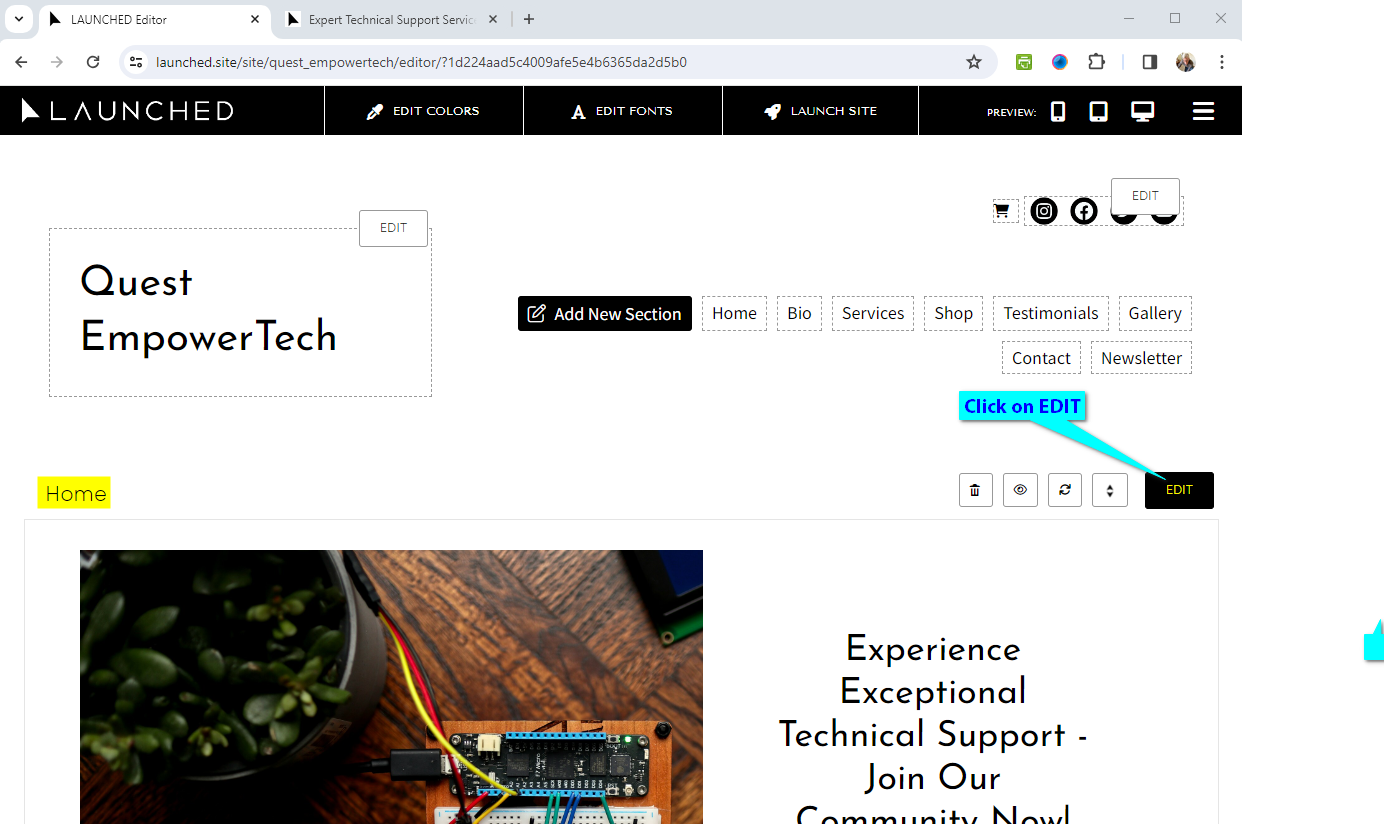
1. Login to **LAUNCHED** and on your dashboard, select **EDIT** for the first content section of your page (in this case it is **Home**)
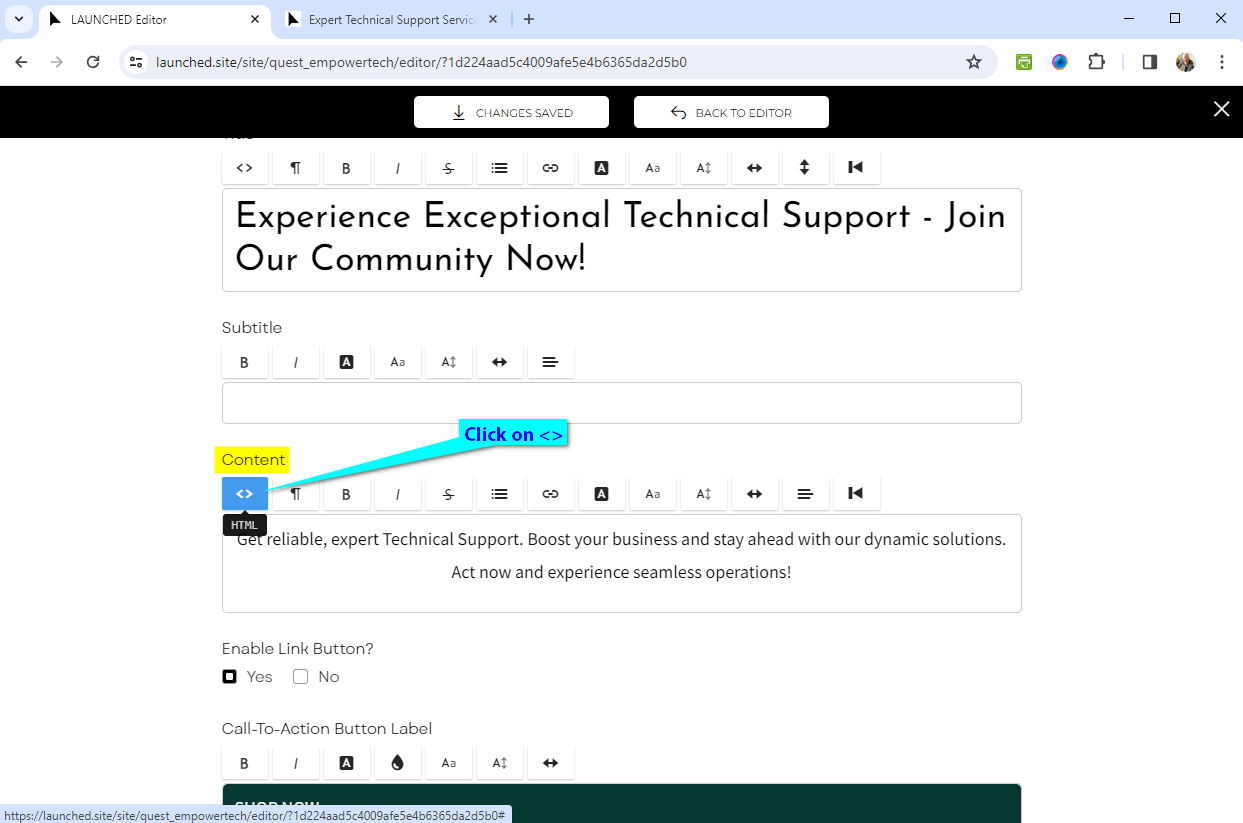
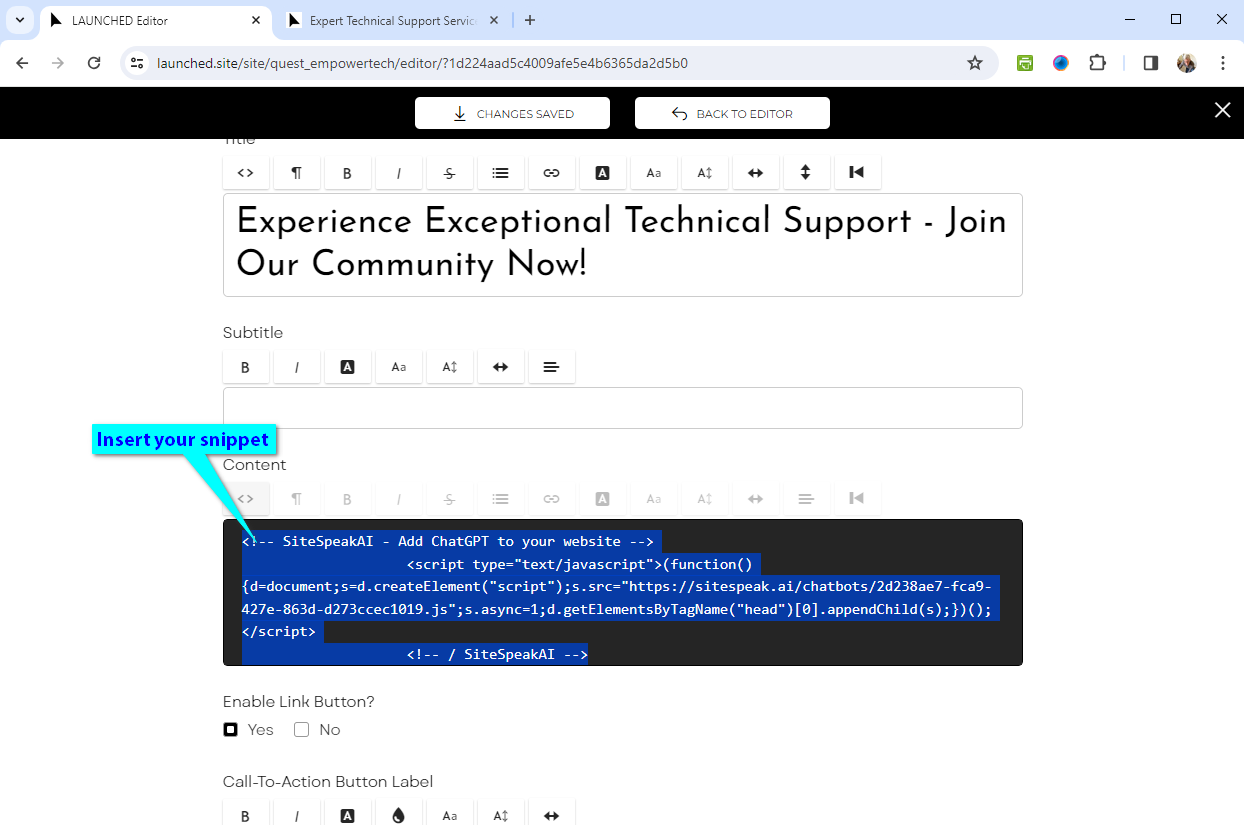
2. Scroll down on the page editor screen & select **\<>** under **Content** to enable the **HTML** editor
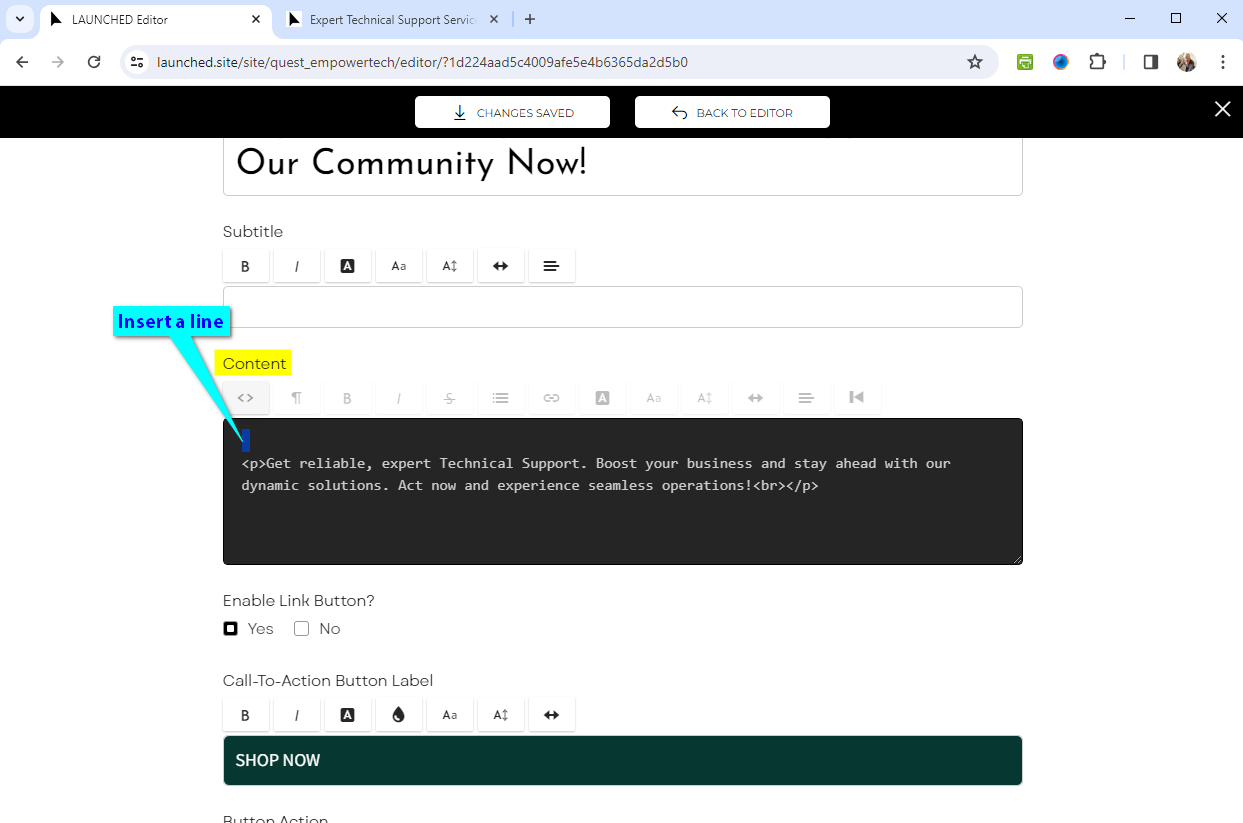
3. Insert a line above any existing content in the **Content** text box and insert your snippet
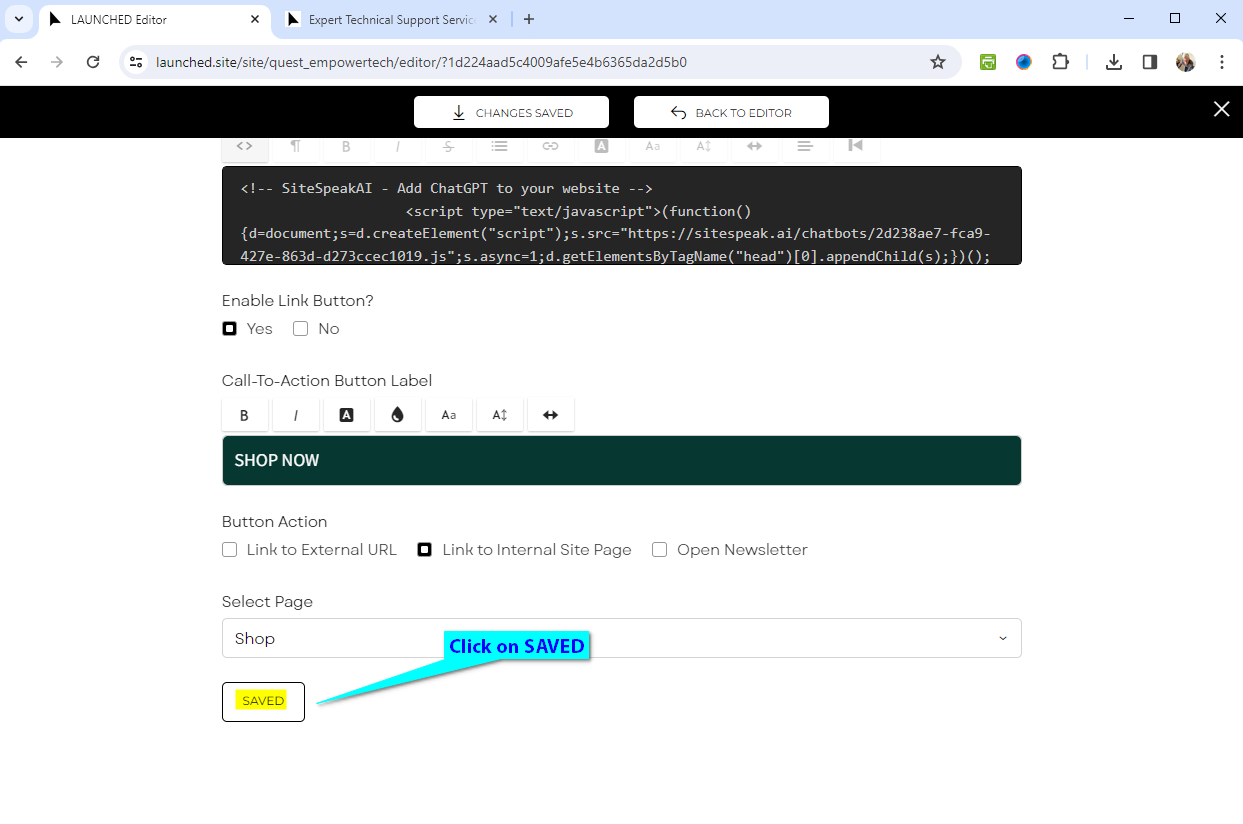
4. Scroll down and click on **SAVED** to save & publish your changes
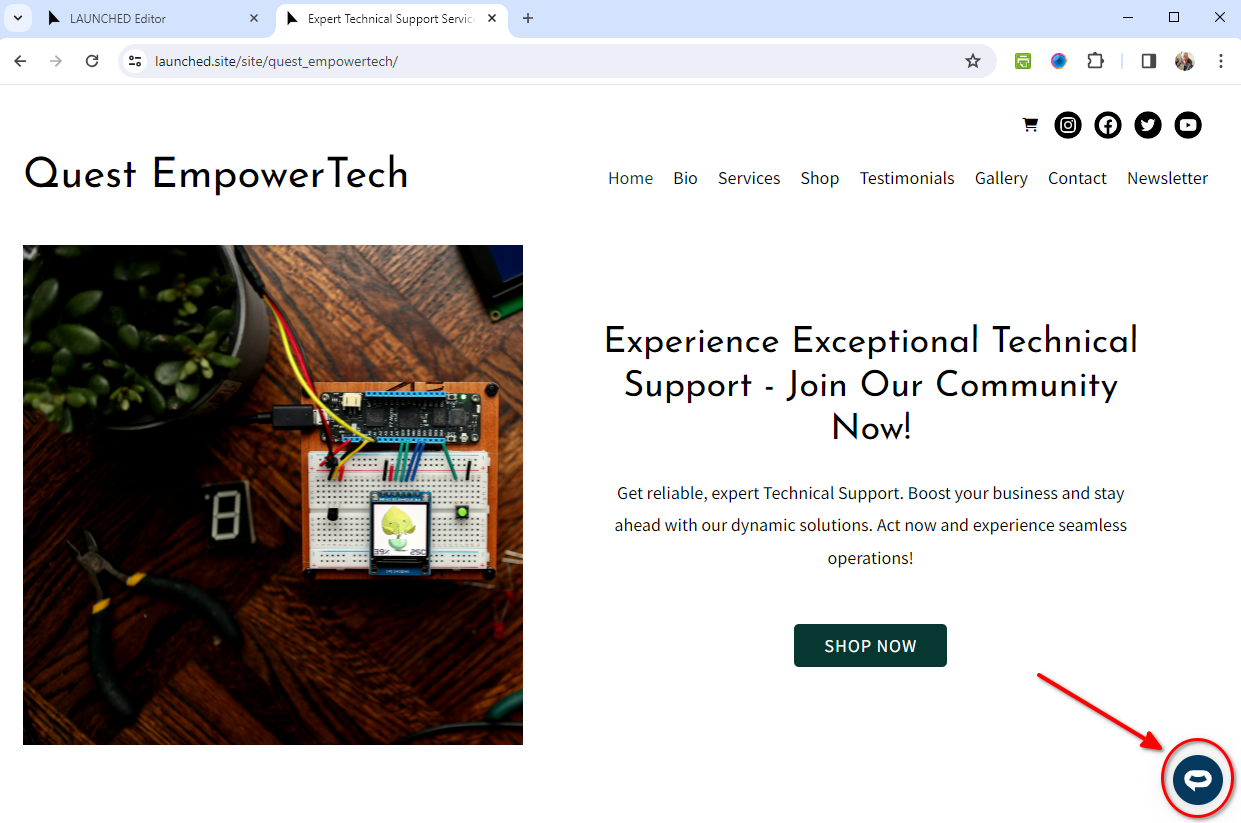
5. Your AI support agent button will now be displayed on your **LAUNCHED** website page
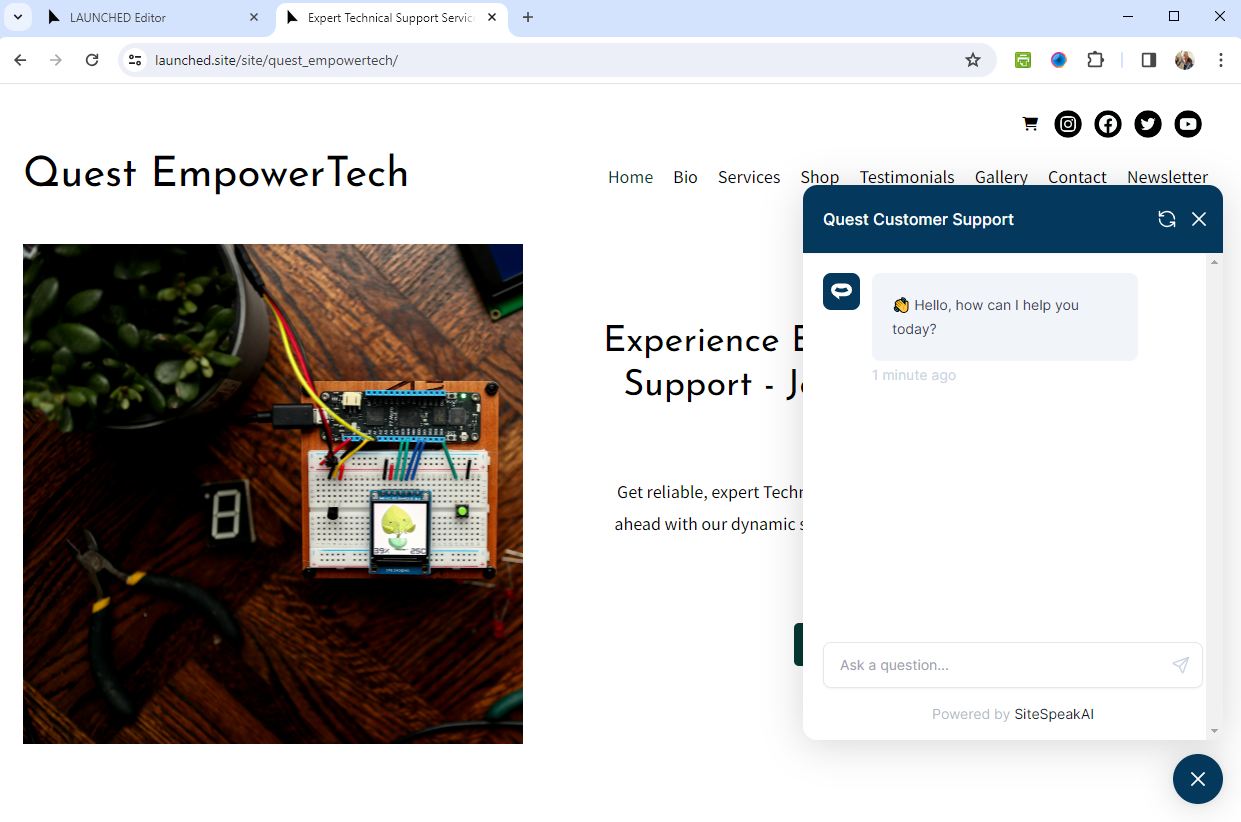
6. If you click on the button it will display the AI support agent dialogue
Your AI support agent has now been added to your **LAUNCHED** website and your visitors/customers can start interacting with it!
***
Join over 1000+ businesses, websites and startups automating their customer service and other tasks with a custom trained AI agent.
### In LAUNCHED
1. Login to **LAUNCHED** and on your dashboard, select **EDIT** for the first content section of your page (in this case it is **Home**)

2. Scroll down on the page editor screen & select **\<>** under **Content** to enable the **HTML** editor

3. Insert a line above any existing content in the **Content** text box and insert your snippet


4. Scroll down and click on **SAVED** to save & publish your changes

5. Your AI support agent button will now be displayed on your **LAUNCHED** website page

6. If you click on the button it will display the AI support agent dialogue

Your AI support agent has now been added to your **LAUNCHED** website and your visitors/customers can start interacting with it!
***
Join over 1000+ businesses, websites and startups automating their customer service and other tasks with a custom trained AI agent.