> ## Documentation Index
> Fetch the complete documentation index at: https://sitespeak.ai/docs/llms.txt
> Use this file to discover all available pages before exploring further.
# How to add a ChatGPT AI support agent to LODGIFY
> How to add your custom ChatGPT trained AI support agent to your LODGIFY website.
You want to embed your custom trained AI support agent in your **LODGIFY** website page. Here's how to add an AI support agent to LODGIFY with SiteSpeakAI.
**LODGIFY** is a simple and affordable website builder specifically designed for vacation rental owners and property managers. It's built to be incredibly easy to use, even if you have *no* technical skills. It focuses on helping you quickly create a beautiful, mobile-friendly website to showcase your rental property, manage bookings, and communicate with guests. It handles things like online booking, payment processing, and guest messaging all in one place. It's a good option if you want a straightforward, no-fuss way to get your rental online.
**Website URL:** [https://www.lodgify.com/](https://www.lodgify.com/)
## Add your AI support agent to your **LODGIFY** website
### In SiteSpeakAI
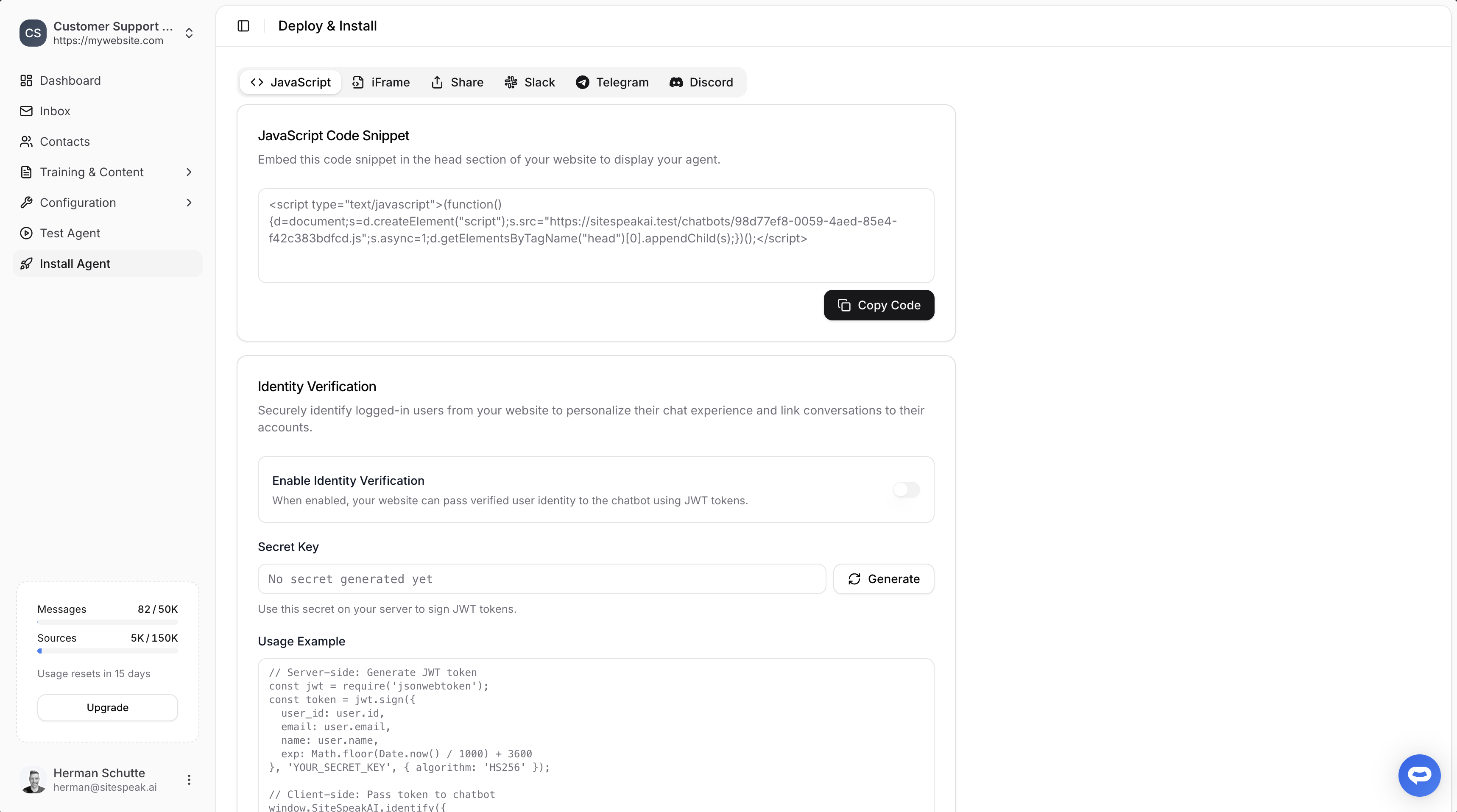
Select your chatbot from the dropdown menu at the top, click on the **Install Agent** section in the sidebar, then click on the **Copy Code** button to copy your code snippet.
 ### In LODGIFY
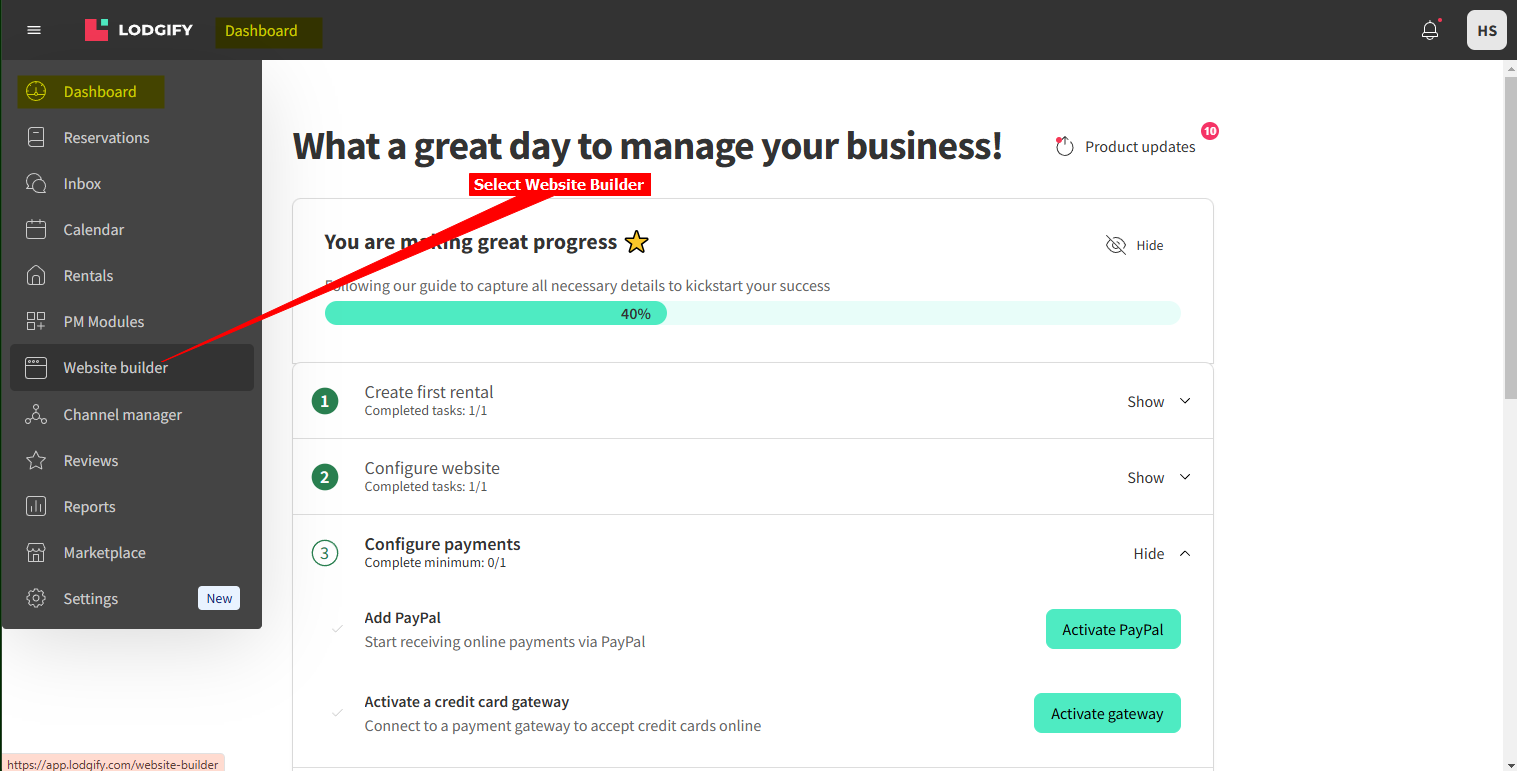
1. Log into your **LODGIFY** account and select **Website builder** on the Dashboard
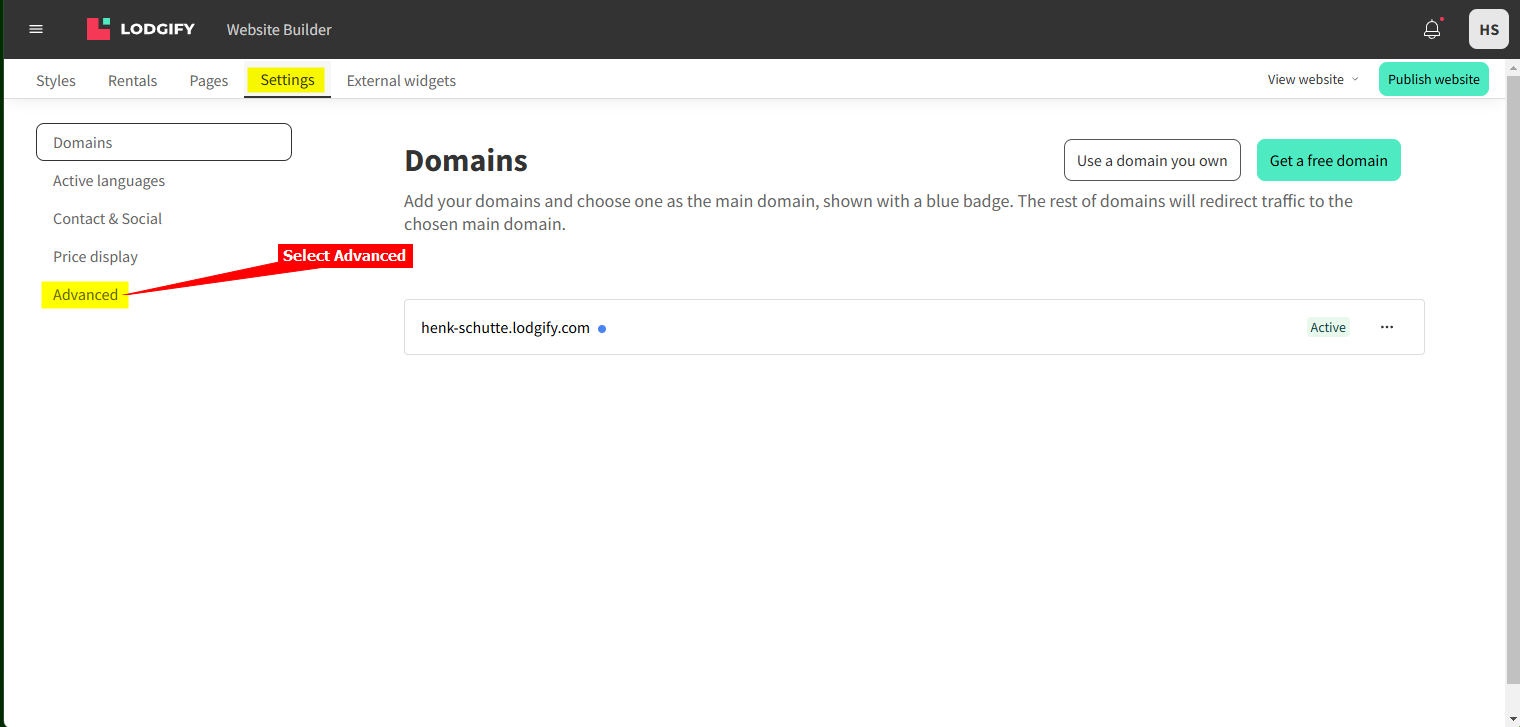
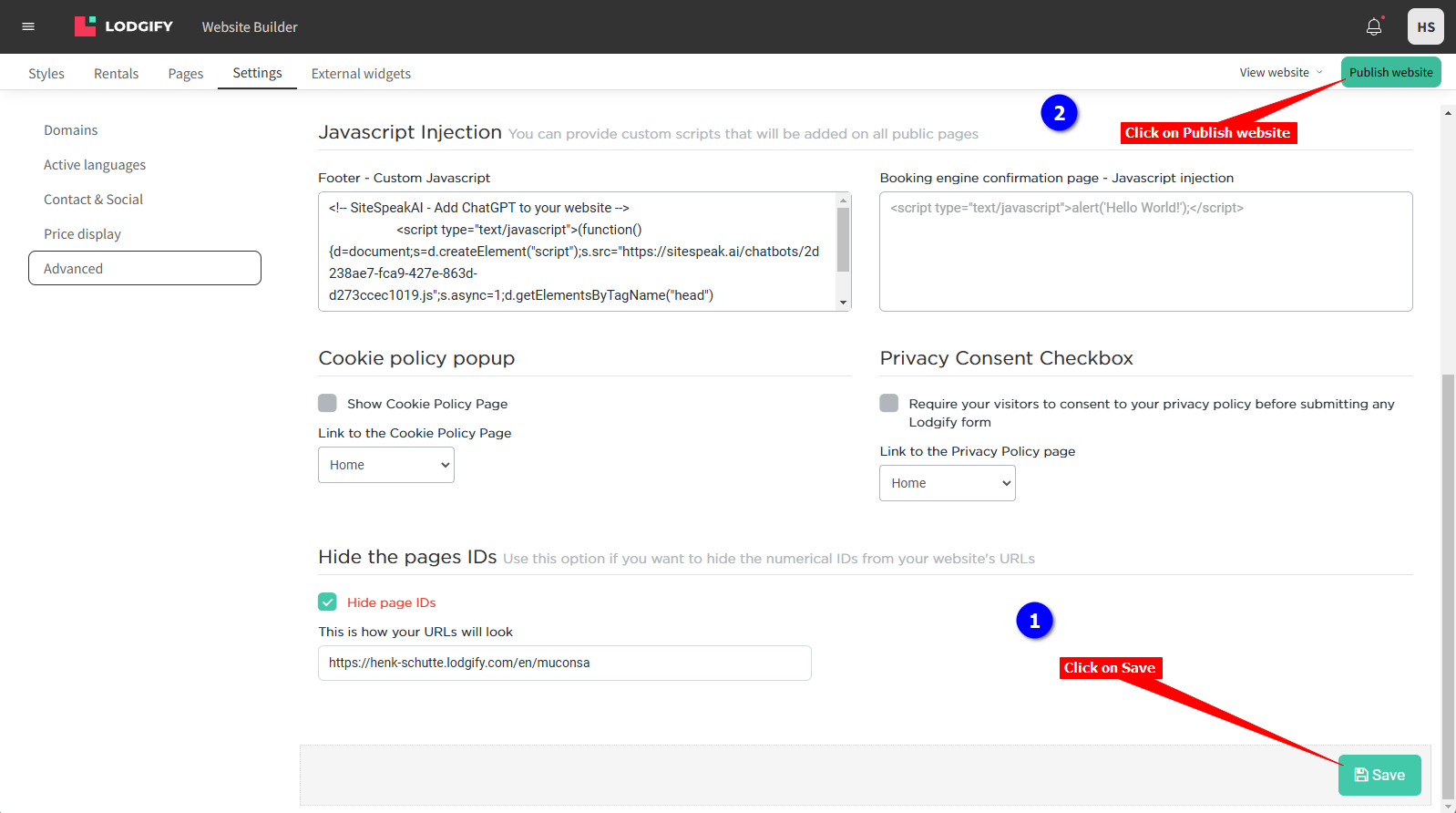
2. Click on the **Settings** tab and select **Advanced**
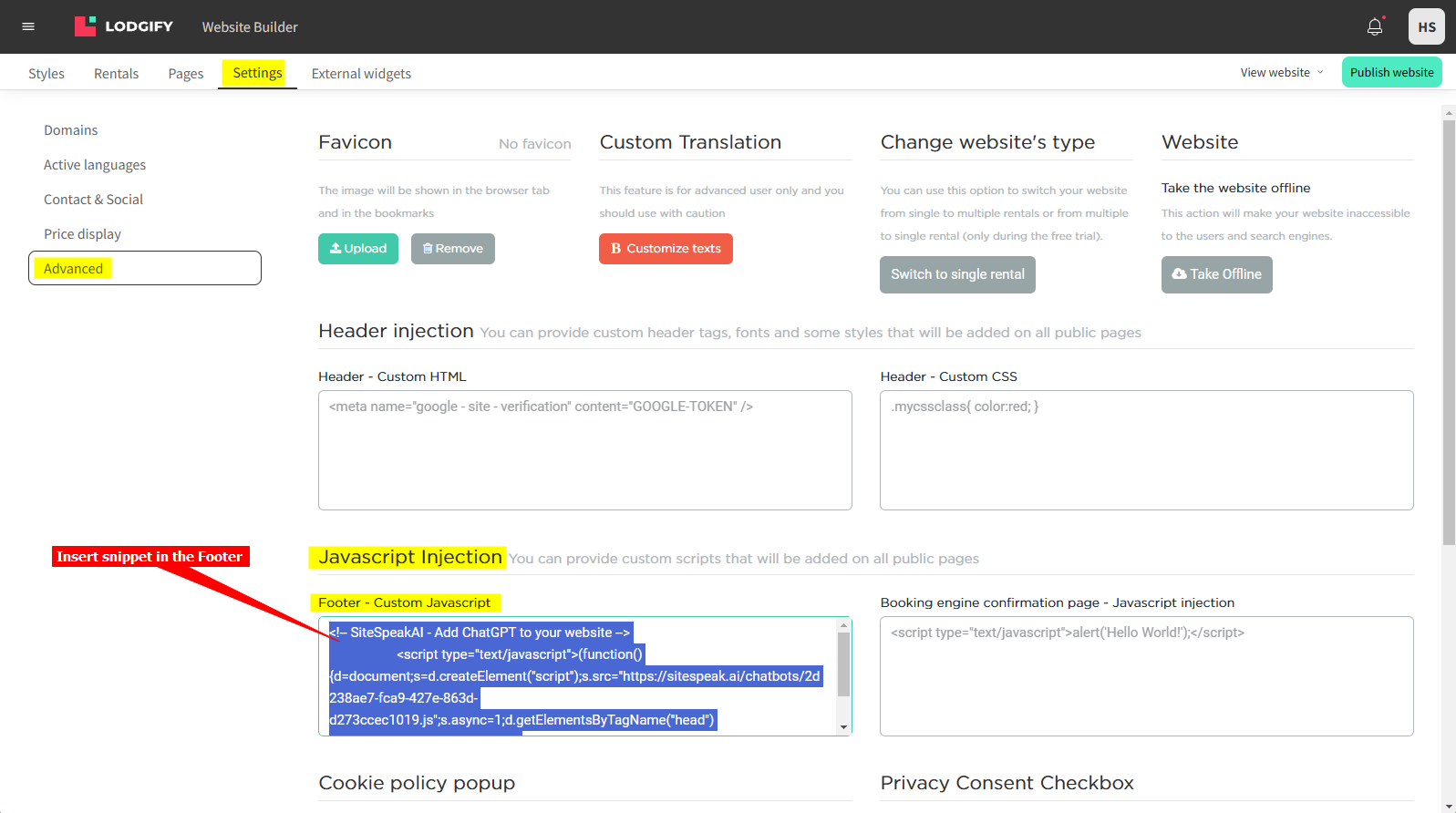
3. Insert your snippet in the **Footer - Custom Javascript** text box under **Javascript Injection**
4. Click on **Save** to save your contents and then click on **Publish website** to publish your changes to your live website
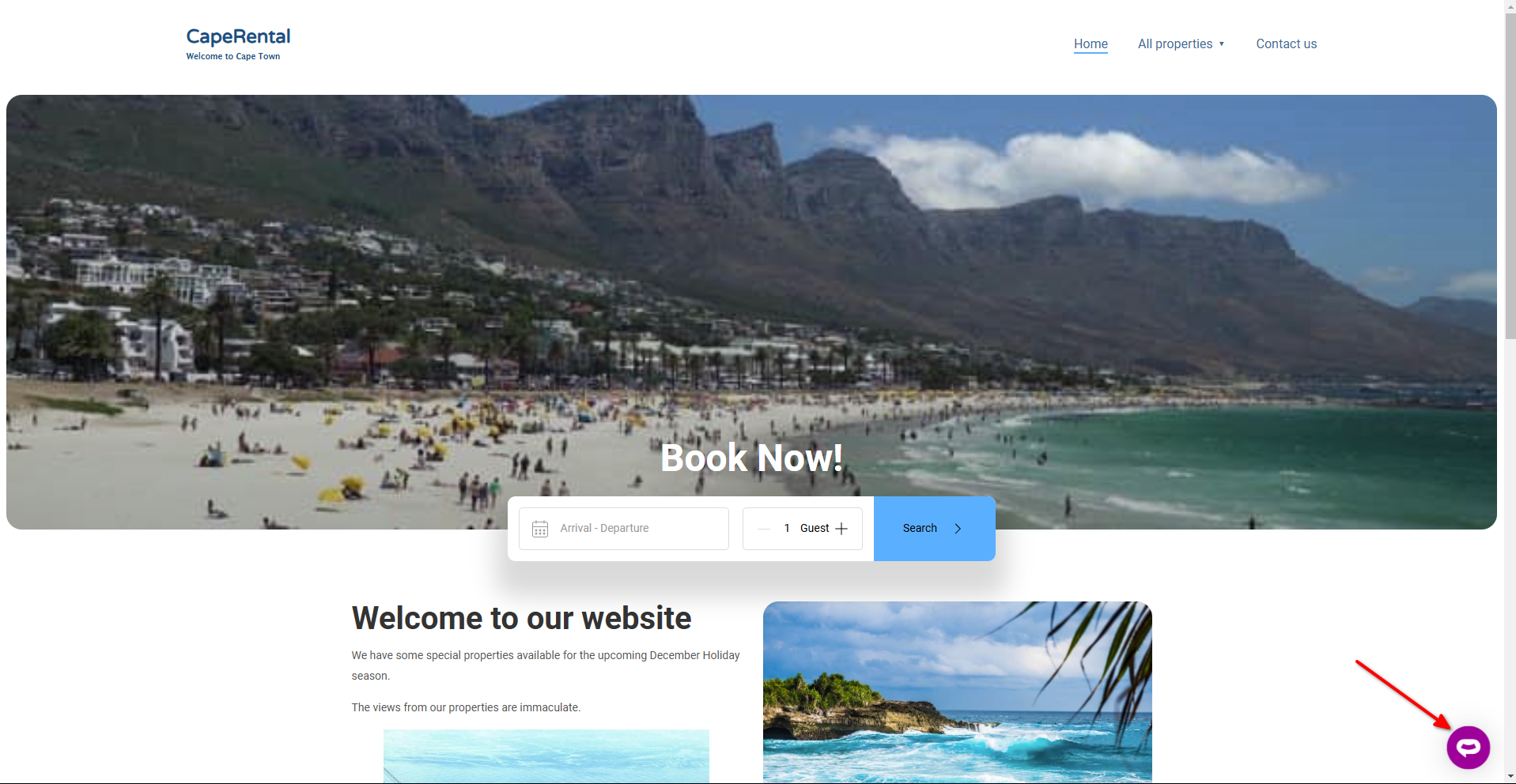
5. Your AI support agent button will now be displayed on your **LODGIFY** website page
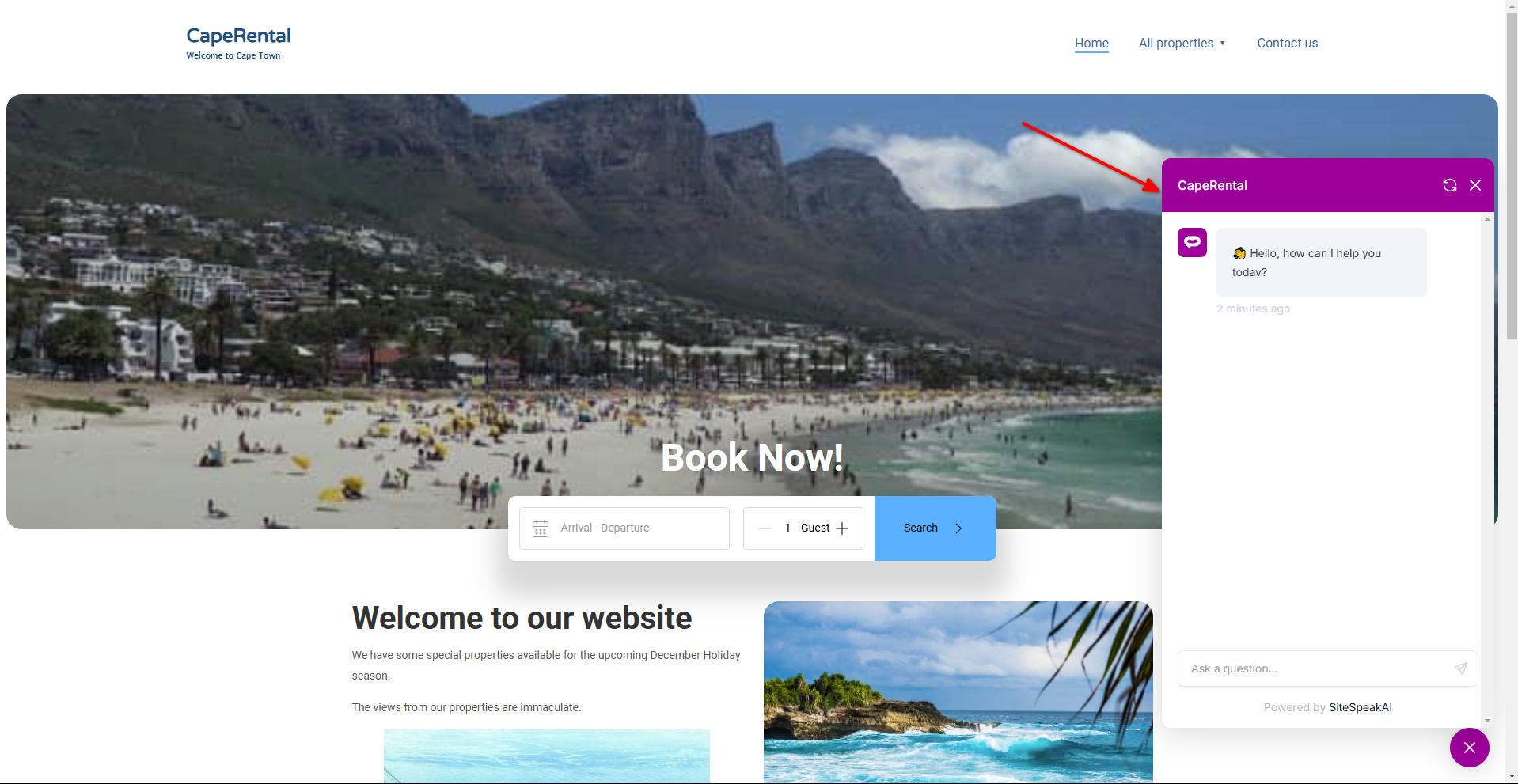
6. If you click on the button it will display the AI support agent dialogue
Your AI support agent has now been added to your **LODGIFY** website and your visitors/customers can start interacting with it!
***
Join over 1000+ businesses, websites and startups automating their customer service and other tasks with a custom trained AI agent.
### In LODGIFY
1. Log into your **LODGIFY** account and select **Website builder** on the Dashboard

2. Click on the **Settings** tab and select **Advanced**

3. Insert your snippet in the **Footer - Custom Javascript** text box under **Javascript Injection**

4. Click on **Save** to save your contents and then click on **Publish website** to publish your changes to your live website

5. Your AI support agent button will now be displayed on your **LODGIFY** website page

6. If you click on the button it will display the AI support agent dialogue

Your AI support agent has now been added to your **LODGIFY** website and your visitors/customers can start interacting with it!
***
Join over 1000+ businesses, websites and startups automating their customer service and other tasks with a custom trained AI agent.