> ## Documentation Index
> Fetch the complete documentation index at: https://sitespeak.ai/docs/llms.txt
> Use this file to discover all available pages before exploring further.
# How to add a ChatGPT AI support agent to Unicorn Platform
> How to add a ChatGPT AI support agent to your Unicorn Platform website.
You want to embed your custom trained AI support agent in your **Unicorn Platform** website page. Here's how to add an AI support agent to Unicorn Platform with SiteSpeakAI.
## Add your AI support agent to your **Unicorn Platform** website
**Unicorn Platform** is an AI-powered, no-code website and landing page builder designed for startups, SaaS products, mobile apps, blogs, directories, and personal pages. It enables busy founders and solo entrepreneurs to create professional, responsive sites in minutes without design or development skills.
**Website:** [Unicorn Platform](https://unicornplatform.com/).
### In SiteSpeakAI
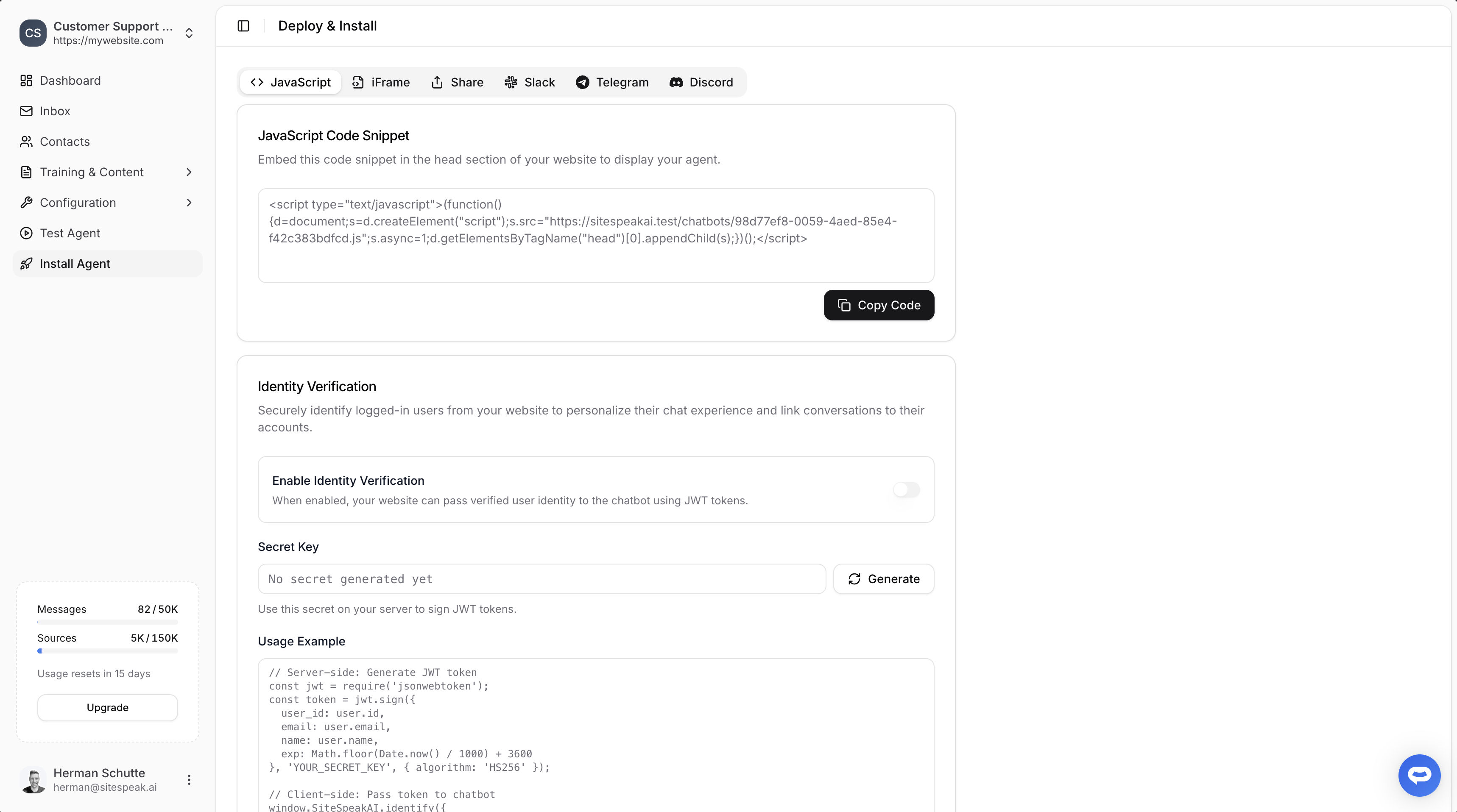
Select your chatbot from the dropdown menu at the top, click on the **Install Agent** section in the sidebar, then click on the **Copy Code** button to copy your code snippet.
 ### In Unicorn Platform
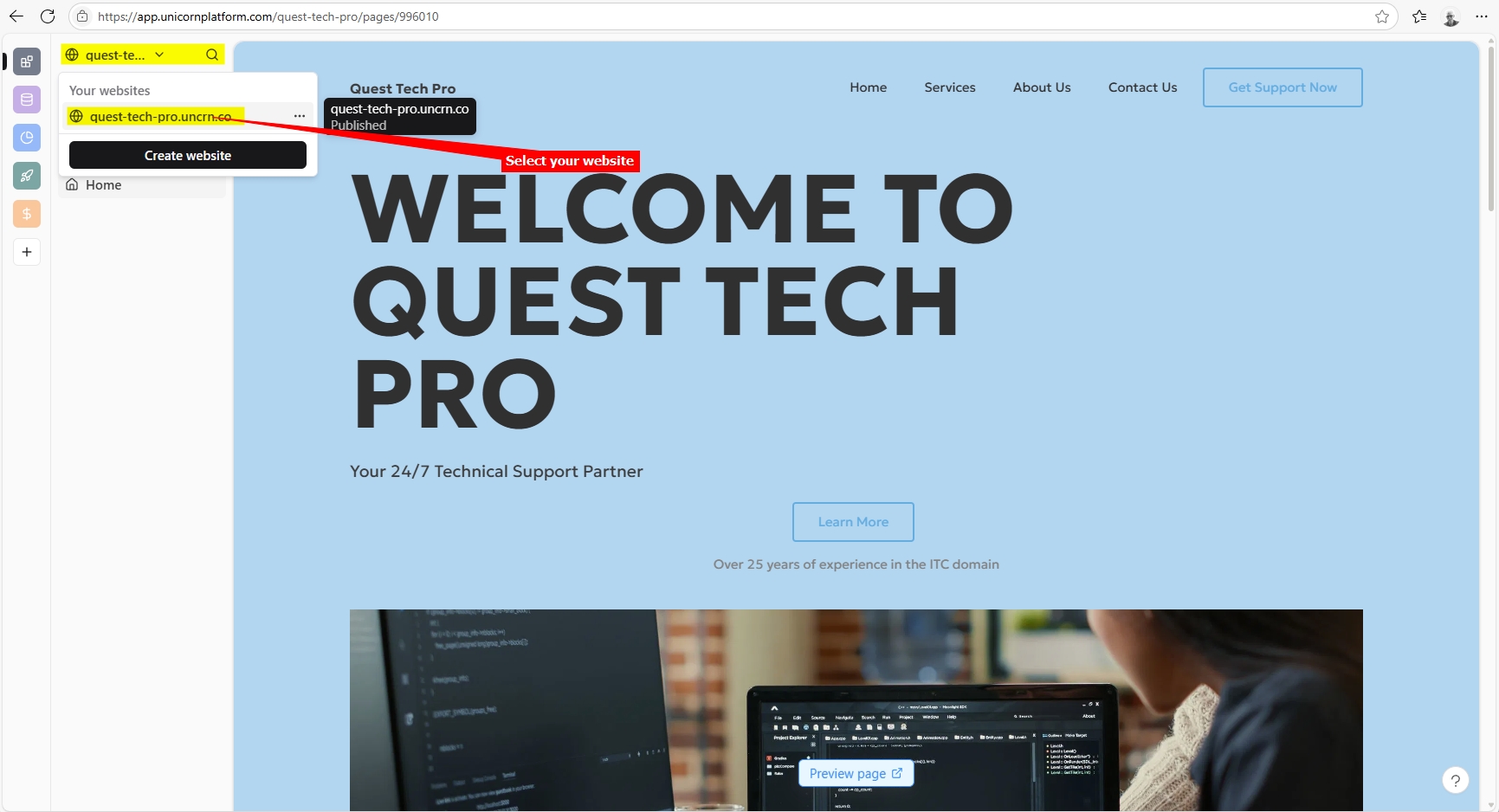
1. Log into your **Unicorn** account and on the dashboard, select your website from the dropdown if it is not already selected
2. Click on **Settings**
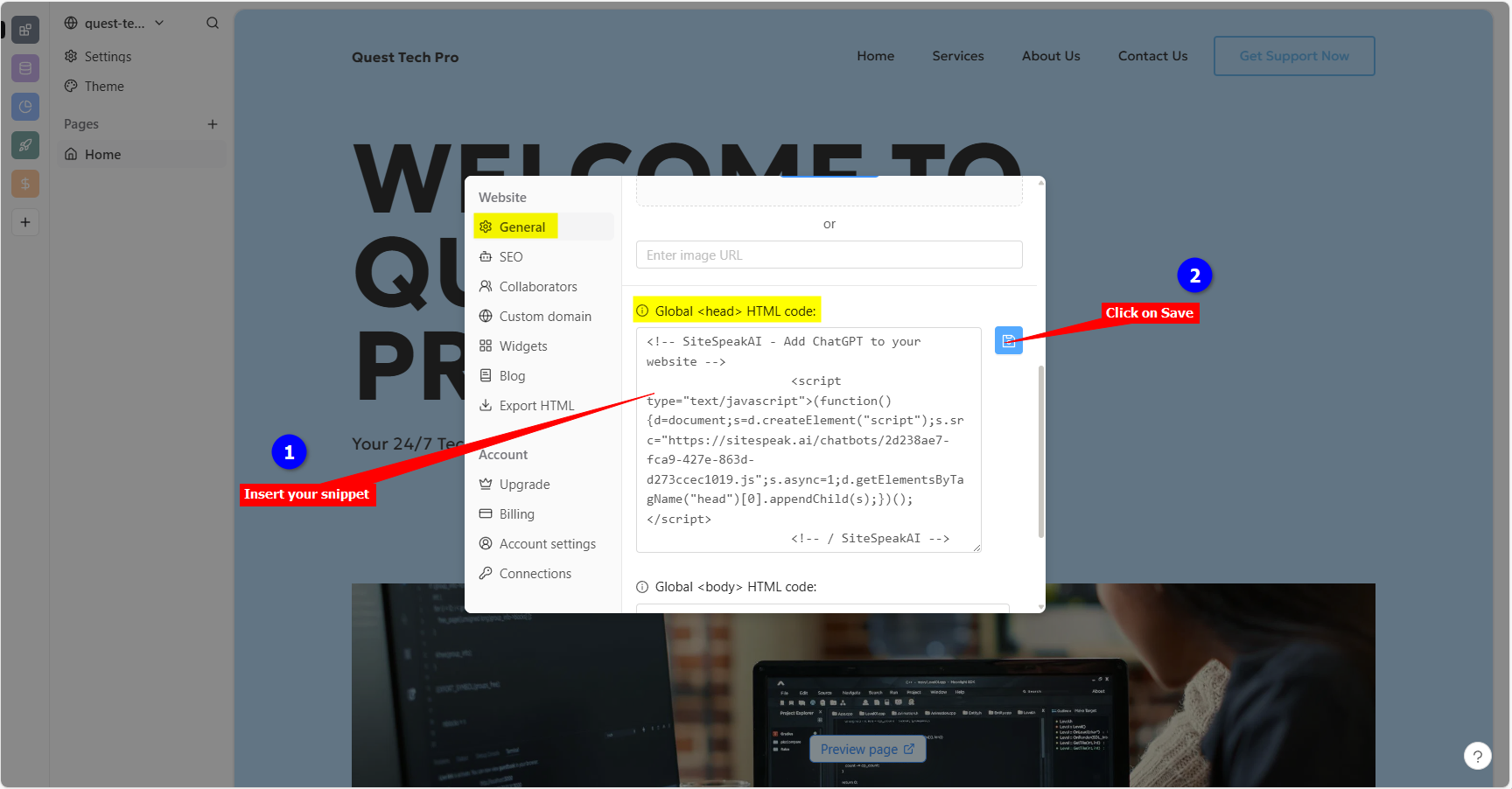
3. Under **General** settings, scroll down to **Global \ HTML code**, insert your snippet and click on the **Save** icon to save your changes
4. Your chatbot button will now be displayed on your **Unicorn Platform** website page
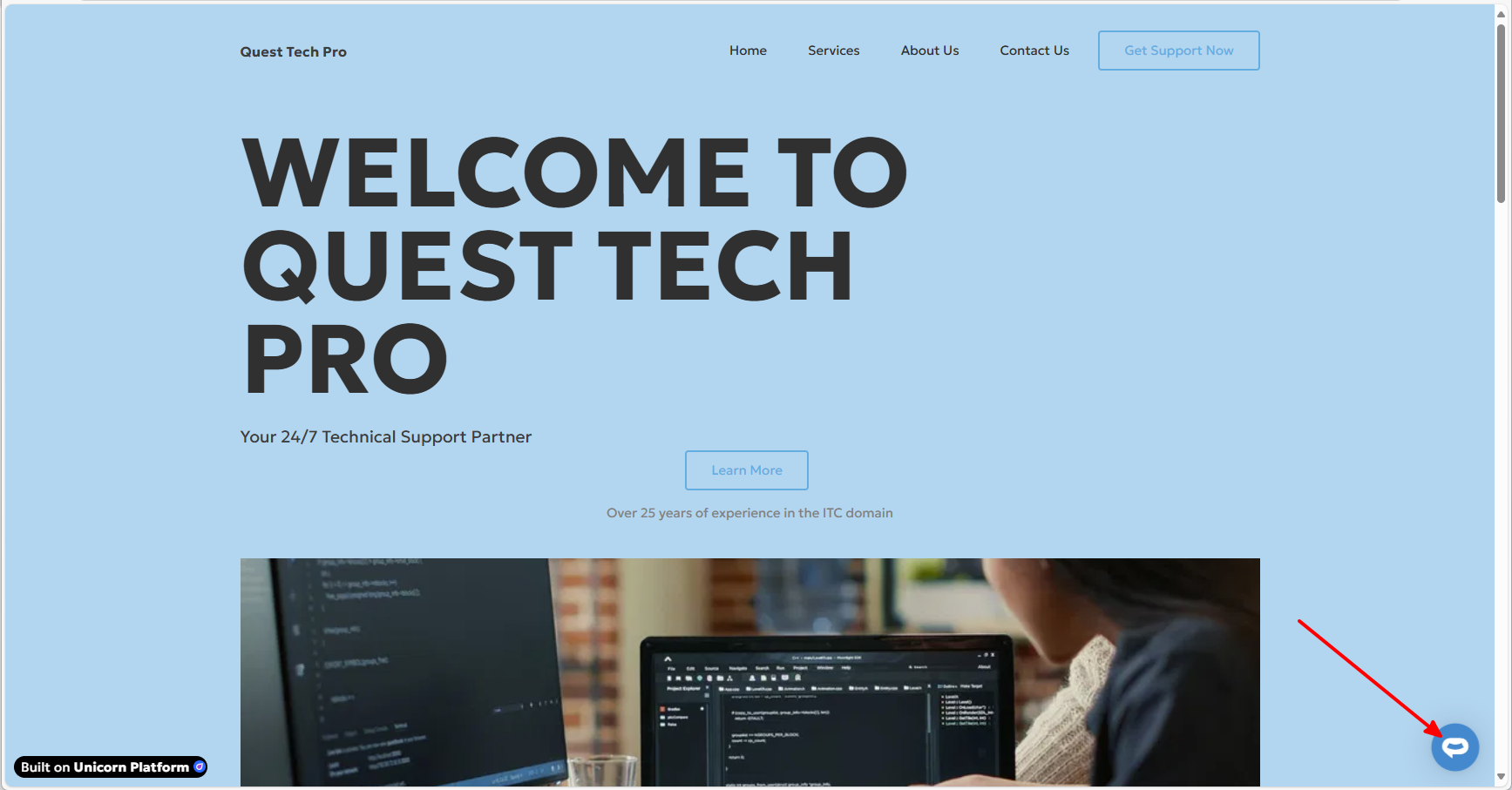
5. If you click on the button it will display the chatbot dialogue
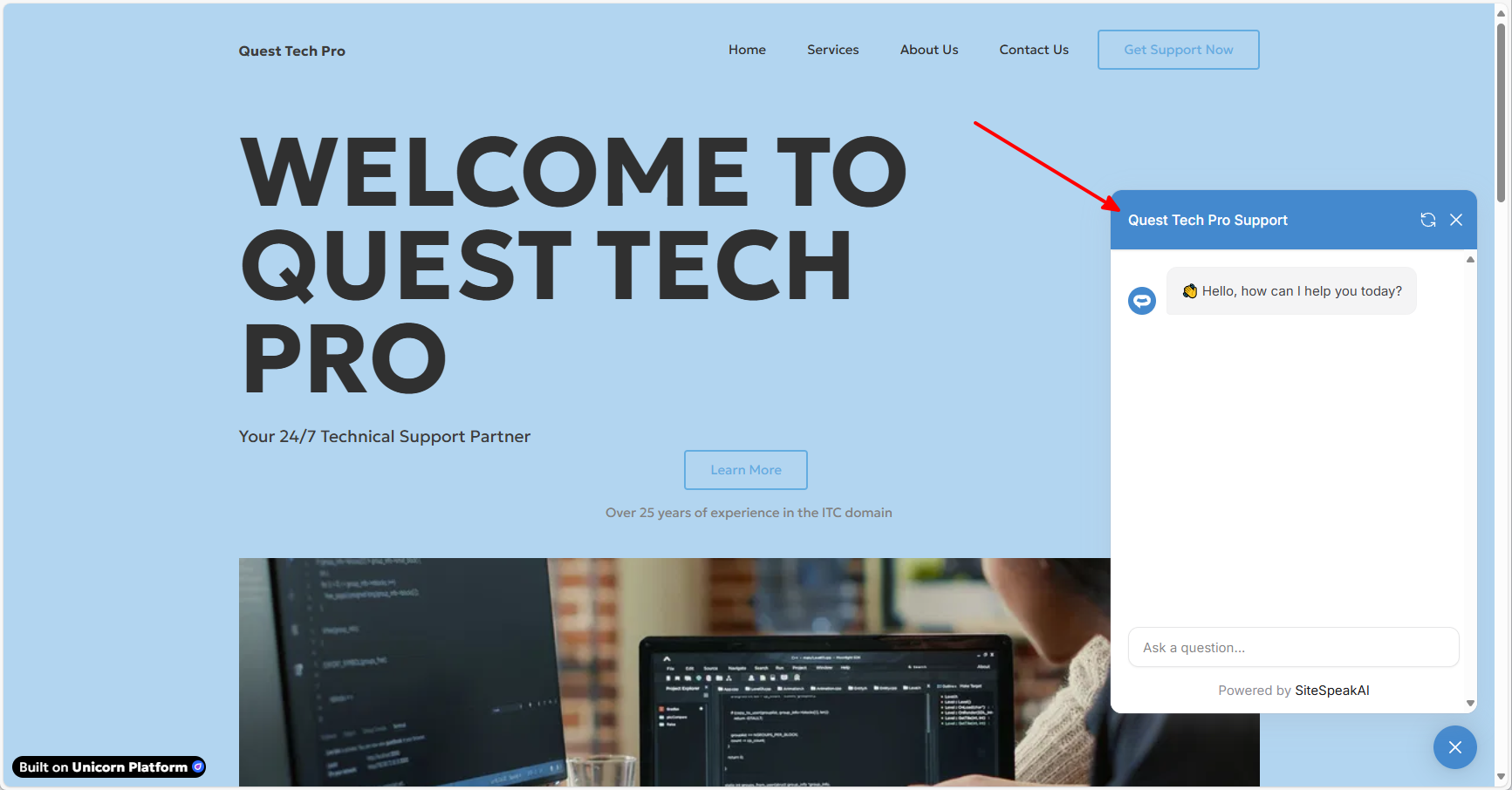
Your AI support agent has now been added to your **Unicorn Platform** website and your visitors/customers can start interacting with it!
***
Join over 1000+ businesses, websites and startups automating their customer service and other tasks with a custom trained AI agent.
### In Unicorn Platform
1. Log into your **Unicorn** account and on the dashboard, select your website from the dropdown if it is not already selected

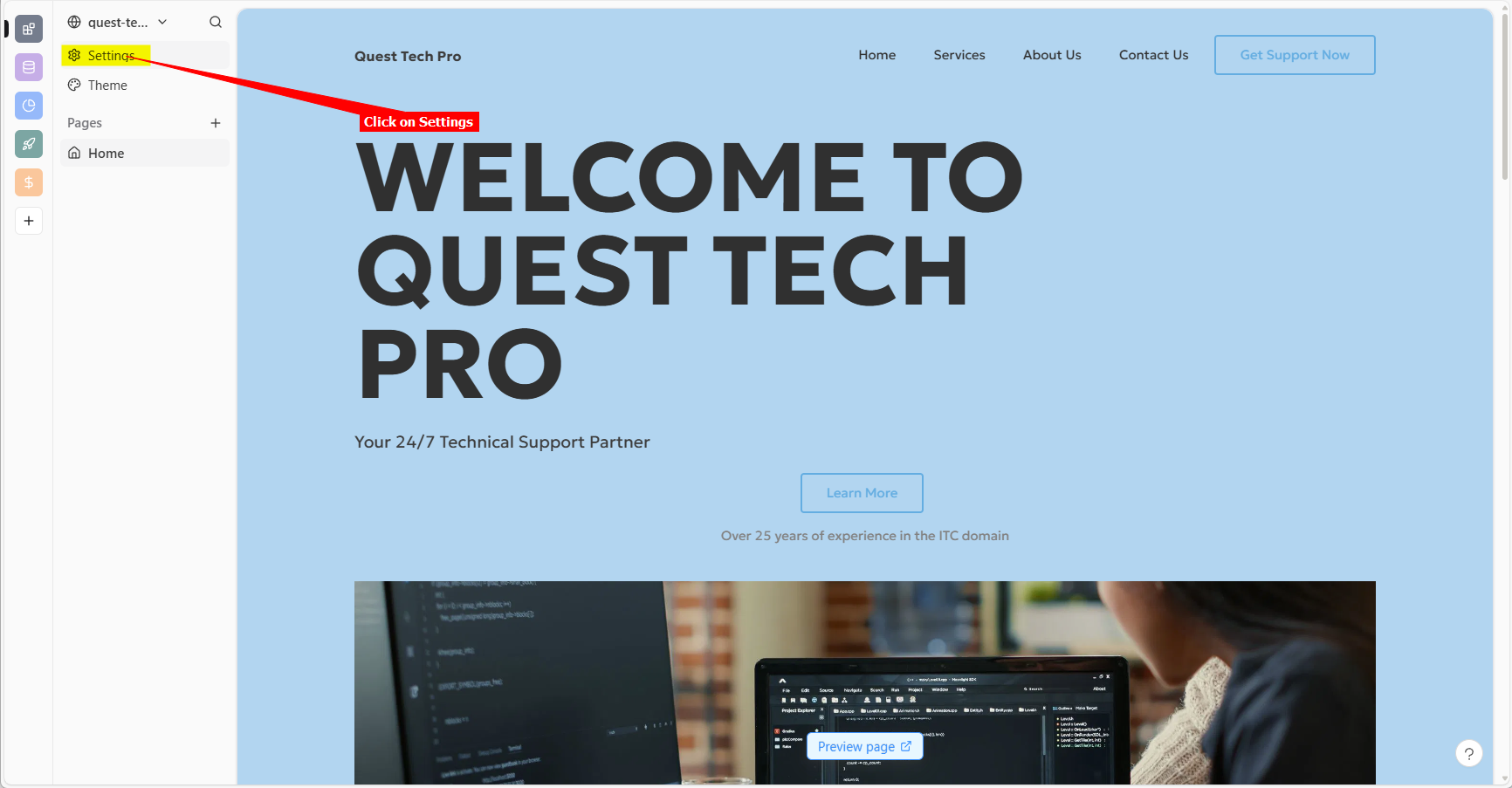
2. Click on **Settings**

3. Under **General** settings, scroll down to **Global \ HTML code**, insert your snippet and click on the **Save** icon to save your changes

4. Your chatbot button will now be displayed on your **Unicorn Platform** website page

5. If you click on the button it will display the chatbot dialogue

Your AI support agent has now been added to your **Unicorn Platform** website and your visitors/customers can start interacting with it!
***
Join over 1000+ businesses, websites and startups automating their customer service and other tasks with a custom trained AI agent.