> ## Documentation Index
> Fetch the complete documentation index at: https://sitespeak.ai/docs/llms.txt
> Use this file to discover all available pages before exploring further.
# How to add a ChatGPT AI support agent to WebSite X5 Pro
> How to add your custom ChatGPT trained AI support agent to your WebSite X5 Pro website.
You want to embed your custom trained AI support agent in your **WebSite X5 Pro** website page. Here's how to add an AI support agent to WebSite X5 Pro with SiteSpeakAI.
**Website X5 Pro** is an easy and intuitive offline software that allows anyone to independently create small or medium-sized websites, blogs, and online stores.
More than 100 templates and lots of content will help you get started right away.
* **AI-Powered Design:** Offers AI assistance for creating layouts and content.
* **eCommerce Capabilities:** Includes robust tools for selling products online.
* **Advanced Customization:** Provides granular control over design elements.
* **Landing Page Builder:** Specialized tools for creating high-converting landing pages.
* **No Coding Required:** Designed for users with no technical skills.
**Website:** [Website X5 Pro](https://www.websitex5.com/)
## Add your AI support agent to your **WebSite X5 Pro** website
### In SiteSpeakAI
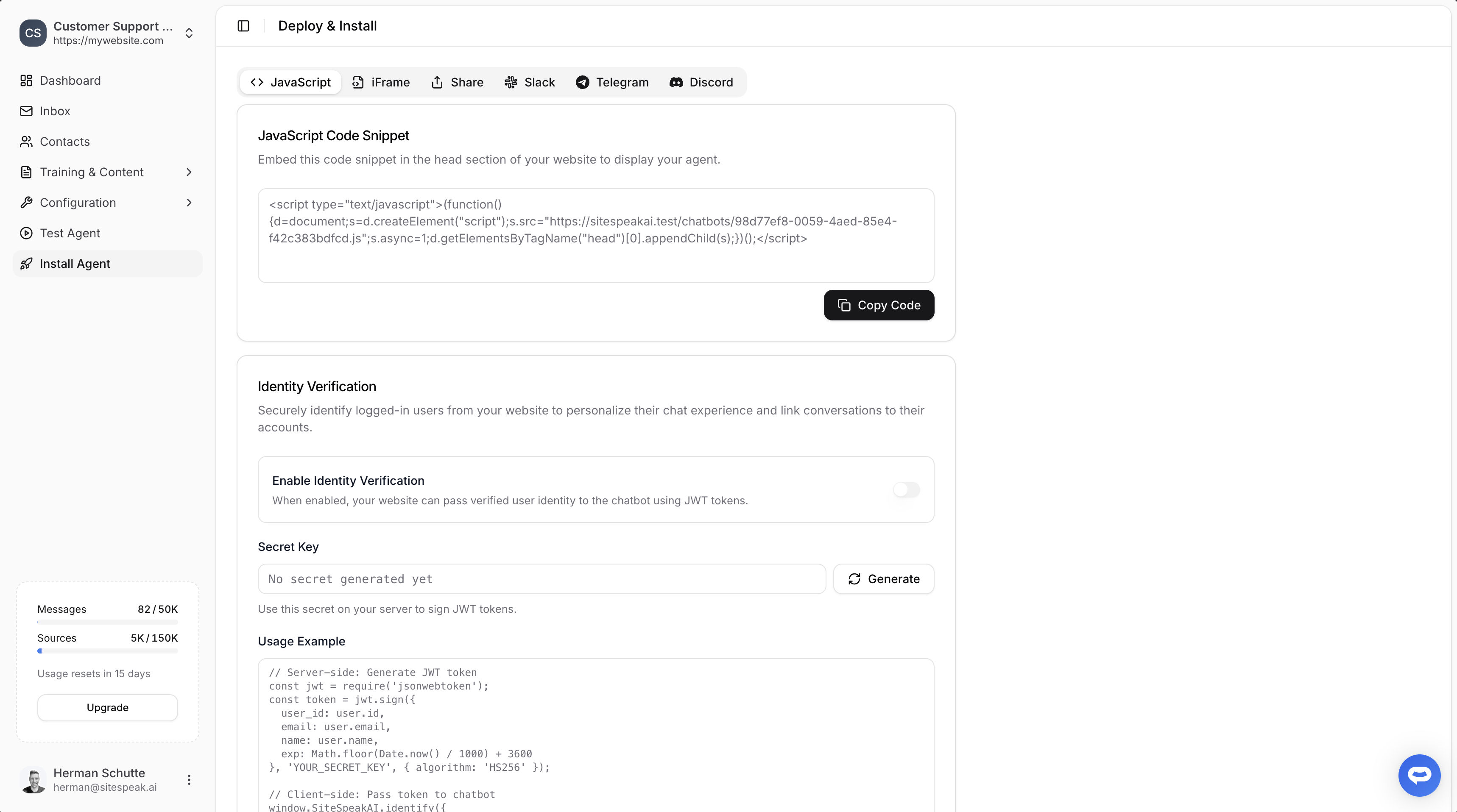
Select your chatbot from the dropdown menu at the top, click on the **Install Agent** section in the sidebar, then click on the **Copy Code** button to copy your code snippet.
 ### In WebSite X5 Pro
*Update: You can now easily install SiteSpeak in WebSite X5 using a dedicated [marketplace plugin](https://guide.websitex5.com/en/support/solutions/articles/44002627853?_ga=2.39827555.1356160208.1760534545-779015879.1760534176).*
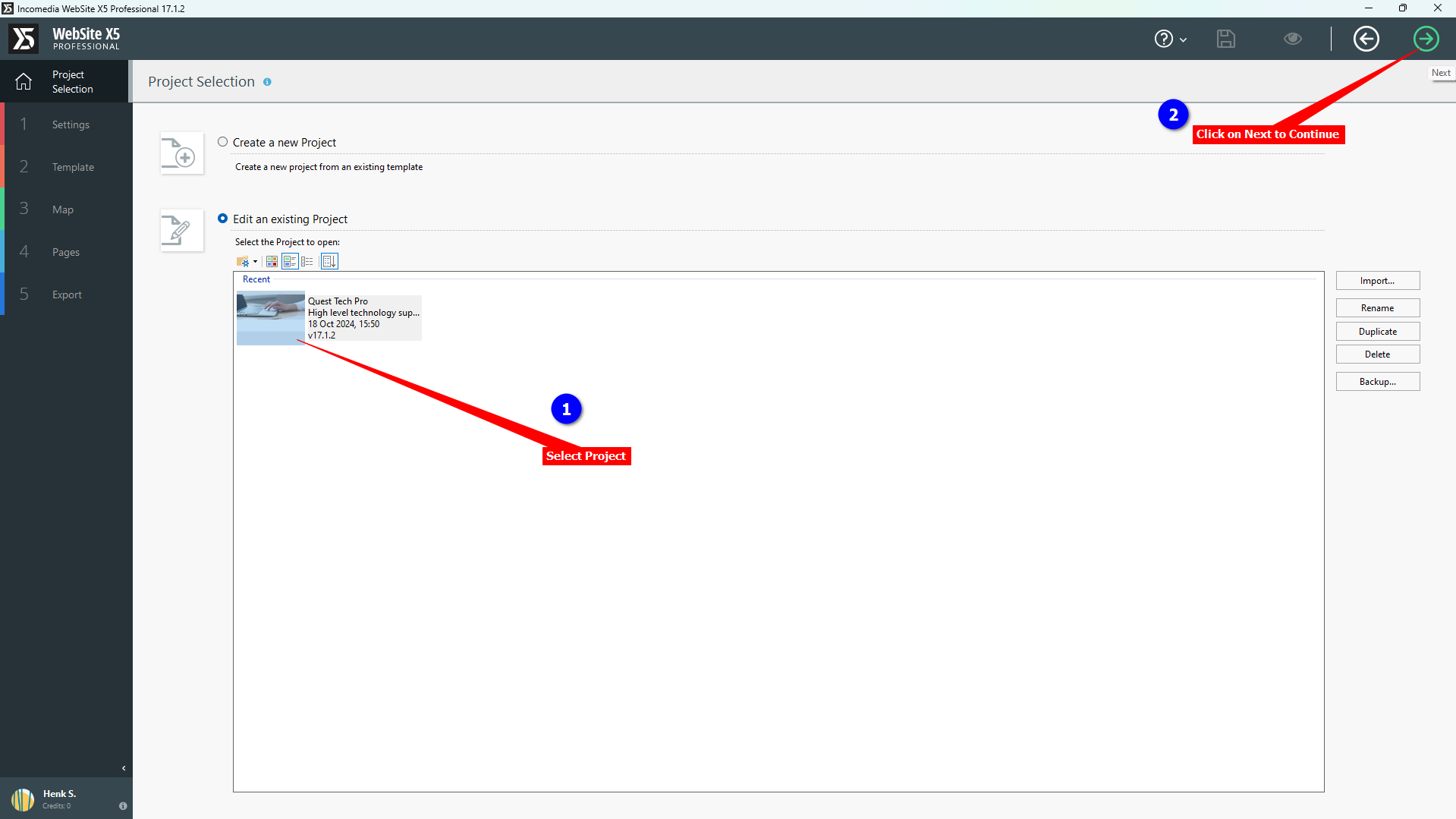
1. Log into your **WebSite X5 Pro** application and select the project you want to add your support agent to. Click on **Next** to continue
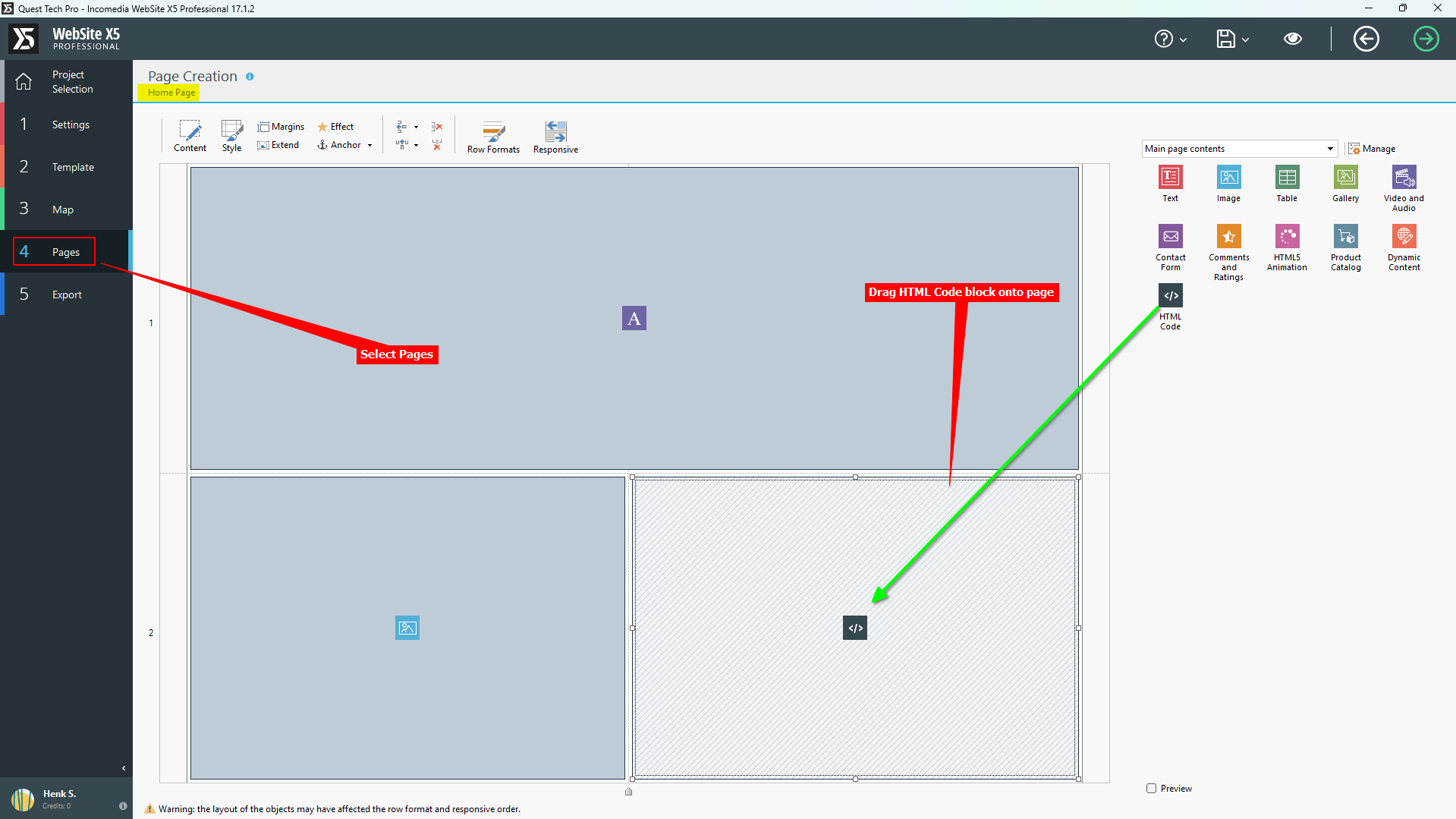
2. Select **Pages** on the left sidebar. **Please note** that if your website contains multiple pages you will have to add the support agent snippet to all pages. Adding an **HTML Code Object** in Website X5 Pro is per page and not website wide. Drag the **HTML Code Object** onto the page
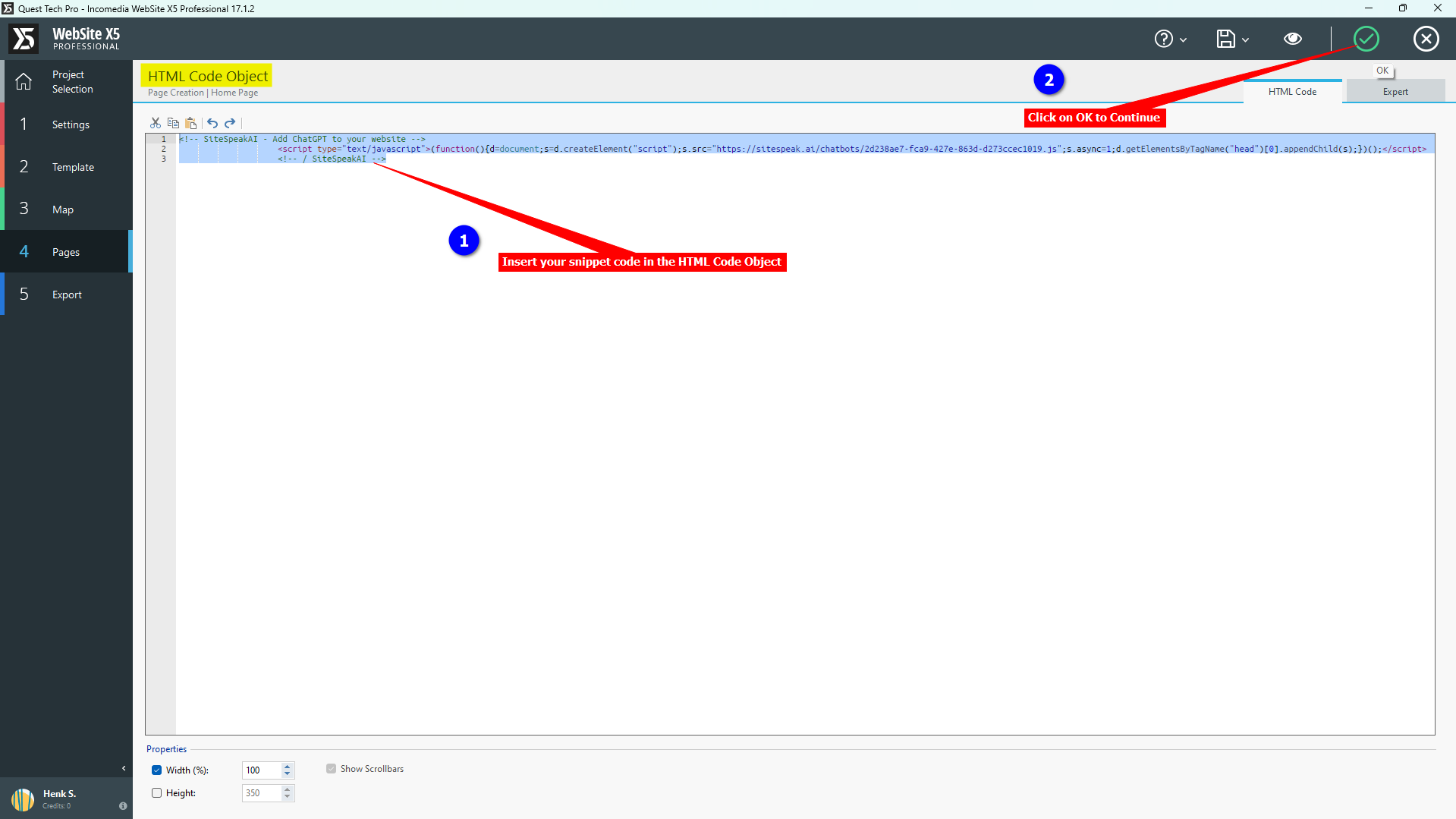
3. Insert your snippet into the **HTML Code Object** and click on **OK** to continue
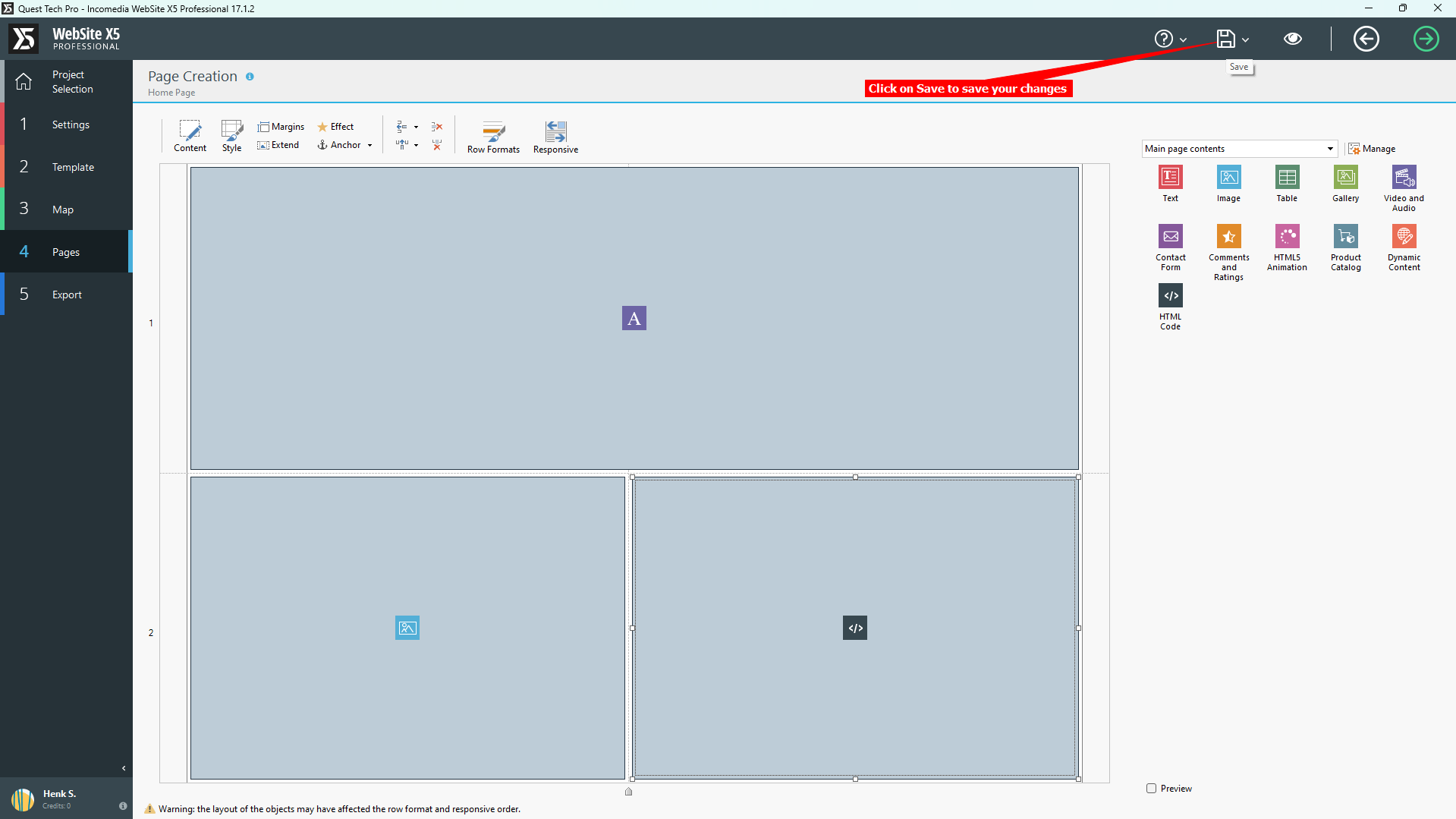
4. Click on **Save** to save the changes to your project
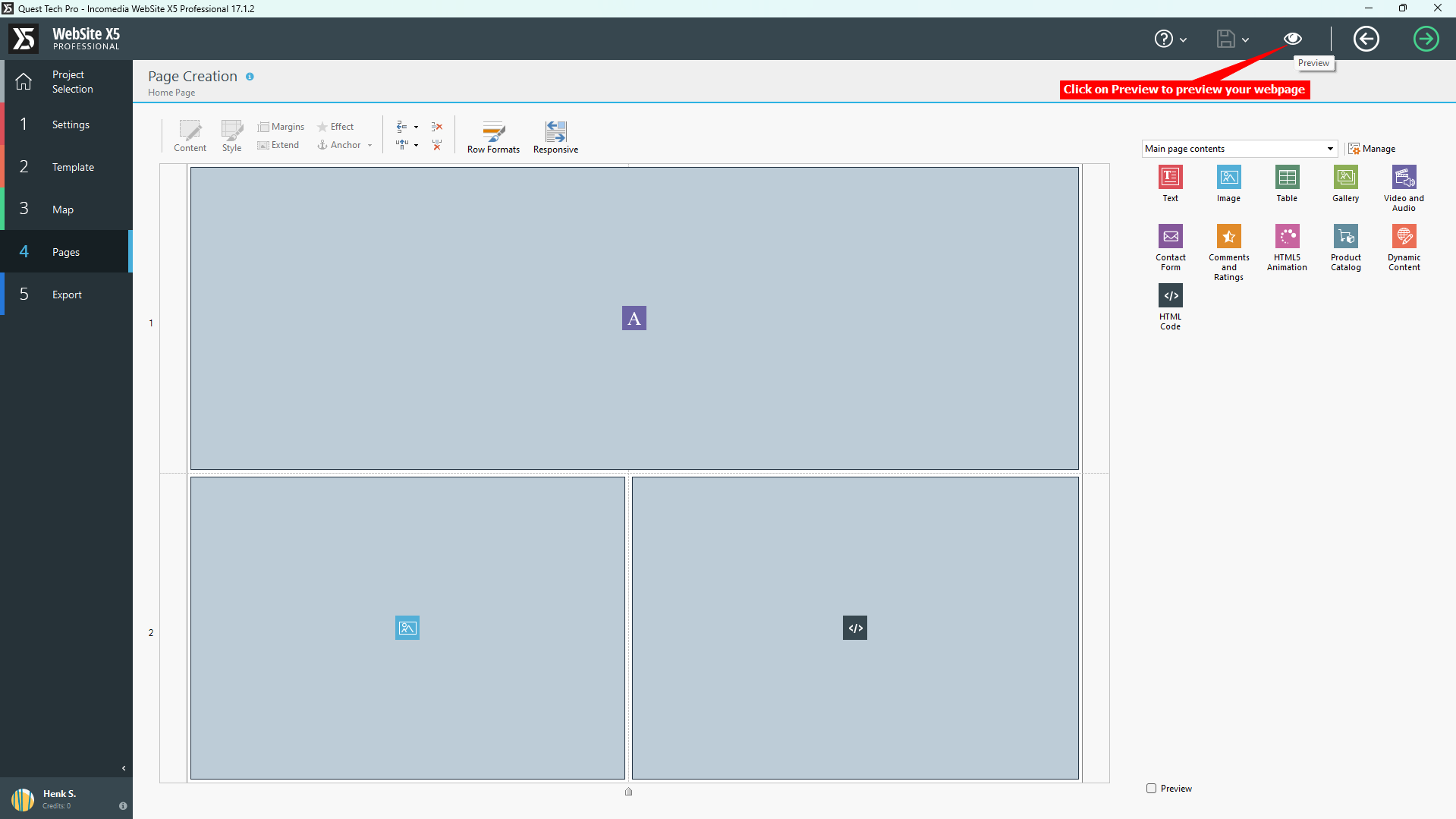
5. Click on **Preview** to preview your webpage
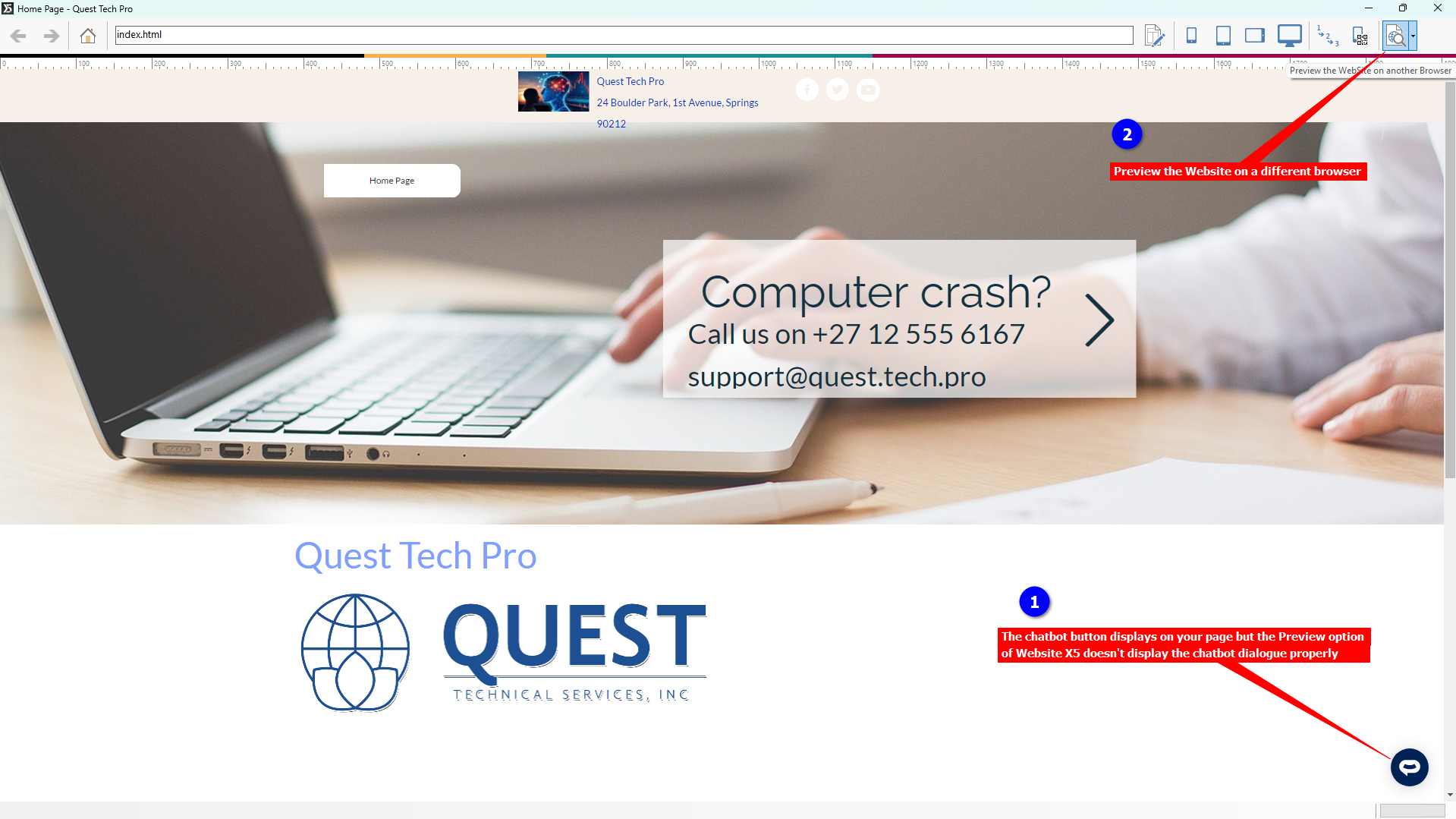
6. The AI support agent button displays correctly on the Preview page but clicking on it won't display the support agent dialogue. To see the dialogue box, select the **Preview the Website on another browser** option and select your browser of choice
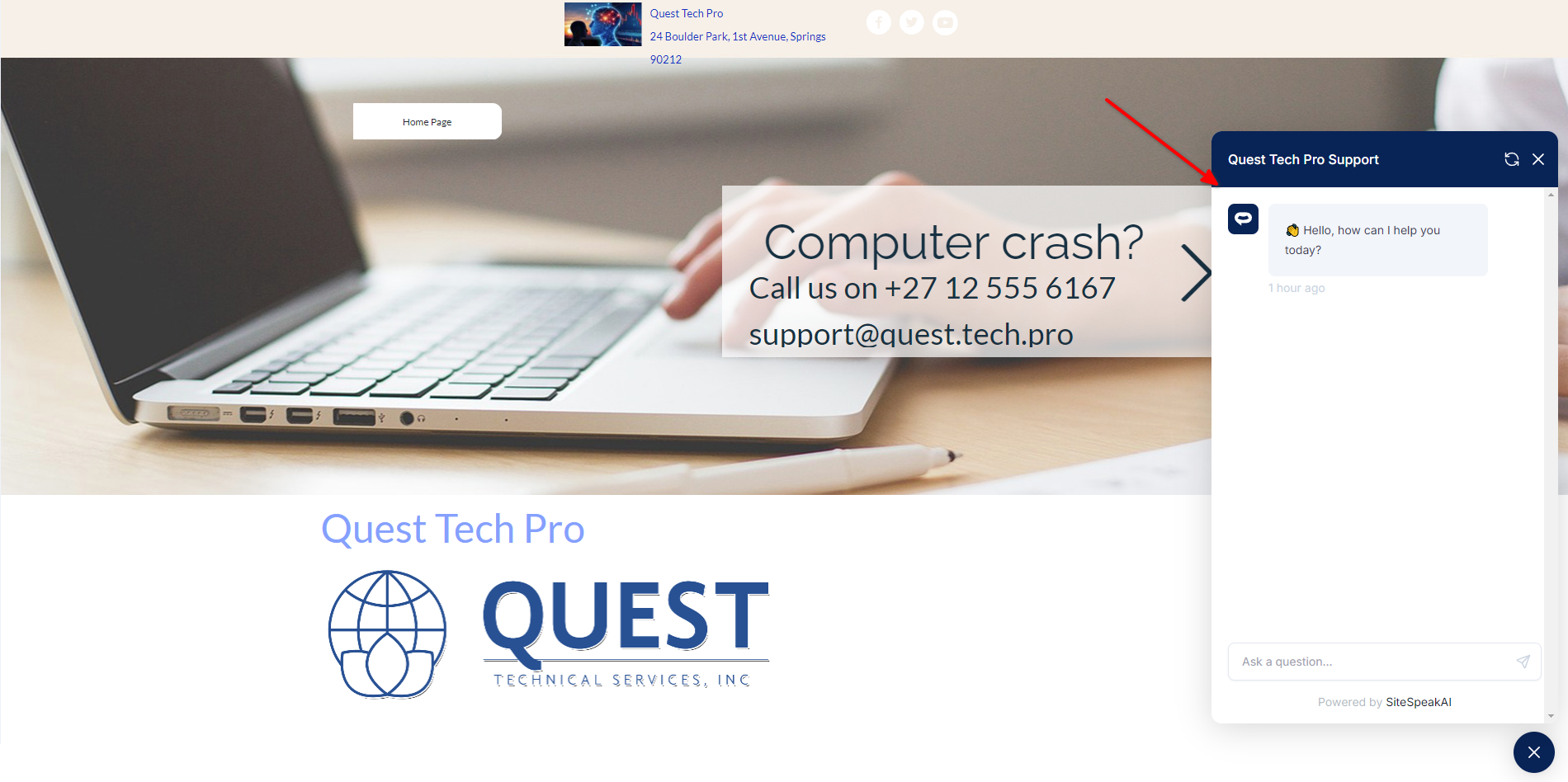
7. If you click on the button it will display the AI support agent dialogue
Your AI support agent has now been added to your **WebSite X5 Pro** website and your visitors/customers can start interacting with it!
***
Join over 1000+ businesses, websites and startups automating their customer service and other tasks with a custom trained AI agent.
### In WebSite X5 Pro
*Update: You can now easily install SiteSpeak in WebSite X5 using a dedicated [marketplace plugin](https://guide.websitex5.com/en/support/solutions/articles/44002627853?_ga=2.39827555.1356160208.1760534545-779015879.1760534176).*
1. Log into your **WebSite X5 Pro** application and select the project you want to add your support agent to. Click on **Next** to continue

2. Select **Pages** on the left sidebar. **Please note** that if your website contains multiple pages you will have to add the support agent snippet to all pages. Adding an **HTML Code Object** in Website X5 Pro is per page and not website wide. Drag the **HTML Code Object** onto the page

3. Insert your snippet into the **HTML Code Object** and click on **OK** to continue

4. Click on **Save** to save the changes to your project

5. Click on **Preview** to preview your webpage

6. The AI support agent button displays correctly on the Preview page but clicking on it won't display the support agent dialogue. To see the dialogue box, select the **Preview the Website on another browser** option and select your browser of choice

7. If you click on the button it will display the AI support agent dialogue

Your AI support agent has now been added to your **WebSite X5 Pro** website and your visitors/customers can start interacting with it!
***
Join over 1000+ businesses, websites and startups automating their customer service and other tasks with a custom trained AI agent.