> ## Documentation Index
> Fetch the complete documentation index at: https://sitespeak.ai/docs/llms.txt
> Use this file to discover all available pages before exploring further.
# Conversation History
> View and manage your chatbot's conversation history, translate messages, and respond to visitors via live chat
In the SiteSpeak dashboard, this section is labeled **Inbox**.
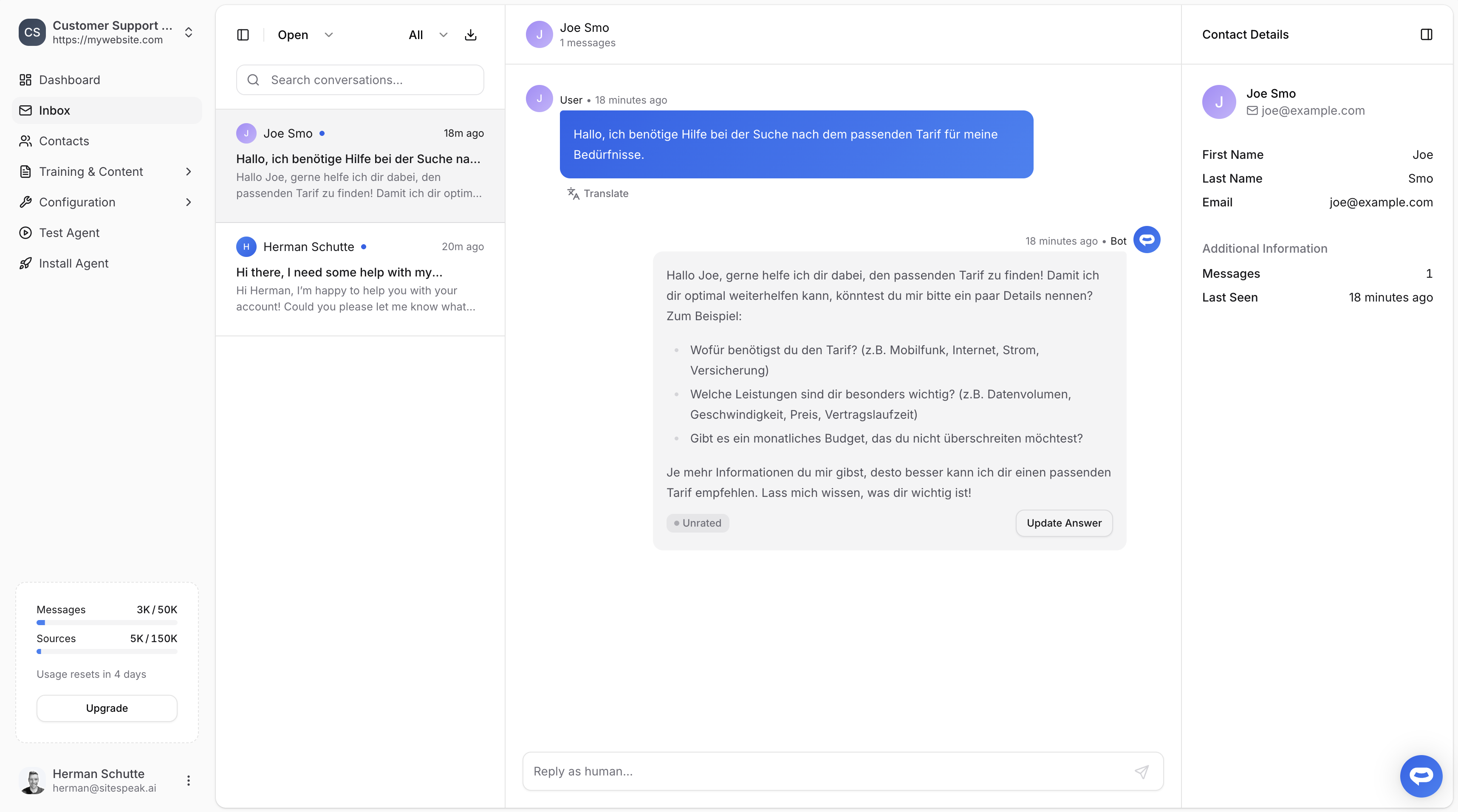
The Conversation History page lets you view all conversations between visitors and your chatbot. You can search, filter, translate messages, and jump into live chat when needed.
## Viewing conversations
The left sidebar lists all visitors sorted by most recent activity. Click on a visitor to see their full conversation history.
Use the controls at the top to narrow down conversations:
* **Open / Closed**: Filter by conversation status
* **Category**: Filter by conversation category
* **Search**: Search for specific conversations by keyword
## Contact details
The right panel displays visitor information including their name, email address, when they were last seen, and their total message count.
 ## Translating messages
Message translation is available on the **[Business](/pricing)** plan.
Hover over any message in a conversation and click **Translate** to automatically translate it into your browser's language. Click **Show Original** to revert back. Translated messages display a "Translated" indicator so you can tell them apart from the original text.
## Replying via Live Chat
You can respond to visitors directly from the Conversation History page by typing a message in the input field. This starts a Live Chat session where the AI is paused until you end it.
For full details on escalations and live chat, see [Human handoff](/managing-your-chatbot/human-handoff).
## Exporting conversations
Click the download icon to export a conversation as a CSV file.
***
Join over 1000+ businesses, websites and startups automating their customer service and other tasks with a custom trained AI agent.
## Translating messages
Message translation is available on the **[Business](/pricing)** plan.
Hover over any message in a conversation and click **Translate** to automatically translate it into your browser's language. Click **Show Original** to revert back. Translated messages display a "Translated" indicator so you can tell them apart from the original text.
## Replying via Live Chat
You can respond to visitors directly from the Conversation History page by typing a message in the input field. This starts a Live Chat session where the AI is paused until you end it.
For full details on escalations and live chat, see [Human handoff](/managing-your-chatbot/human-handoff).
## Exporting conversations
Click the download icon to export a conversation as a CSV file.
***
Join over 1000+ businesses, websites and startups automating their customer service and other tasks with a custom trained AI agent.