> ## Documentation Index
> Fetch the complete documentation index at: https://sitespeak.ai/docs/llms.txt
> Use this file to discover all available pages before exploring further.
# BookStack: Search Wiki Action
> Enable your AI chatbot to search and retrieve information from your BookStack wiki in real-time.
The **BookStack: Search Wiki** action allows your AI support agent to search and retrieve information directly from your BookStack wiki. This enables real-time lookups when answering visitor questions.
Adding the [BookStack training integration](/training-your-chatbot/bookstack) is still the preferred option for training your agent on your BookStack content since this results in faster responses from your agent. Use this action when you need real-time search capabilities.
## How it Works
When a user asks a question that might be answered by your BookStack wiki, the chatbot will search your wiki in real-time, retrieve relevant content, and use it to formulate an accurate response.
## Add a BookStack: Search Wiki Action
In your chatbot dashboard, click **Configuration** in the sidebar, then select **Tools & Actions**.
Click the **+ Add Action** button.
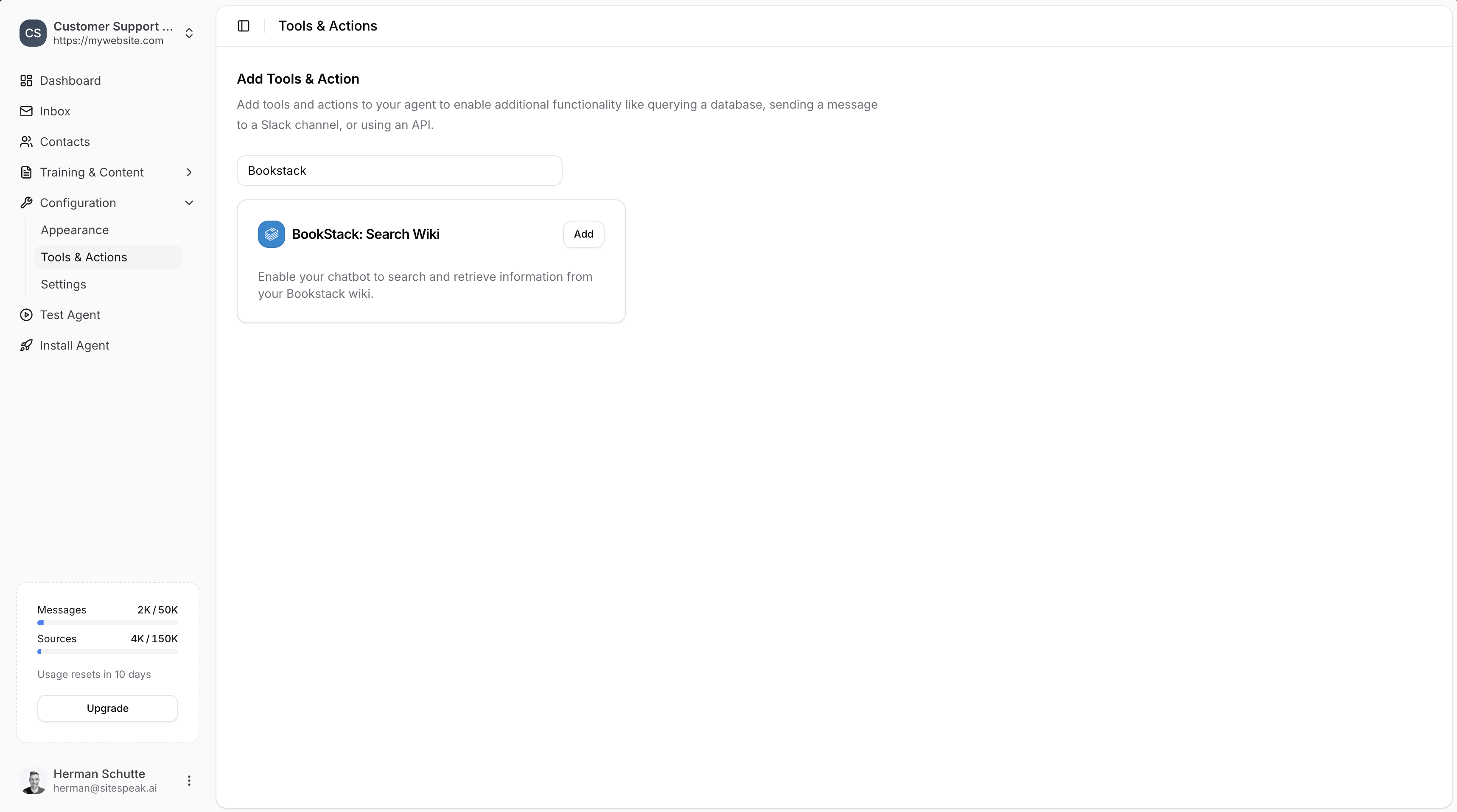
Type "Bookstack" in the search field to filter the available actions.
Click **Add** next to **BookStack: Search Wiki**.
 ### Configure BookStack Credentials
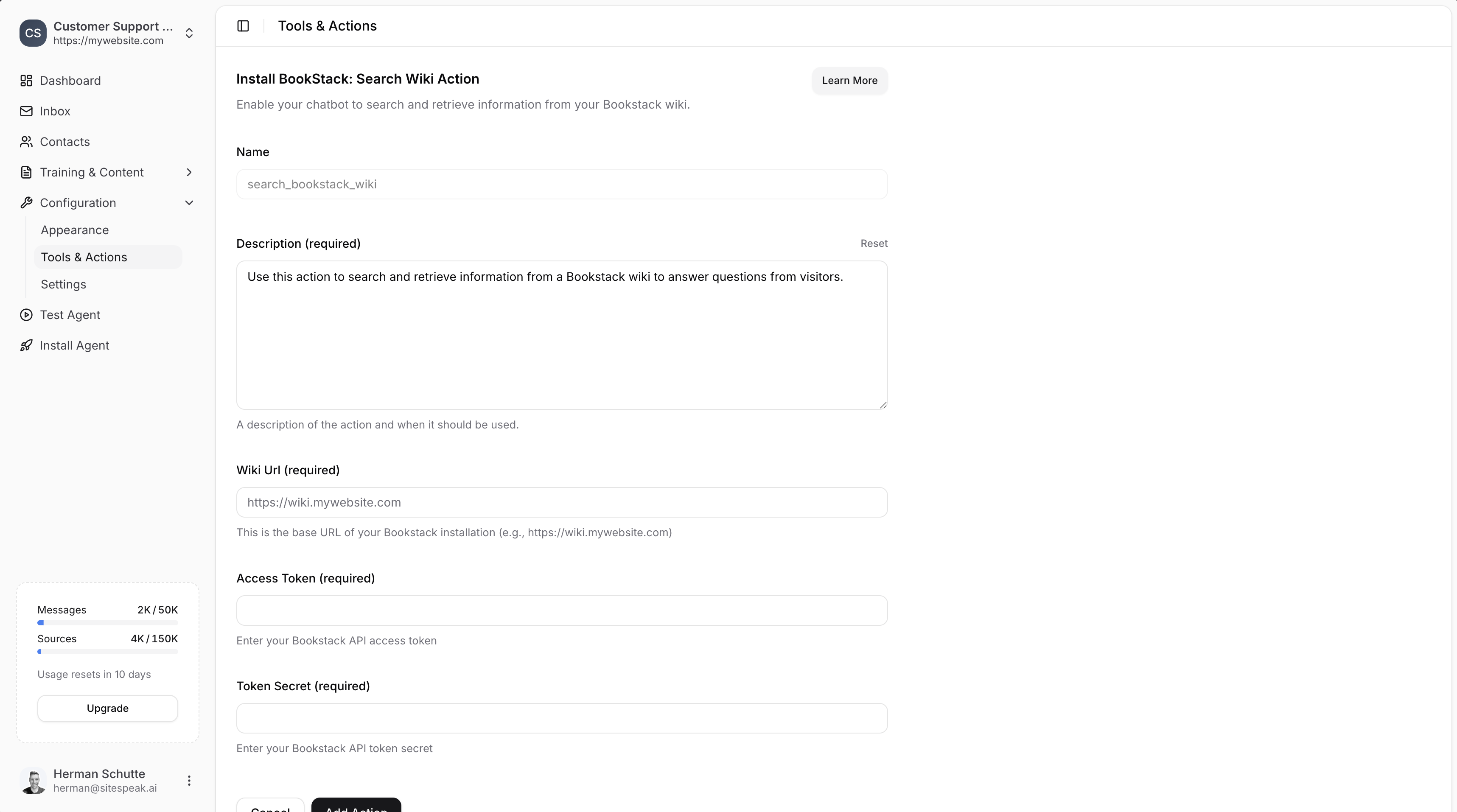
* **Name**: Give your action a descriptive name (e.g., `search_bookstack_wiki`)
* **Description**: Describe when the AI should use this action (e.g., "Use this action to search and retrieve information from a Bookstack wiki to answer questions from visitors.")
Enter the base URL of your BookStack installation (e.g., `https://wiki.mywebsite.com`).
1. Log in to your BookStack wiki as an admin.
2. Go to your user profile settings.
3. Navigate to the **API Tokens** section.
4. Create a new API token.
5. Copy the **Token ID** (Access Token) and **Token Secret**.
For more details, see the [BookStack API documentation](https://demo.bookstackapp.com/api/docs).
Paste your **Access Token** and **Token Secret** into the respective fields.
Click the **Add Action** button to save and enable the action.
### Configure BookStack Credentials
* **Name**: Give your action a descriptive name (e.g., `search_bookstack_wiki`)
* **Description**: Describe when the AI should use this action (e.g., "Use this action to search and retrieve information from a Bookstack wiki to answer questions from visitors.")
Enter the base URL of your BookStack installation (e.g., `https://wiki.mywebsite.com`).
1. Log in to your BookStack wiki as an admin.
2. Go to your user profile settings.
3. Navigate to the **API Tokens** section.
4. Create a new API token.
5. Copy the **Token ID** (Access Token) and **Token Secret**.
For more details, see the [BookStack API documentation](https://demo.bookstackapp.com/api/docs).
Paste your **Access Token** and **Token Secret** into the respective fields.
Click the **Add Action** button to save and enable the action.
 Make sure the API user has the **Access System API** and **Export content** permissions enabled on one of their assigned roles. This ensures SiteSpeakAI can retrieve information from your BookStack wiki.
## When to Use This Action vs Training Integration
| Feature | BookStack Training | BookStack: Search Wiki Action |
| ----------------- | -------------------- | ---------------------------------- |
| Response speed | Faster | Slightly slower (real-time search) |
| Content freshness | Syncs hourly | Always current |
| Best for | Static documentation | Frequently updated wikis |
If your wiki content changes frequently and you need the absolute latest information in responses, use this action. For most use cases, the [training integration](/training-your-chatbot/bookstack) is recommended.
***
Join over 1000+ businesses, websites and startups automating their customer service and other tasks with a custom trained AI agent.
Make sure the API user has the **Access System API** and **Export content** permissions enabled on one of their assigned roles. This ensures SiteSpeakAI can retrieve information from your BookStack wiki.
## When to Use This Action vs Training Integration
| Feature | BookStack Training | BookStack: Search Wiki Action |
| ----------------- | -------------------- | ---------------------------------- |
| Response speed | Faster | Slightly slower (real-time search) |
| Content freshness | Syncs hourly | Always current |
| Best for | Static documentation | Frequently updated wikis |
If your wiki content changes frequently and you need the absolute latest information in responses, use this action. For most use cases, the [training integration](/training-your-chatbot/bookstack) is recommended.
***
Join over 1000+ businesses, websites and startups automating their customer service and other tasks with a custom trained AI agent.