> ## Documentation Index
> Fetch the complete documentation index at: https://sitespeak.ai/docs/llms.txt
> Use this file to discover all available pages before exploring further.
# Firecrawl: Search Action
> Enable your AI chatbot to search the web using Firecrawl and optionally scrape full page content from search results.
The **Firecrawl: Search** action enables your AI support agent to search the web using [Firecrawl](https://firecrawl.dev) and optionally scrape full page content from search results. This allows your chatbot to look up the latest and most relevant information for visitor queries.
## How it Works
When a visitor asks a question that your chatbot can't answer from its training data, it will use Firecrawl to search the web, retrieve relevant results, and optionally scrape the full content of those pages to provide a comprehensive answer.
## Add a Firecrawl: Search Action
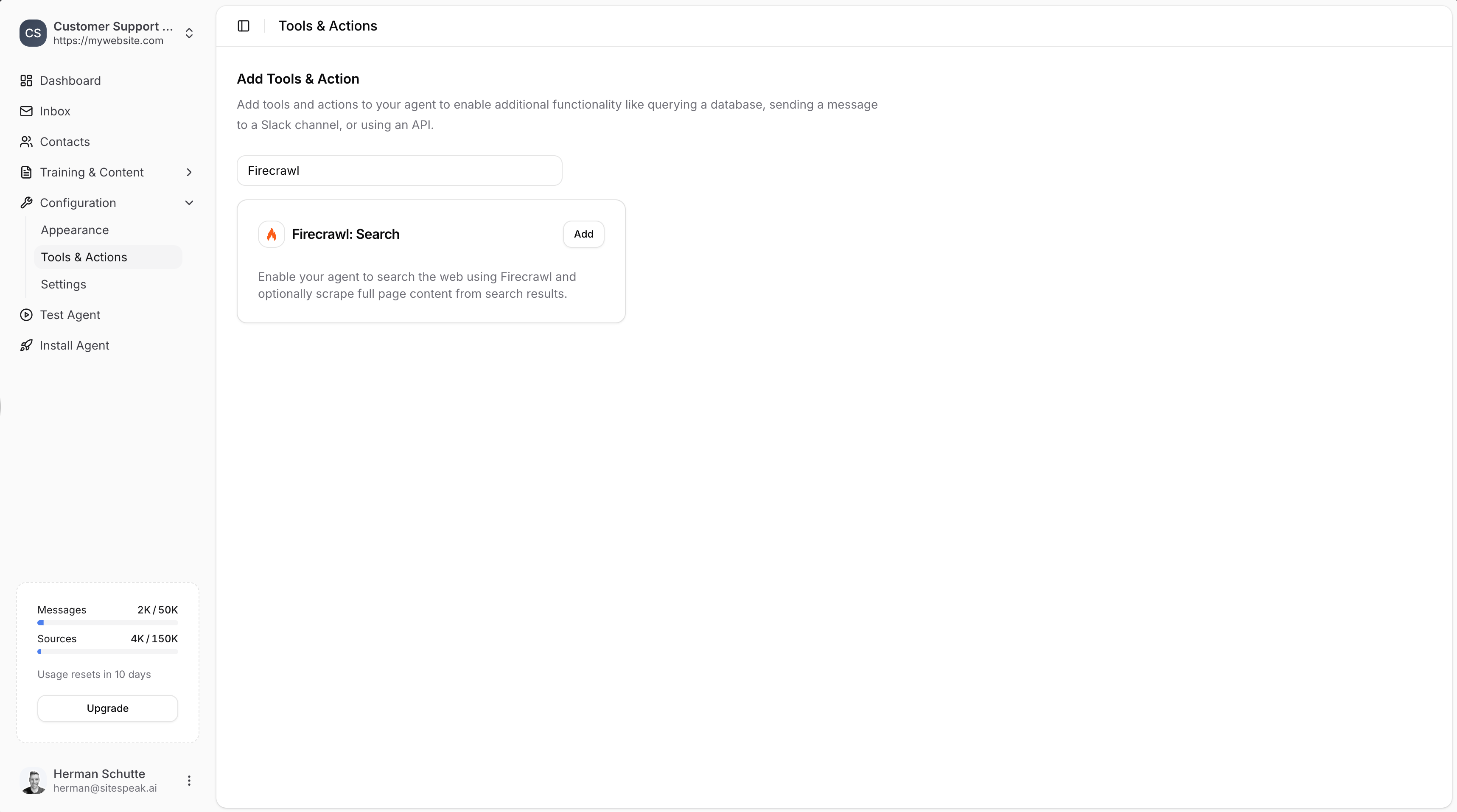
In your chatbot dashboard, click **Configuration** in the sidebar, then select **Tools & Actions**.
Click the **+ Add Action** button.
Type "Firecrawl" in the search field to filter the available actions.
Click **Add** next to **Firecrawl: Search**.
 ### Configure the Action
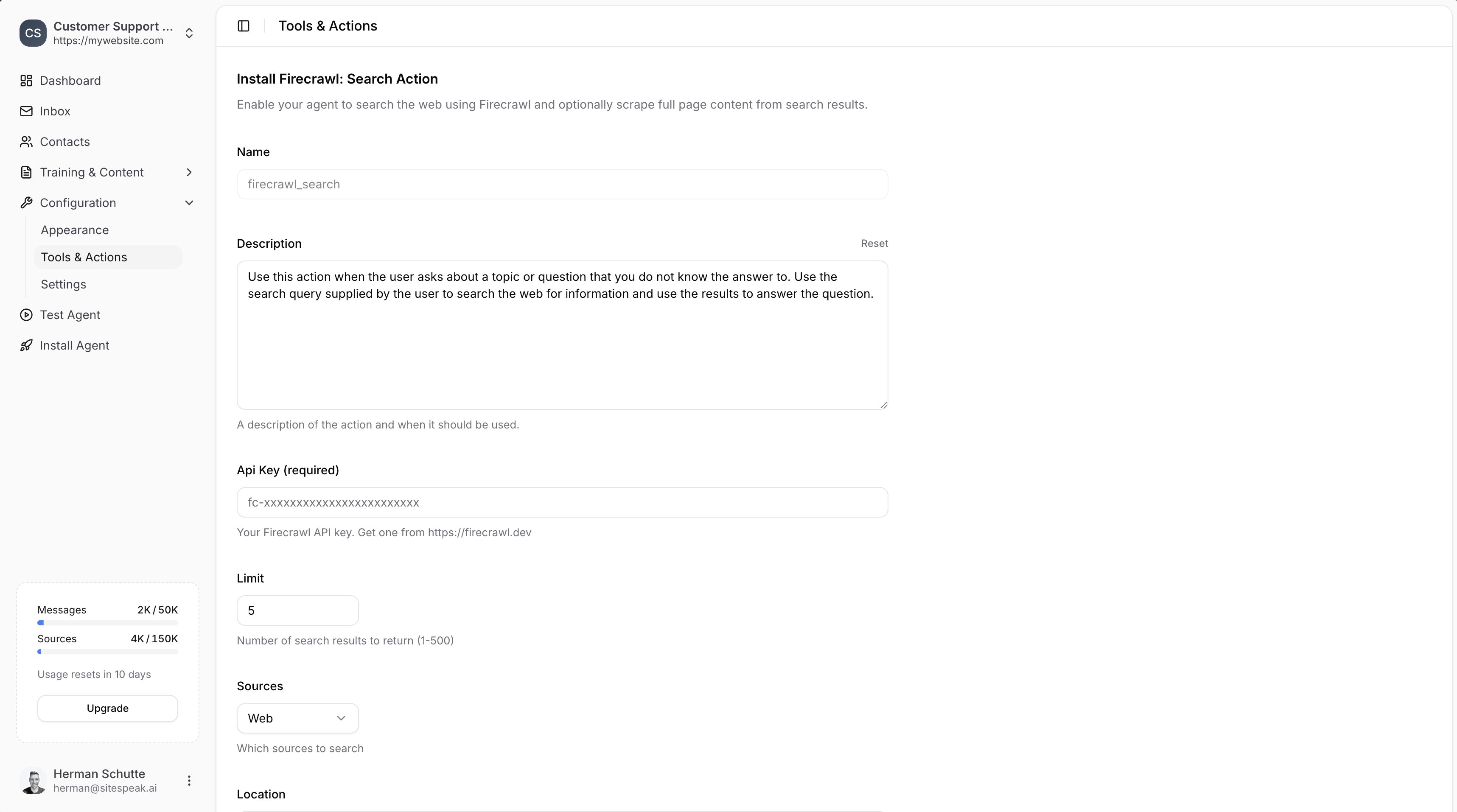
* **Name**: Give your action a descriptive name (e.g., `firecrawl_search`)
* **Description**: Describe when the AI should use this action. The default is: "Use this action when the user asks about a topic or question that you do not know the answer to. Use the search query supplied by the user to search the web for information and use the results to answer the question."
Enter your **Firecrawl API key**. Get one from [https://firecrawl.dev](https://firecrawl.dev).
* **Limit**: Number of search results to return (1-500). Default is 5.
* **Sources**: Select which sources to search (e.g., "Web").
* **Location**: Geographic location for search results (e.g., "Germany", "San Francisco, California, United States"). Leave blank for global search.
Toggle **Scrape Content** to scrape full page content from search results. This provides more detailed information but uses more Firecrawl credits.
Click the **Add Action** button to save and enable the action.
### Configure the Action
* **Name**: Give your action a descriptive name (e.g., `firecrawl_search`)
* **Description**: Describe when the AI should use this action. The default is: "Use this action when the user asks about a topic or question that you do not know the answer to. Use the search query supplied by the user to search the web for information and use the results to answer the question."
Enter your **Firecrawl API key**. Get one from [https://firecrawl.dev](https://firecrawl.dev).
* **Limit**: Number of search results to return (1-500). Default is 5.
* **Sources**: Select which sources to search (e.g., "Web").
* **Location**: Geographic location for search results (e.g., "Germany", "San Francisco, California, United States"). Leave blank for global search.
Toggle **Scrape Content** to scrape full page content from search results. This provides more detailed information but uses more Firecrawl credits.
Click the **Add Action** button to save and enable the action.
 ***
## Firecrawl vs Brave Search
| Feature | Brave: Web Search | Firecrawl: Search |
| -------------------- | ------------------- | ------------------------ |
| API Key Required | No | Yes (from firecrawl.dev) |
| Full Page Scraping | No | Yes (optional) |
| Result Limit Control | No | Yes (1-500) |
| Location Targeting | No | Yes |
| Source Selection | Domain restrictions | Source dropdown |
Choose **Brave** for simple web searches without additional configuration. Choose **Firecrawl** when you need more control over search results, location targeting, or full page content scraping.
***
Join over 1000+ businesses, websites and startups automating their customer service and other tasks with a custom trained AI agent.
***
## Firecrawl vs Brave Search
| Feature | Brave: Web Search | Firecrawl: Search |
| -------------------- | ------------------- | ------------------------ |
| API Key Required | No | Yes (from firecrawl.dev) |
| Full Page Scraping | No | Yes (optional) |
| Result Limit Control | No | Yes (1-500) |
| Location Targeting | No | Yes |
| Source Selection | Domain restrictions | Source dropdown |
Choose **Brave** for simple web searches without additional configuration. Choose **Firecrawl** when you need more control over search results, location targeting, or full page content scraping.
***
Join over 1000+ businesses, websites and startups automating their customer service and other tasks with a custom trained AI agent.