> ## Documentation Index
> Fetch the complete documentation index at: https://sitespeak.ai/docs/llms.txt
> Use this file to discover all available pages before exploring further.
# Add Polar Subscription & Checkout Actions
> Enable your AI agent to look up subscription information, generate invoices, and use checkout links from Polar.
The Polar actions allow your AI agent to look up subscription information, generate invoices, and provide checkout links for your products and services.
## Available Polar Actions
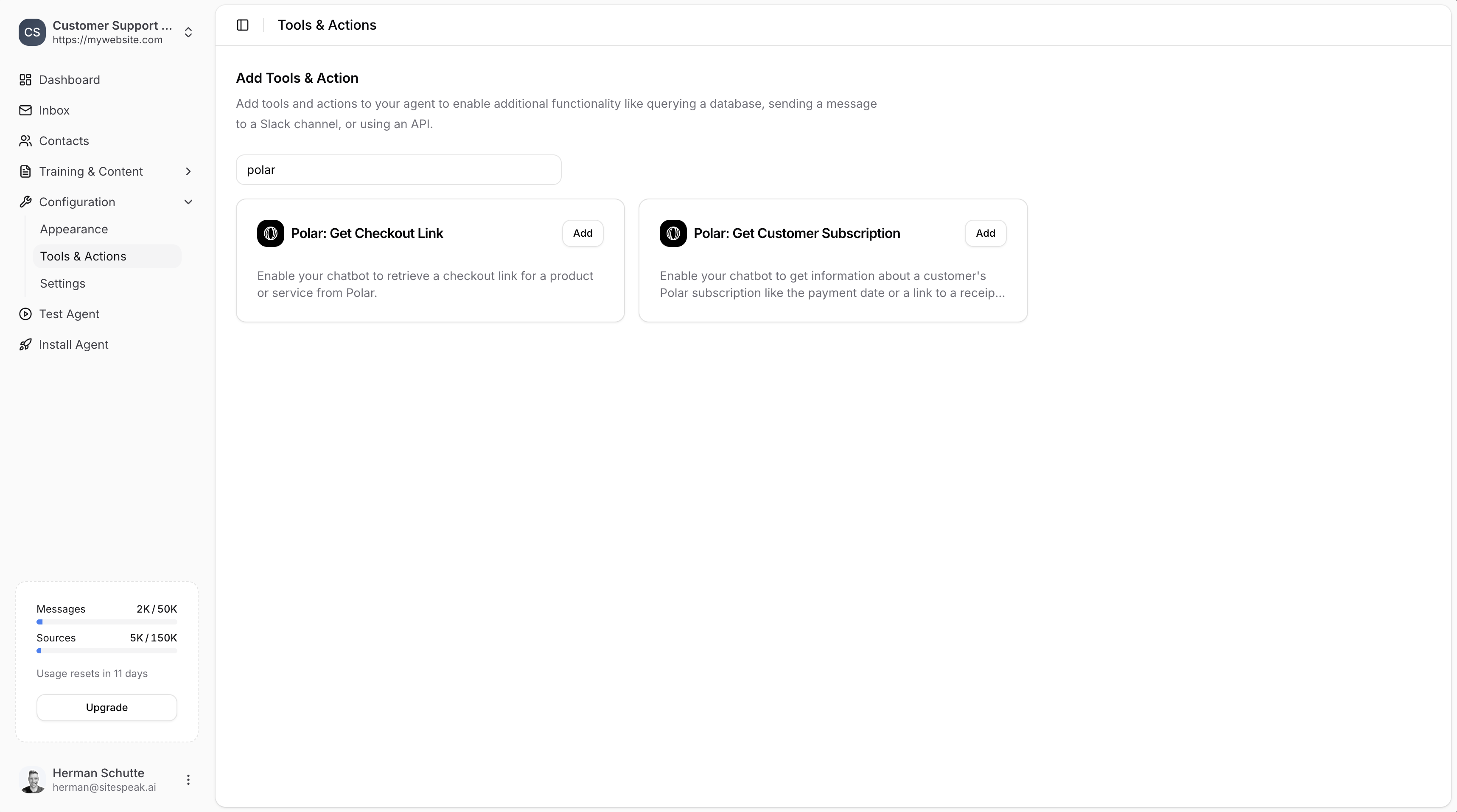
* **Polar: Get Checkout Link** - Retrieve a checkout link for a product or service
* **Polar: Get Customer Subscription** - Get information about a customer's subscription like payment date or a link to a receipt or invoice
 ***
## Adding a Polar Action
In your chatbot dashboard, go to **Configuration → Tools & Actions**.
Find **Polar: Get Checkout Link** or **Polar: Get Customer Subscription** and click **Add**.
***
## Configuration
Both Polar actions require the same configuration:
***
## Adding a Polar Action
In your chatbot dashboard, go to **Configuration → Tools & Actions**.
Find **Polar: Get Checkout Link** or **Polar: Get Customer Subscription** and click **Add**.
***
## Configuration
Both Polar actions require the same configuration:
 ### Name
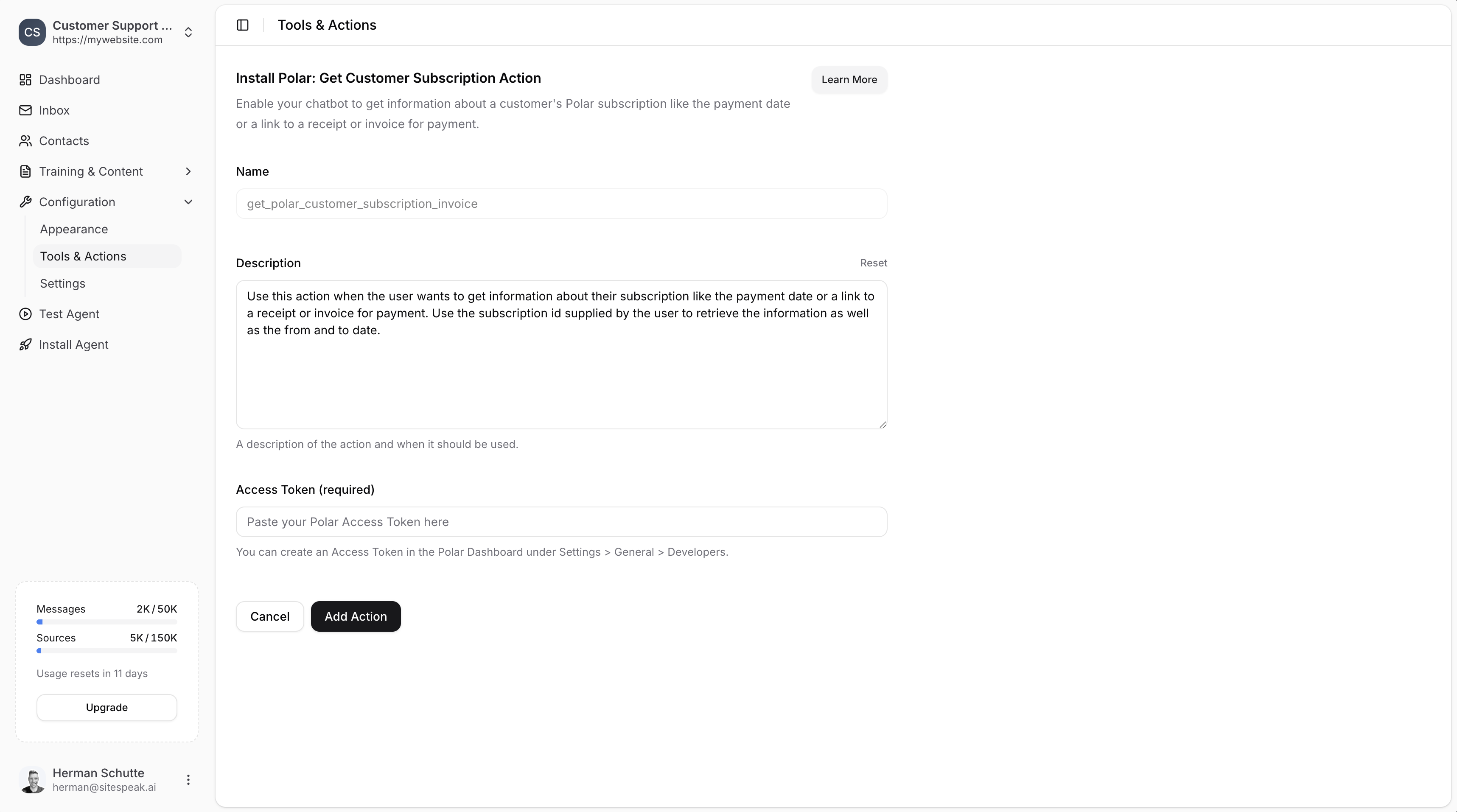
A descriptive name for the action. Default values are provided:
* `get_polar_checkout_link` for checkout links
* `get_polar_customer_subscription_invoice` for subscriptions
### Description
A description of the action and when it should be used. You can customize this or use the provided default.
**Example for checkout:**
> Use this action when the user wants to get a checkout link for a product or service. Use the product or service name supplied by the user to retrieve the checkout link to share with the user.
**Example for subscriptions:**
> Use this action when the user wants to get information about their subscription like the payment date or a link to a receipt or invoice. Use the subscription id supplied by the user to retrieve the information as well as the from and to date.
### Access Token (required)
Your Polar API access token.
***
## Creating a Polar Access Token
Log in to your [Polar account](https://polar.sh).
Go to **Settings → General → Developers**.
Click to create a new access token.
Make sure to enable the following permissions:
* `checkout_links:read`
* `checkouts:read`
* `subscriptions:read`
* `subscriptions:write`
* `customers:read`
* `orders:read`
Copy the generated token and paste it into the **Access Token** field in SiteSpeakAI.
***
## Save the Action
Once you have added your access token, click **Add Action** to enable the action for your chatbot.
Your chatbot will now be able to look up subscription information and provide checkout links to your visitors.
***
## Providing Customer Information
To look up subscription information for a specific customer, use the [Identify functionality](/managing-your-chatbot/deploy-and-install) to provide the customer ID to your agent.
***
Join over 1000+ businesses, websites and startups automating their customer service and other tasks with a custom trained AI agent.
### Name
A descriptive name for the action. Default values are provided:
* `get_polar_checkout_link` for checkout links
* `get_polar_customer_subscription_invoice` for subscriptions
### Description
A description of the action and when it should be used. You can customize this or use the provided default.
**Example for checkout:**
> Use this action when the user wants to get a checkout link for a product or service. Use the product or service name supplied by the user to retrieve the checkout link to share with the user.
**Example for subscriptions:**
> Use this action when the user wants to get information about their subscription like the payment date or a link to a receipt or invoice. Use the subscription id supplied by the user to retrieve the information as well as the from and to date.
### Access Token (required)
Your Polar API access token.
***
## Creating a Polar Access Token
Log in to your [Polar account](https://polar.sh).
Go to **Settings → General → Developers**.
Click to create a new access token.
Make sure to enable the following permissions:
* `checkout_links:read`
* `checkouts:read`
* `subscriptions:read`
* `subscriptions:write`
* `customers:read`
* `orders:read`
Copy the generated token and paste it into the **Access Token** field in SiteSpeakAI.
***
## Save the Action
Once you have added your access token, click **Add Action** to enable the action for your chatbot.
Your chatbot will now be able to look up subscription information and provide checkout links to your visitors.
***
## Providing Customer Information
To look up subscription information for a specific customer, use the [Identify functionality](/managing-your-chatbot/deploy-and-install) to provide the customer ID to your agent.
***
Join over 1000+ businesses, websites and startups automating their customer service and other tasks with a custom trained AI agent.