> ## Documentation Index
> Fetch the complete documentation index at: https://sitespeak.ai/docs/llms.txt
> Use this file to discover all available pages before exploring further.
# Chat to Your SQLite Database
> Enable your AI agent to retrieve data from a SQLite database to answer your visitors' questions.
The SQLite Database action allows your AI agent to query a SQLite database to retrieve information and answer visitor questions. This is useful for providing real-time data from your application database, inventory systems, or any data stored in SQLite format.
## Adding the SQLite Database Action
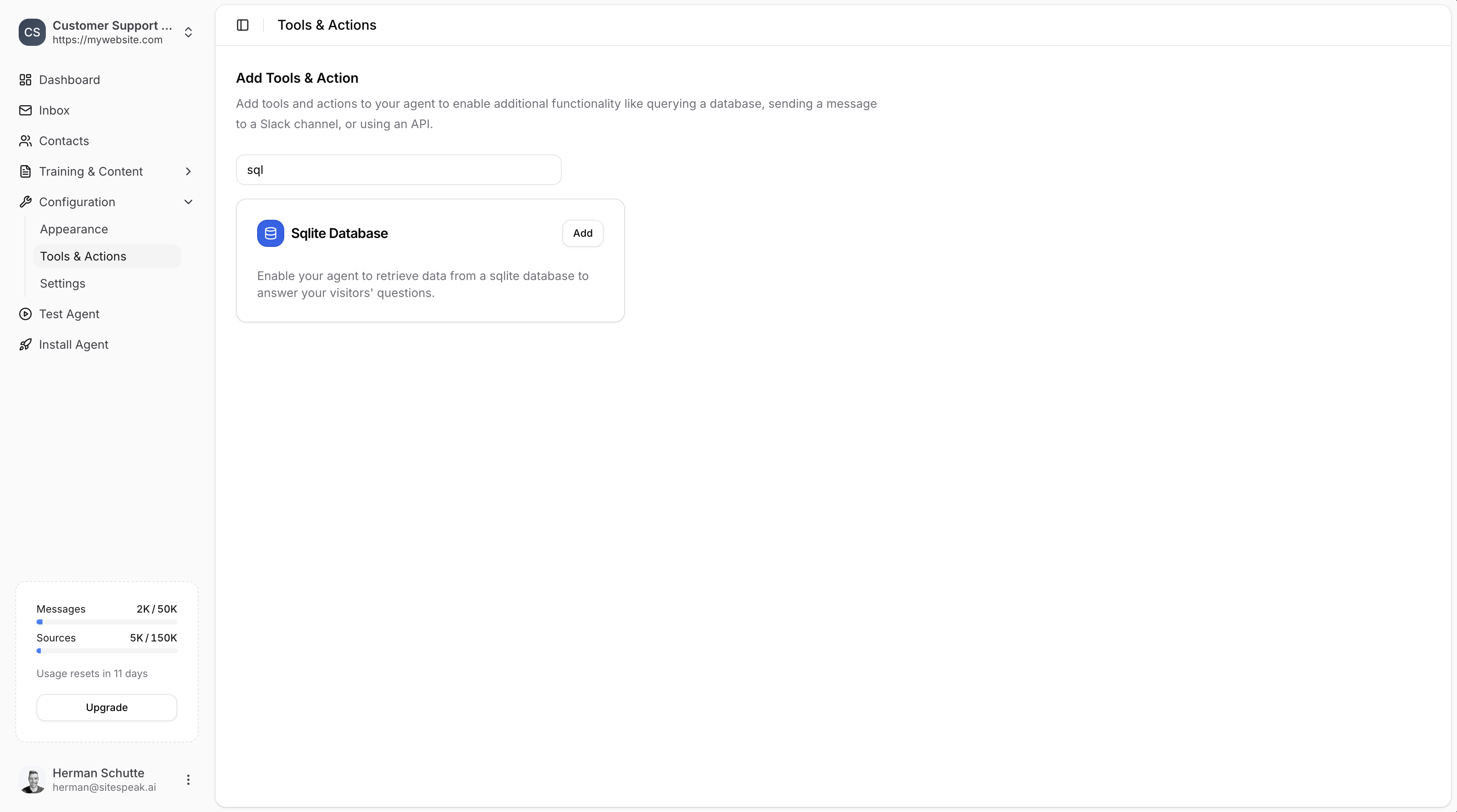
In your chatbot dashboard, go to **Configuration → Tools & Actions**.
Find the **Sqlite Database** card and click **Add**.
 ***
## Configuration
***
## Configuration
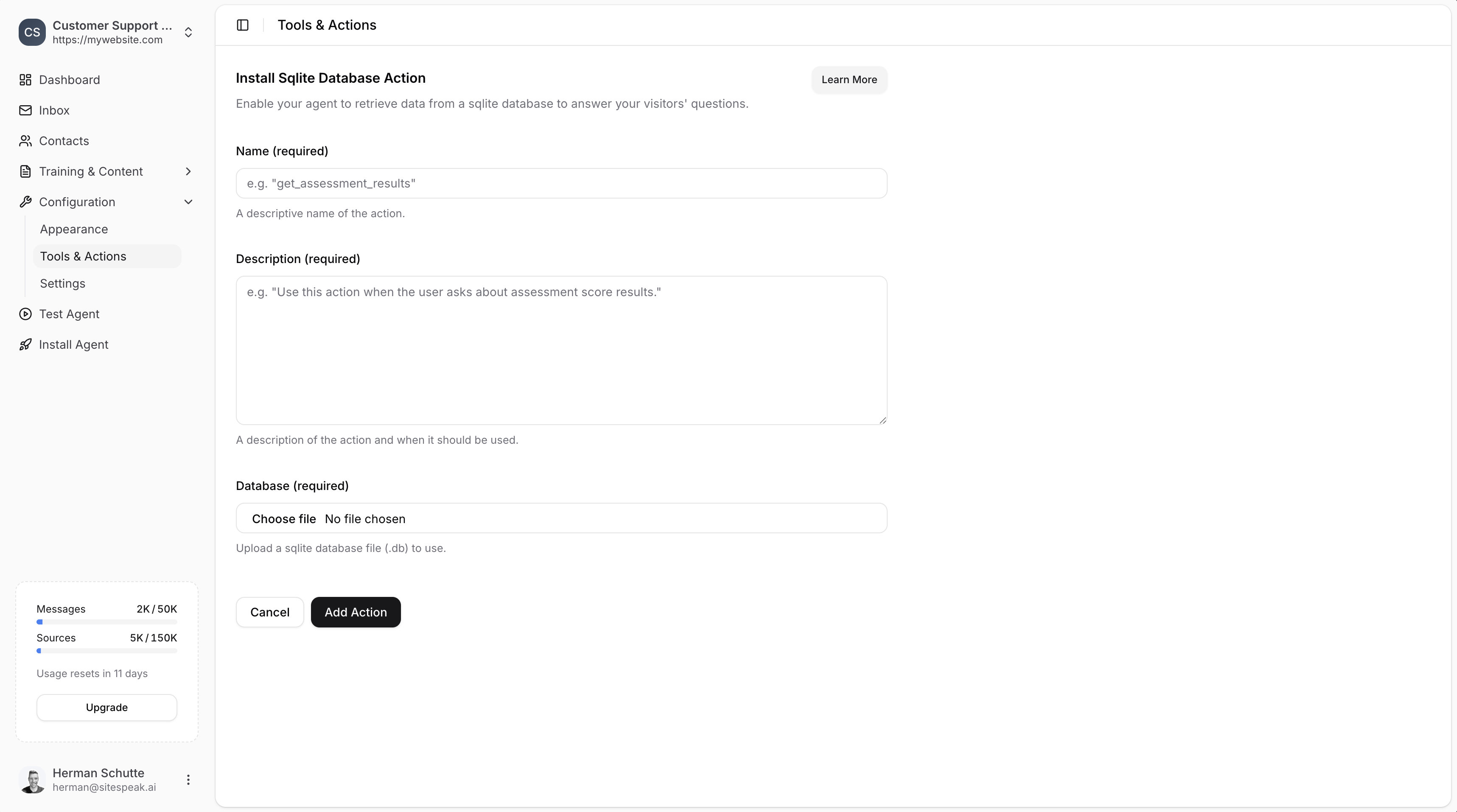 ### Name (required)
A descriptive name of the action.
**Example:** `get_assessment_results`
### Description (required)
A description of the action and when it should be used.
**Example:** `Use this action when the user asks about assessment score results.`
Make sure the **Name** and **Description** are descriptive so that the agent will know exactly when to use this action.
### Database (required)
Upload a SQLite database file (.db) to use.
Click **Choose file** and select your SQLite database file from your computer.
***
## Save the Action
Click the **Add Action** button to add and enable the action for your chatbot.
Your chatbot can now use this action to "chat to your database" and retrieve information to answer your visitors' questions.
***
## Example Use Case
Using the Chinook DB (a sample music store database), your chatbot can answer questions like:
* "What albums do you have by Led Zeppelin?"
* "How many tracks are in the Rock genre?"
* "What are the top selling artists?"
The AI agent will automatically generate the appropriate SQL queries to retrieve the information from your database.
***
Join over 1000+ businesses, websites and startups automating their customer service and other tasks with a custom trained AI agent.
### Name (required)
A descriptive name of the action.
**Example:** `get_assessment_results`
### Description (required)
A description of the action and when it should be used.
**Example:** `Use this action when the user asks about assessment score results.`
Make sure the **Name** and **Description** are descriptive so that the agent will know exactly when to use this action.
### Database (required)
Upload a SQLite database file (.db) to use.
Click **Choose file** and select your SQLite database file from your computer.
***
## Save the Action
Click the **Add Action** button to add and enable the action for your chatbot.
Your chatbot can now use this action to "chat to your database" and retrieve information to answer your visitors' questions.
***
## Example Use Case
Using the Chinook DB (a sample music store database), your chatbot can answer questions like:
* "What albums do you have by Led Zeppelin?"
* "How many tracks are in the Rock genre?"
* "What are the top selling artists?"
The AI agent will automatically generate the appropriate SQL queries to retrieve the information from your database.
***
Join over 1000+ businesses, websites and startups automating their customer service and other tasks with a custom trained AI agent.