> ## Documentation Index
> Fetch the complete documentation index at: https://sitespeak.ai/docs/llms.txt
> Use this file to discover all available pages before exploring further.
# Add Automatic Suggested Messages
> Enable your AI agent to automatically suggest follow-up messages to visitors based on the conversation.
The Suggested Messages action allows your AI agent to generate automatic follow-up message suggestions for your visitors, making their interaction with your chatbot even better.
 ## Adding the Suggested Messages Action
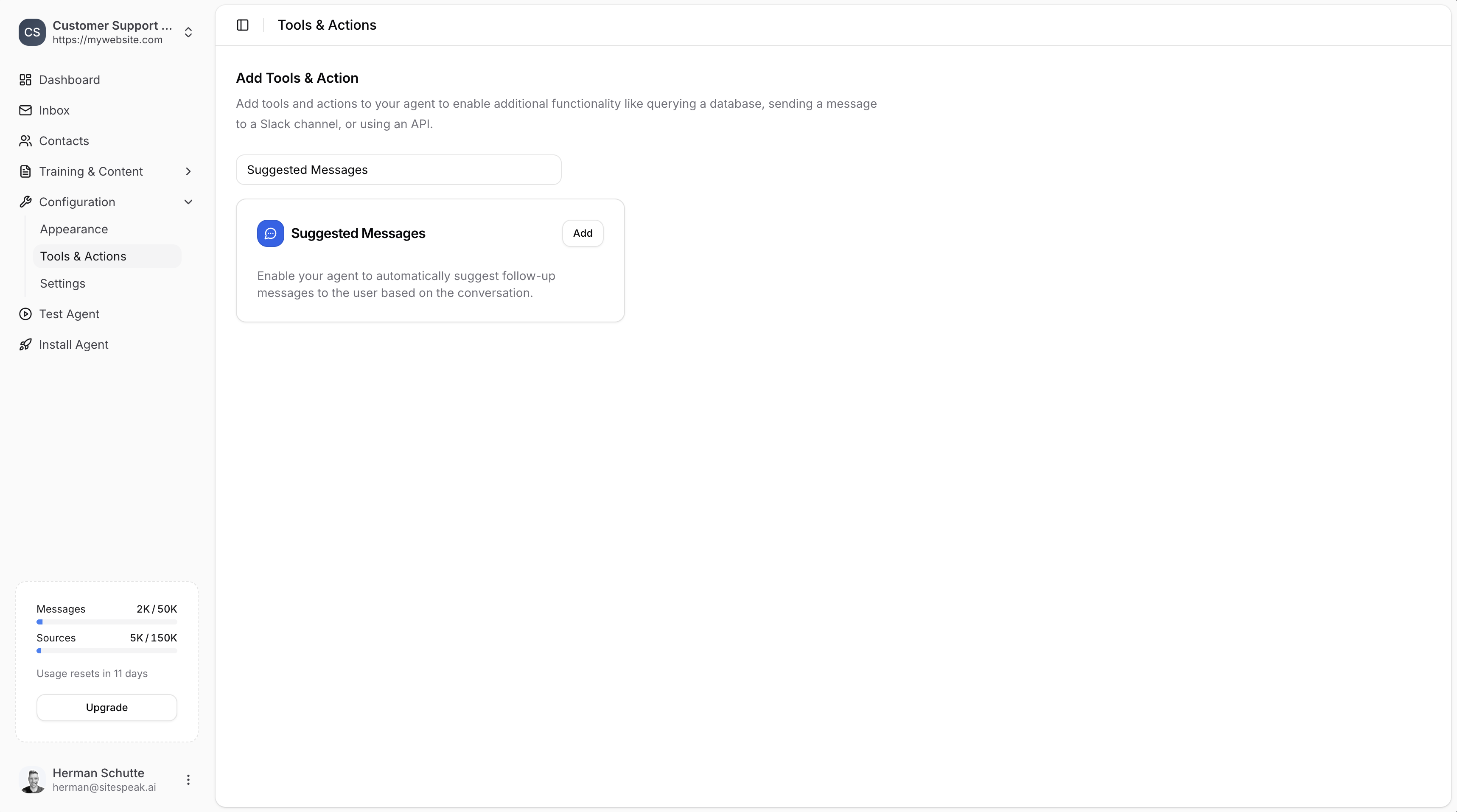
In your chatbot dashboard, go to **Configuration → Tools & Actions**.
Find **Suggested Messages** and click **Add**.
***
## Configuration
## Adding the Suggested Messages Action
In your chatbot dashboard, go to **Configuration → Tools & Actions**.
Find **Suggested Messages** and click **Add**.
***
## Configuration
 ### Name (required)
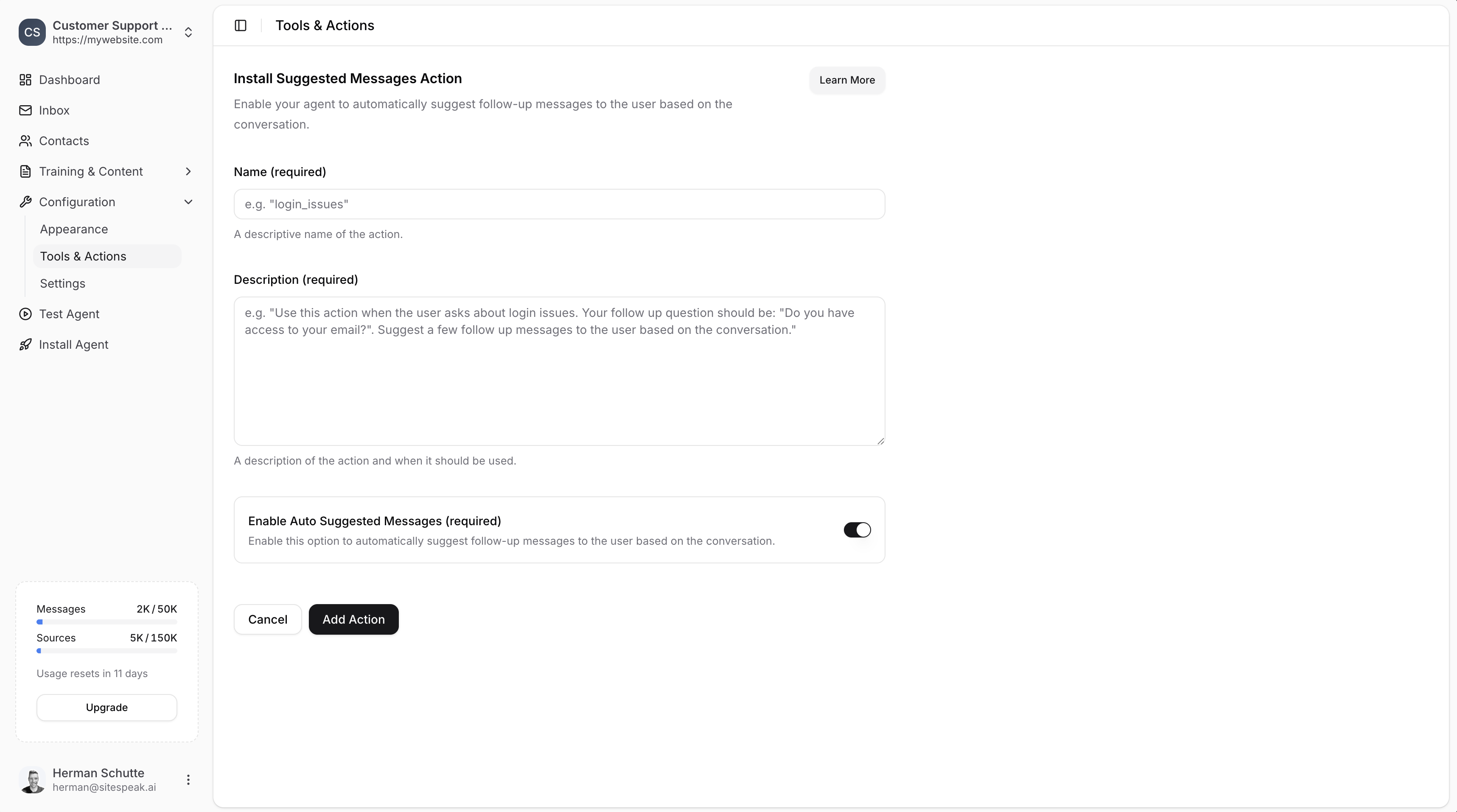
A descriptive name for the action. Make this specific to help your AI agent know exactly when to use it.
**Example:** `login_issues` or `order_issues`
### Description (required)
A description of the action and when it should be used. Be specific about the context and how the agent should respond.
**Example:**
> Use this action when the user asks about issues with their order. Be helpful and friendly and suggest some follow up responses for them.
Make the **Name** and **Description** as specific as possible to help your AI agent know exactly when to use this action and what kind of follow-up messages to suggest.
### Enable Auto Suggested Messages (required)
This option is **enabled by default** and allows the agent to automatically generate up to 4 suggested follow-up messages based on the conversation.
If you'd like to specify your own messages instead:
1. Disable this option
2. Add a comma-separated list of messages to use
***
## Save the Action
Click **Add Action** to enable the action for your AI agent.
When your visitors mention topics related to your suggested message action, your agent will display follow-up response options for them to click.
***
## How It Works
Once enabled, when a visitor asks about a topic matching your action's description, the chatbot will display clickable suggested messages. This helps guide the conversation and makes it easier for visitors to get the information they need.
**Example scenario:**
If a visitor asks "I'm having trouble logging in", and you have a `login_issues` action configured, your chatbot might suggest:
* "I forgot my password"
* "My account is locked"
* "I'm not receiving the verification email"
* "I need to update my email address"
***
Join over 1000+ businesses, websites and startups automating their customer service and other tasks with a custom trained AI agent.
### Name (required)
A descriptive name for the action. Make this specific to help your AI agent know exactly when to use it.
**Example:** `login_issues` or `order_issues`
### Description (required)
A description of the action and when it should be used. Be specific about the context and how the agent should respond.
**Example:**
> Use this action when the user asks about issues with their order. Be helpful and friendly and suggest some follow up responses for them.
Make the **Name** and **Description** as specific as possible to help your AI agent know exactly when to use this action and what kind of follow-up messages to suggest.
### Enable Auto Suggested Messages (required)
This option is **enabled by default** and allows the agent to automatically generate up to 4 suggested follow-up messages based on the conversation.
If you'd like to specify your own messages instead:
1. Disable this option
2. Add a comma-separated list of messages to use
***
## Save the Action
Click **Add Action** to enable the action for your AI agent.
When your visitors mention topics related to your suggested message action, your agent will display follow-up response options for them to click.
***
## How It Works
Once enabled, when a visitor asks about a topic matching your action's description, the chatbot will display clickable suggested messages. This helps guide the conversation and makes it easier for visitors to get the information they need.
**Example scenario:**
If a visitor asks "I'm having trouble logging in", and you have a `login_issues` action configured, your chatbot might suggest:
* "I forgot my password"
* "My account is locked"
* "I'm not receiving the verification email"
* "I need to update my email address"
***
Join over 1000+ businesses, websites and startups automating their customer service and other tasks with a custom trained AI agent.