You can now integrate your SiteSpeakAI customer service agent with HubSpot to automatically add your leads, contacts and visitor information captured by your support chatbot to your CRM. This makes it easy to keep all your contacts insync and up to date.

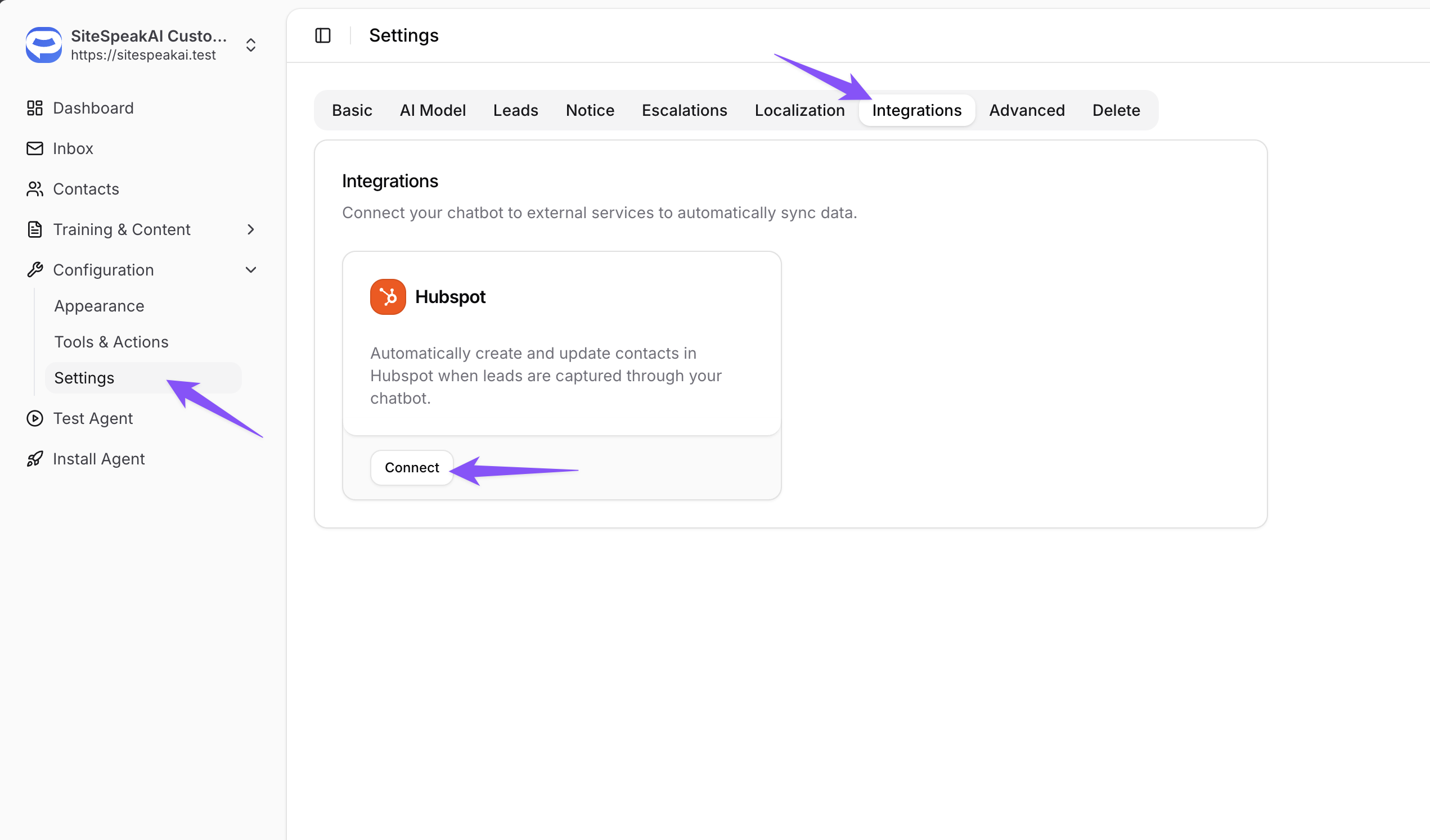
To enable this feature, go to Configuration -> Settings -> Integrations for your chatbot and click on the Connect button in the HubSpot integration card.
Once connected, all newly captured contacts will automatically be added to your HubSpot contacts with a note containing the context of their conversation.
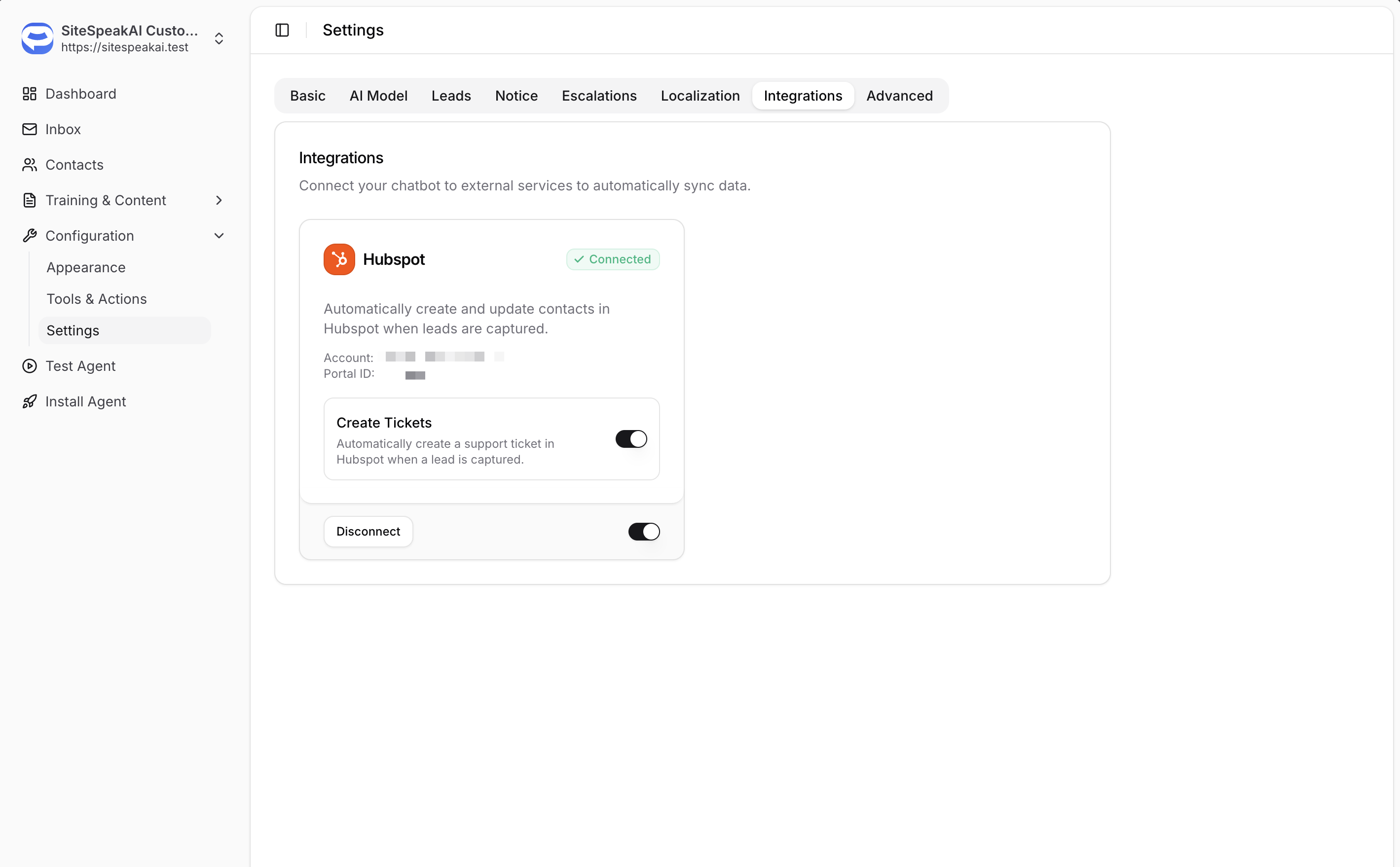
You can also enable the option to automatically create a support ticket in HubSpot when a new contact is added. The ticket will contain a note with the chat history as context so your support agent can easily take over and resolve the visitors query.
Need help getting this feature set up for your chatbot? Let us know.