You can now train your AI chatbot on documents stored in SharePoint. Connect your Microsoft account, browse your SharePoint sites and document libraries, and select files to use as training sources.
How it works
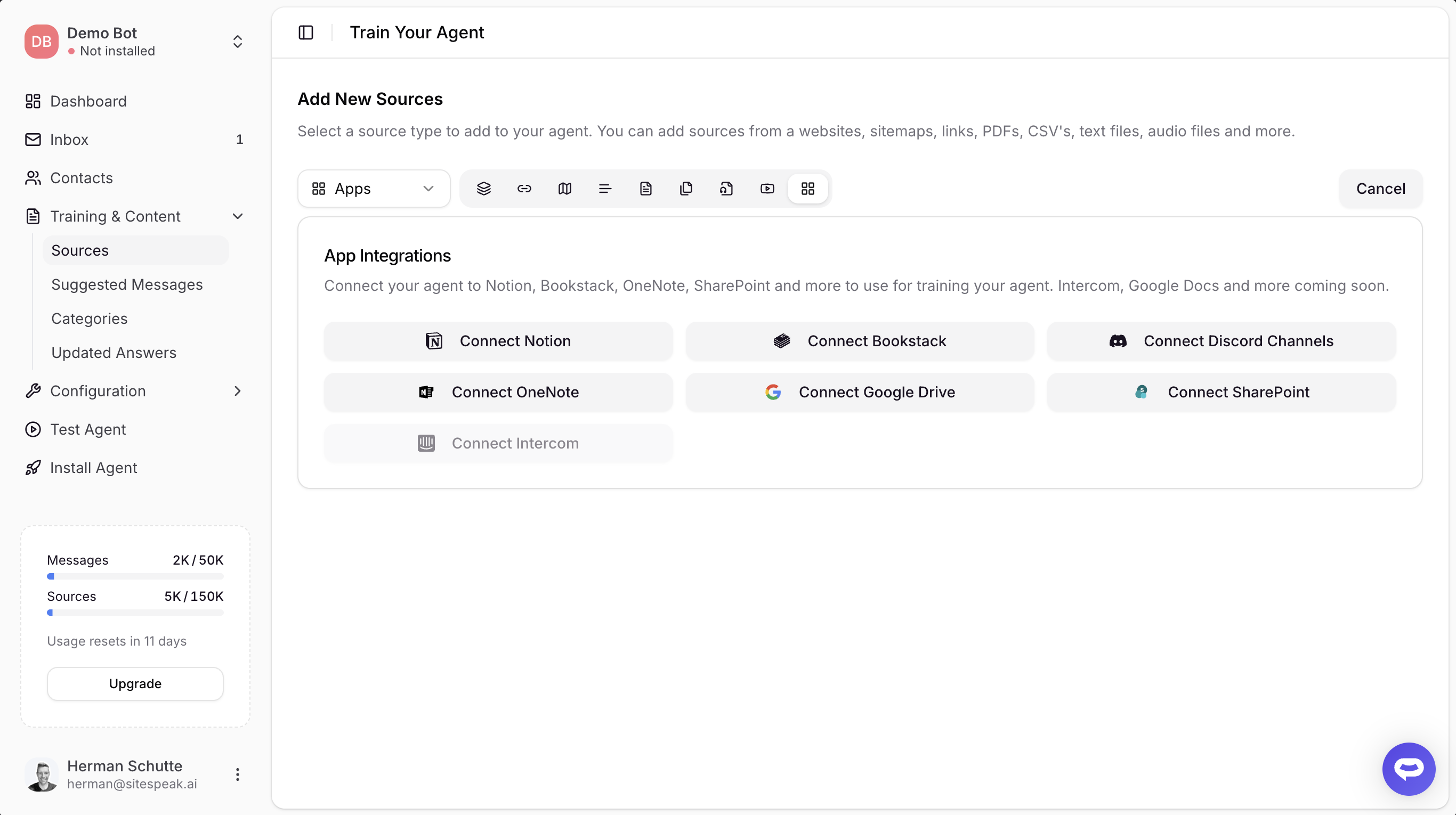
Go to Training & Content > Sources, click + Add Sources, and select Apps. Click Connect SharePoint to sign in with your Microsoft account. Once connected, you'll see a list of your SharePoint sites. Select a site, then a document library, and browse the available files.
Select the documents you want to use for training and click Add Selected. Your chatbot will process the documents and use their content to answer questions.
Supported file types
- Word documents (.docx, .doc)
- PDF files (.pdf)
- PowerPoint presentations (.pptx, .ppt)
- Excel spreadsheets (.xlsx, .xls)
- Text files (.txt, .csv, .md, .rtf)
Shared Microsoft account
SharePoint uses the same Microsoft account connection as OneNote. If you've already connected OneNote, you may need to reconnect to grant the additional SharePoint permissions.