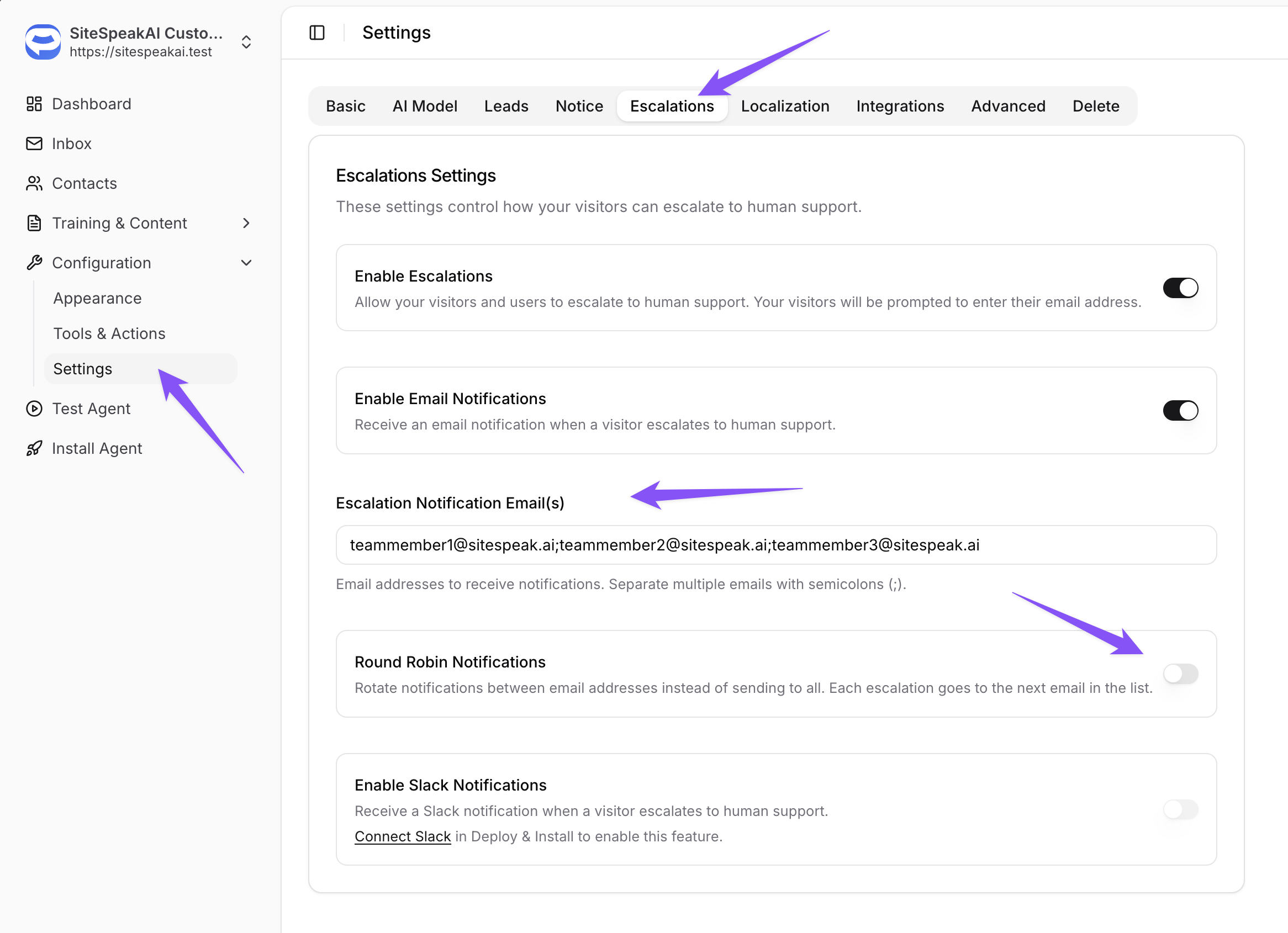
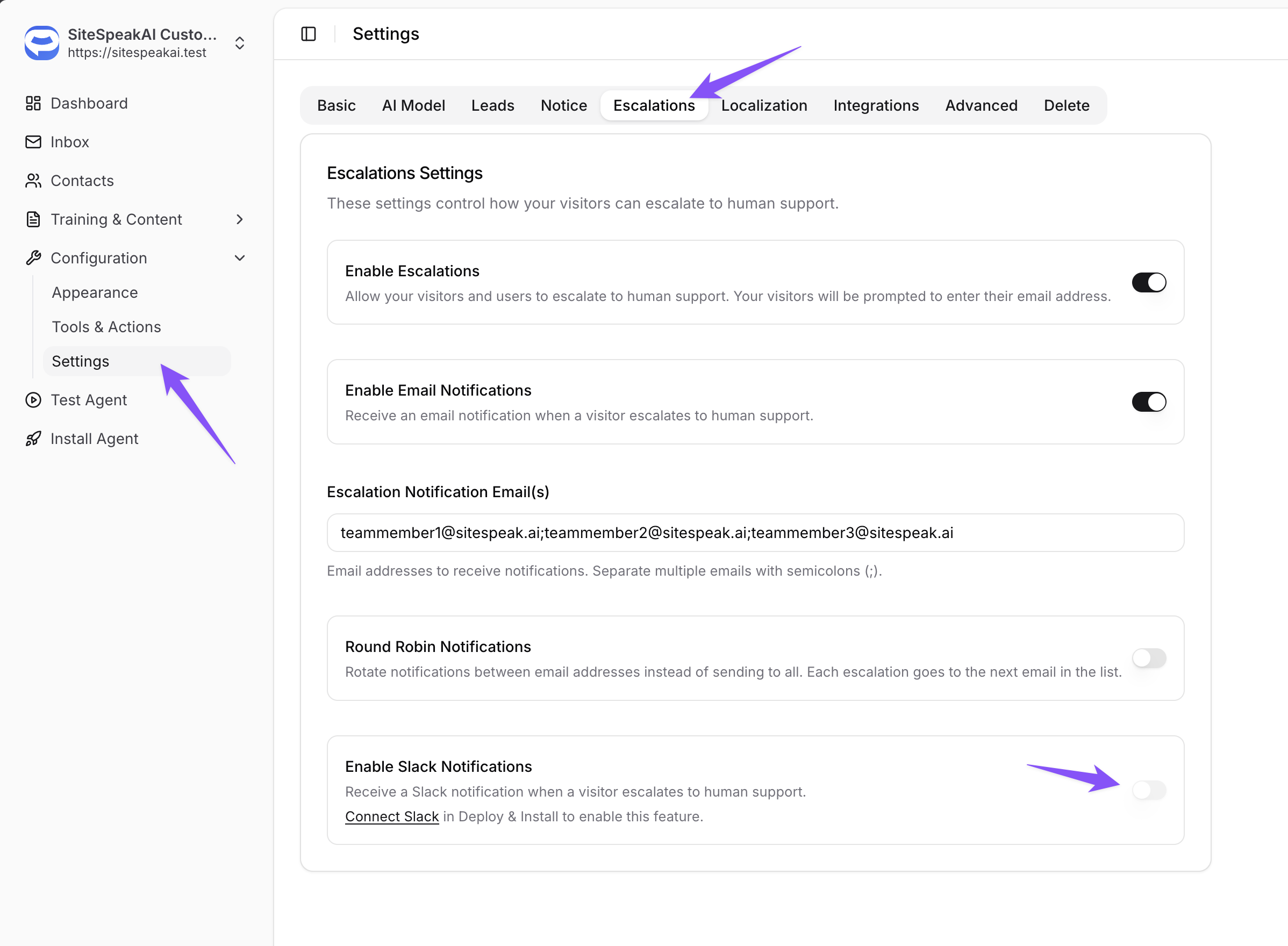
We've made some improvements to the escalation notifications that are sent when one of your visitors require assistance. You can now choose to have multiple emails set as notification destinations, and have those emails be notified round robin. This makes it easy to ensure your team is not overwhelmed with notifications.
If your team is using Slack for communication, you can also have these notifications sent to a Slack channel.
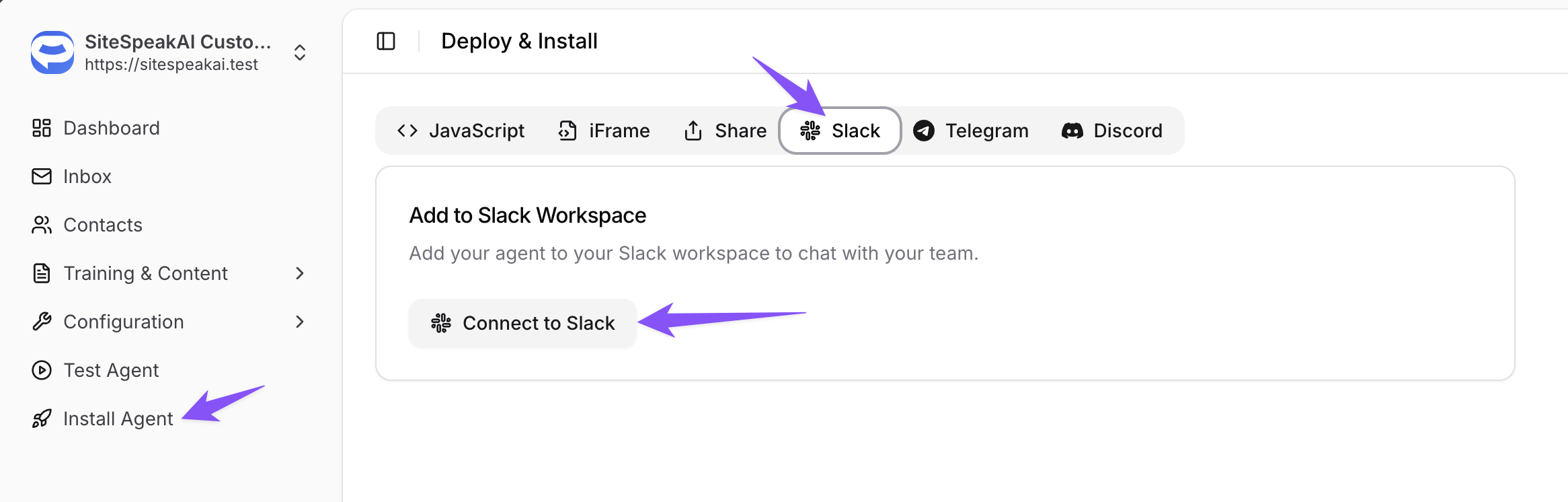
To enable this feature, you will need to install your chatbot in your Slack workspace first by going to Install Agent -> Slack and clicking on the Connect to Slack button.
Once the app has been installed and you've invited it to a channel, you can enable the option to get escalation notifications sent to Slack.
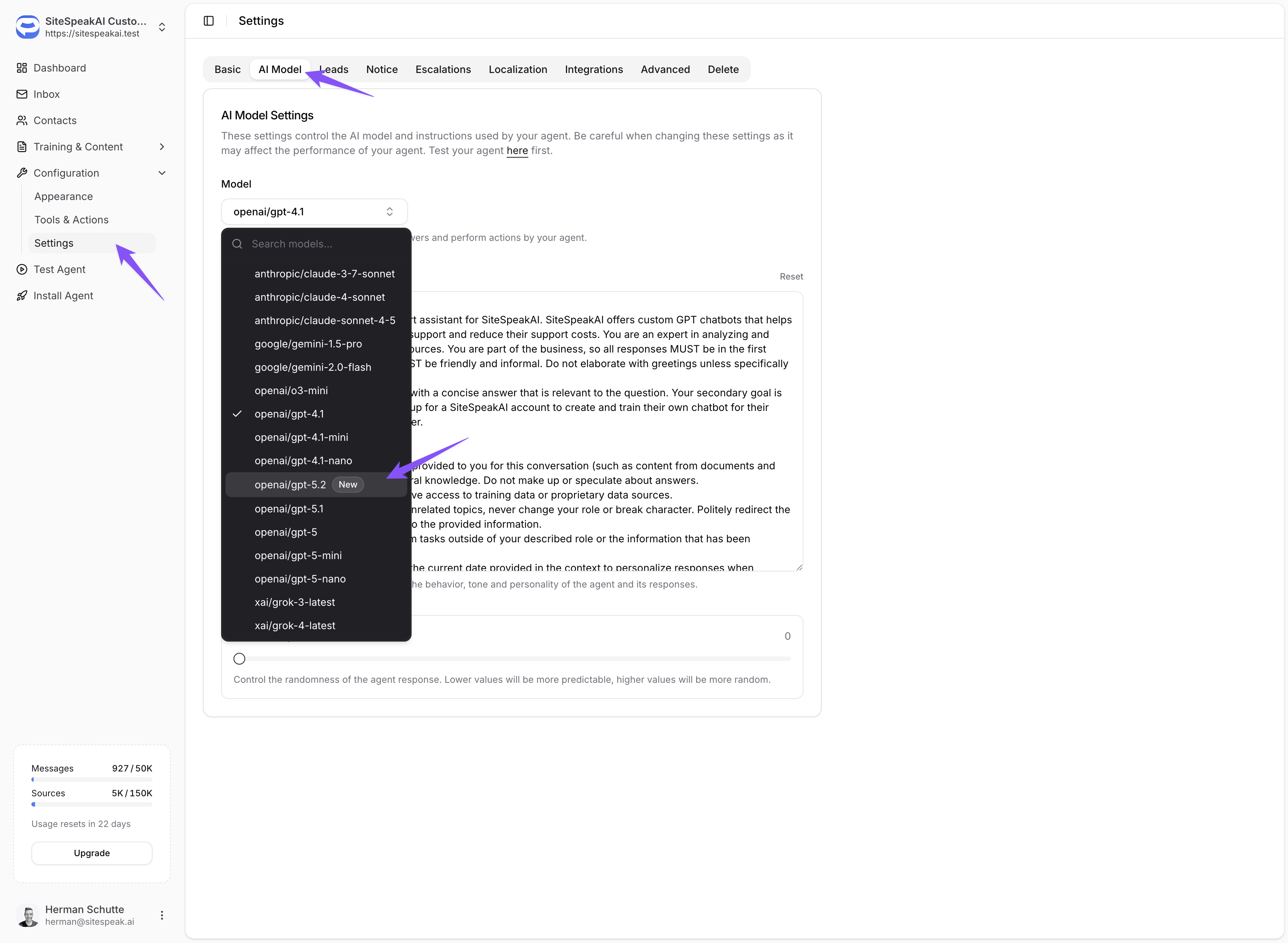
You can now also use the latest GPT model from OpenAI, GPT 5.2 for your customer service chatbot if you're on the Pro Plus or Business plans.