You can now securely identify logged-in users from your website to personalize their chat experience and link conversations to their accounts. This update introduces JWT-based identity verification, ensuring that user data passed to your chatbot cannot be spoofed or tampered with.
Basic User Identification
Use the identify API call to send user information to your chatbot for personalized responses:
(_sitespeak = window._sitespeak || []).push(['onReady', onSiteSpeakReady]);

function onSiteSpeakReady() {
  sitespeak.identify('user_332', {
    'first_name': 'Herman',
    'email': 'herman@sitespeak.ai',
    'plan': 'Pro',
    'account_id': '12345'
  });
}
Your chatbot will use this information as context when responding, allowing for greetings by name, plan-specific responses, and account lookups via API actions.
Secure Identity Verification
For production applications handling sensitive user data, enable identity verification to authenticate users with signed JWT tokens.
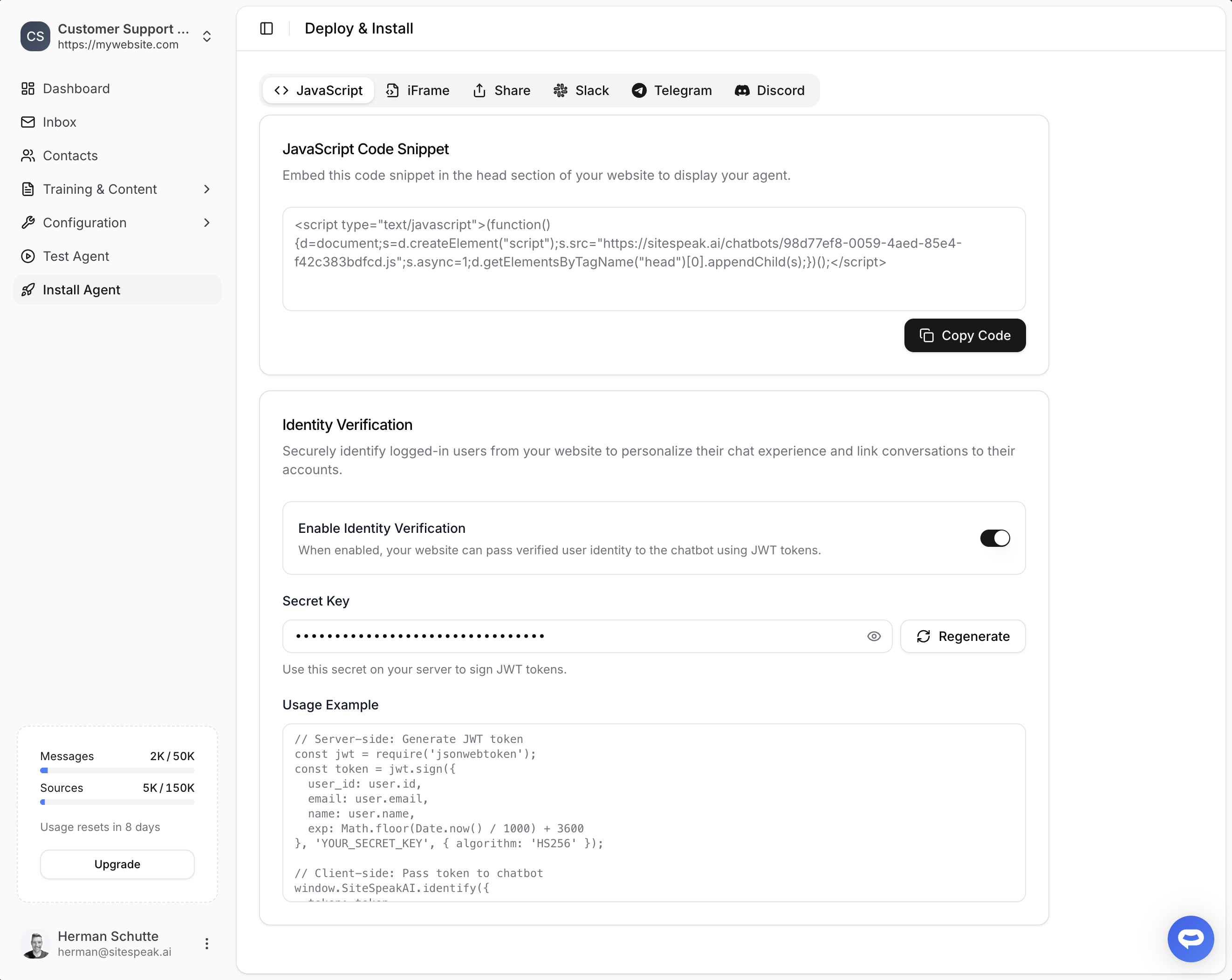
To enable this feature, go to Install Agent for your chatbot and scroll down to the Identity Verification section. Toggle on Enable Identity Verification to generate your secret key.
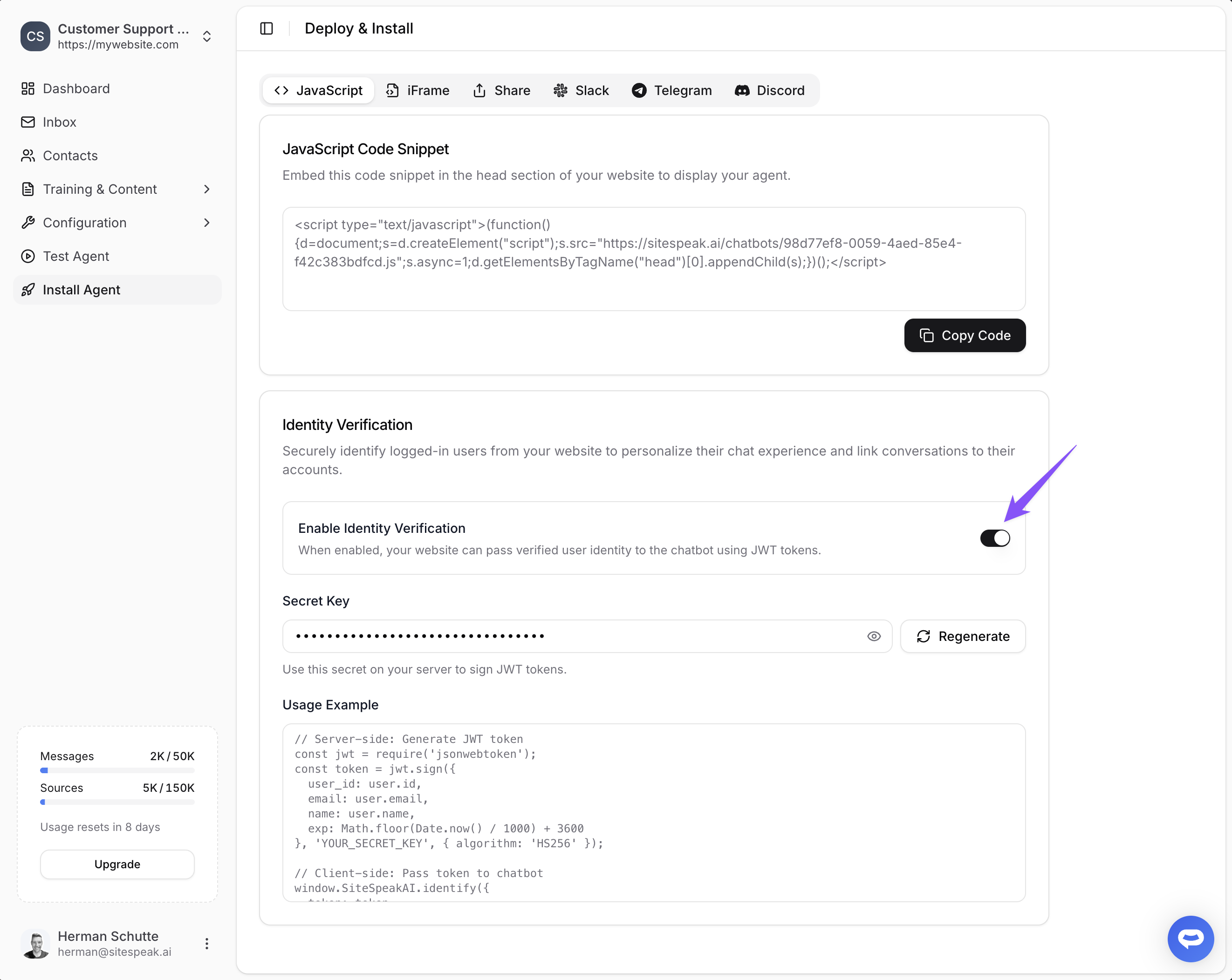
Once enabled, generate JWT tokens on your server and pass them to the chatbot:
// Server-side: Generate JWT token
const jwt = require('jsonwebtoken');
const token = jwt.sign({
  user_id: user.id,
  email: user.email,
  name: user.name,
  exp: Math.floor(Date.now() / 1000) + 3600
}, 'YOUR_SECRET_KEY', { algorithm: 'HS256' });

// Client-side: Pass token to chatbot
window.SiteSpeakAI.identify({
  token: token
});
The chatbot verifies the token signature using your secret key, ensuring user data is authentic.
What This Enables
- Personalized welcome messages using template tags like
{{first_name}} - Conversation history tracked per user in your dashboard
- API action integration with user-specific template variables like
{{user_id}} - Secure account lookups without risk of user impersonation
Need help setting this up? Check out our documentation or reach out to support.