Two additions to the white-label agency platform: client user logins and per-client usage limits.
Client user logins
You can now invite users directly to individual client accounts. From the agency dashboard, click Users on any client to add team members with role-based permissions (Administrator, Editor, or Member). Invited users get a branded login experience - they see your agency logo, brand name, and custom domain, with no mention of SiteSpeak.
This is useful when your clients want their own staff to access the inbox, review conversations, or manage leads without going through your team.
Per-client message and source limits
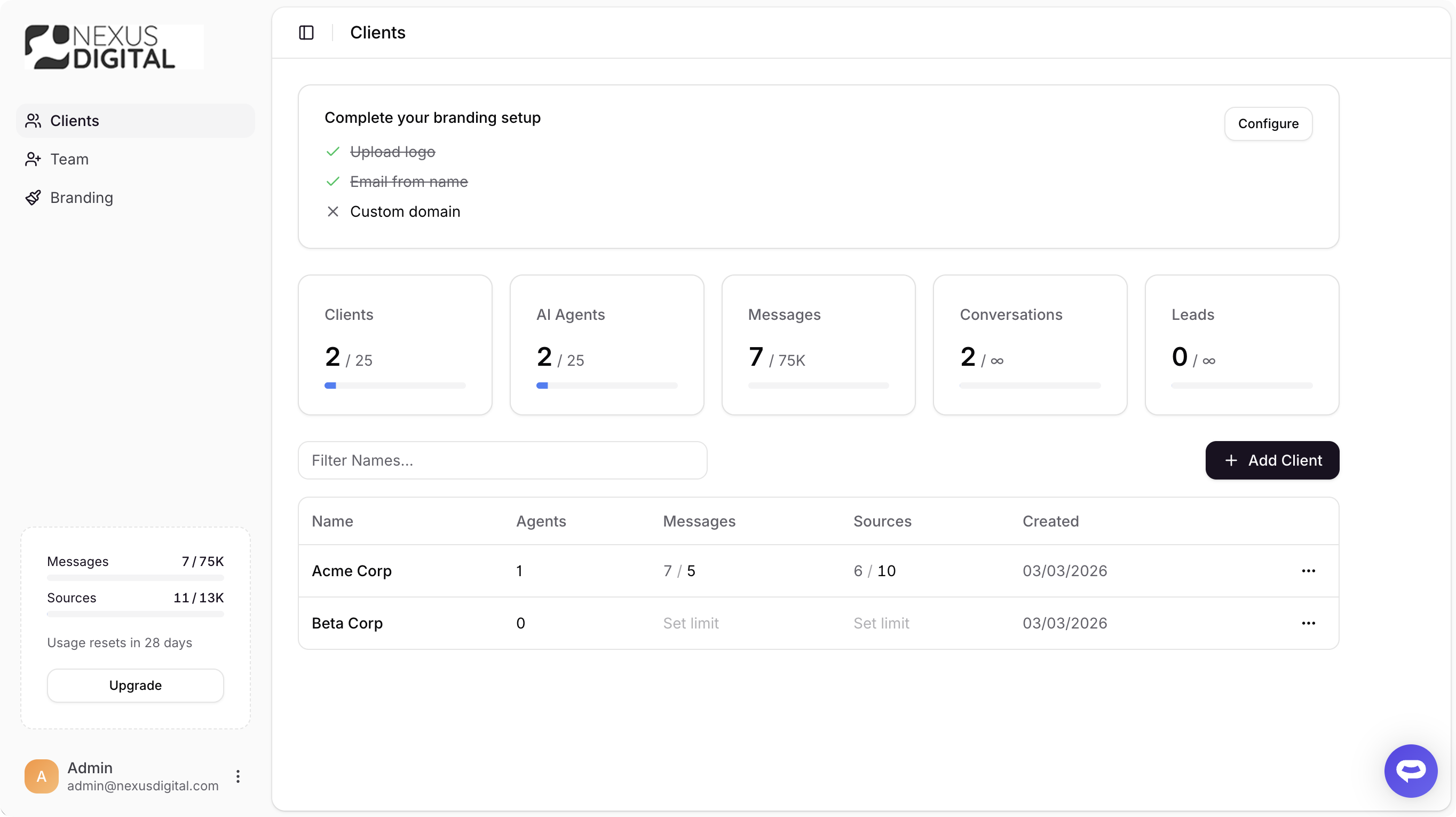
You can now set message credit and source limits on each client from the agency dashboard. Click on the Messages or Sources column next to any client to set a cap. The limit is enforced in real time - once a client hits their message cap, their chatbots stop responding until the next billing cycle. Source limits work the same way, preventing a single client from consuming your entire plan allocation.
The agency dashboard shows current usage against each client's limit, and a warning banner appears if your combined client allocations exceed your plan total.
Both limits are optional. If no limit is set, the client shares the full agency plan pool as before.
View the agency documentation for setup details.