Your AI chatbot can now check availability and book appointments directly through Calendly. Visitors can browse open time slots and complete a booking without leaving the chat.
How it works
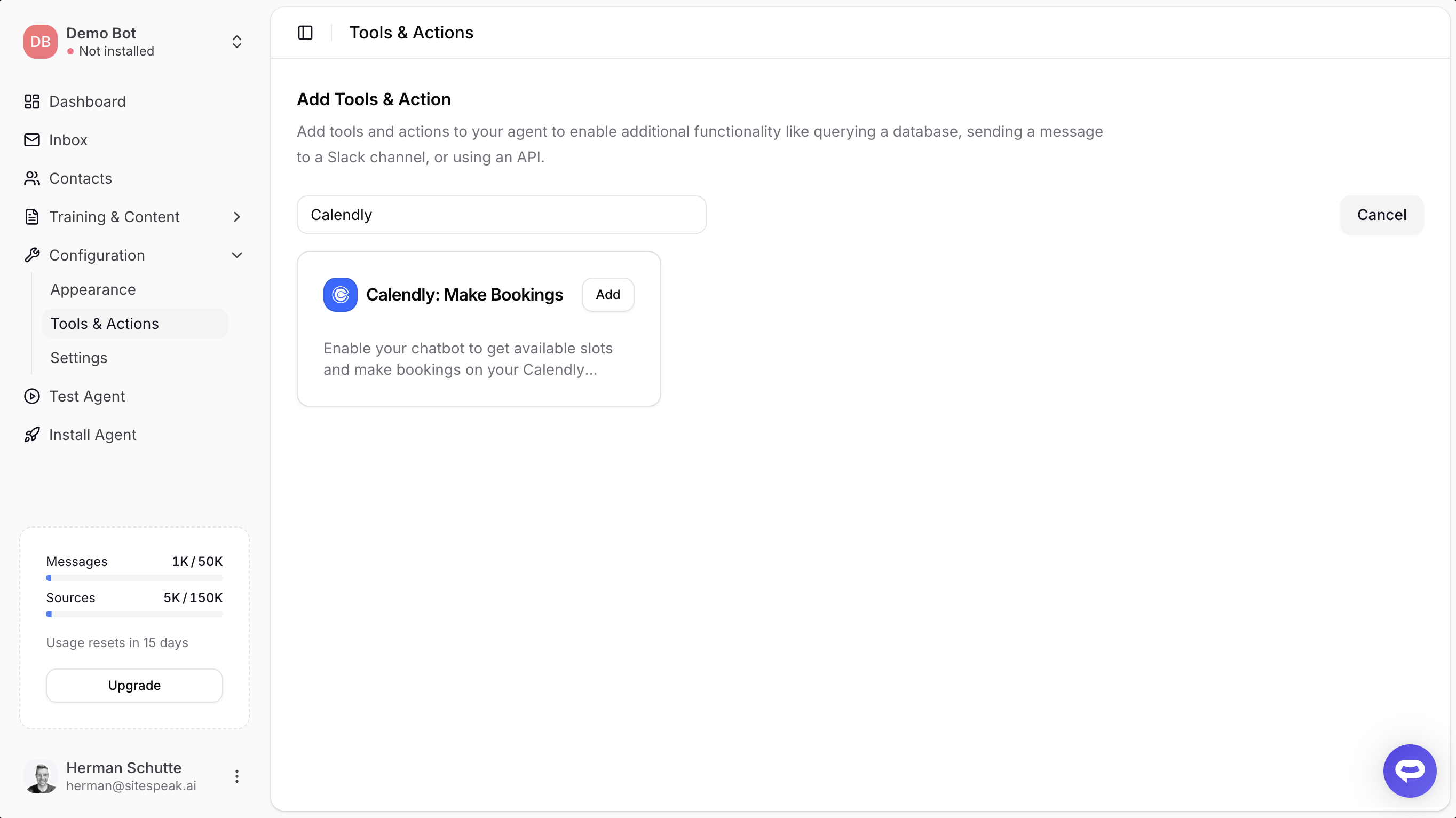
In Configuration > Tools & Actions, find Calendly: Make Bookings and click Add. Connect your Calendly account via OAuth, select an event type, and your chatbot is ready to handle bookings.
When a visitor asks to schedule a meeting, the agent fetches your real-time availability from Calendly and presents a calendar with open slots. The visitor picks a date and time, fills in their name and email, and the booking is created.
Works with free and paid Calendly plans
The integration adapts to your Calendly plan:
- Paid plans (Standard, Teams, Enterprise) - The entire booking flow happens inline within the chatbot. Visitors select a slot, fill in their details, and the appointment is created automatically.
- Free plan - Availability checking works the same way. When the visitor is ready to book, a Calendly booking page opens in a new tab with their name and email pre-filled. They complete the booking on Calendly's page.
Getting started
- Go to Configuration > Tools & Actions
- Click Add on Calendly: Make Bookings
- Click Connect Calendly Account and authorize access
- Select your event type and save
Your chatbot will start handling booking requests immediately.
Read the full documentation for setup details and configuration options.