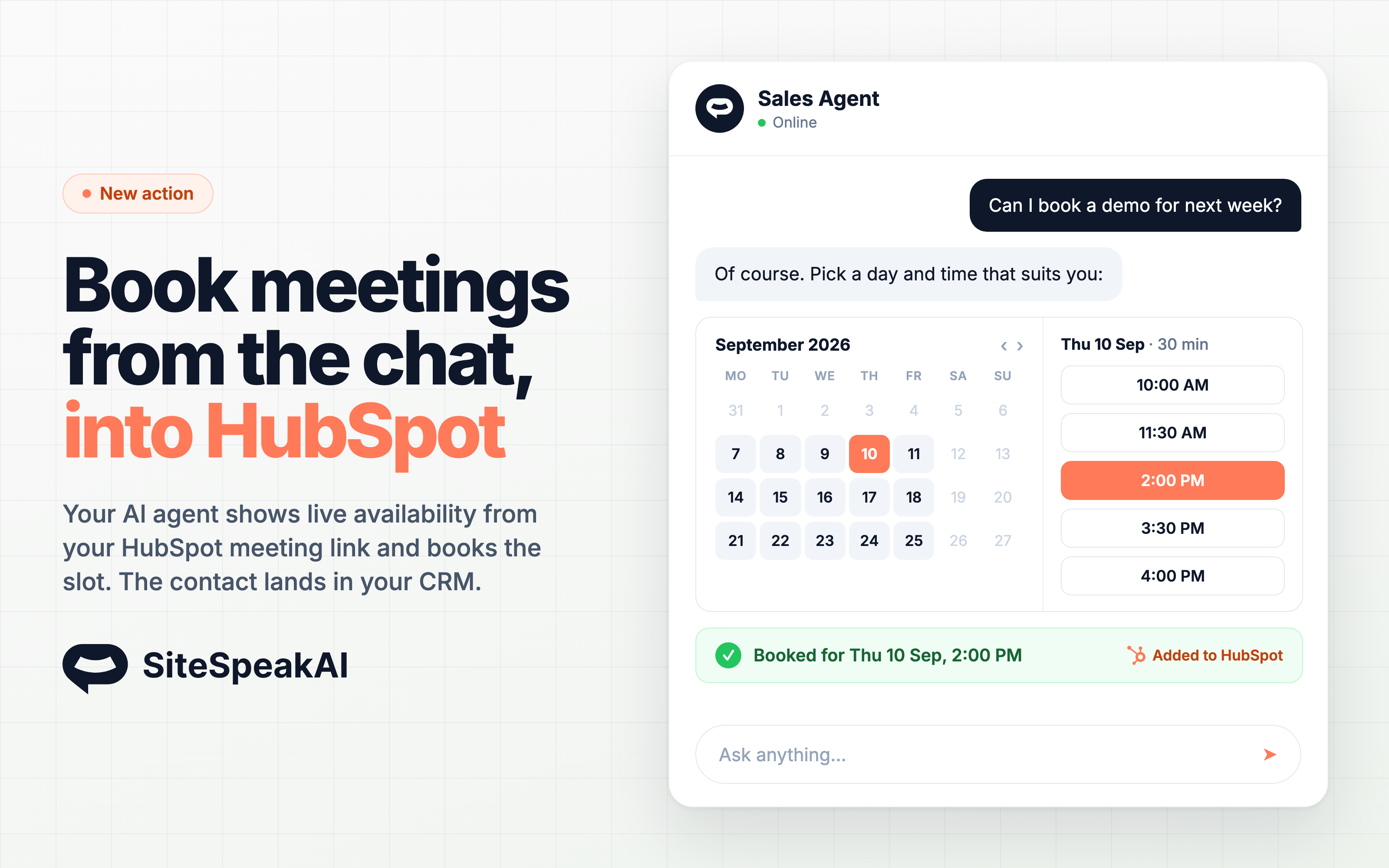
Your AI agent can now check availability on your HubSpot meeting link and book meetings for visitors without leaving the chat. Each booking creates or updates the contact in HubSpot and records the meeting on the contact's timeline.
How it works
In Configuration > Tools & Actions, find HubSpot: Make Bookings and click Add. Connect your HubSpot account, pick the meeting link visitors can book, and save.
When a visitor asks to schedule a meeting, the agent fetches live availability from your HubSpot meeting link and shows a calendar with open slots in the visitor's own time zone. The visitor picks a date and time, fills in their name and email, and the meeting is booked. If the link owner has a calendar connected in HubSpot, the meeting lands on that calendar too.
What you need
- A HubSpot account on a Professional tier or higher. The permission that reads meeting links is not available on Free or Starter accounts.
- At least one meeting link under Sales > Meetings Scheduler. Links owned by other users in your HubSpot account, group links and round robin links all work.
- The optional meeting links permission ticked on the HubSpot authorization screen. If it is locked, a HubSpot Super Admin can enable it under Settings > Integrations > Connected Apps.
- Name and email only. The chat does not ask the custom questions on your meeting link, so make them optional and turn off the consent checkbox on the link.
If you already use the HubSpot lead sync integration, you still need to click Connect HubSpot Account on the action. Booking needs a permission the lead sync connection does not have.
Getting started
- Go to Configuration > Tools & Actions
- Click Add on HubSpot: Make Bookings
- Click Connect HubSpot Account and tick the optional meeting links permission on the HubSpot screen
- Select your meeting link and click Add Action
The action is available on all paid plans. Read the full documentation for setup details, configuration and troubleshooting.