Most of us still think about web crawling on Google time. You publish a page, you wait, and some days later the index catches up. This week I watched that mental model die in a server log: an AI crawler read a brand new page six minutes after I hit publish.
Six minutes. I sat there assuming the logs were wrong.
The experiment
I wanted to know how fast AI assistants can actually read new content, so I set up a simple test. Publish a fresh page on an established domain. No sitemap ping, no manual submission, no links pointing at it from anywhere. Then ask ChatGPT, Claude and Perplexity a question that only the new page could answer, and watch which crawlers show up.
I watched it happen in MentionScout, the AI visibility tracker I have been building, and published the full timeline in a writeup on how fast AI engines crawl a new page. The short version:
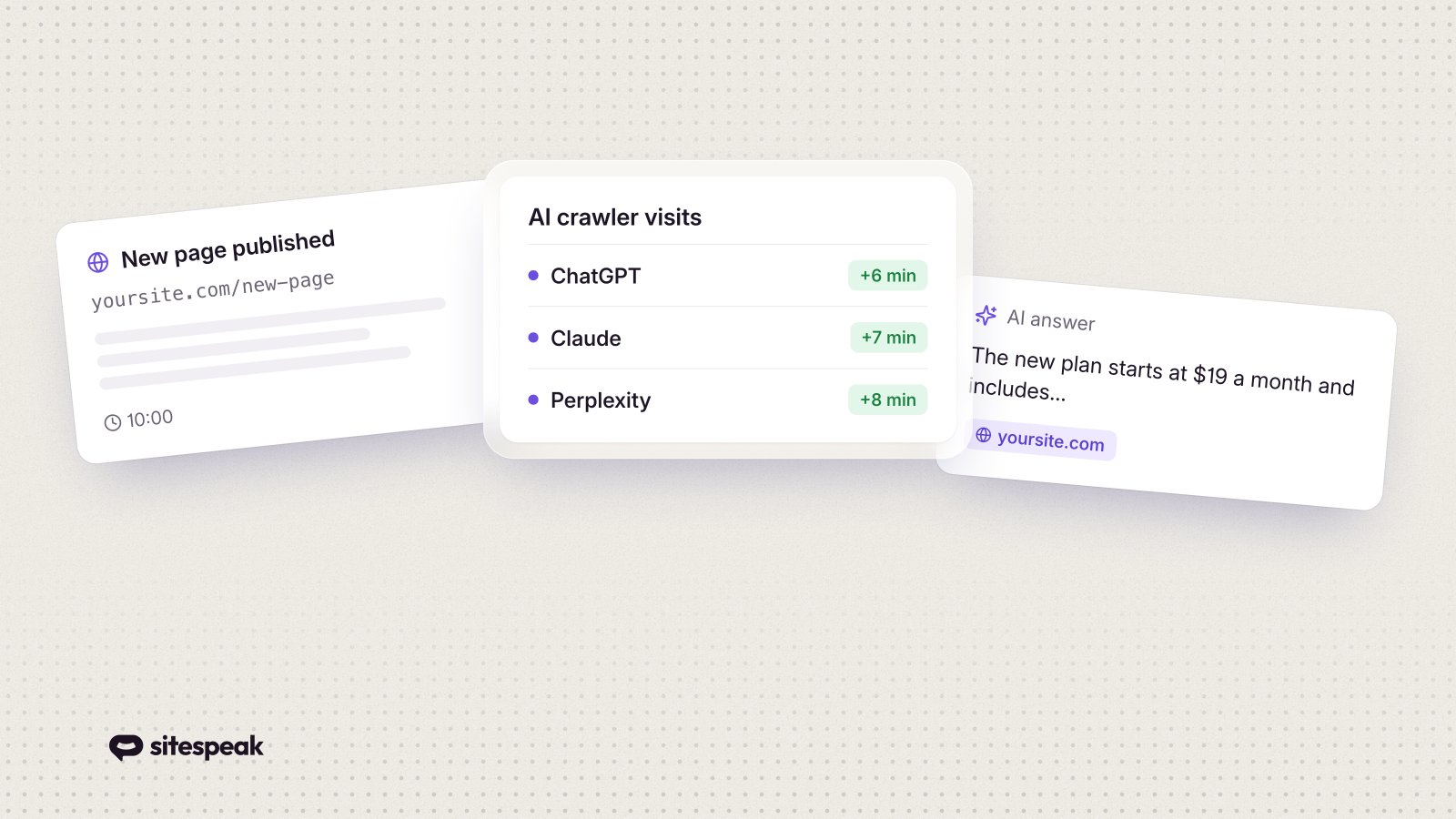
- ChatGPT's on-demand fetcher (ChatGPT-User) read the page about 6 minutes after publish
- Claude's and Perplexity's fetchers followed at roughly 7 and 8 minutes
- All three AI search index crawlers arrived within 3.5 hours
- The first human visitor referred from chatgpt.com clicked through the same afternoon
I expected hours for that first fetch. Maybe days. There is no waiting period anymore, and that changes a few things if you run a website.
Why this matters for your site
Your customers already ask AI assistants about you. What your product costs, whether you integrate with the tool they use, how you compare to the alternative they found first. When that question gets asked, the assistant does not check a stale index from three weeks ago. It often fetches your page right then, live, while the customer waits for the answer.
That cuts both ways. Fix an outdated price or a wrong claim on your site and the very next AI answer can reflect it. Leave a gap, and the assistant fills it from whatever else it finds about you, which is usually a competitor's comparison page.
The robots.txt mistake that makes sites invisible
Here is the part most site owners get wrong. "AI crawler traffic" is really three different kinds of traffic, and each identifies itself separately:
Live answer fetchers like ChatGPT-User read pages in real time to answer a user's question. This is the six-minute path.
Search index crawlers like OAI-SearchBot build the indexes behind AI search features. These arrived within hours in my test.
Training crawlers like GPTBot collect content for training future models. This is the slow lane, and the only one most people mean when they say they "blocked AI".
Back in 2023, a lot of sites decided to block AI training bots and wrote one robots.txt rule that catches everything. Those sites have been invisible to live AI answers ever since, and most of them have no idea. If you only do one thing after reading this, check which user agents your robots.txt turns away. There is a full list of AI crawler user agents, grouped by what each bot does, that makes the audit a five-minute job.
While you are in there, consider adding an llms.txt file as well. I covered what llms.txt is and why your website needs one in an earlier post.
How to be the page the assistant quotes
Watching the fetches come in taught me a few practical things about what gets read and what gets used.
Direct answers win. An on-demand fetcher grabs your page, skims it and quotes what it needs within seconds. A heading that matches the question, with the answer in the first paragraph under it, gets used. Pages that bury the answer get skipped. We see the same pattern with the AI agents we build at SiteSpeak: the content that resolves a visitor's question in one step is the content that gets surfaced.
Your content has to be in the HTML. These fetchers do not reliably wait for JavaScript to render. If your site is a client-side app shell, the fastest and most valuable crawl path sees an empty page.
Updates count immediately. The assistant reads the current state of your page every time it fetches. Publishing and correcting are no longer things an index eventually notices. They land on the very next answer.
Try it on your own site
You can reproduce the whole experiment in an afternoon: publish a genuinely new page, ask the assistants a question only that page answers, and watch your server logs for the user agents above. The full writeup has the complete timeline and the exact steps.
Six minutes is not much time to make a first impression. Make sure the page an assistant reads is one you would be happy to hear quoted back to a customer.