If you sell AI chatbots to clients, there is a moment where the business model stops scaling: every new customer needs a workspace created, limits set, a chatbot built, and an invite sent. At three clients you do it over coffee. At thirty it is a part-time job. At three hundred it is a hiring decision.
The new SiteSpeak Agency API removes that ceiling. Your billing system talks directly to SiteSpeak, so a payment in your own checkout becomes a fully provisioned, white-labeled chatbot workspace with no human in the loop.
If you are still deciding whether to offer chatbots as a service at all, start with our guide on how to start a white-label AI chatbot agency. This post is about what comes after: running it on autopilot.
What the Agency API does
The API covers the full lifecycle of a client workspace. You provision a new client in one call: the workspace, their first AI agent trained on their website, and a portal invitation for their email address. Each workspace gets its own caps for AI agents, knowledge sources, monthly message credits, and response length, so your $29 plan and your $299 plan are just two different request bodies. When a client upgrades, you raise their credits mid-cycle or reset their allowance, and the change applies within seconds.
The less glamorous half is covered too. When your payment provider reports a failed charge or a cancellation, one call stops that client's chatbots, and you decide per call whether the stop is immediate or lets the credits they already paid for run out first. And every workspace can carry your billing system's own reference, so you can look clients up by your IDs instead of storing ours.
Provisioning a client in one request
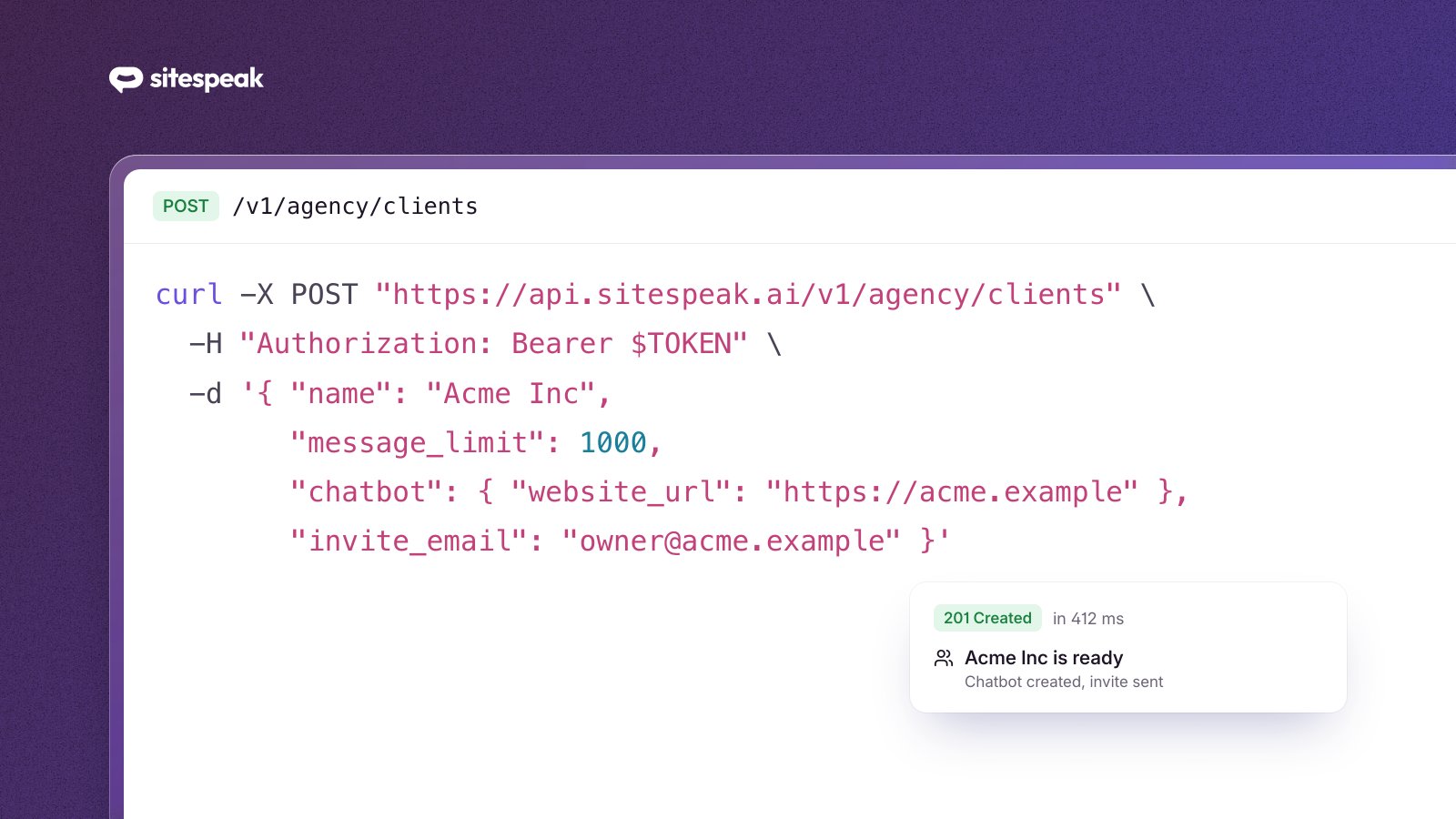
Here is the whole onboarding flow for a new customer of your chatbot service:
curl -X POST "https://api.sitespeak.ai/v1/agency/clients" \
  -H "Authorization: Bearer YOUR_API_TOKEN" \
  -H "Content-Type: application/json" \
  -H "Idempotency-Key: order-10422" \
  -d '{
    "name": "Harbor Dental",
    "external_reference": "order-10422",
    "message_limit": 2000,
    "source_limit": 50,
    "chatbot_limit": 1,
    "response_token_limit": 500,
    "chatbot": {
      "name": "Harbor Dental Assistant",
      "website_url": "https://harbordental.example"
    },
    "invite_email": "owner@harbordental.example"
  }'
That single call creates the workspace with the plan limits you chose, builds the chatbot, starts training it on the client's website, and returns an invitation link. If your agency has a verified custom domain, the link points there, so your customer sets their password on your portal and never sees SiteSpeak's name.
The Idempotency-Key header matters more than it looks. Billing webhooks retry, and a duplicate workspace is an ugly thing to clean up. With an idempotency key, a retried call returns the original response instead of provisioning twice. Use your own order or account ID and retries become free.
Handling cancellations and failed payments
The other half of running a subscription business is what happens when payments stop. The API gives you three controls:
# Failed payment: stop serving immediately
curl -X POST ".../v1/agency/clients/{id}/pause" \
  -H "Idempotency-Key: dunning-10422-1" \
  -d '{"mode": "hard"}'

# Cancellation at period end: let remaining credits run out first
curl -X POST ".../v1/agency/clients/{id}/pause" \
  -H "Idempotency-Key: cancel-10422" \
  -d '{"mode": "soft"}'

# Payment recovered: back to normal in seconds
curl -X POST ".../v1/agency/clients/{id}/resume" \
  -H "Idempotency-Key: recover-10422"
Why two pause modes? Because the worst failure in this business is not a delinquent client getting a few free answers. It is cutting off a paying customer by accident. Soft pause exists for the gray areas: the client cancelled but their billing period runs to month end, so their chatbots keep answering until the credits they paid for are gone, then stop on their own.
Hard pause is for the clear cases. The client's chatbots stop immediately and the widget stops loading on their site. Suspend works like hard pause and also blocks new chatbot creation, which fits accounts that have ended rather than lapsed.
In every case the workspace, its chatbots, its training data and its conversation history stay intact. Reactivating a returning client is one call, not a rebuild.
Mapping your pricing to limits
Because limits live per workspace, your pricing tiers are presets in your provisioning code:
| Your plan | Agents | Sources | Messages / month | Response length |
|---|---|---|---|---|
| Starter | 1 | 25 | 1,000 | 300 tokens |
| Growth | 2 | 100 | 5,000 | 500 tokens |
| Scale | 5 | 500 | 20,000 | no cap |
The response length limit is the newest of these and worth a special mention: it lets you differentiate plans on answer depth and keeps model usage predictable per tier. Chatbots are instructed to write complete answers that fit the budget, so a capped plan still reads well instead of cutting off mid-sentence.
What your customer sees
Nothing in this flow exposes SiteSpeak to your customer. Your logo, your colors and your product name appear across the dashboard and the chat widget. Clients log in on your custom domain, and their invitation links are signed for it. On eligible plans, notification emails come from your sender name. You can even bring your own OpenAI, Anthropic, Google or xAI API keys and run inference on your own accounts.
From your customer's perspective they signed up on your site, paid you, got an invite from your domain, and manage their chatbot in your portal. Your product.
Putting it together
A complete automated setup looks like this:
- Customer pays in your checkout (Stripe, Recurly, Paddle, whatever you run).
- Your webhook handler calls
POST /v1/agency/clientswith the plan's limits and the customer's website and email, using the order ID as the idempotency key. - Your welcome email includes the invitation link from the response.
- Upgrade and downgrade webhooks PATCH the limits.
- Dunning and cancellation webhooks pause; recovery webhooks resume.
Five webhook handlers, and your chatbot service runs itself. Client three hundred costs you the same work as client three: none.
Getting started
The Agency API is available on all agency plans. Create an API token in your dashboard, then work through the API reference, which covers every endpoint with request and response examples. Provisioning your first test client takes about five minutes.
If you have an existing book of clients to migrate, or you are planning something at unusual scale, talk to us and we will help you map your setup onto the API.