A visitor asks a question, your agent escalates it, and by the time your team replies, the visitor has closed the tab. Your answer sits in the chat, and they never see it.
Your inbox replies can now go to the visitor by email, and their answer comes back to the same conversation.
How it works
Go to Configuration > Settings and, on the Basic tab, switch on Email Replies To Visitors.
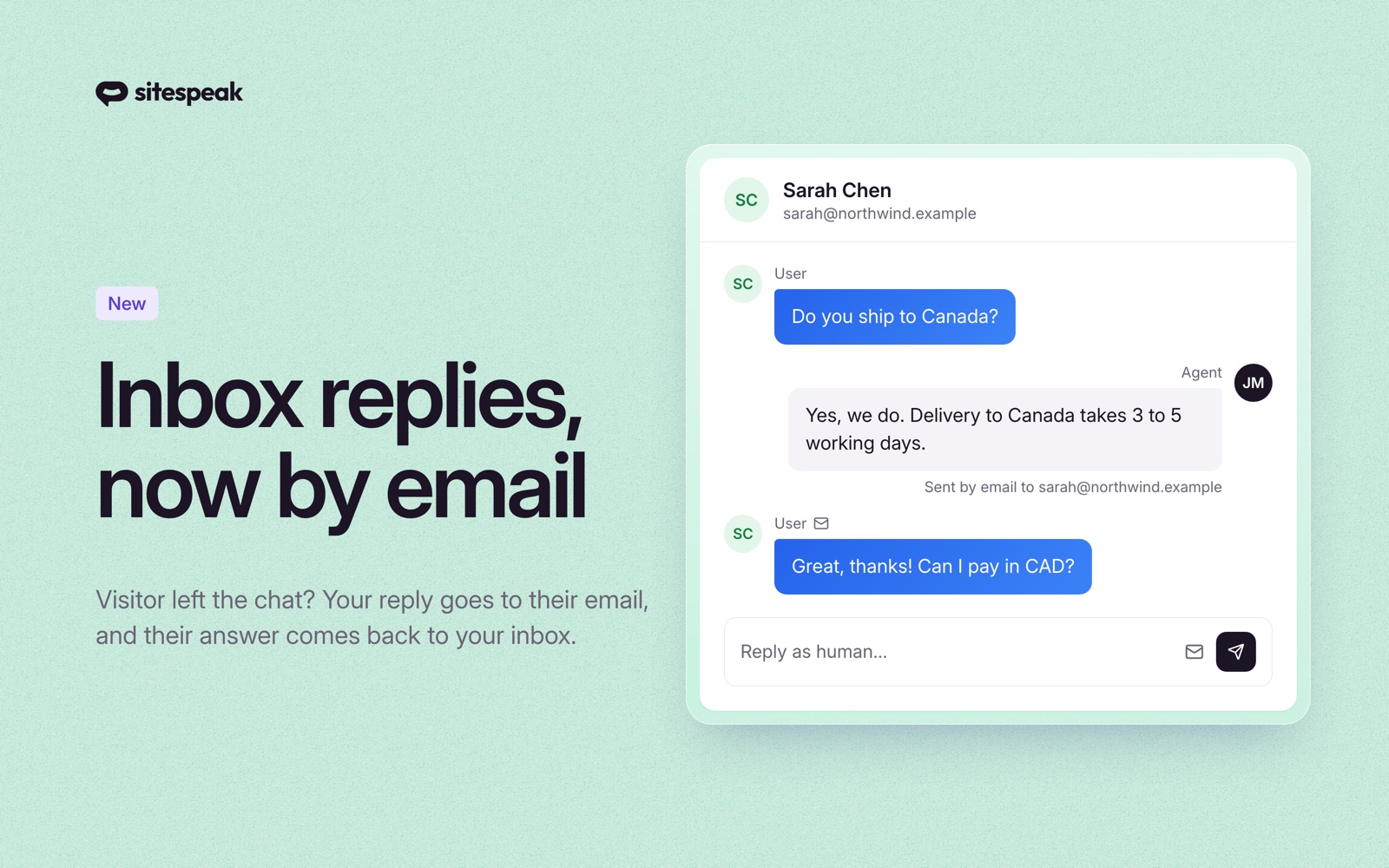
Then reply in your Inbox as usual. If the visitor does not answer in the chat within 5 minutes, your reply goes to their email address. Send three messages in a row and they arrive together in one email.
When the visitor answers the email, the answer shows up in the same Inbox conversation, marked with a mail icon. Your next reply goes back into the same email thread, so the visitor sees one conversation in their mail app, not a pile of separate emails.
The email carries your agent's name and your first name, with no SiteSpeakAI branding. Agencies with white-label branding get their own logo, and their own verified sending address if they have set one.
What you see in the Inbox
A mail icon next to the send button tells you if your reply can go by email. Hover over it to see the reason when it cannot:
- The visitor has no email address, or the address is not valid.
- An earlier email bounced or was marked as spam. A note under the reply box lets you switch email back on for that visitor.
- The chat came from WhatsApp or Google Chat. Those visitors already get your reply in that app.
Each emailed reply shows Sent by email to the visitor's address, so you always know what reached them.
Availability
Email replies are available on the Pro plan and higher. See pricing for plan details.
Setup details are in the human handoff documentation.