Two new security and visibility controls are now available in your chatbot settings.
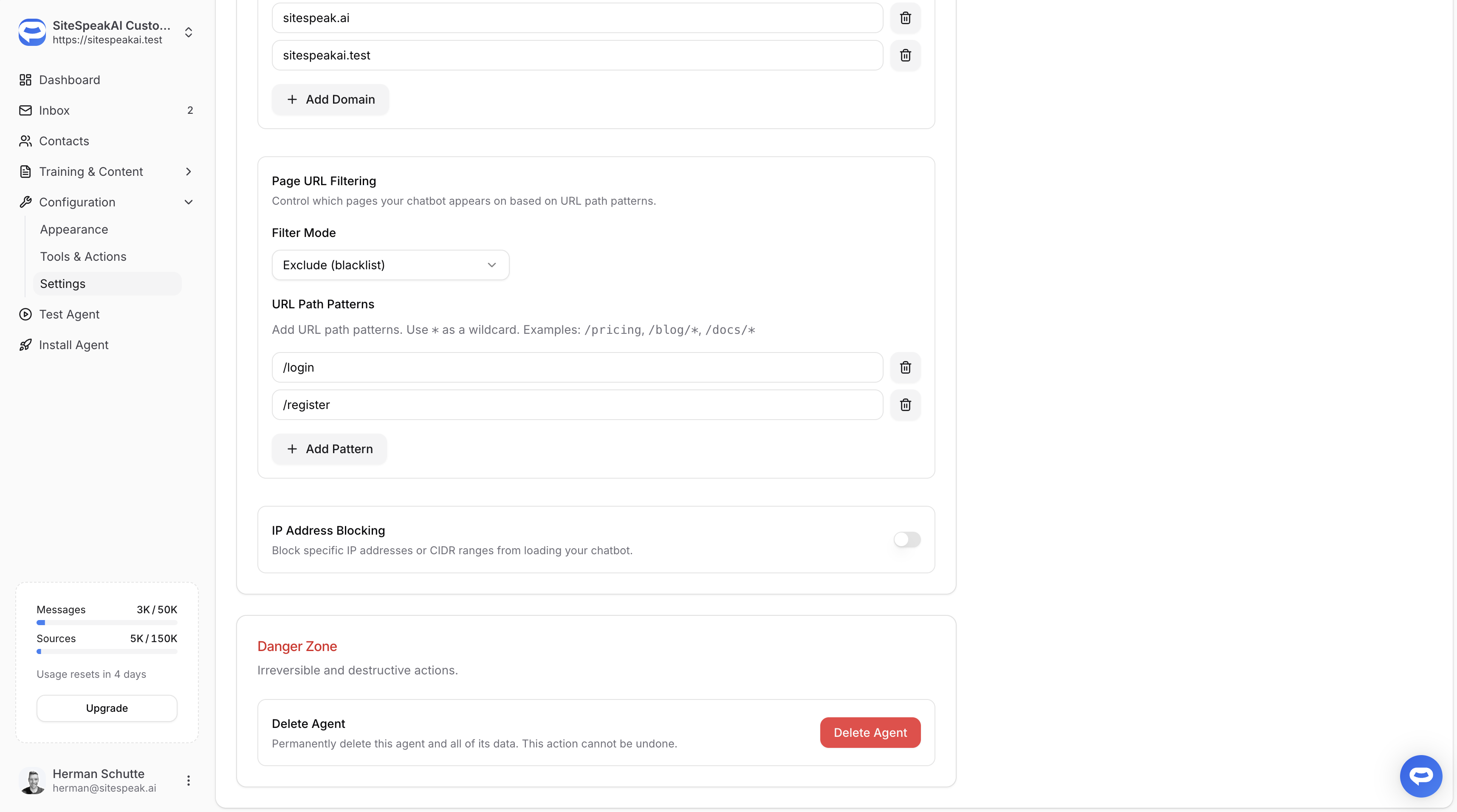
Page URL Filtering
Choose where your chatbot appears using three filter modes:
- Disabled — loads on all pages (default)
- Include only — loads only on pages matching your patterns (whitelist)
- Exclude — loads on all pages except those matching your patterns (blacklist)
URL patterns support * wildcards, so you can target broad sections like /blog/* or /docs/*, or specific pages like /pricing.
IP Address Blocking
Block specific IP addresses or CIDR ranges from interacting with your chatbot. Supports individual IPs (e.g. 192.168.1.1) and ranges (e.g. 10.0.0.0/8).
Both features are bypassed in preview mode so you can always test your chatbot regardless of active filters.