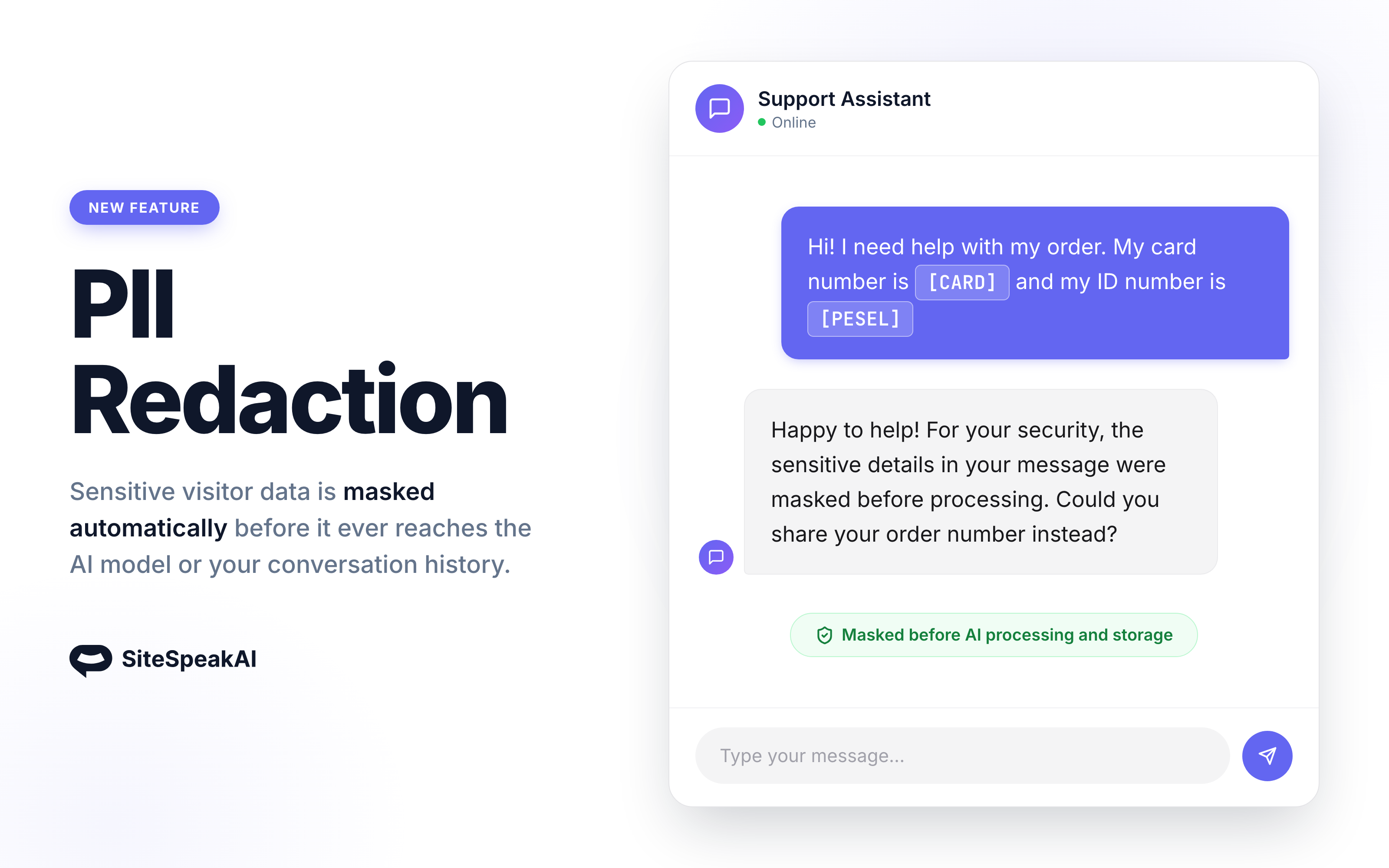
Visitors share things they shouldn't: ID numbers, payment cards, bank accounts, one-time payment codes. With PII Redaction enabled, those values are masked before they reach the AI model and before they are stored in your conversation history.
How it works
When a visitor message arrives, SiteSpeakAI scans it for sensitive identifiers and replaces each one with a placeholder:
- National ID numbers become
[ID]or[PESEL] - Payment card numbers become
[CARD] - Bank account numbers (IBAN) become
[IBAN] - BLIK payment codes become
[BLIK] - Passwords become
[REDACTED]
The conversation stays readable for your AI agent and your support team, but the sensitive values themselves never reach the AI provider, your inbox, or your conversation history.
Detection runs instantly using pattern matching and checksum validation, so there is no added latency to responses.
Built for compliance
Every redaction is recorded in your audit log showing how many values were masked and what kind they were, never the values themselves. If you operate under GDPR or other data protection rules, this gives you evidence that sensitive data is being kept out of AI processing.
How to enable it
Open your agent's Settings, go to the Advanced tab, and toggle on Enable PII Redaction.
PII Redaction is available on Growth plans and above. Read more in the documentation.