You can now send escalation data to any URL via webhook when a visitor requests human support. This makes it easy to connect escalations to tools like Zapier, Make, or your own CRM - without relying on email or Slack alone.
How it works
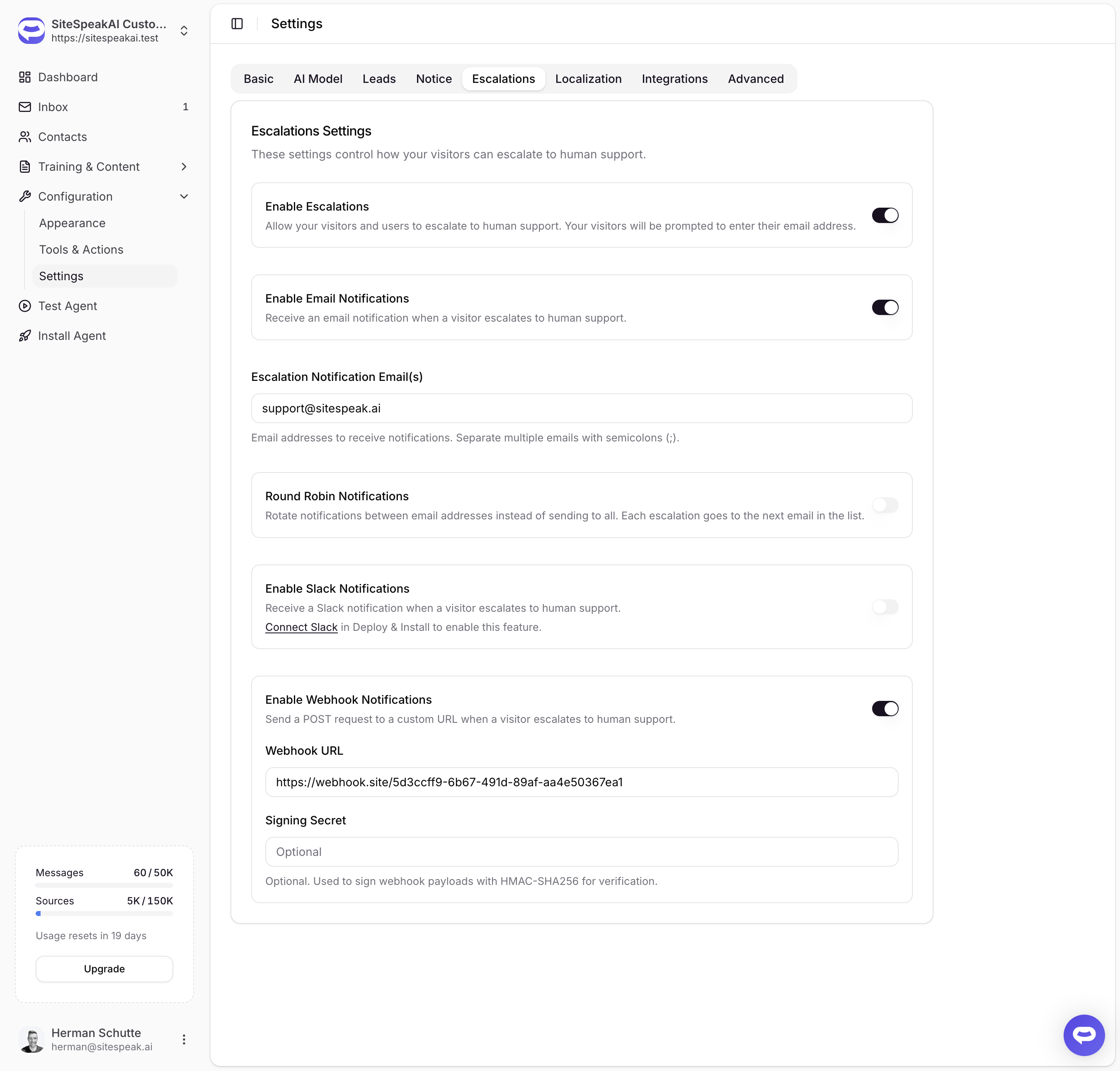
In Settings → Escalations, toggle on Enable Webhook Notifications and enter the URL where you want to receive escalation data. When a visitor escalates, SiteSpeakAI sends a POST request with a JSON payload containing the visitor's details, conversation context, and a direct link to the conversation in your Inbox.
Payload signing
For added security, you can set a signing secret to verify that incoming requests are genuinely from SiteSpeakAI. Each request will include an X-Signature-256 header containing an HMAC-SHA256 signature of the payload, which you can validate on your end.
Independent notification channels
Email, Slack, and webhook notifications now operate independently. You can enable any combination of the three without one depending on another.
View the full setup guide in our documentation.