Two new auto-sync features that keep your training data up to date without manual intervention.
Auto-sync SharePoint site pages
You can now auto-sync all pages from a SharePoint site. When browsing site pages in the SharePoint integration, click Auto-sync All Pages to create a daily sync that automatically discovers new pages, indexes them, and removes pages that have been deleted from SharePoint.
Previously, auto-sync was only available for SharePoint document libraries. Now both document libraries and site pages support it.
View the SharePoint documentation
Website auto-sync with daily re-crawl
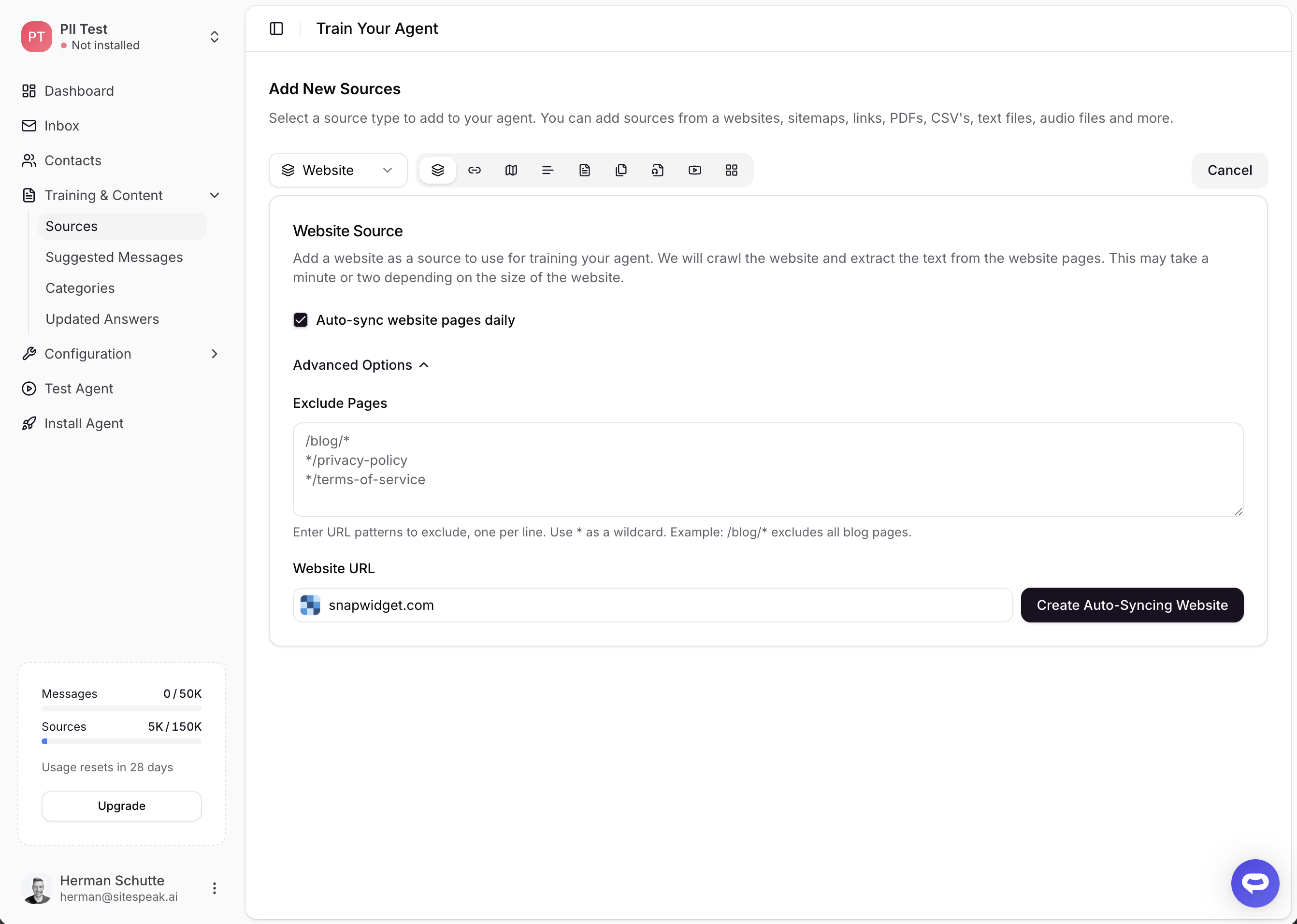
Website sources now support automatic daily re-crawling. When adding a website source, check Auto-sync website pages daily before crawling. SiteSpeakAI will crawl your site, index all discovered pages, and re-crawl daily to pick up new pages and clean up removed ones.
You can set URL exclusion patterns in Advanced Options to skip pages you don't want indexed, like admin pages or staging URLs. Exclusion patterns are applied on every sync cycle.
View the website documentation
Availability
Both features require the Pro Plus plan or higher.