

Get your code snippet
1
Log in to your account
Go to sitespeak.ai and log in to your dashboard.
2
Select your chatbot
Choose your chatbot from the dropdown at the top of the sidebar.
3
Go to Install Agent
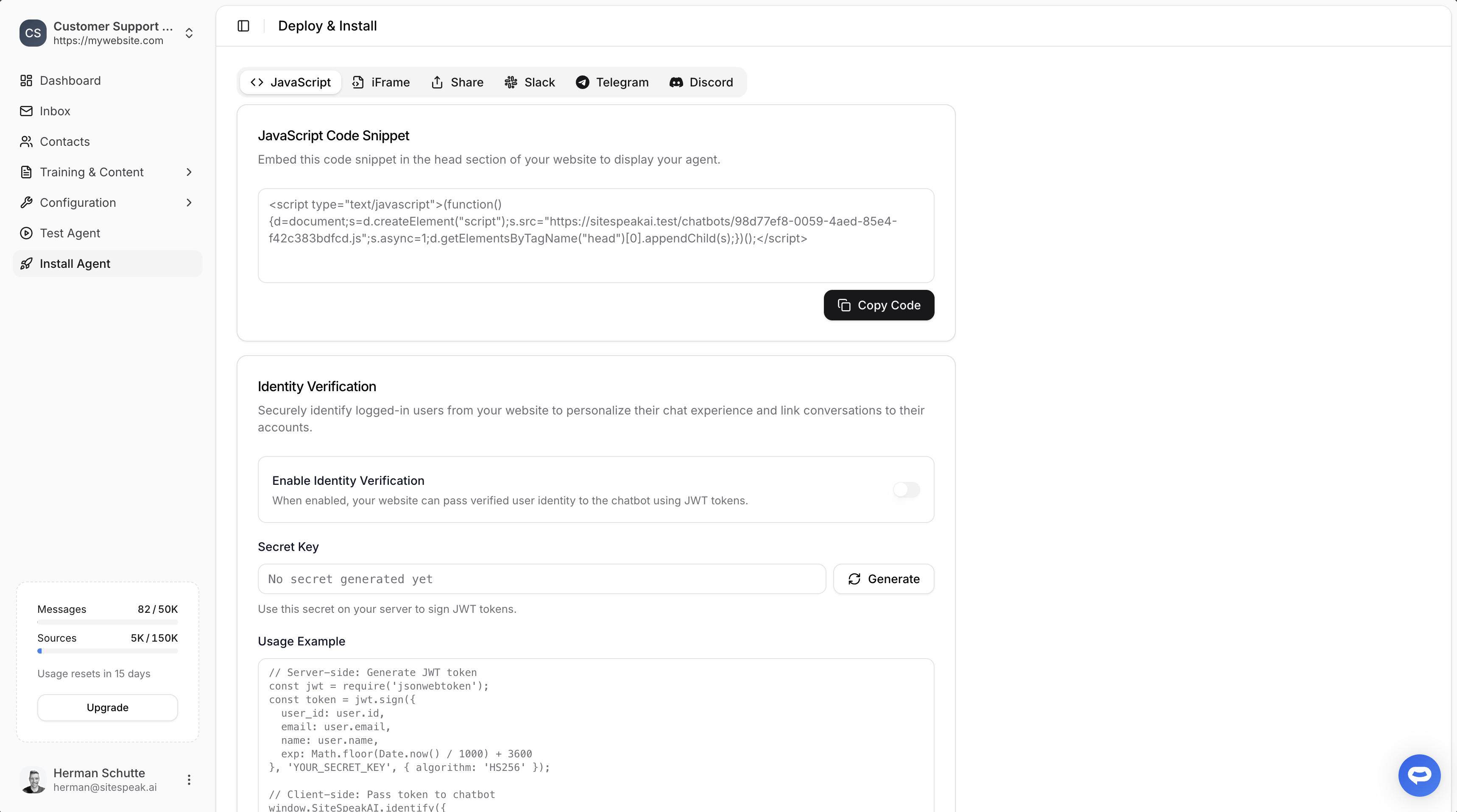
Click on Install Agent in the sidebar.
4
Copy the JavaScript code
Make sure the JavaScript tab is selected, then click Copy Code.
Add to your website
Paste the code snippet into the<head> section of your website:
Replace
YOUR_CHATBOT_ID with your actual chatbot ID from the dashboard.Alternative: iFrame embed
If you prefer to embed the chatbot as an iFrame (useful for embedding in specific page sections), switch to the iFrame tab in the Install Agent section.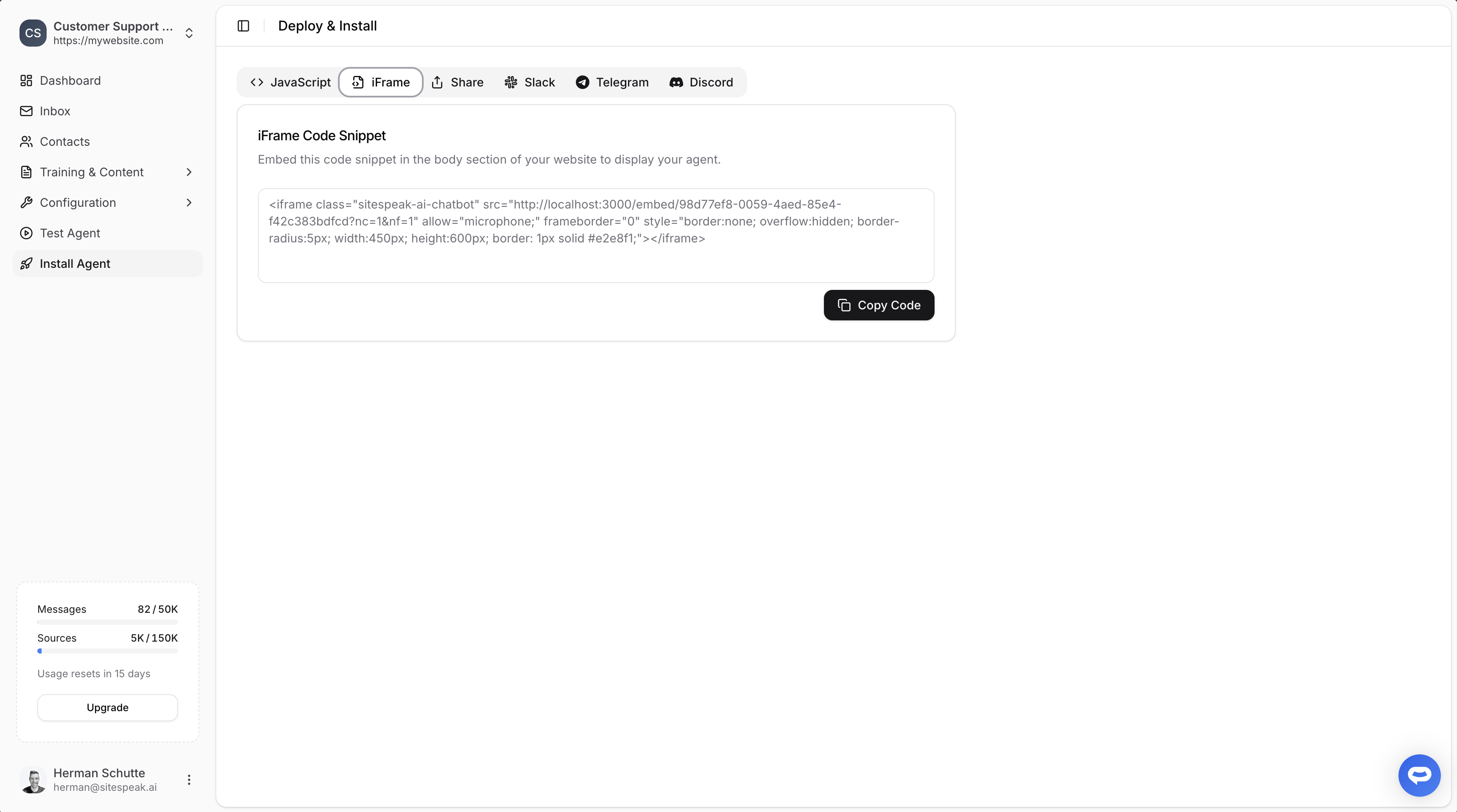
<body> section where you want the chatbot to appear:
Identity verification
For a more personalized experience, you can securely identify logged-in users and link conversations to their accounts.Enable identity verification
- In the Install Agent section, find Identity Verification
- Toggle on Enable Identity Verification
- Click Generate to create your secret key
- Store the secret key securely on your server
How it works
- Server-side: Generate a JWT token with user information
- Client-side: Pass the token to the chatbot
Platform-specific guides
Looking to install on a specific platform? Check out our detailed guides:WordPress
Install on WordPress sites
Shopify
Add to your Shopify store
Webflow
Install on Webflow sites
Slack
Connect to Slack workspace
Next steps
Customize appearance
Match your chatbot to your brand
Capture leads
Turn visitors into qualified leads
Ready to automate your customer service with AI?
Join over 1000+ businesses, websites and startups automating their customer service and other tasks with a custom trained AI agent.