

How it Works
When a visitor asks a question that your chatbot can’t answer from its training data, it will use Firecrawl to search the web, retrieve relevant results, and optionally scrape the full content of those pages to provide a comprehensive answer.Add a Firecrawl: Search Action
1
Go to Tools & Actions
In your chatbot dashboard, click Configuration in the sidebar, then select Tools & Actions.
2
Click Add Action
Click the + Add Action button.
3
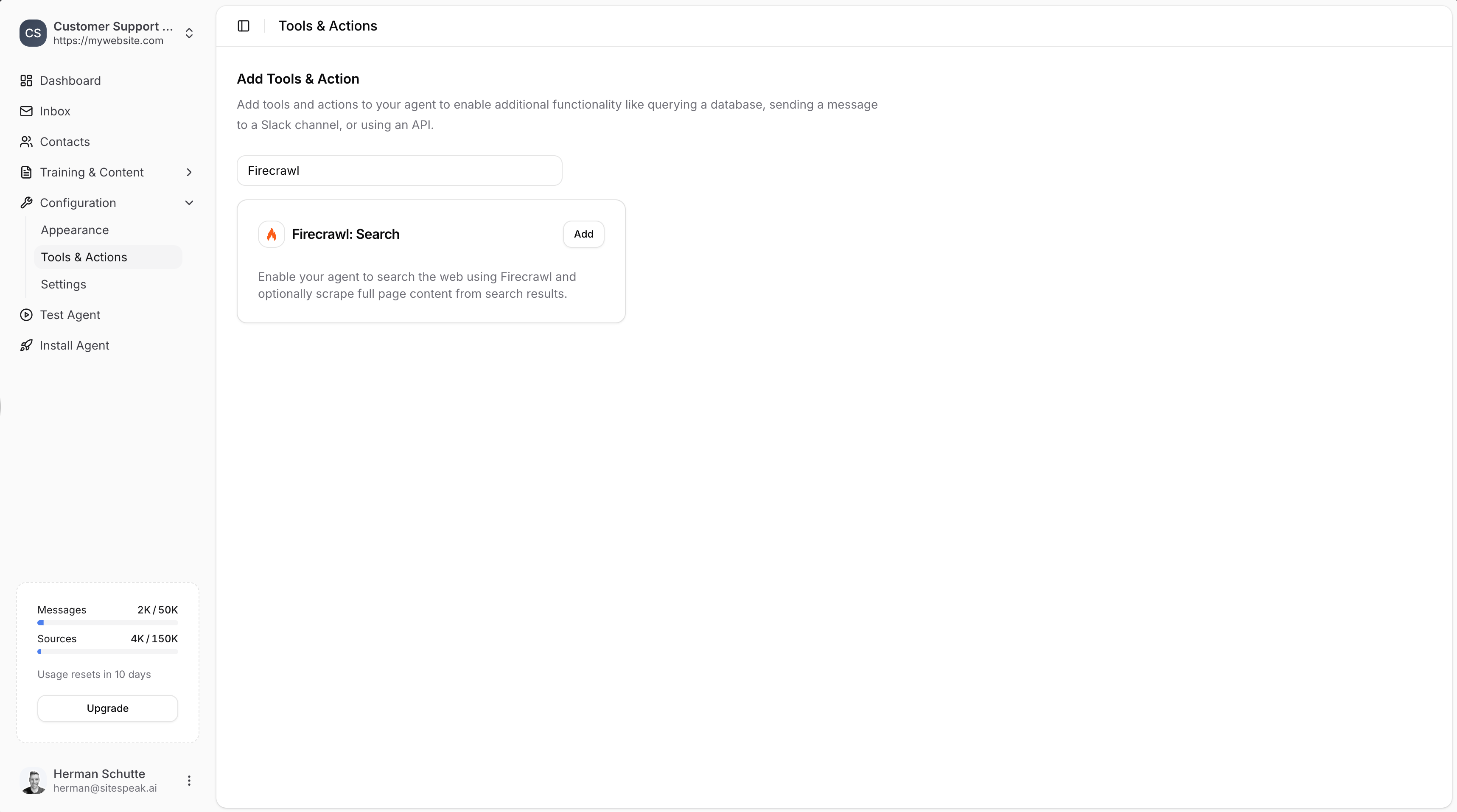
Search for Firecrawl
Type “Firecrawl” in the search field to filter the available actions.
4
Select Firecrawl: Search
Click Add next to Firecrawl: Search.
Configure the Action
1
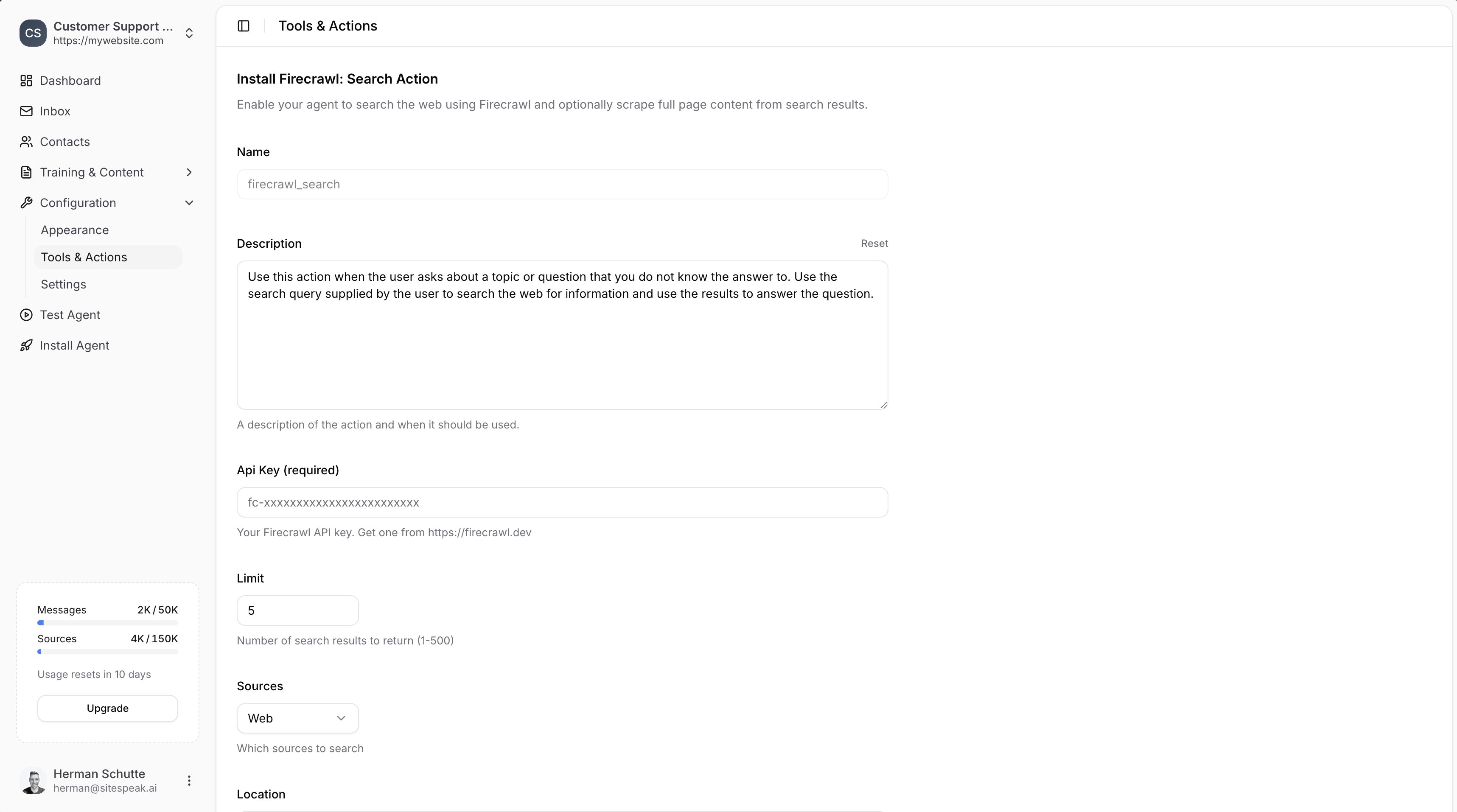
Set Name and Description
- Name: Give your action a descriptive name (e.g.,
firecrawl_search) - Description: Describe when the AI should use this action. The default is: “Use this action when the user asks about a topic or question that you do not know the answer to. Use the search query supplied by the user to search the web for information and use the results to answer the question.”
2
Enter API Key
Enter your Firecrawl API key. Get one from https://firecrawl.dev.
3
Set Search Options
- Limit: Number of search results to return (1-500). Default is 5.
- Sources: Select which sources to search (e.g., “Web”).
- Location: Geographic location for search results (e.g., “Germany”, “San Francisco, California, United States”). Leave blank for global search.
4
Enable Scrape Content (Optional)
Toggle Scrape Content to scrape full page content from search results. This provides more detailed information but uses more Firecrawl credits.
5
Add Action
Click the Add Action button to save and enable the action.
Firecrawl vs Brave Search
Choose Brave for simple web searches without additional configuration. Choose Firecrawl when you need more control over search results, location targeting, or full page content scraping.
Ready to automate your customer service with AI?
Join over 1000+ businesses, websites and startups automating their customer service and other tasks with a custom trained AI agent.