

Adding the Suggested Messages Action
1
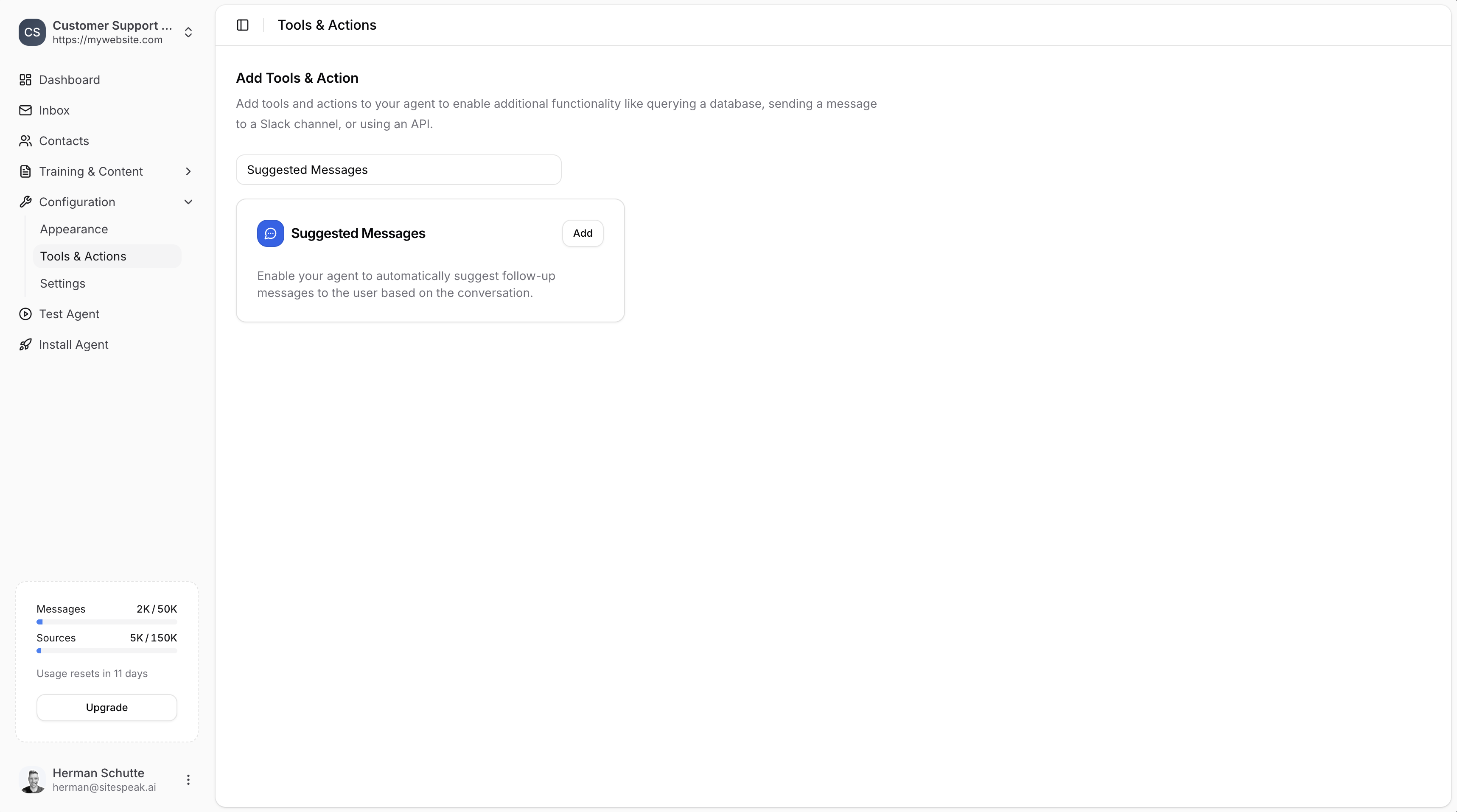
Go to Tools & Actions
In your chatbot dashboard, go to Configuration → Tools & Actions.
2
Select Suggested Messages
Find Suggested Messages and click Add.
Configuration
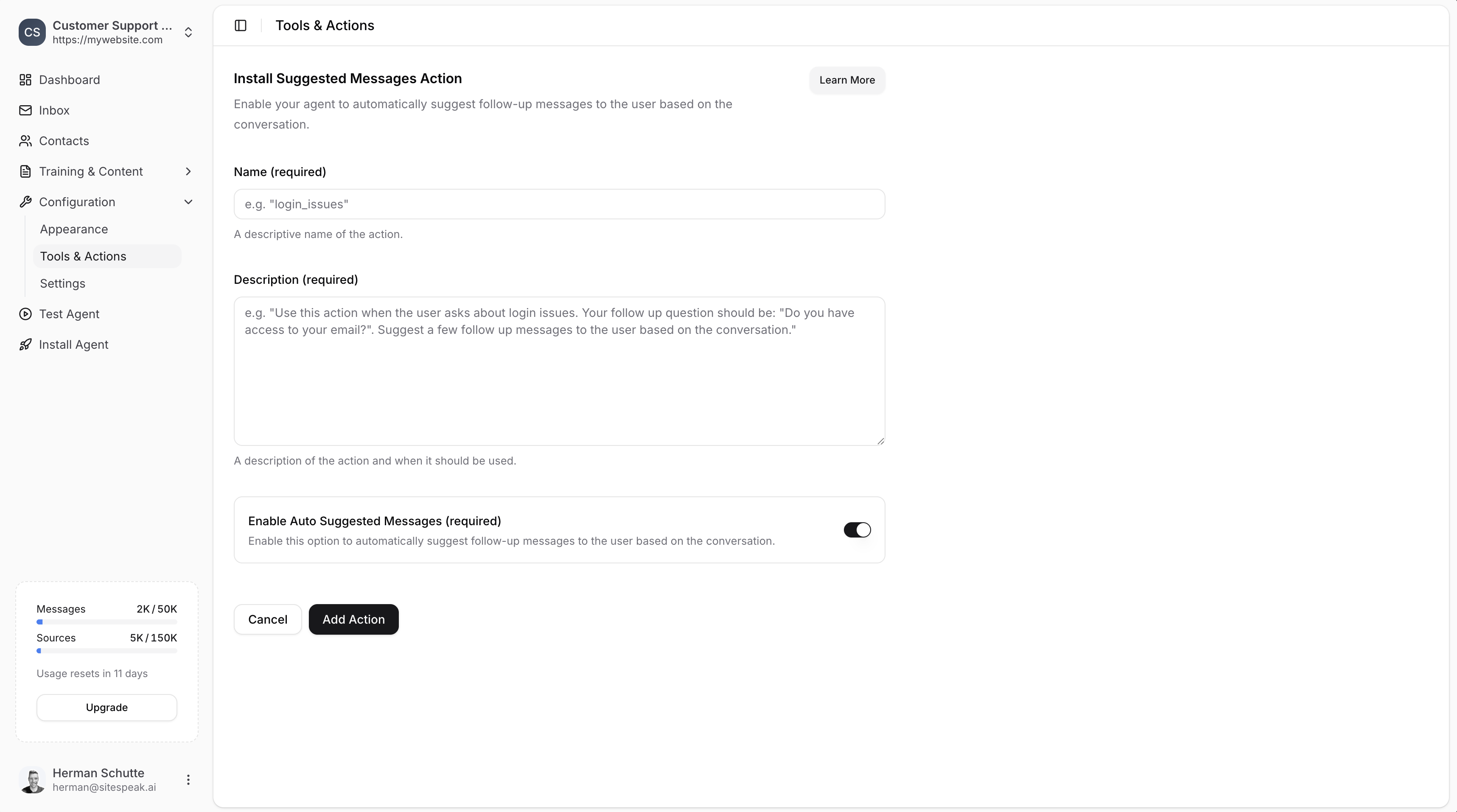
Name (required)
A descriptive name for the action. Make this specific to help your AI agent know exactly when to use it. Example:login_issues or order_issues
Description (required)
A description of the action and when it should be used. Be specific about the context and how the agent should respond. Example:Use this action when the user asks about issues with their order. Be helpful and friendly and suggest some follow up responses for them.
Enable Auto Suggested Messages (required)
This option is enabled by default and allows the agent to automatically generate up to 4 suggested follow-up messages based on the conversation. If you’d like to specify your own messages instead:- Disable this option
- Add a comma-separated list of messages to use
Save the Action
Click Add Action to enable the action for your AI agent. When your visitors mention topics related to your suggested message action, your agent will display follow-up response options for them to click.How It Works
Once enabled, when a visitor asks about a topic matching your action’s description, the chatbot will display clickable suggested messages. This helps guide the conversation and makes it easier for visitors to get the information they need. Example scenario: If a visitor asks “I’m having trouble logging in”, and you have alogin_issues action configured, your chatbot might suggest:
- “I forgot my password”
- “My account is locked”
- “I’m not receiving the verification email”
- “I need to update my email address”
Ready to automate your customer service with AI?
Join over 1000+ businesses, websites and startups automating their customer service and other tasks with a custom trained AI agent.