

Adding the BookStack training integration is still the preferred option for training your agent on your BookStack content since this results in faster responses from your agent. Use this action when you need real-time search capabilities.
How it Works
When a user asks a question that might be answered by your BookStack wiki, the chatbot will search your wiki in real-time, retrieve relevant content, and use it to formulate an accurate response.Add a BookStack: Search Wiki Action
1
Go to Tools & Actions
In your chatbot dashboard, click Configuration in the sidebar, then select Tools & Actions.
2
Click Add Action
Click the + Add Action button.
3
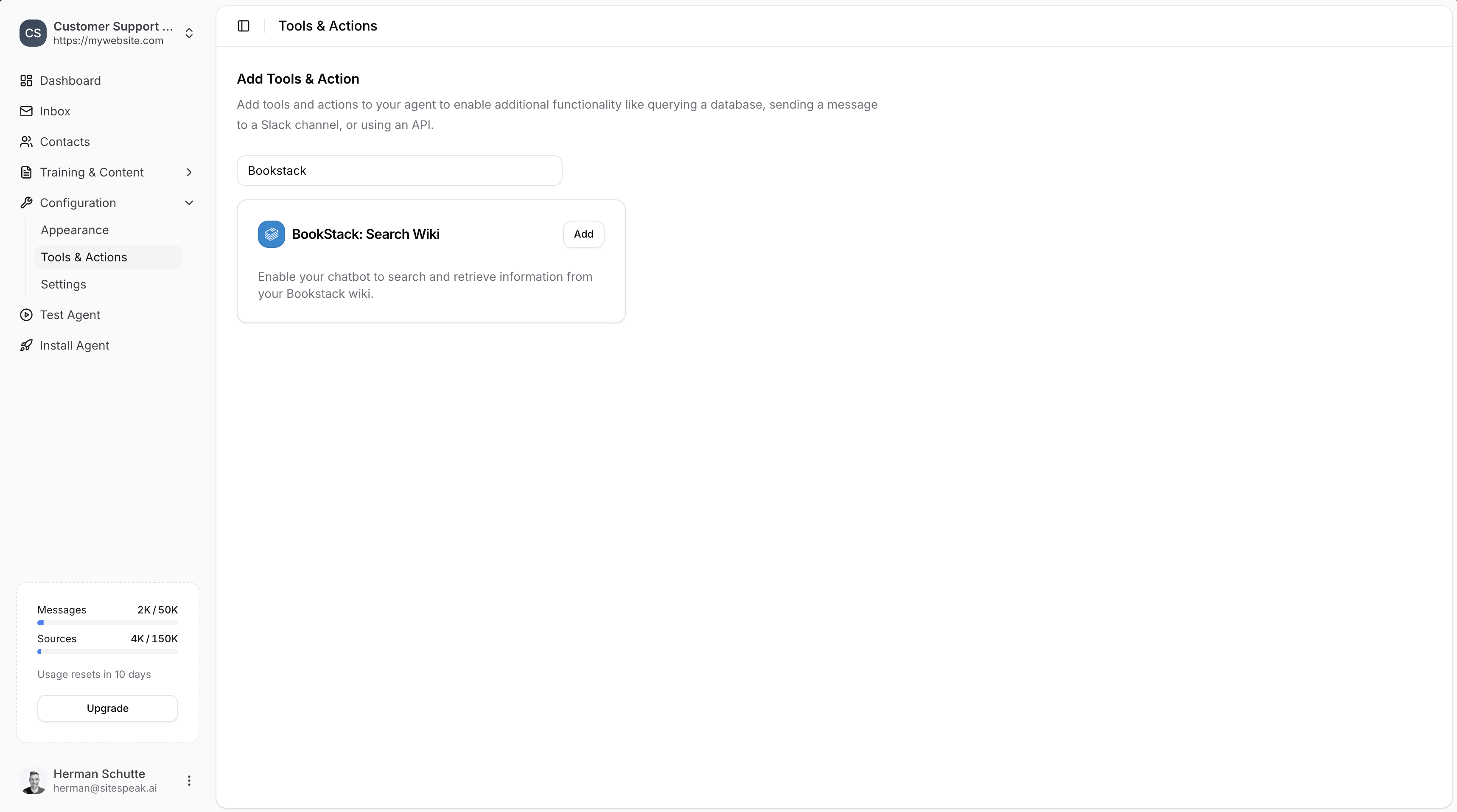
Search for BookStack
Type “Bookstack” in the search field to filter the available actions.
4
Select BookStack: Search Wiki
Click Add next to BookStack: Search Wiki.
Configure BookStack Credentials
1
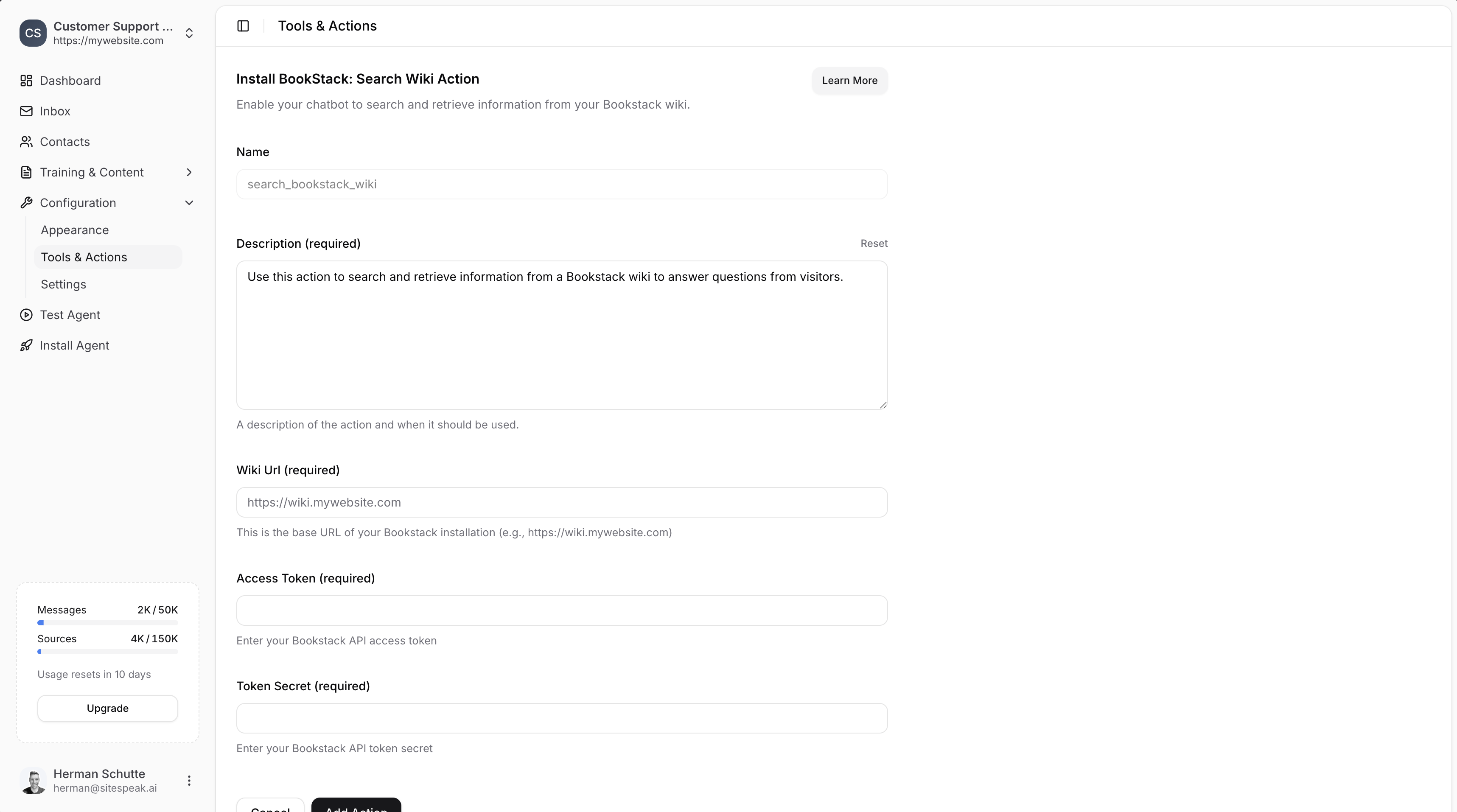
Set Name and Description
- Name: Give your action a descriptive name (e.g.,
search_bookstack_wiki) - Description: Describe when the AI should use this action (e.g., “Use this action to search and retrieve information from a Bookstack wiki to answer questions from visitors.”)
2
Enter Wiki URL
Enter the base URL of your BookStack installation (e.g.,
https://wiki.mywebsite.com).3
Get API Credentials from BookStack
- Log in to your BookStack wiki as an admin.
- Go to your user profile settings.
- Navigate to the API Tokens section.
- Create a new API token.
- Copy the Token ID (Access Token) and Token Secret.
4
Enter Access Token and Token Secret
Paste your Access Token and Token Secret into the respective fields.
5
Add Action
Click the Add Action button to save and enable the action.
Make sure the API user has the Access System API and Export content permissions enabled on one of their assigned roles. This ensures SiteSpeakAI can retrieve information from your BookStack wiki.
When to Use This Action vs Training Integration
If your wiki content changes frequently and you need the absolute latest information in responses, use this action. For most use cases, the training integration is recommended.
Ready to automate your customer service with AI?
Join over 1000+ businesses, websites and startups automating their customer service and other tasks with a custom trained AI agent.