

Connect Drip
1
Go to Integrations
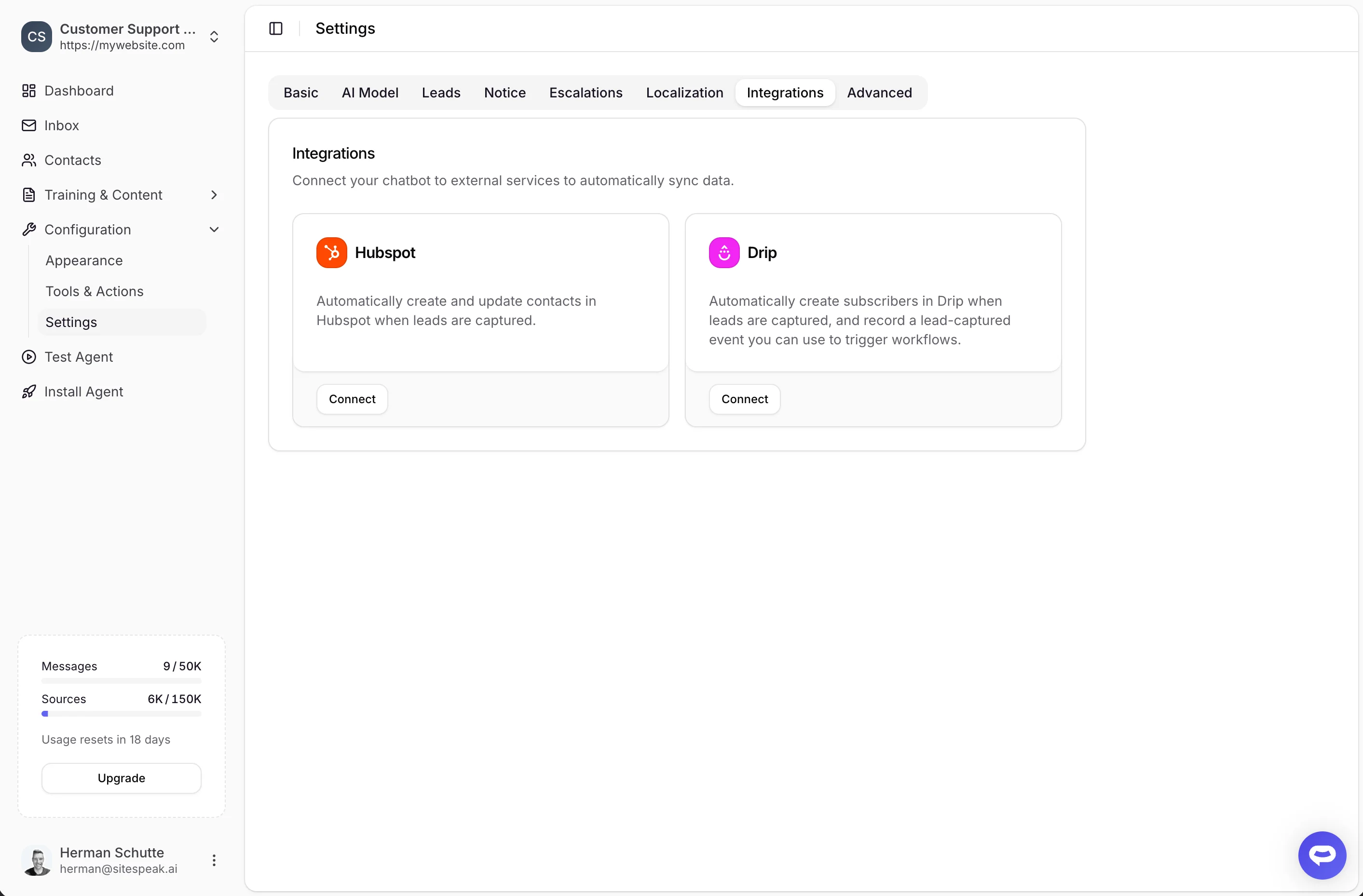
In your chatbot dashboard, go to Configuration > Settings and click the Integrations tab.
2
Find Drip
Locate the Drip integration card.
3
Click Connect
Click the Connect button.
4
Authorize
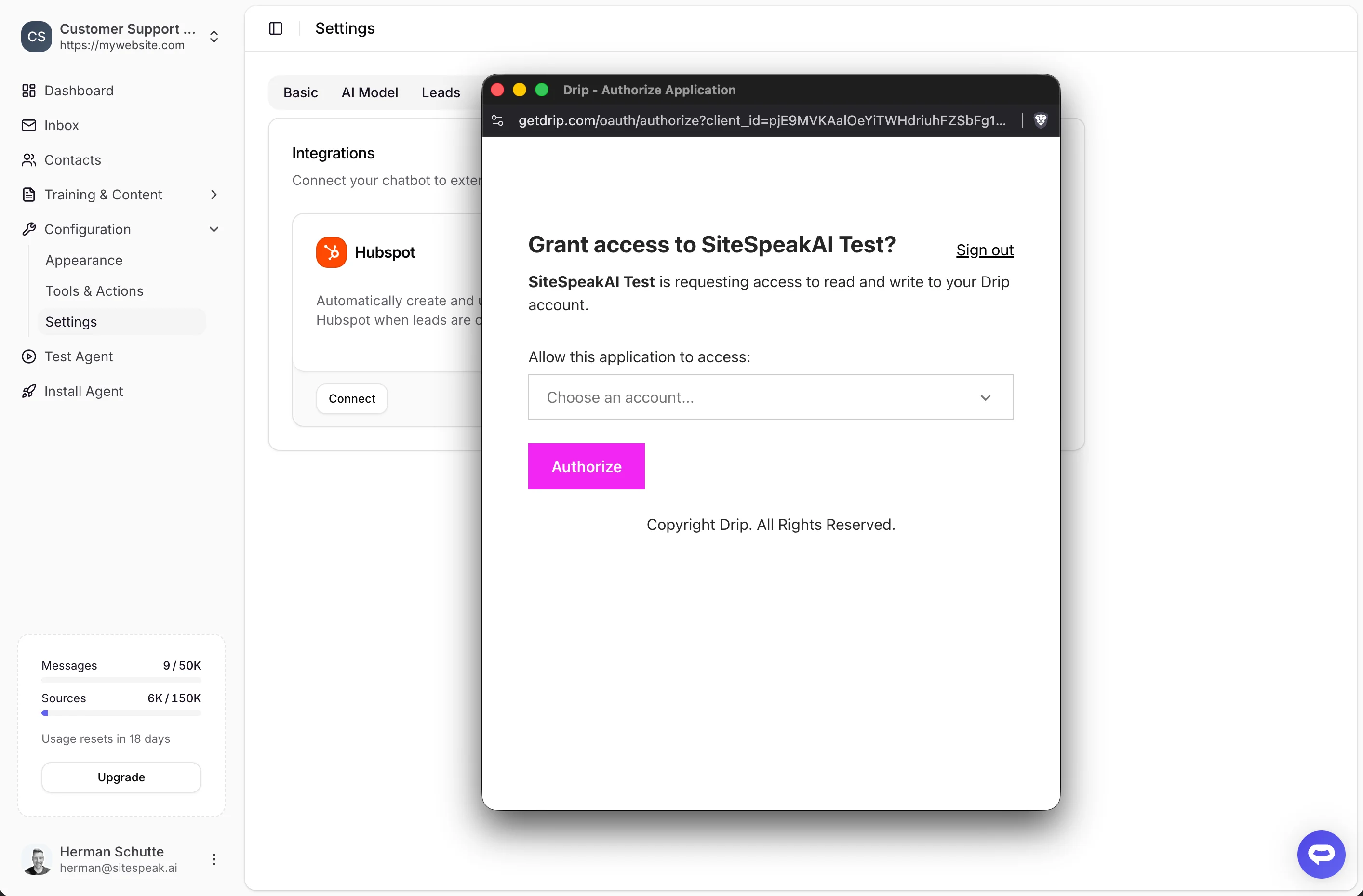
A popup will appear asking you to sign in to your Drip account and authorize SiteSpeakAI to connect.
Connected State
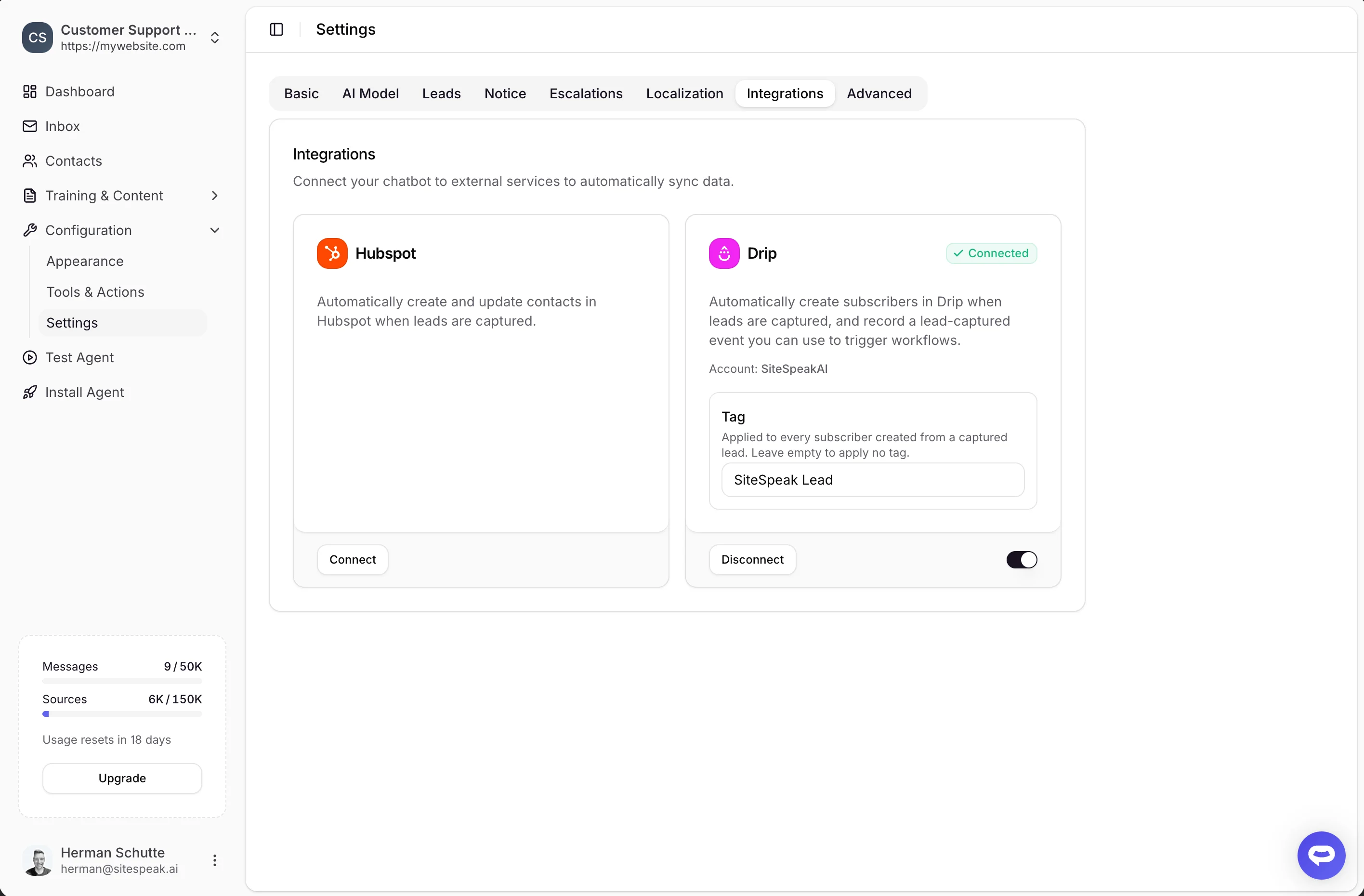
Once connected, you’ll see:- A green Connected badge
- Your Drip Account name
Set a Tag
Every lead synced to Drip can be tagged, so you can segment your subscribers and trigger automations:1
Find the Tag field
In the connected Drip card, locate the Tag field.
2
Enter a tag
Enter the tag to apply to each subscriber (for example,
SiteSpeak Lead). Leave it empty to apply no tag.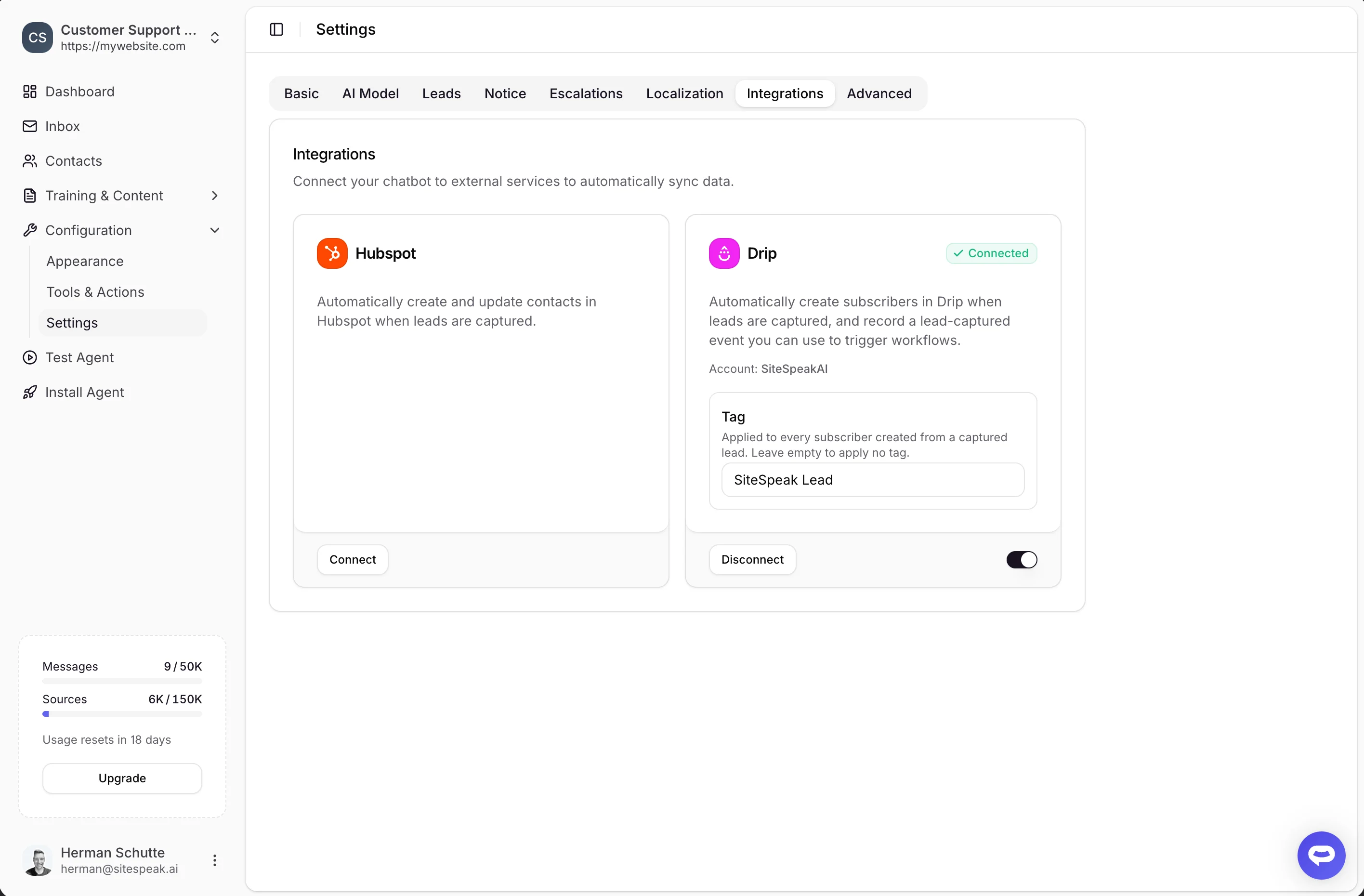
Disconnect Drip
To disconnect the integration, click the Disconnect button in the Drip card. You can also use the main toggle at the bottom of the card to temporarily disable syncing without disconnecting.Ready to automate your customer service with AI?
Join over 1000+ businesses, websites and startups automating their customer service and other tasks with a custom trained AI agent.