

Get Your Share Link
1
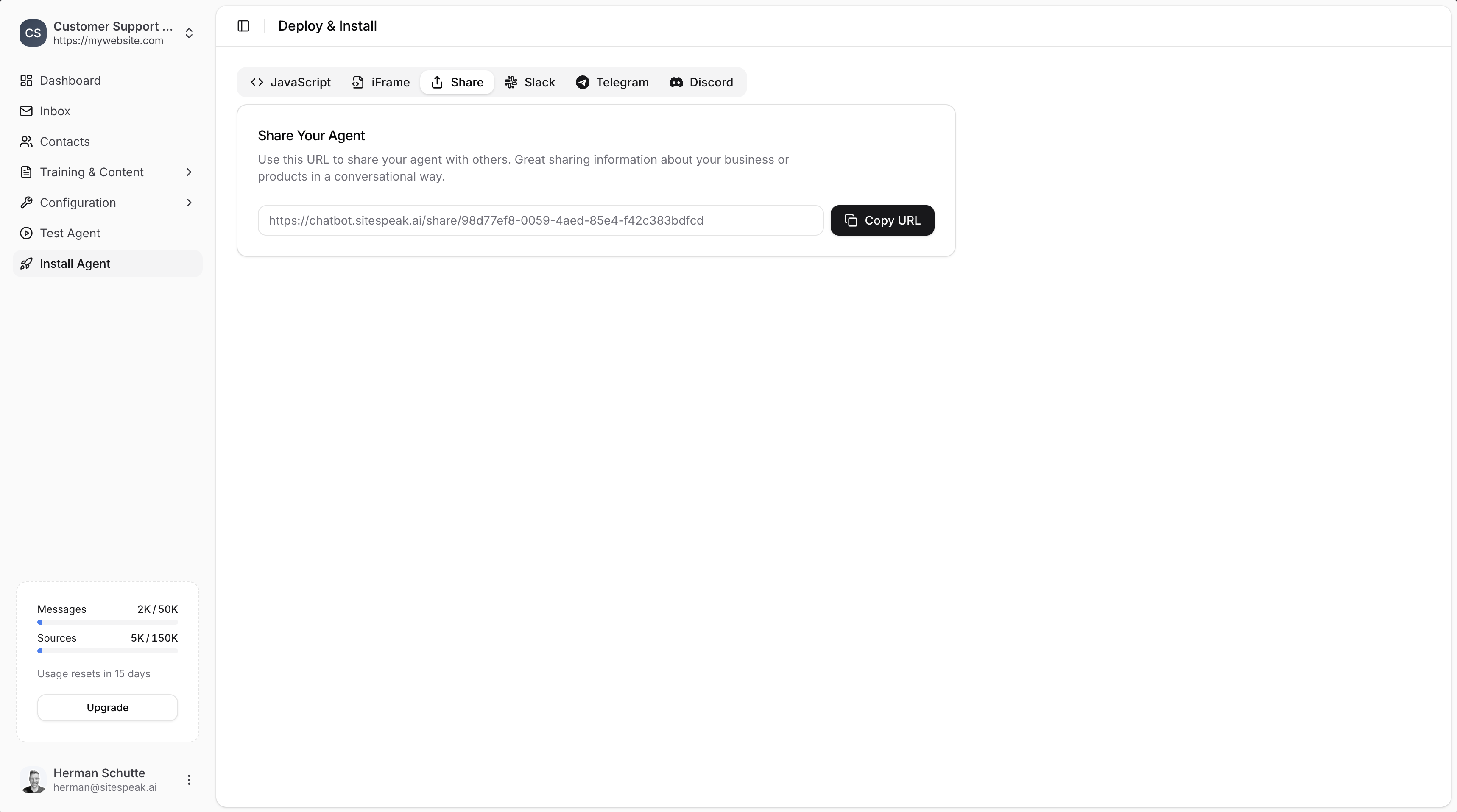
Go to Install Agent
In your chatbot dashboard, click Install Agent in the sidebar.
2
Select the Share tab
Click on the Share tab.
3
Copy the URL
Click the Copy URL button to copy your chatbot’s share link.
Use Cases
Share links are useful for:- Team testing: Share with colleagues to review and test before going live
- Client demos: Send to potential customers or stakeholders to showcase your chatbot
- Email support: Include a direct link in emails so customers can quickly access help
- Social media: Post on Twitter, LinkedIn, or other platforms to drive engagement
- Sales conversations: Share product information in a conversational format
- Internal tools: Give team members quick access to company knowledge
How the Share Page Works
When someone opens your share link:- They see a full-page version of your chatbot
- They can immediately start chatting without any installation
- The chatbot uses all your configured settings, training, and appearance options
- Conversations are logged in your dashboard like any other interaction
Customizing the Share Experience
The share page uses your chatbot’s configured settings. To customize how it appears:Appearance
Change the name, colors, theme, and icons.
Welcome Message
Set the greeting visitors see when they open the chat.
Ready to automate your customer service with AI?
Join over 1000+ businesses, websites and startups automating their customer service and other tasks with a custom trained AI agent.