How to add your custom trained AI chatbot to your base44 app.
You want to embed your custom trained AI support agent in your base44 app. Here’s how to add an AI support agent to base44 with SiteSpeakAI.base44 is an AI-powered app builder that lets you create fully functional apps using just your words in minutes. No code required.
Build an app at the speed of thought: Type your idea in plain language and watch it transform into a working app, generating the frontend, backend, data models, and logic in real time. Base44 securely stores your app’s data, manages accounts and logins if you need them, and keeps everything running smoothly.Website URL: base44
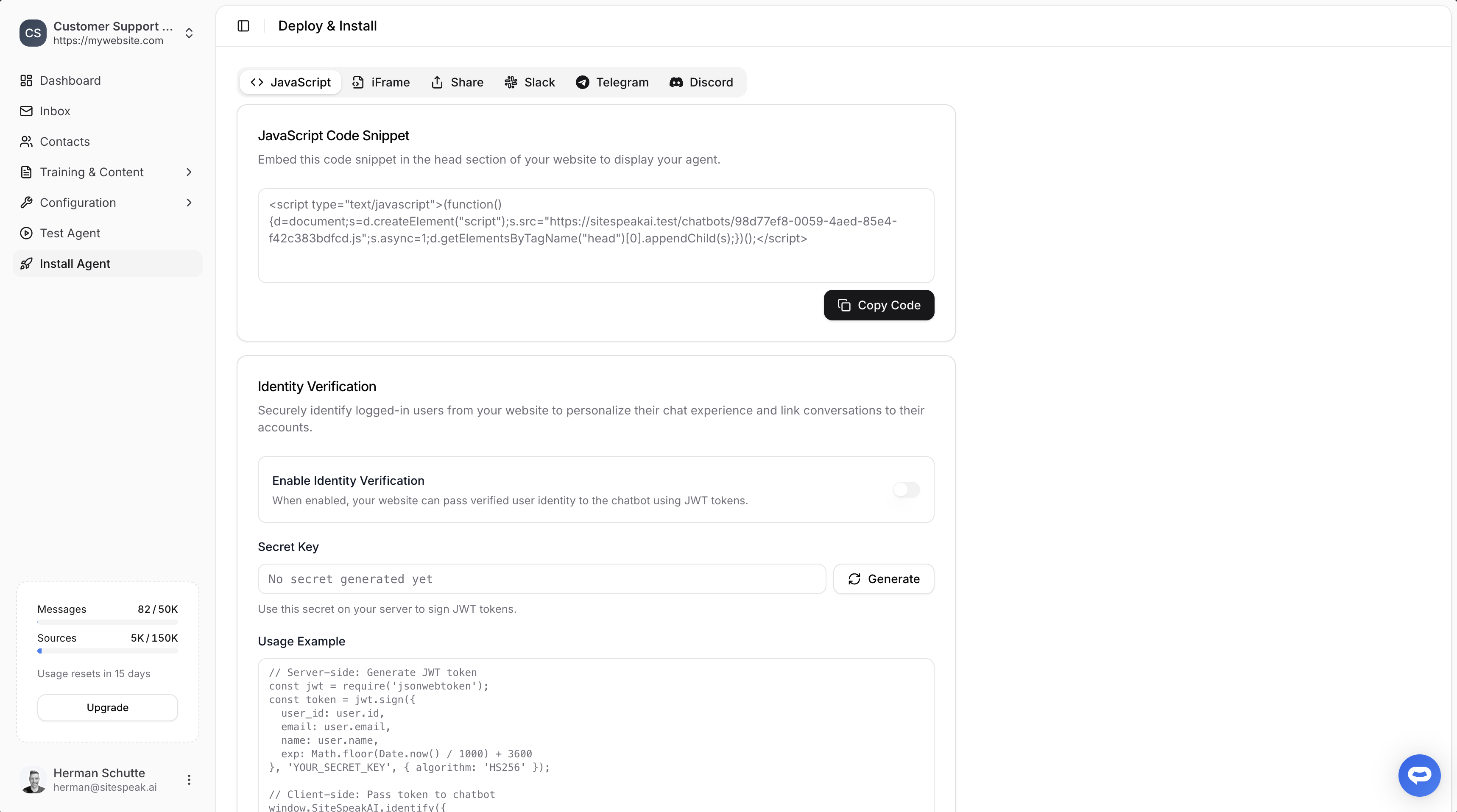
Select your chatbot from the dropdown menu at the top, click on the Install Agent section in the sidebar, then click on the Copy Code button to copy your code snippet.
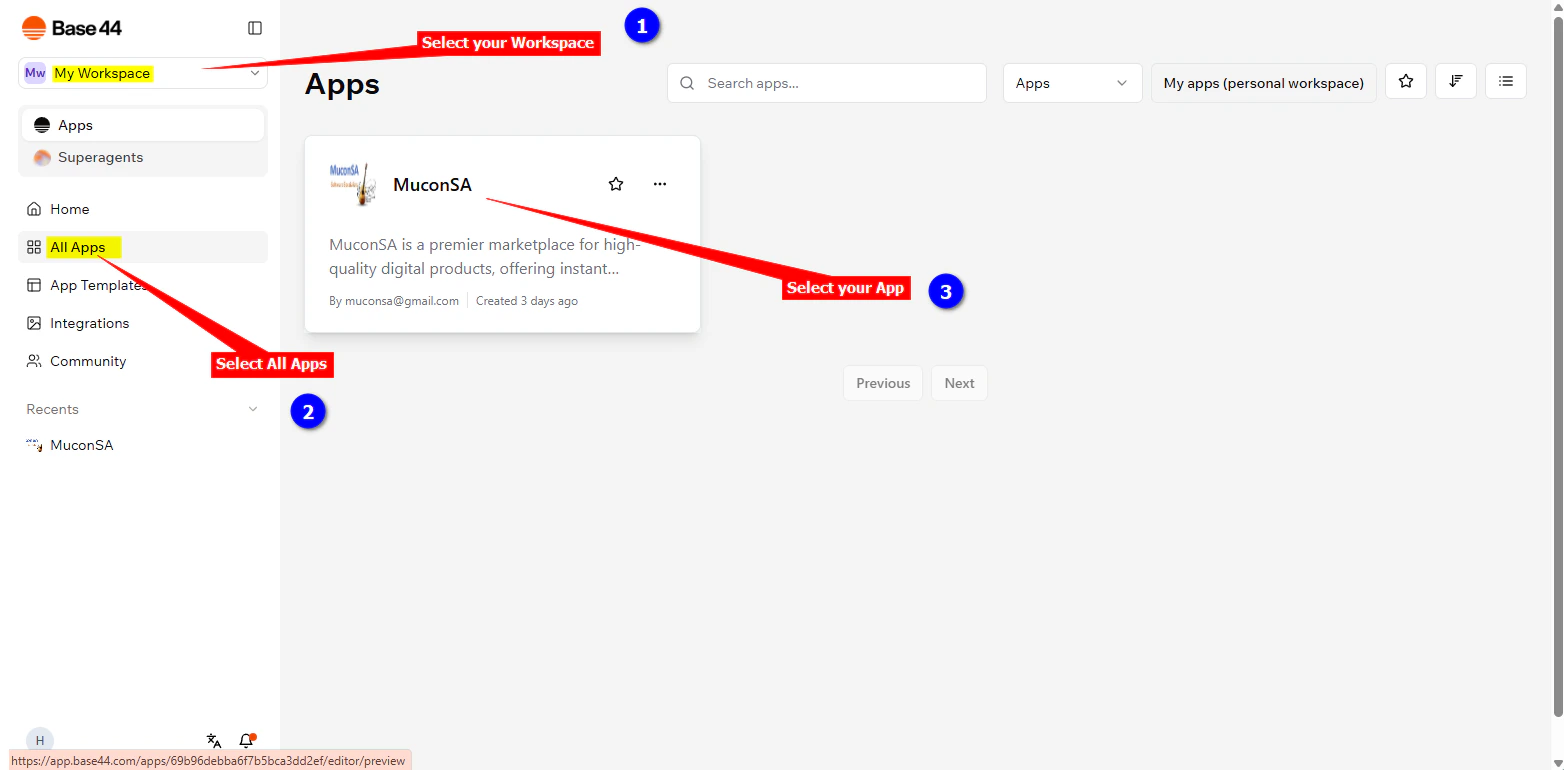
Log into your base44 account and on the dashboard select your workspace where your apps live, click on All Apps and select the app that you want to add your support agent snippet to
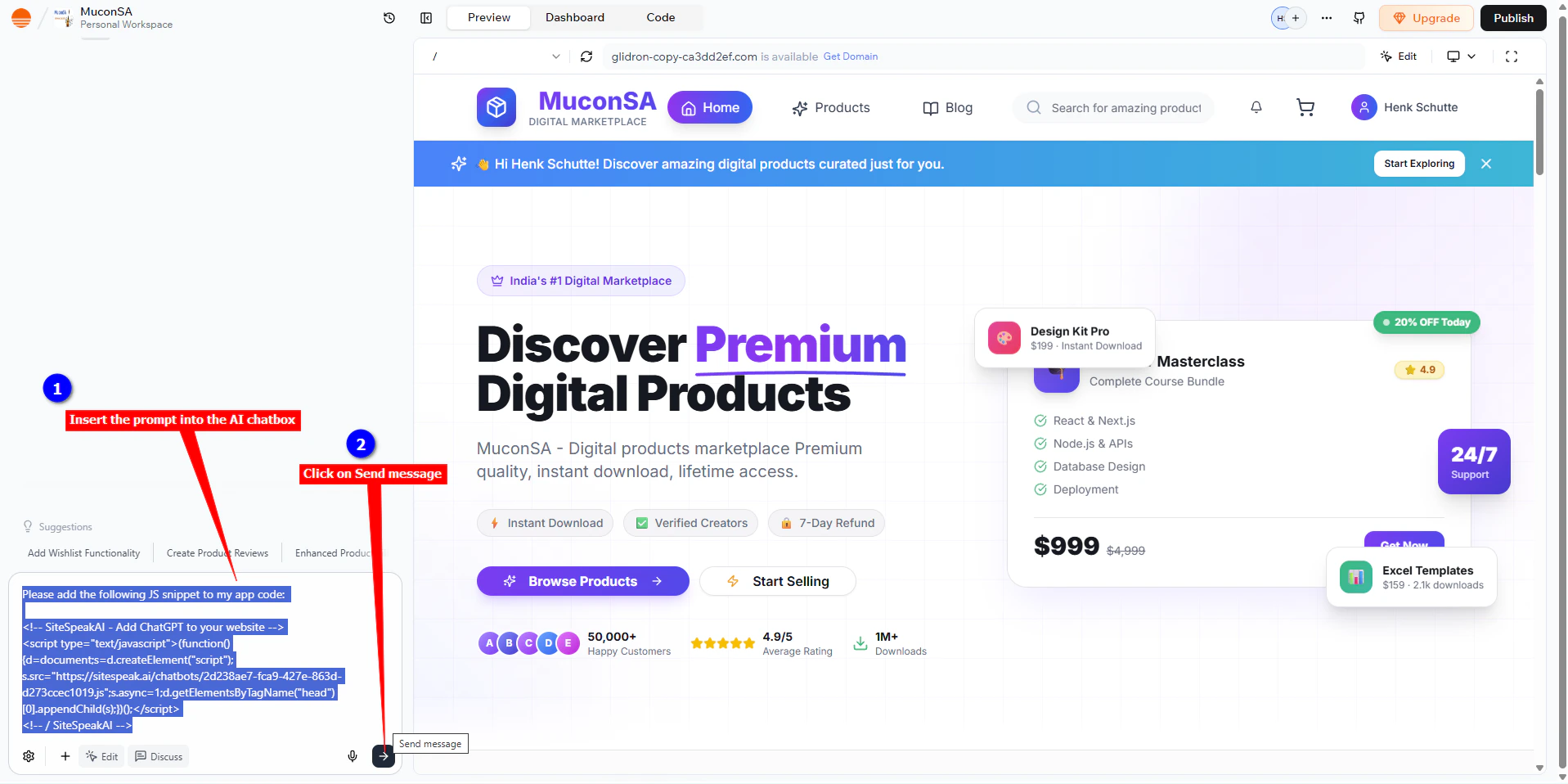
We are going to use a prompt to instruct the base44 AI to insert the snippet for us. The prompt consists of the instruction, “Please add the following JS snippet to my app code:” followed by the snippet code as copied at the beginning of this tutorial.
Please add the following JS snippet to my app code:<!-- SiteSpeakAI - Add ChatGPT to your website --> <script type="text/javascript">(function() {d=document;s=d.createElement("script"); s.src="https://sitespeak.ai/chatbots/##########################.js"; s.async=1;d.getElementsByTagName("head")[0].appendChild(s);})();</script><!-- / SiteSpeakAI -->
Insert this prompt into AI chatbox and click on Send message
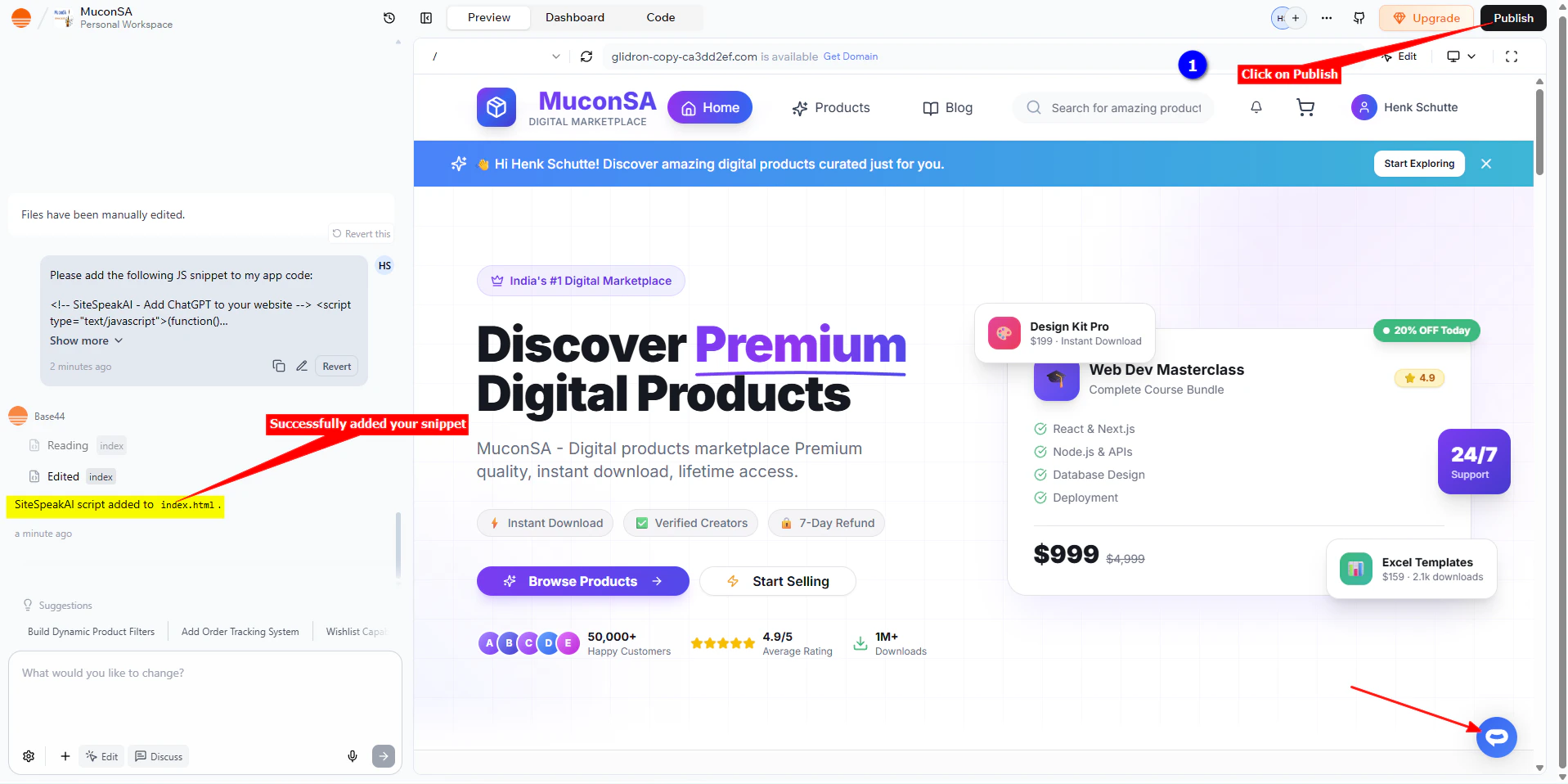
It will go through a whole process of inserting your snippet and then display a message indicating that the snippet was added and also display the support Agent button on the Preview page.
Click on Publish to publish your changes
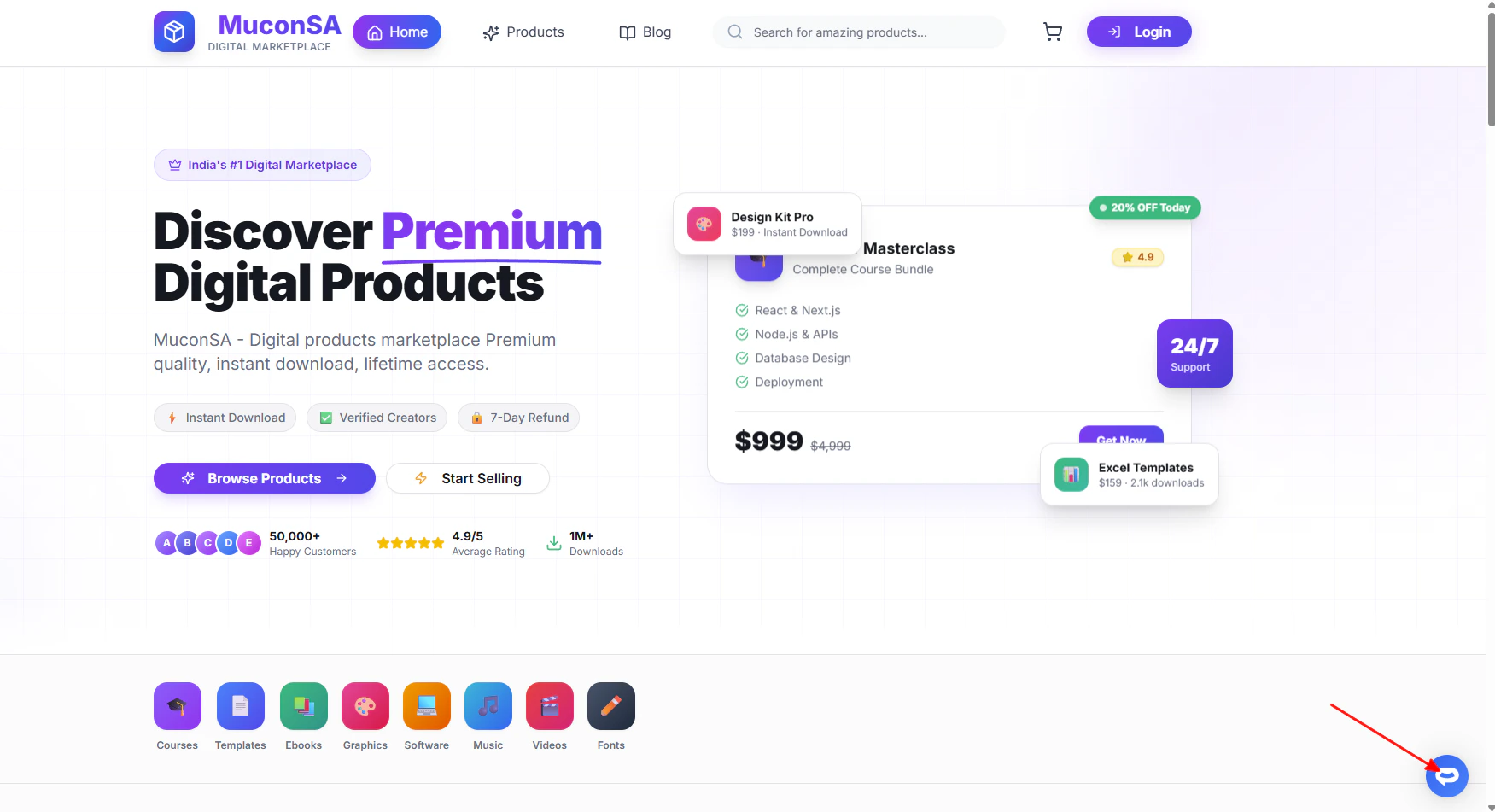
Your AI support agent button will now be displayed on your base44 app page
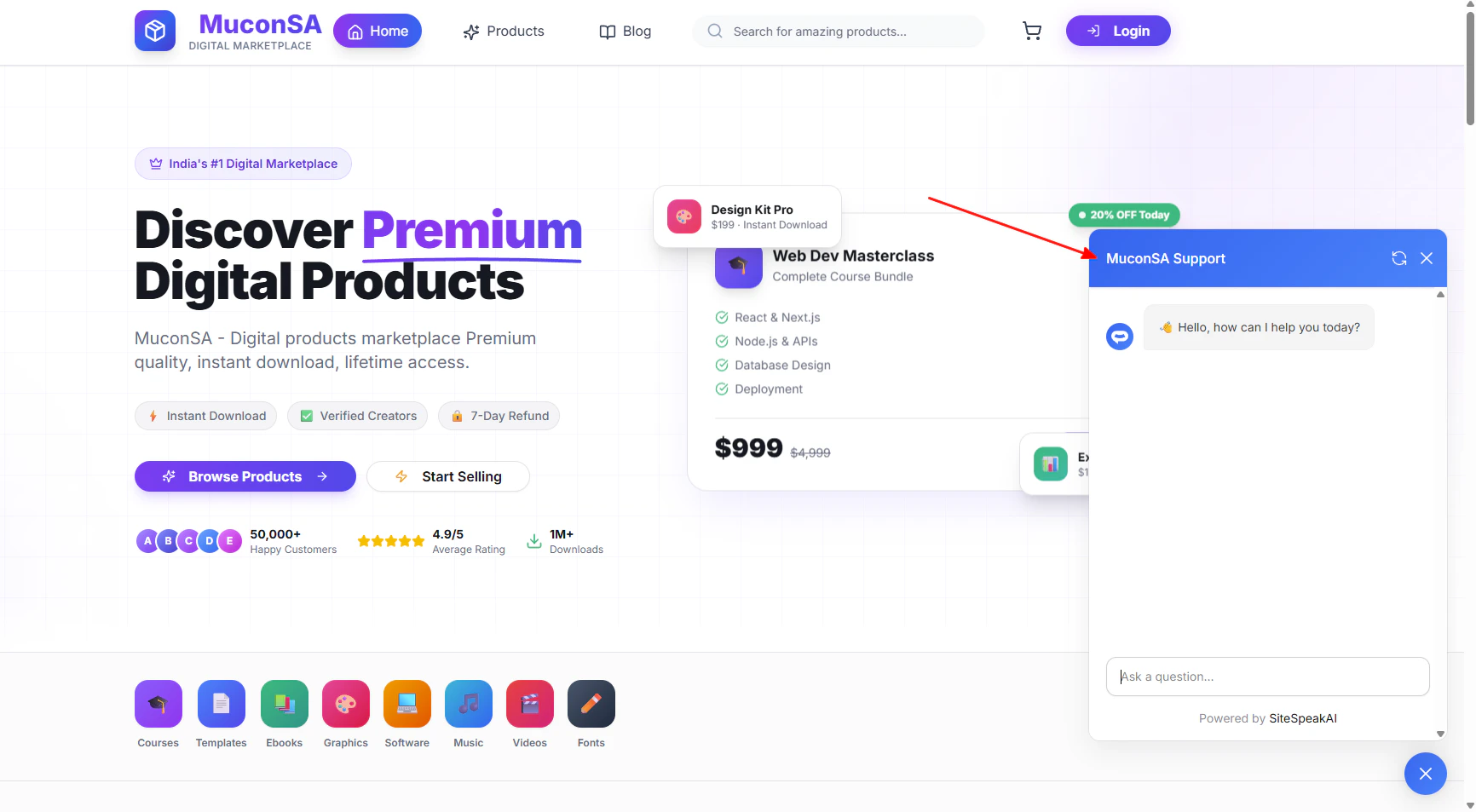
If you click on the button it will display the AI support agent dialogue
Your AI support agent has now been added to your base44 app and your visitors/customers can start interacting with it!
Ready to automate your customer service with AI?
Join over 1000+ businesses, websites and startups automating their customer service and other tasks with a custom trained AI agent.