

Add your AI support agent to your Replit website or app
Replit can also be installed as a desktop app. For this tutorial we will be using the web based setup.
In SiteSpeakAI
Select your chatbot from the dropdown menu at the top, click on the Install Agent section in the sidebar, then click on the Copy Code button to copy your code snippet.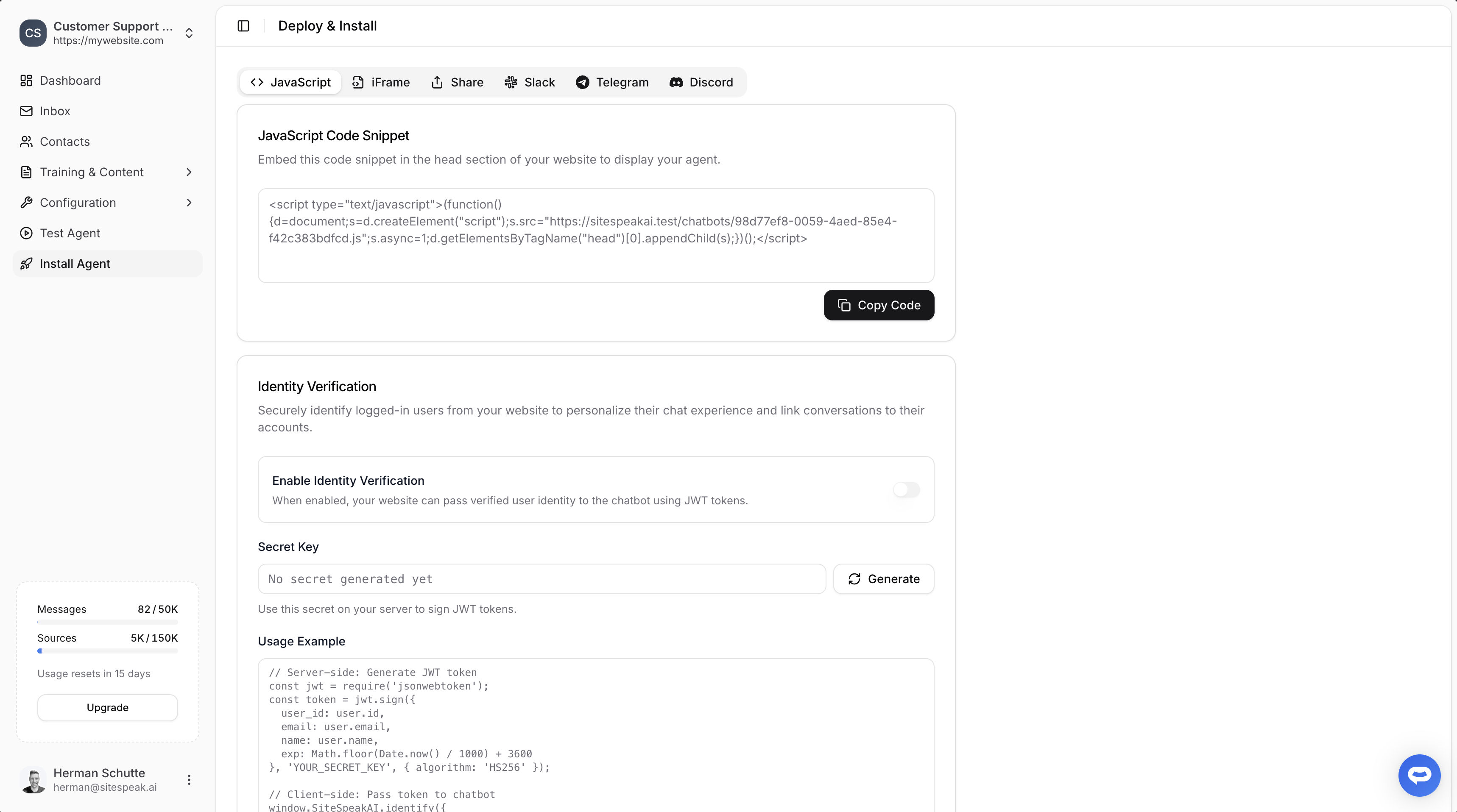
In Replit
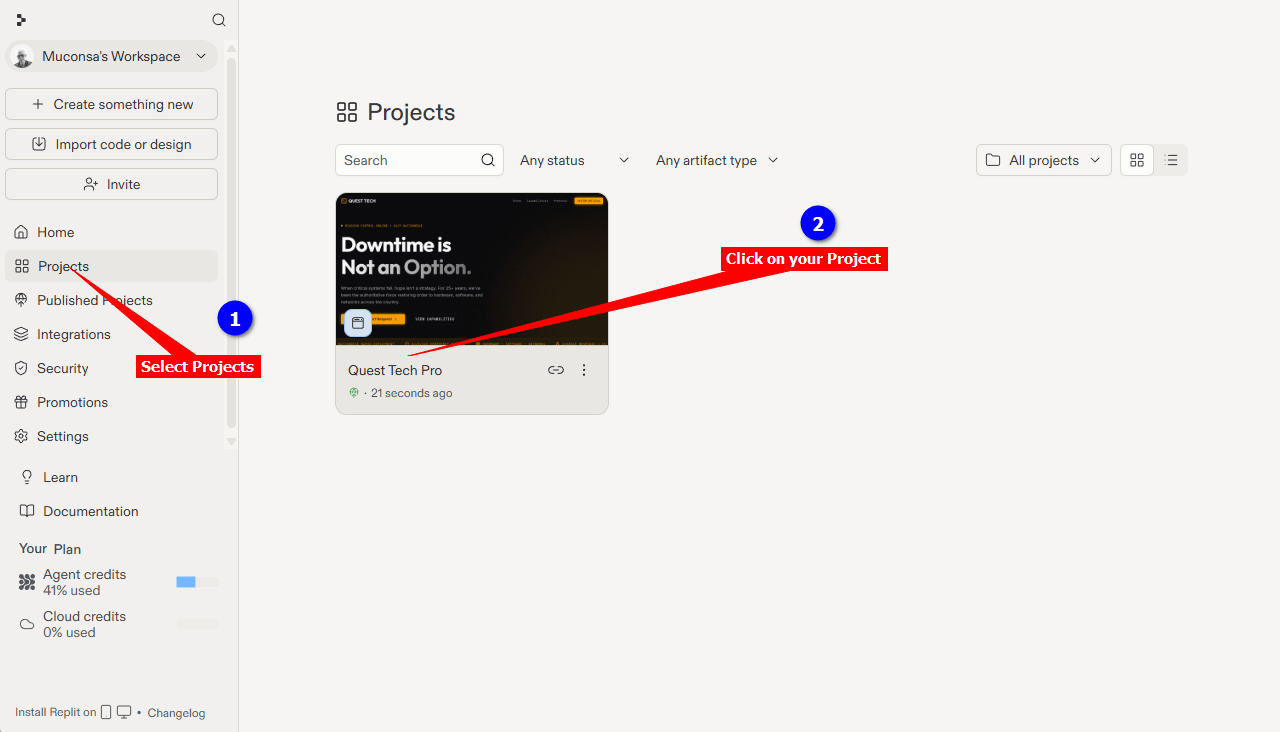
- Log into your Replit account, select Projects on the left sidebar and click on the Project you want to add your AI Support agent to
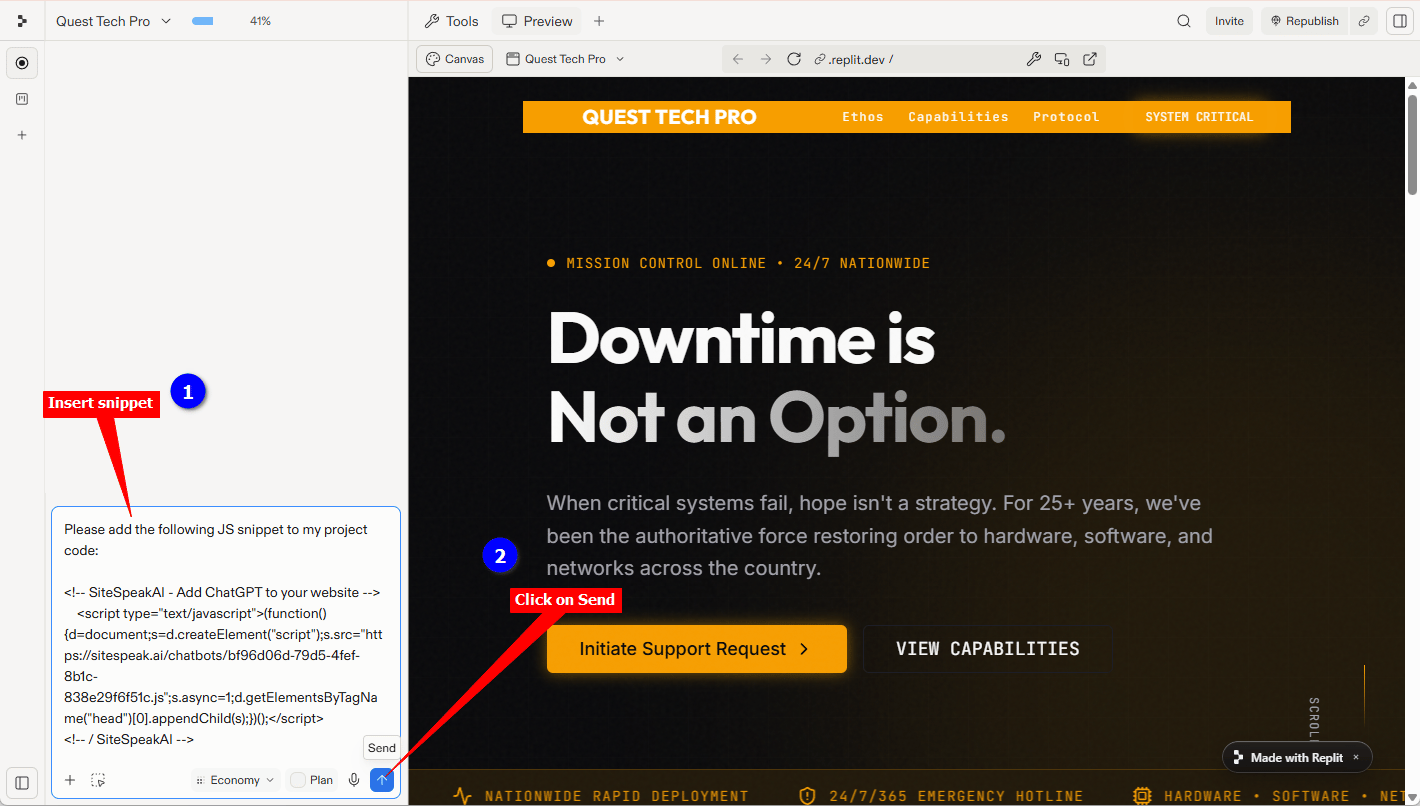
Note that the /####################################.js part of the JS file URL will be replaced by your specific js script filename (36 characters including the 4 dashes).Tip: Create the complete prompt in a text editor and then paste this into the Replit Agent Message Agent… box.
-
Insert this prompt into the Replit Agent Message Agent… box and click on the Send button
-
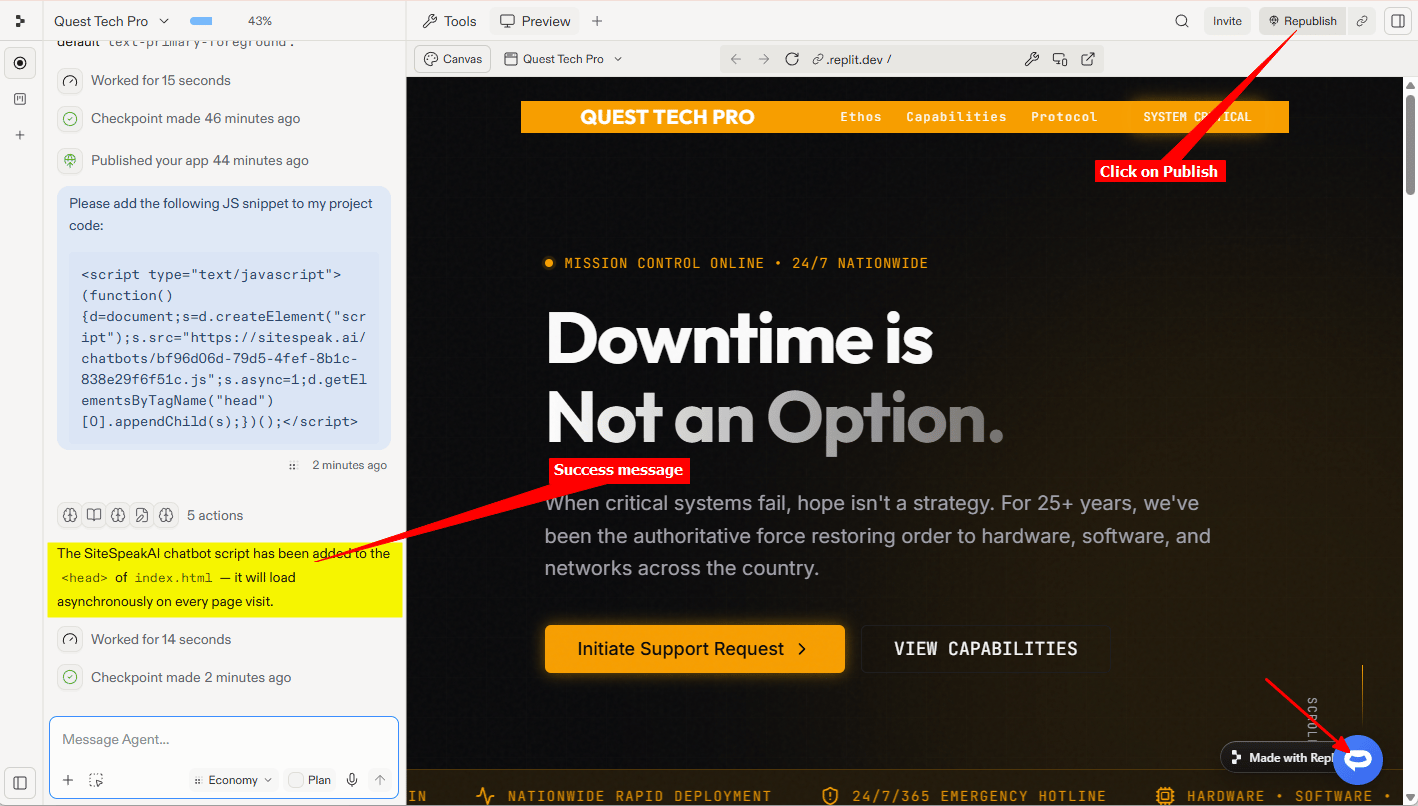
The Replit Agent will start adding the code to your website, it takes a while so please be patient. When done it will display a message indicating that the snippet was added and also display the AI support agent button on the Preview page. Click on Publish (or Republish) to publish your changes to your live website or app
-
Your AI support agent button will now be displayed on your Replit website page or app
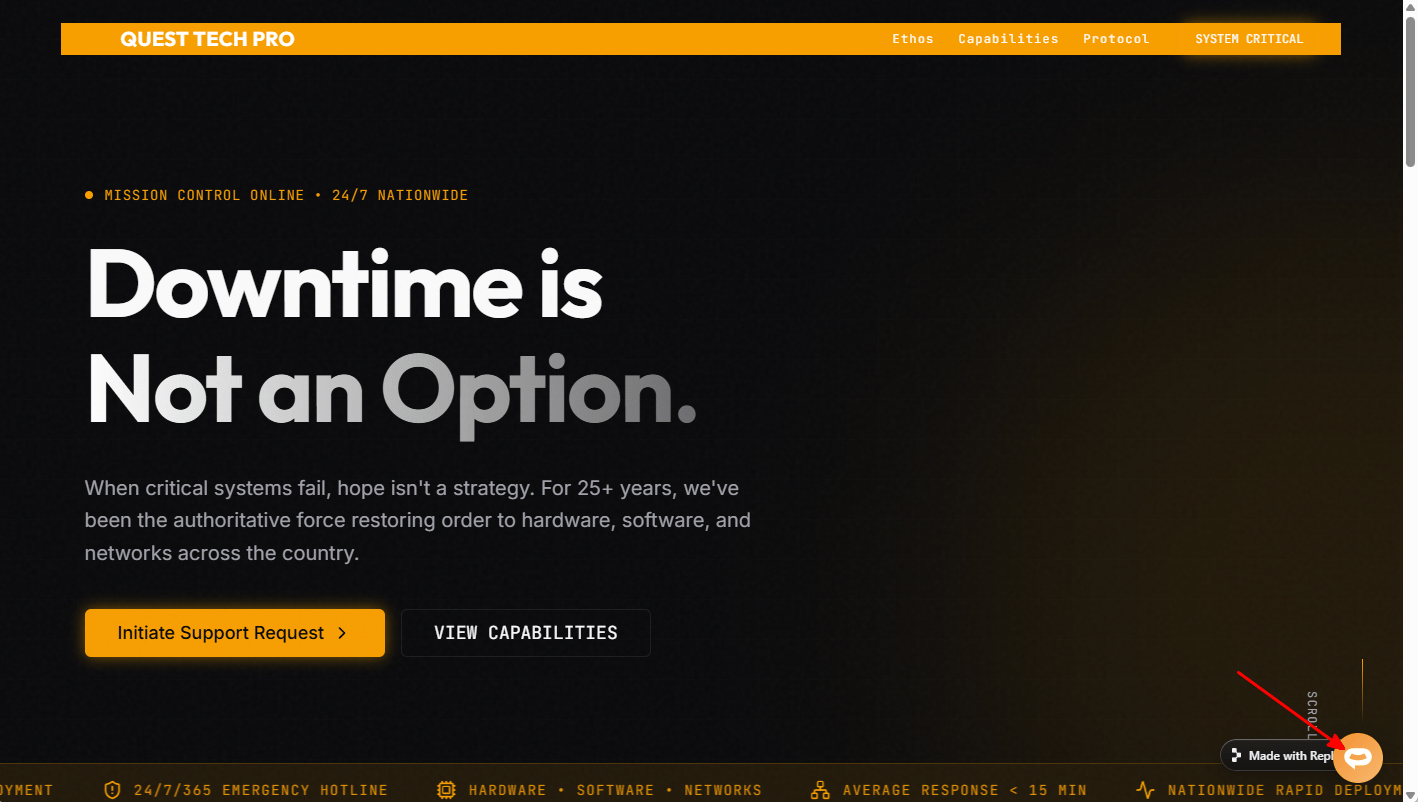
-
If you click on the button it will display the AI support agent dialogue
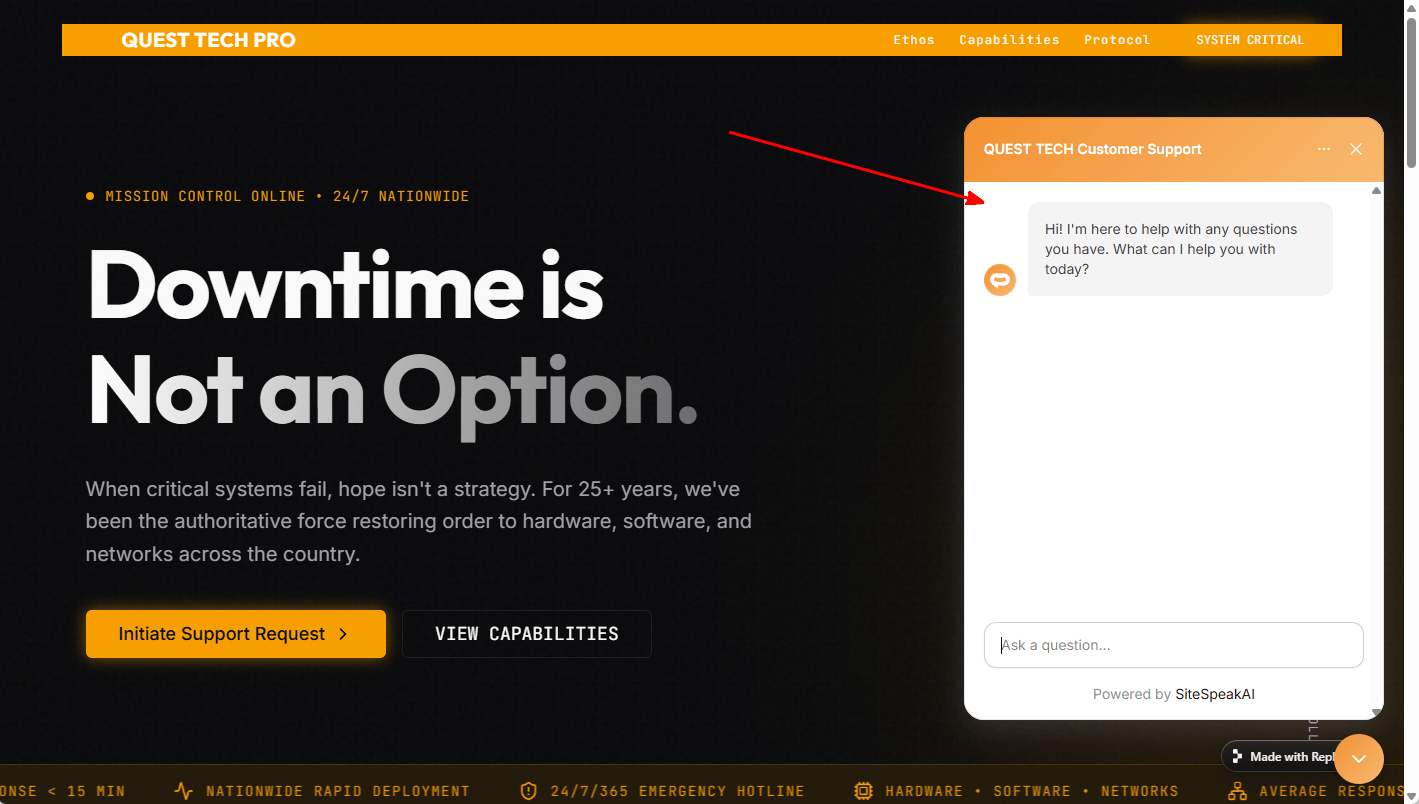
Ready to automate your customer service with AI?
Join over 1000+ businesses, websites and startups automating their customer service and other tasks with a custom trained AI agent.