How to add your custom trained AI chatbot to your Genstore.ai website.
You want to embed your custom trained AI support agent in your Genstore.ai website page. Here’s how to add an AI support agent to Genstore.ai with SiteSpeakAI.Genstore.ai is a platform that helps businesses, particularly those selling physical products, easily create and manage their own online stores – without needing to be tech experts.
Think of it like a simplified Shopify or Wix, but specifically designed for businesses that already have a physical inventory (like a retail store, maker, or small manufacturer). It focuses on seamlessly integrating your existing stock and sales data with your online store, so you don’t have to manually update inventory counts. It’s particularly good for businesses that want to expand their reach beyond their local area.Website URL:Genstore.ai
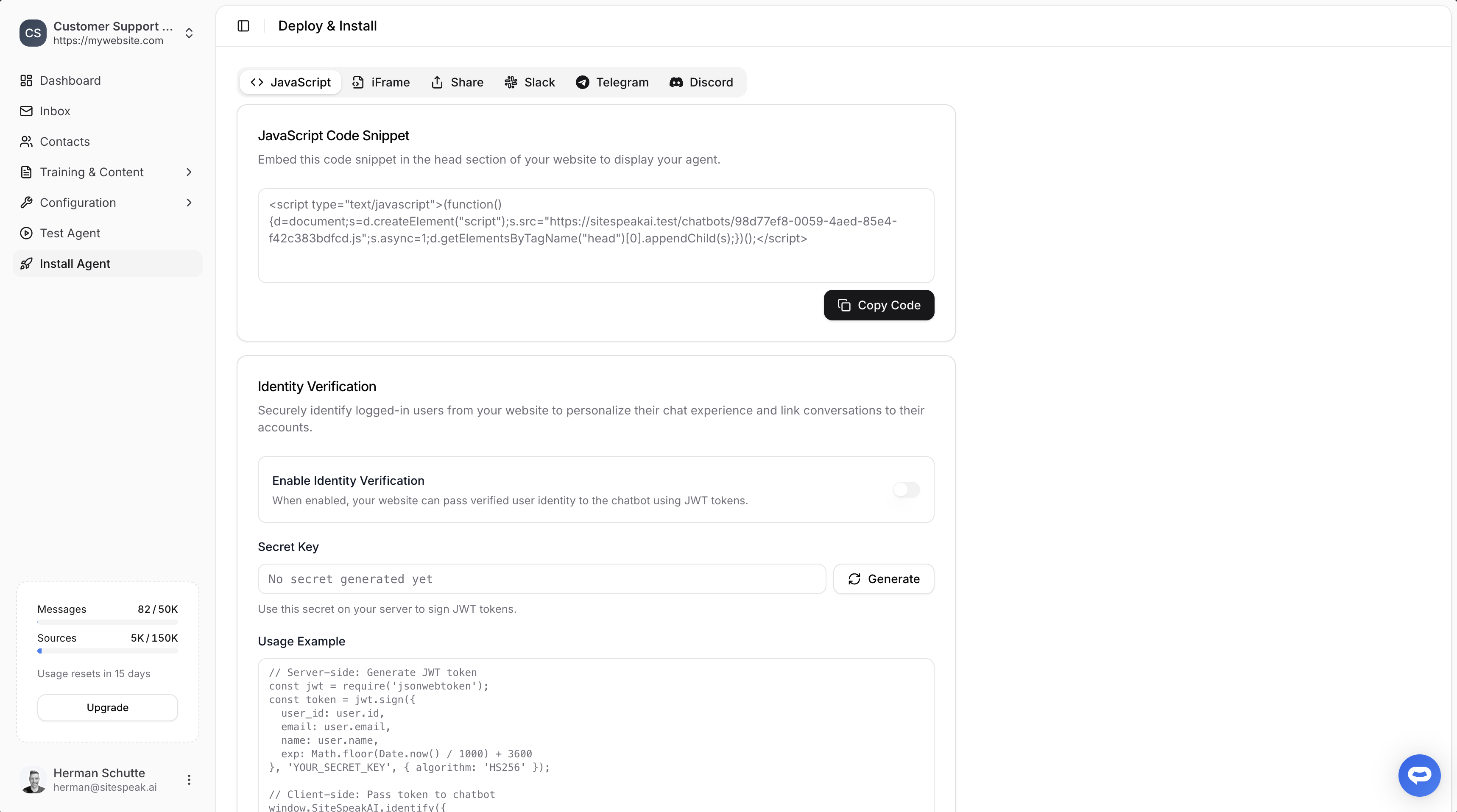
Select your chatbot from the dropdown menu at the top, click on the Install Agent section in the sidebar, then click on the Copy Code button to copy your code snippet.
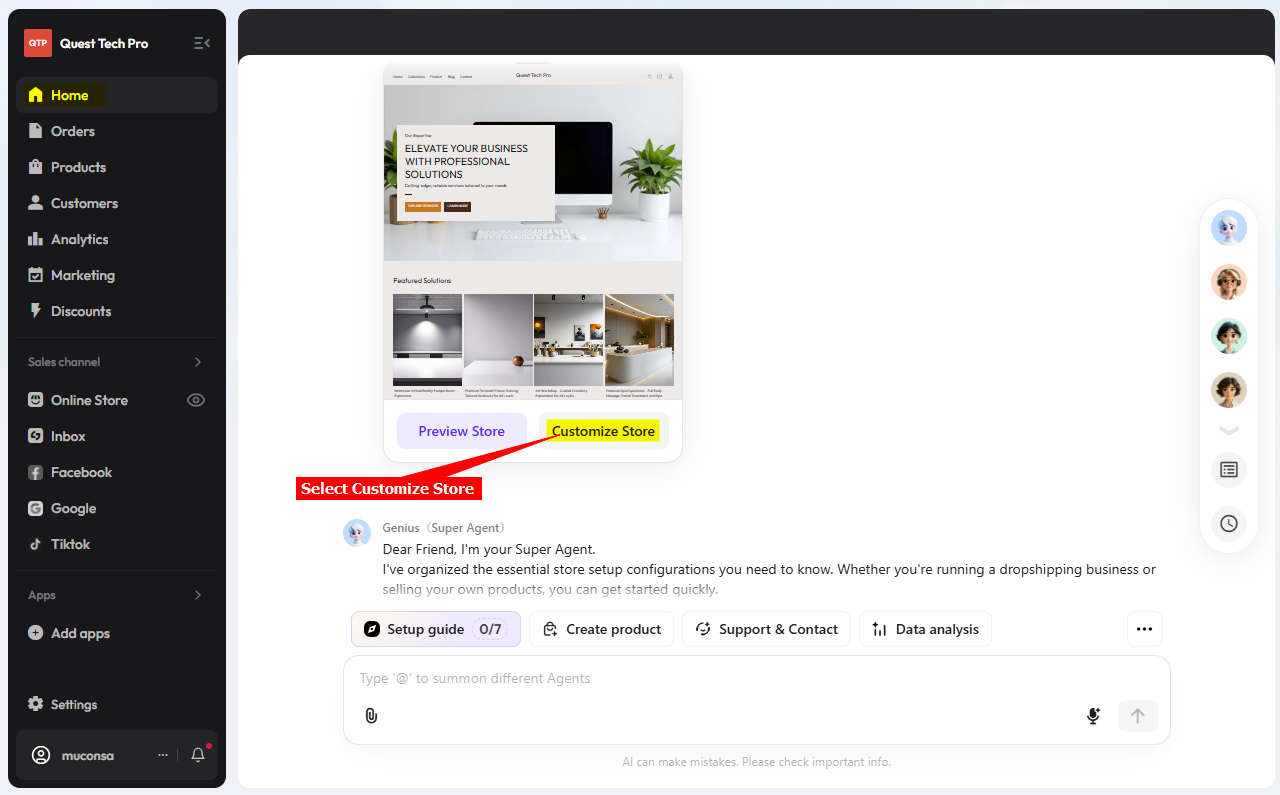
Log into your Genstore.ai account and select Customize Store
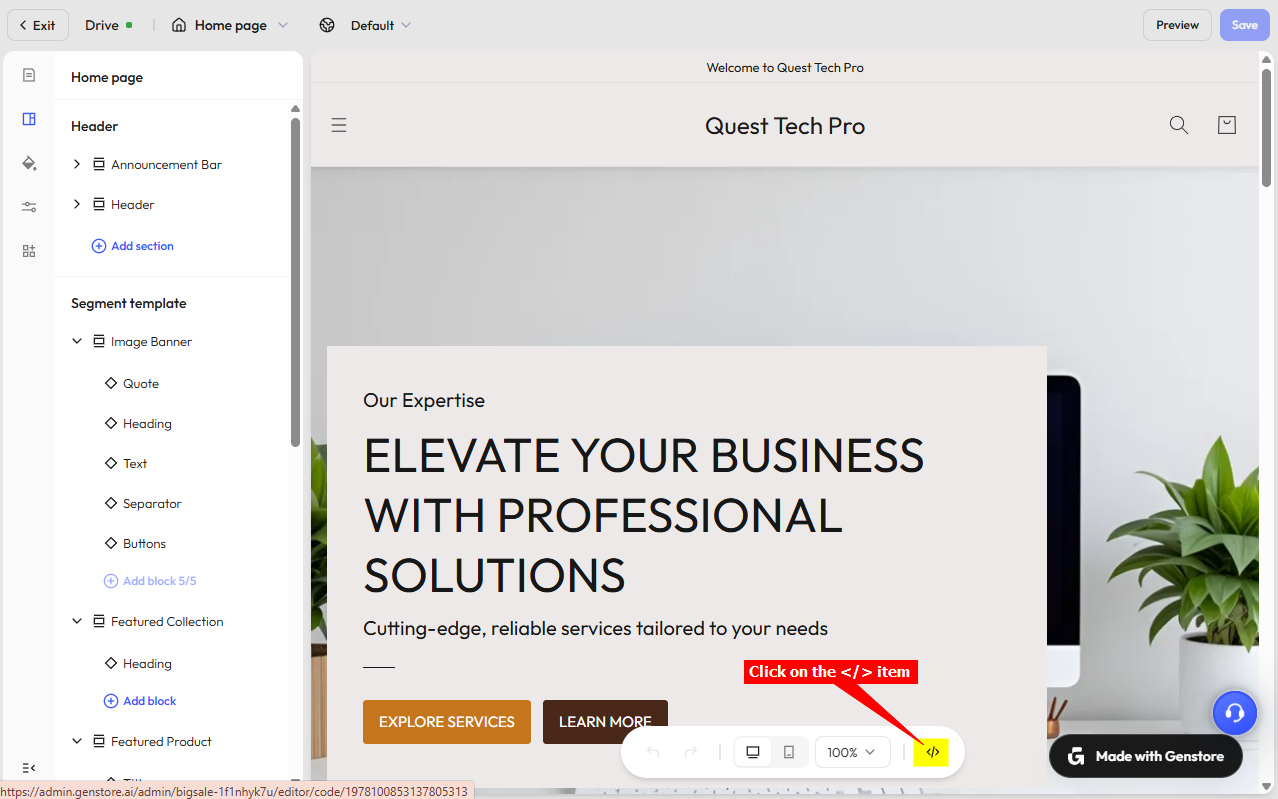
Click on the code \</> item at the bottom of the page
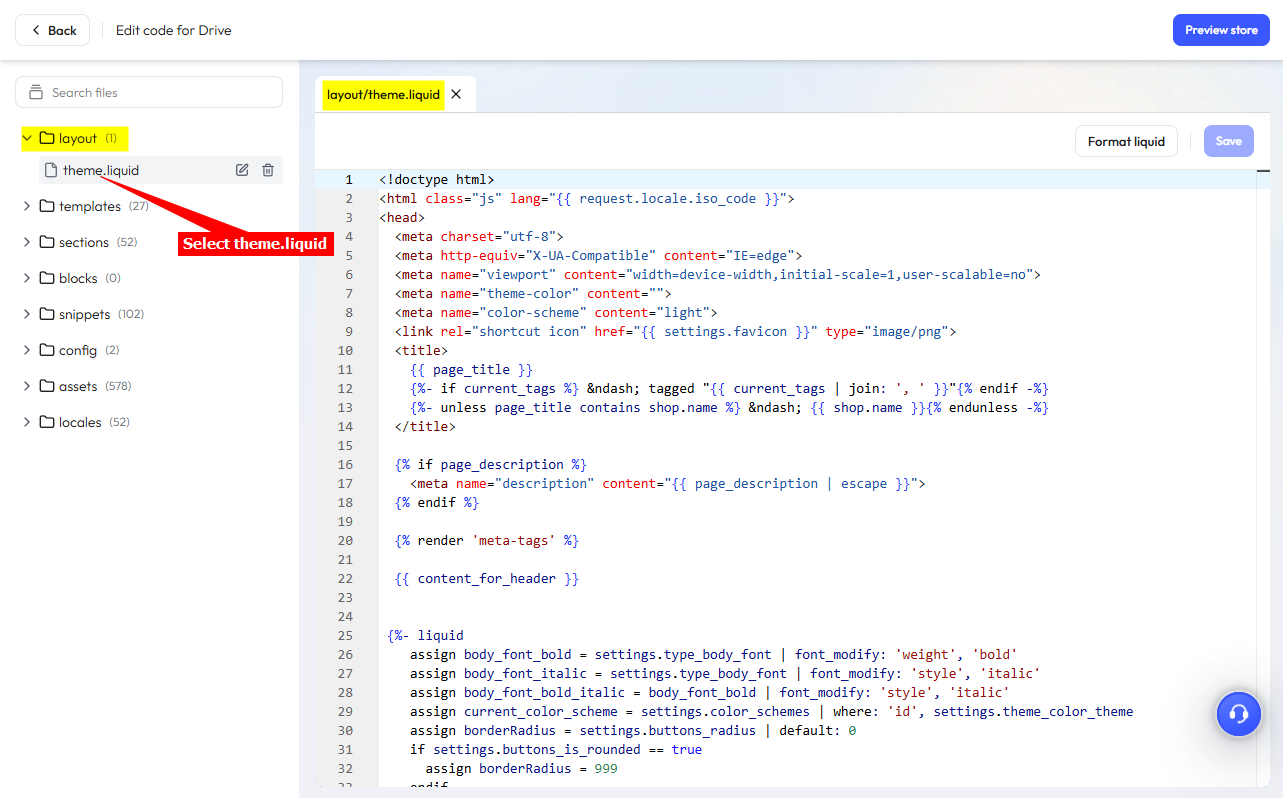
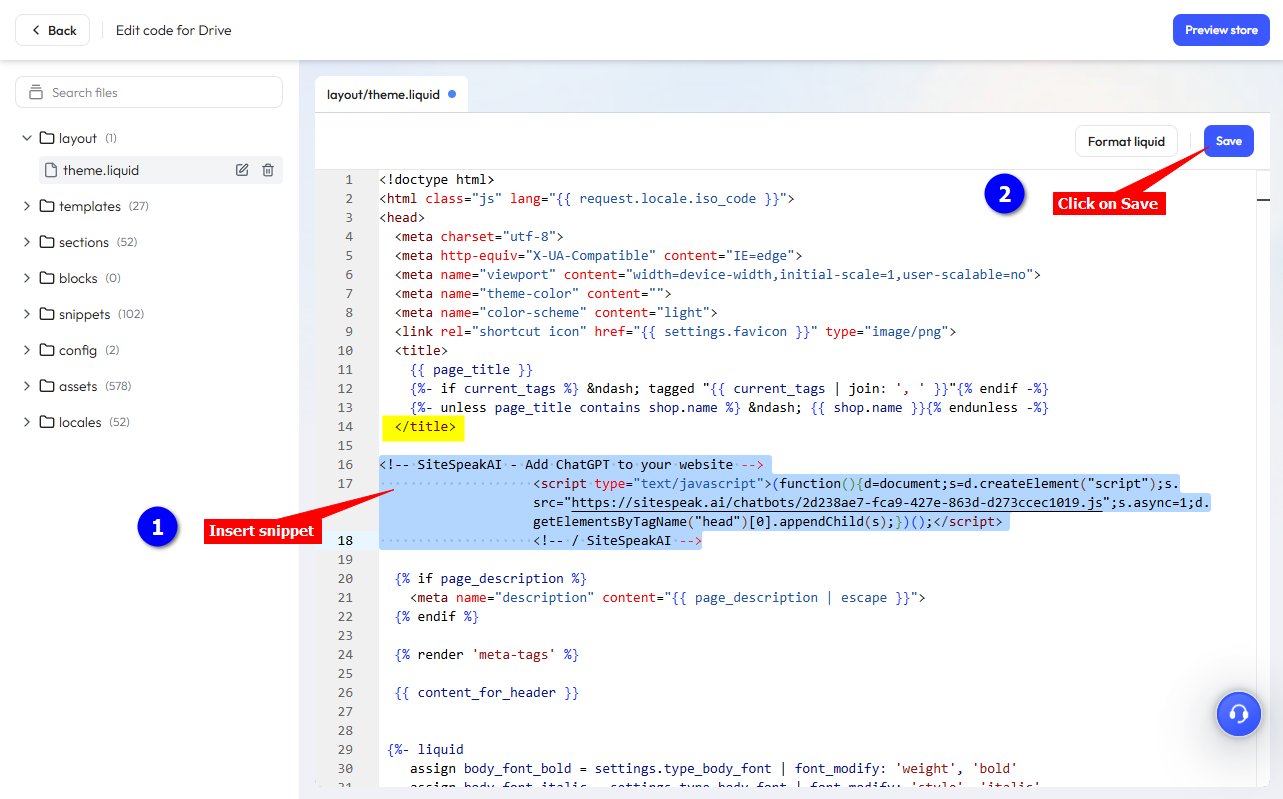
This will open the complete backend code list in a new browser tab. Under layout, click on theme.liquid to display the theme code
Please Note!! We are now going to insert your agent snippet into the theme.liquid code file. If you do make a mistake, it could mess up your whole store. We suggest you create a backup copy of the file by clicking inside the file and then use Ctrl+A (select all) and Ctrl+C (copy) to copy the contents. Using your favourite editor create a new file and paste the copied contents into this file. Save the file somewhere convenient. If something goes wrong you can then replace the contents of the theme.liquid file with the backed up file contents.
In the theme.liquid file, insert your snippet just below the \</title> tag and click on Save
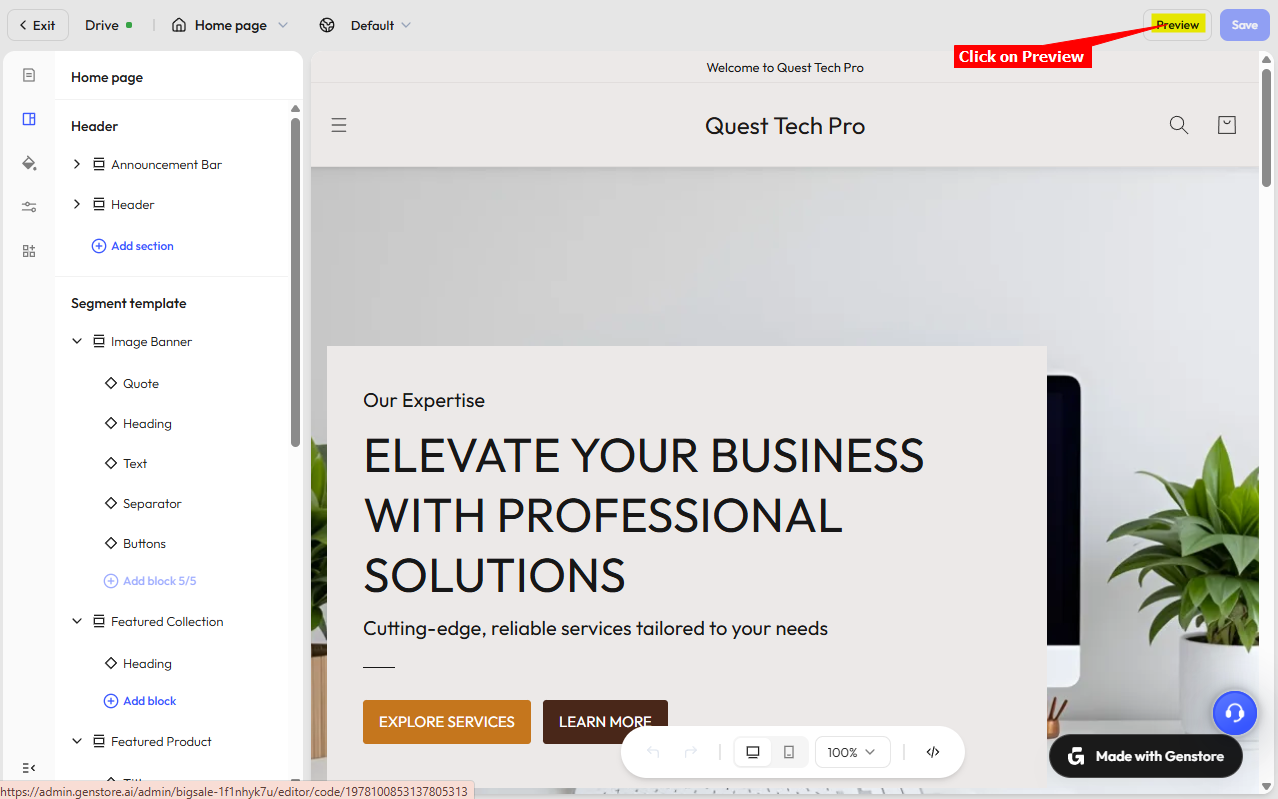
Return to the page editor tab and click on Preview to preview your modified webpage
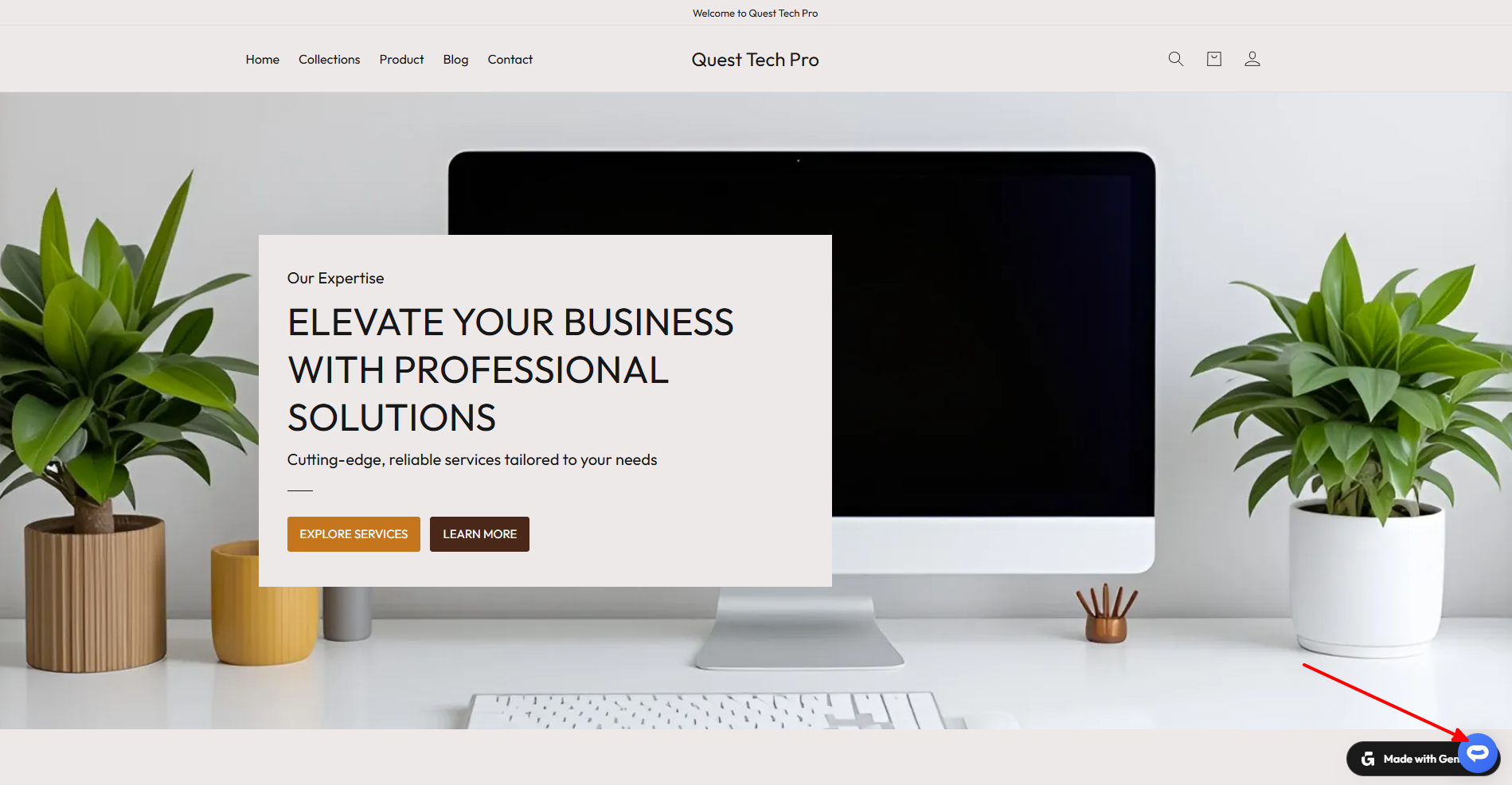
Your AI support agent button will now be displayed on your Genstore.ai website page
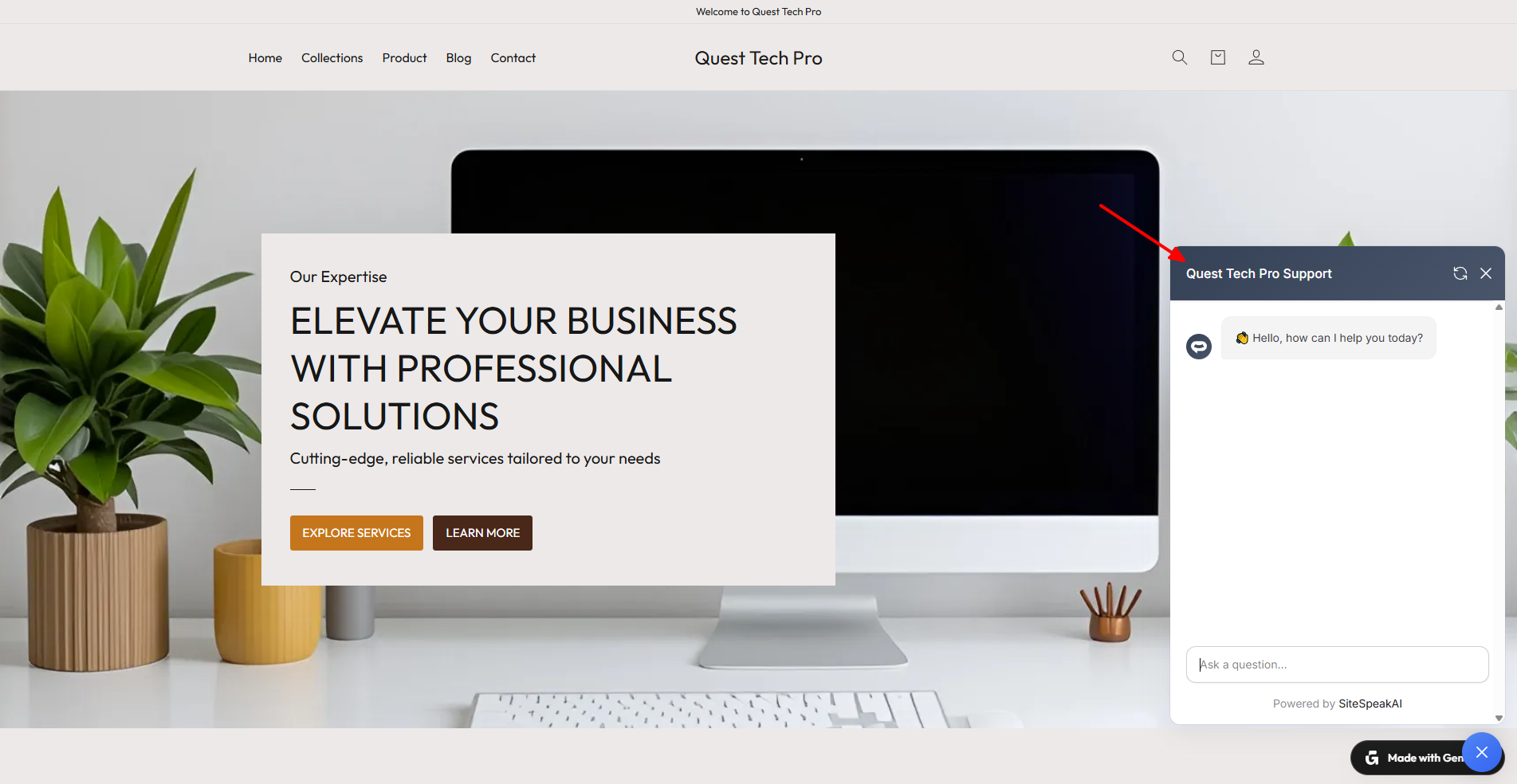
If you click on the button it will display the AI support agent dialogue
Your AI support agent has now been added to your Genstore.ai website and your visitors/customers can start interacting with it!
Ready to automate your customer service with AI?
Join over 1000+ businesses, websites and startups automating their customer service and other tasks with a custom trained AI agent.