

Video transcript
Video transcript
Shopify stores receive the same questions every day. Where is my order? Do you ship to Canada? Is this item in stock?A SiteSpeak AI agent can answer these questions for you. This video shows how to make the agent, test it, and add it to your store. It also shows how to connect your orders, and how to make the answers better.Step 1. Make the agent. Log in to SiteSpeak. Type a name for your agent. Type the URL of your store. SiteSpeak finds your pages and selects the main pages for you. Click Save and Continue. SiteSpeak trains the agent on these pages. This takes a few minutes.Step 2. Test the agent. Before you add the agent to your store, test it. Open Test Agent. Ask three questions that your customers ask. For example, ask about shipping, returns, and sizes. Read each answer. If an answer is not correct, add the missing information in Training and Content.Step 3. Brand the agent. Open Appearance. Set the Accent Color to your brand color. Under Icons, upload your logo. Your logo shows in the chat header, on the chat button, and next to each answer. Type a Welcome Message. For example: Hi, ask me about your order, shipping, or returns. Now the agent looks like part of your store.Step 4. Add the agent to Shopify. Open Install Agent, and copy the install snippet. In Shopify, go to Online Store, then Themes. Click Customize. Under Header, click Add section. Select Custom Liquid. Paste the snippet. Then click Save. The chat button is now on your store.Step 5. Connect your orders and products. In SiteSpeak, open Tools and Actions. Add the action Shopify Get Orders. Type your store URL and your Admin API access token. Now, when a customer asks about an order, the agent finds the order status in Shopify. Then add the action Shopify Get Products. Now the agent can tell customers the current price and stock of a product. Actions are available on the paid plans.Step 6. Send difficult questions to your team. Some questions need a person. For example, a refund, or a damaged item. Open Settings, and go to Escalations. Turn on Enable Escalations. Type the email address of your support team. When a customer asks for a person, the agent sends the conversation to your team. You can read and reply to all conversations in the Inbox. Escalations are available on the Pro plan and higher.Step 7. Make the answers better. Open the Dashboard. Look at Top Unanswered Questions. These are the questions that the agent could not answer. For each question, add the missing information. Or add an Updated Answer. Do this each week. Then the agent can answer more questions each week.You can start with a free plan at sitespeak.ai.
Add your AI support agent to your Shopify store
In SiteSpeakAI
Select your chatbot from the dropdown menu at the top, click on the Install Agent section in the sidebar, then click on the Copy Code button to copy your code snippet.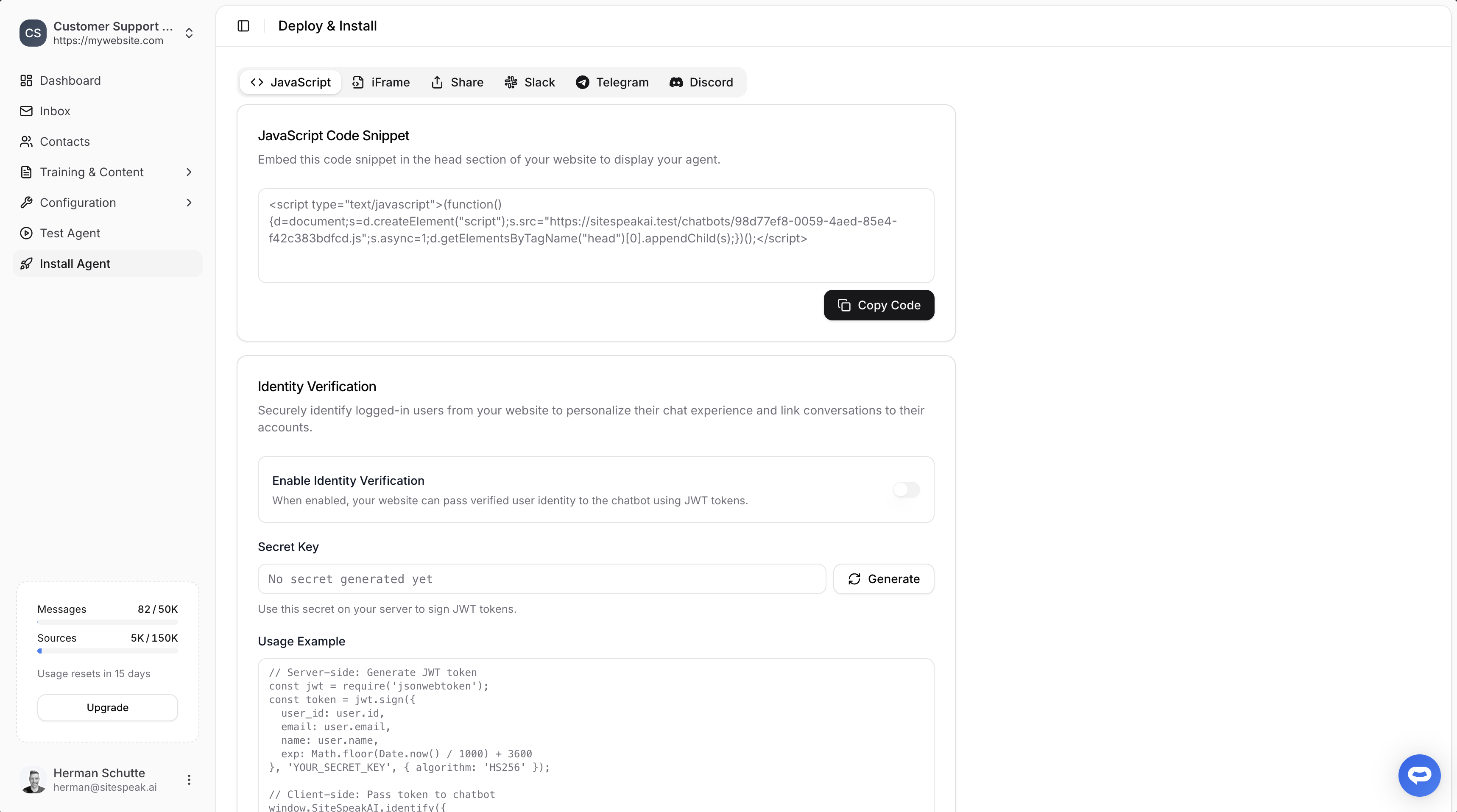
In Shopify
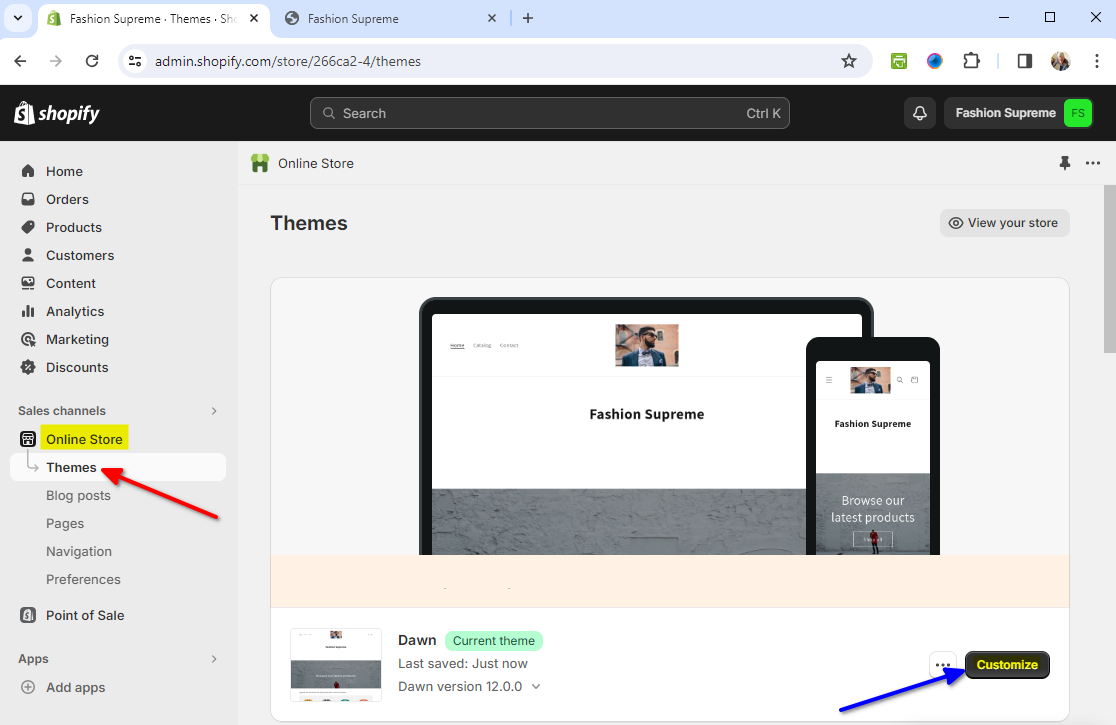
- Under Sales Channels, select Themes on the Online Store list and click on Customize for the relevant theme
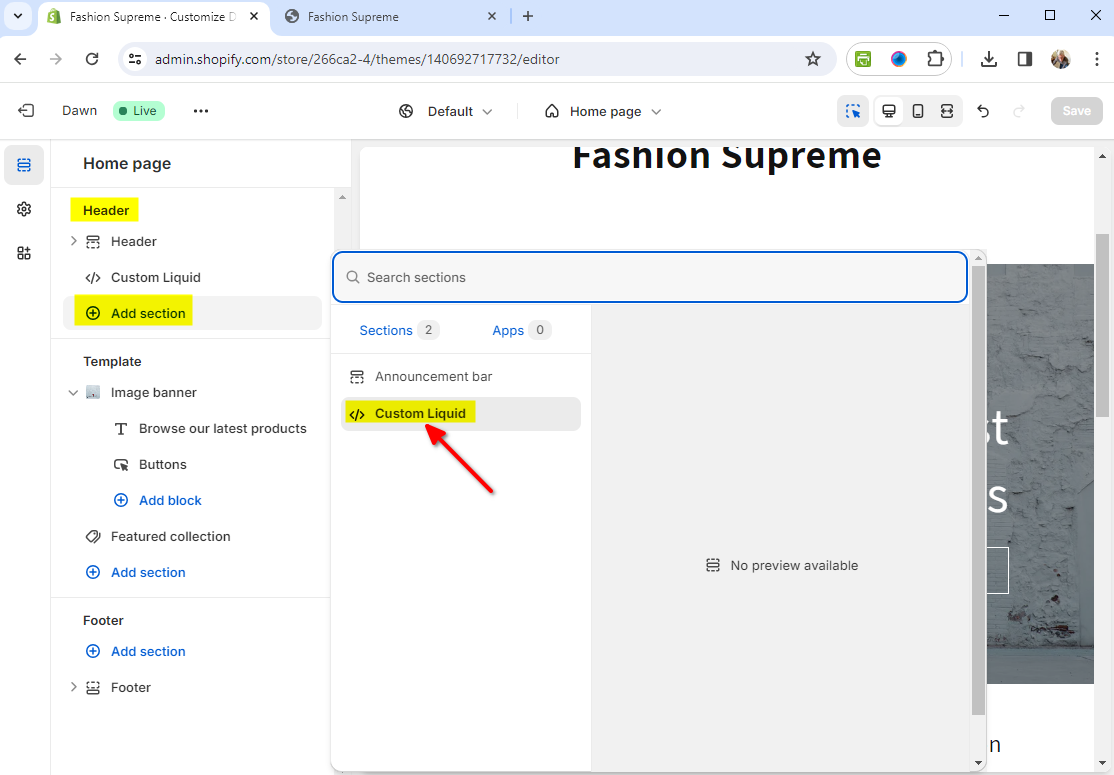
- Click on Add Section under Header and select </> Custom Liquid
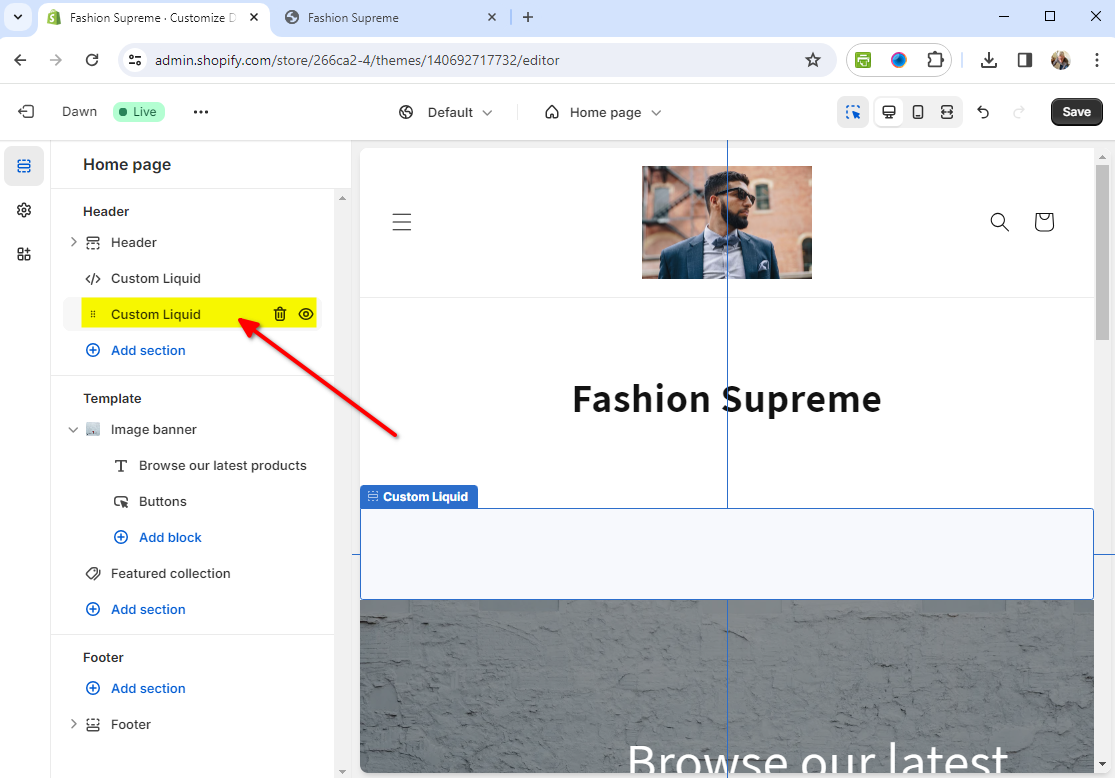
- Click on the newly created Custom Liquid section
- Insert your snippet in the Custom Liquid text box modal and click on Save
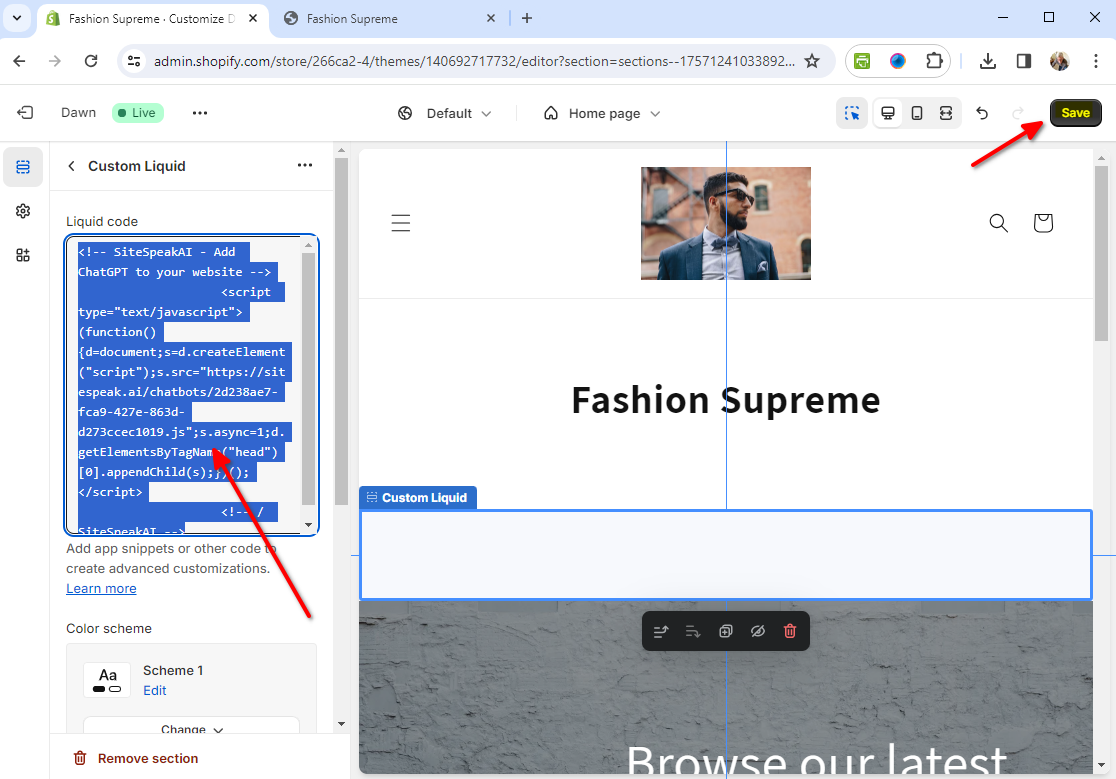
- That’s it - your AI support agent is now added to your Shopify store and the AI support agent button will appear on your store page
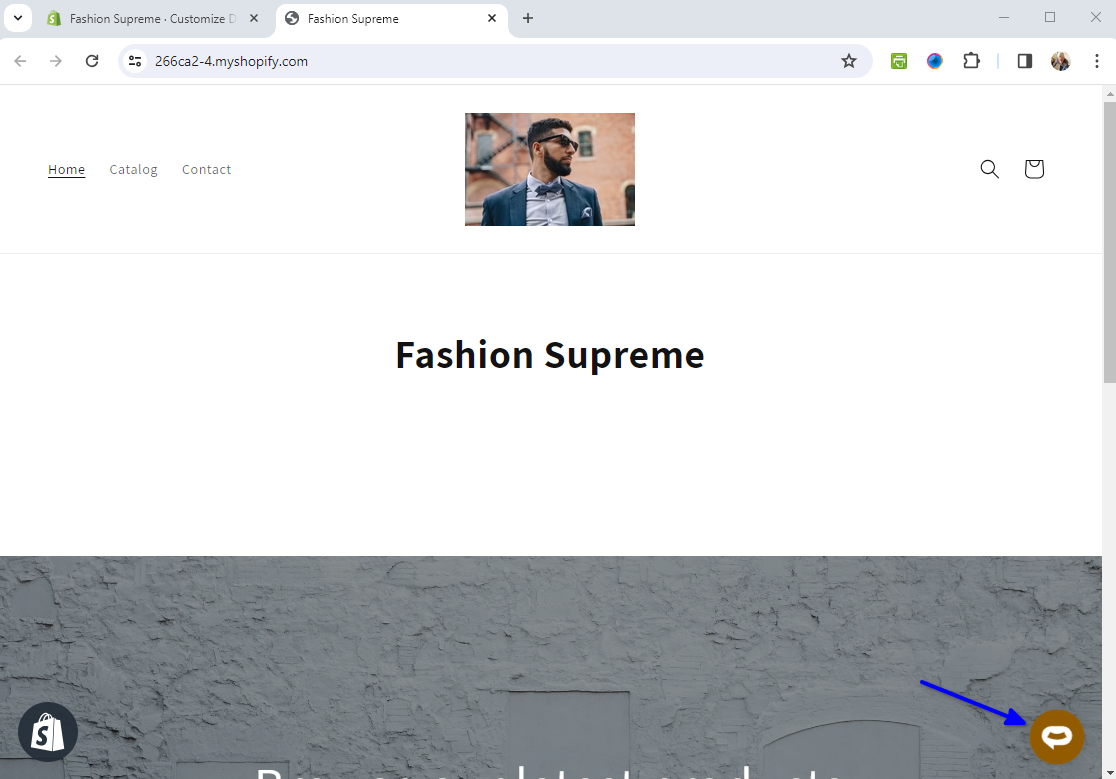
- If you click on the button it will display the AI support agent dialogue
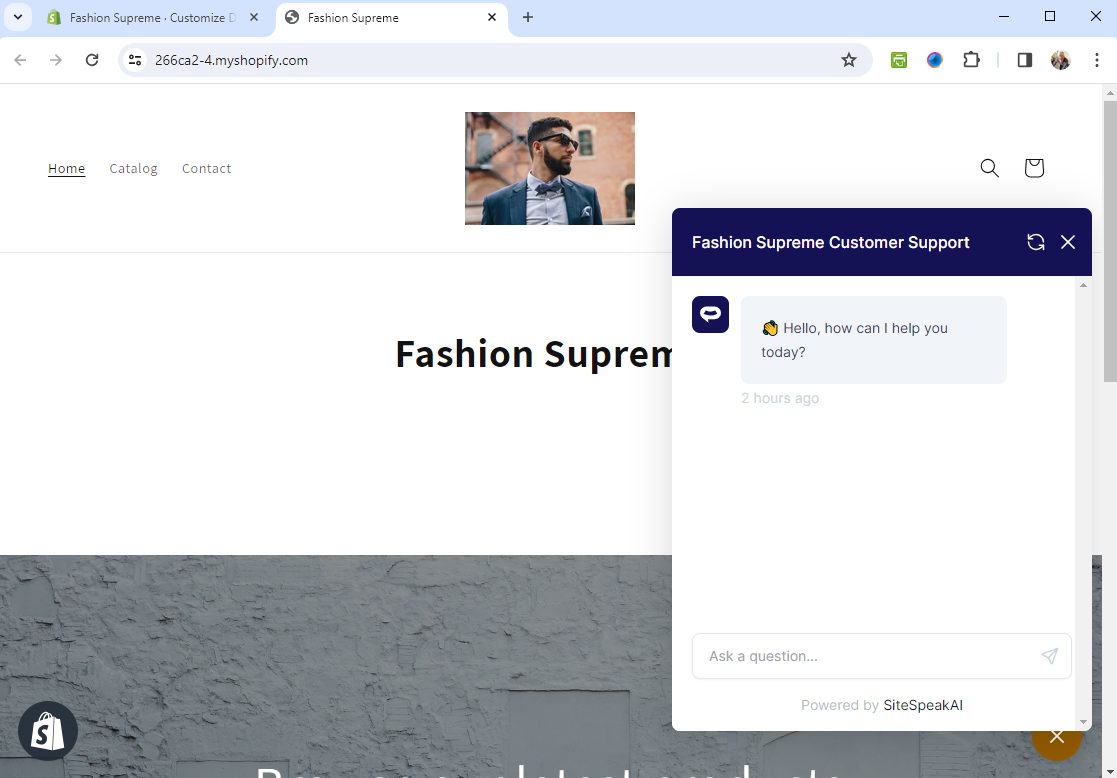 Your AI support agent has now been added to your Shopify store and your visitors/customers can start interacting with it!
Ready to automate your customer service with AI?
Join over 1000+ businesses, websites and startups automating their customer service and other tasks with a custom trained AI agent.