

Add your chatbot to your Showit website
In SiteSpeakAI
After creating your chatbot, select your chatbot from the dropdown menu at the top, click on the Install Chatbot section in the sidebar, then click on the Copy Code button to copy your code snippet.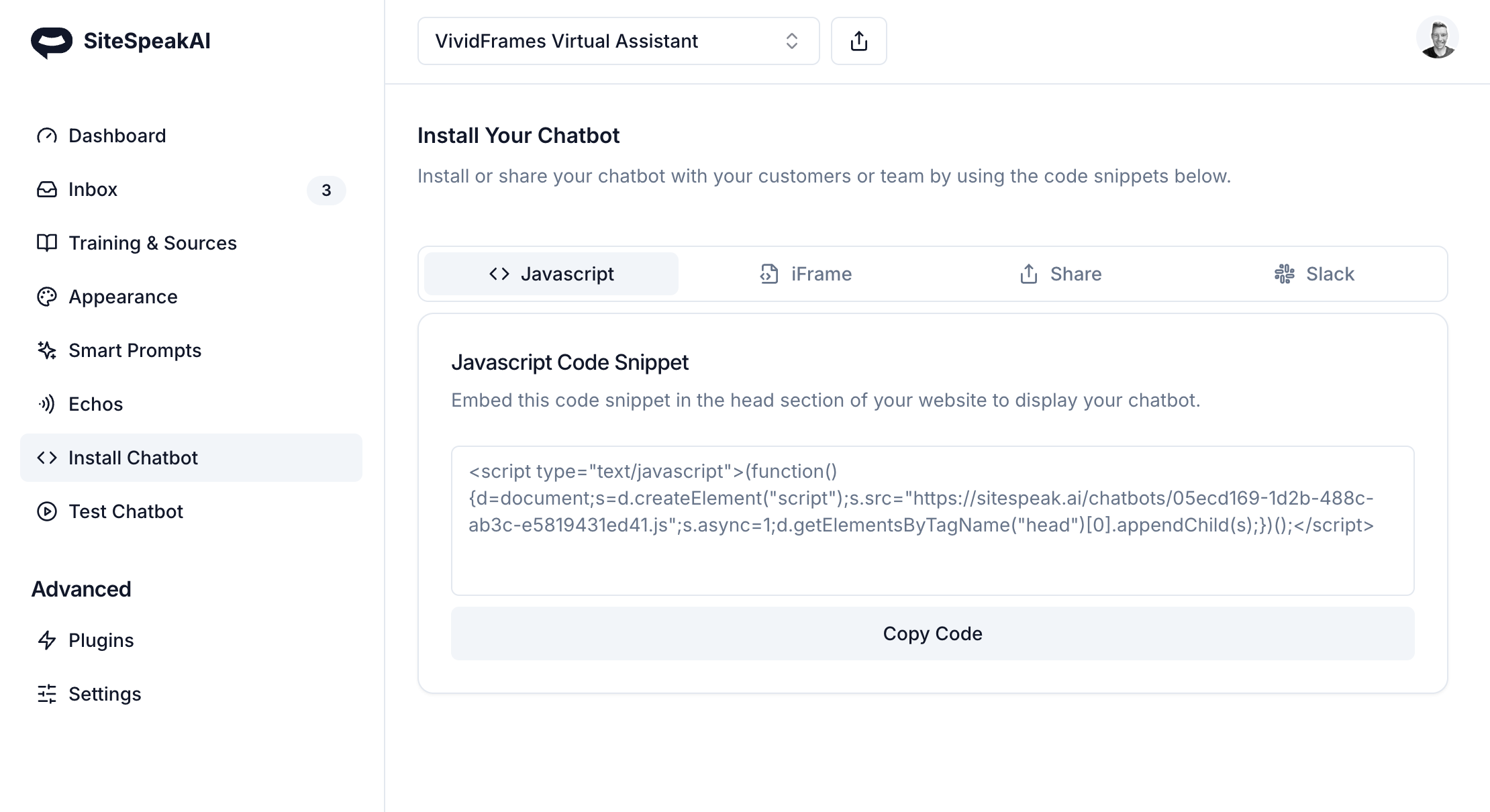
In Showit
To add your customer support chatbot to your Showit website you will need to make use of the Custom Code feature in Showit. This requires you to have an active subscription.- Select the site you would like to edit.
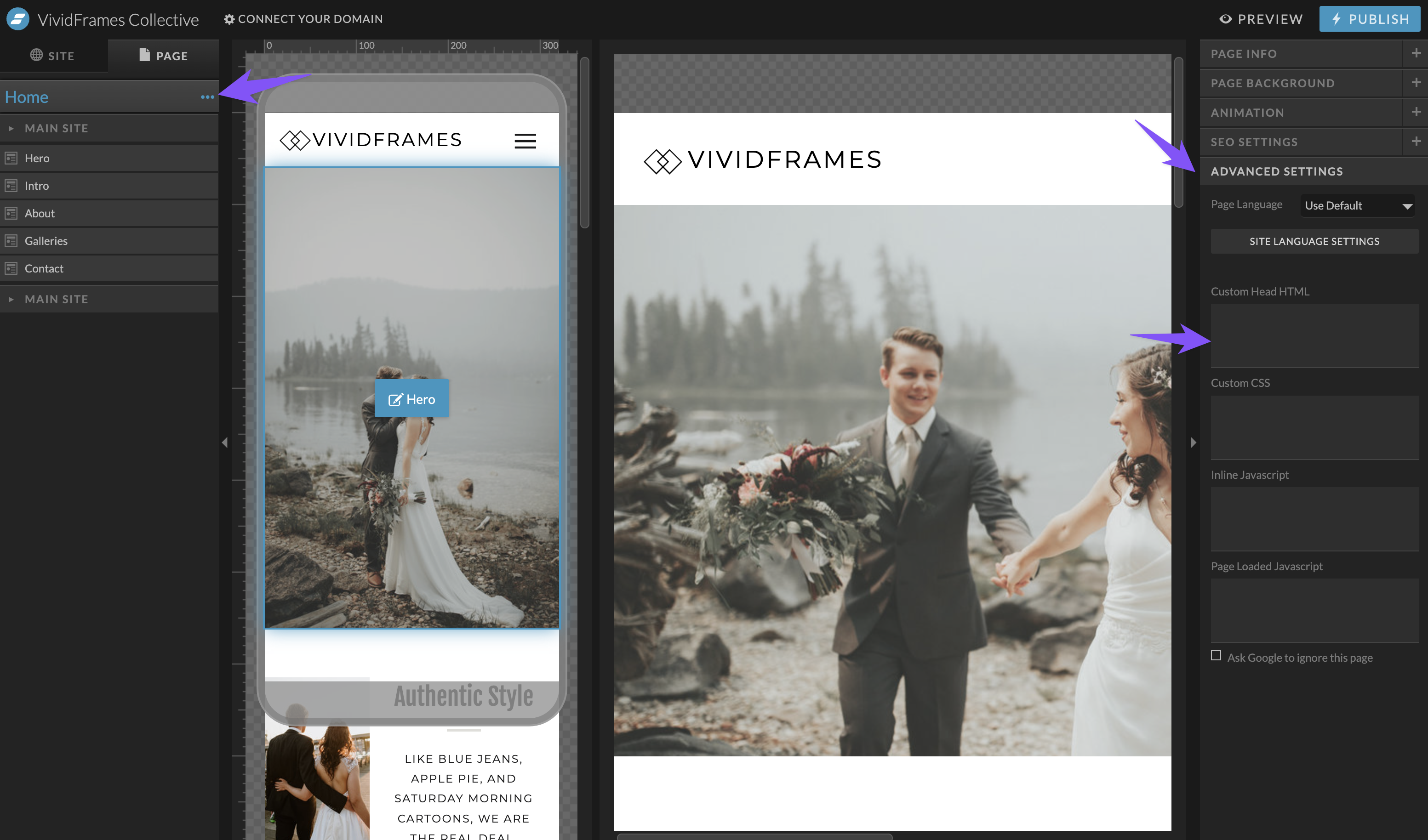
- Select the Home page.
- Open the Advanced Settings tab in the right sidebar and click on the Custom Head HTML field to enter your code snippet.
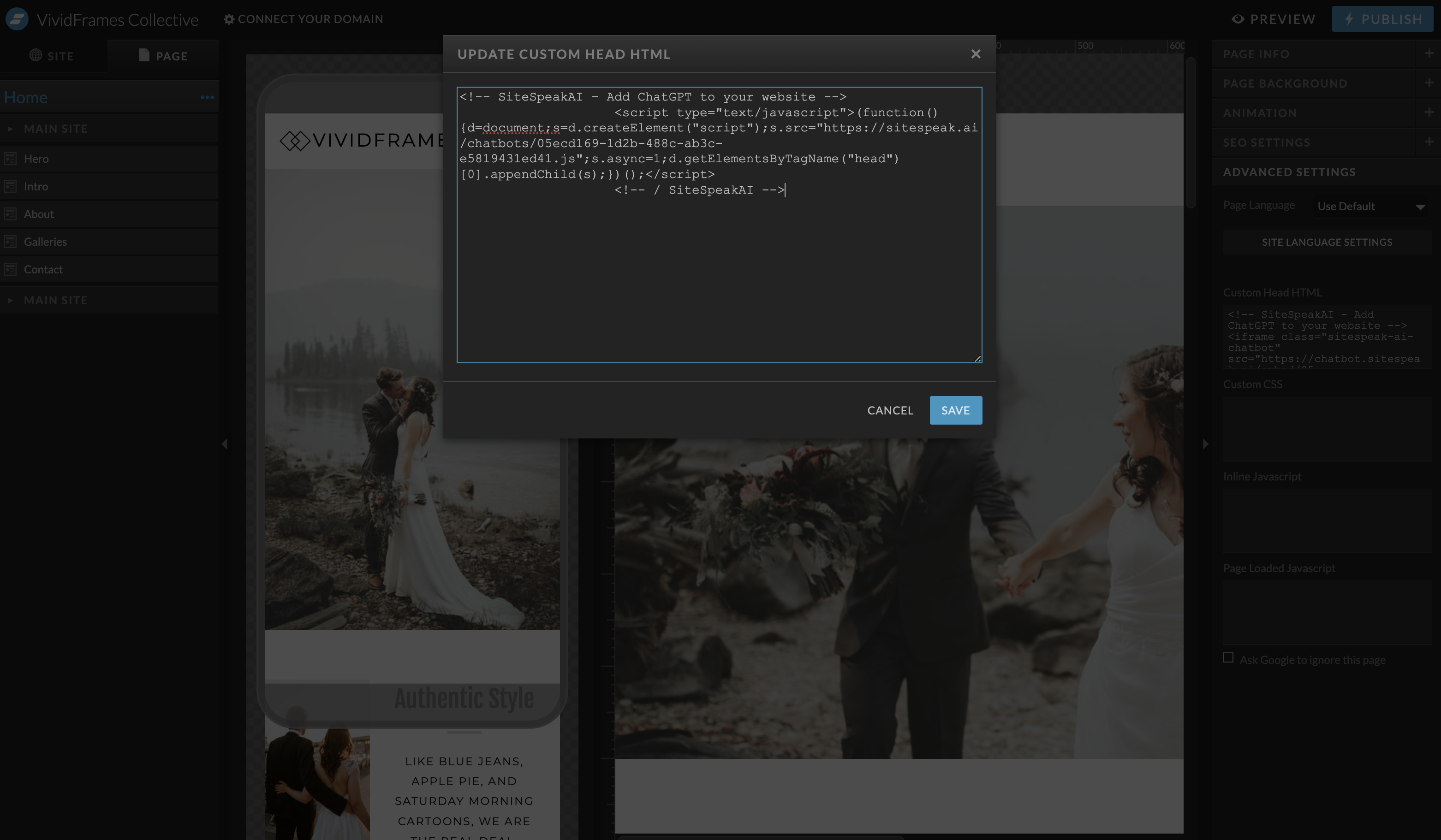
- Paste the code snippet you copied in SiteSpeakAI into the custom head HTML section and click on the Save button.
- Click the Preview or Publish buttons to update your site and view your chatbot.

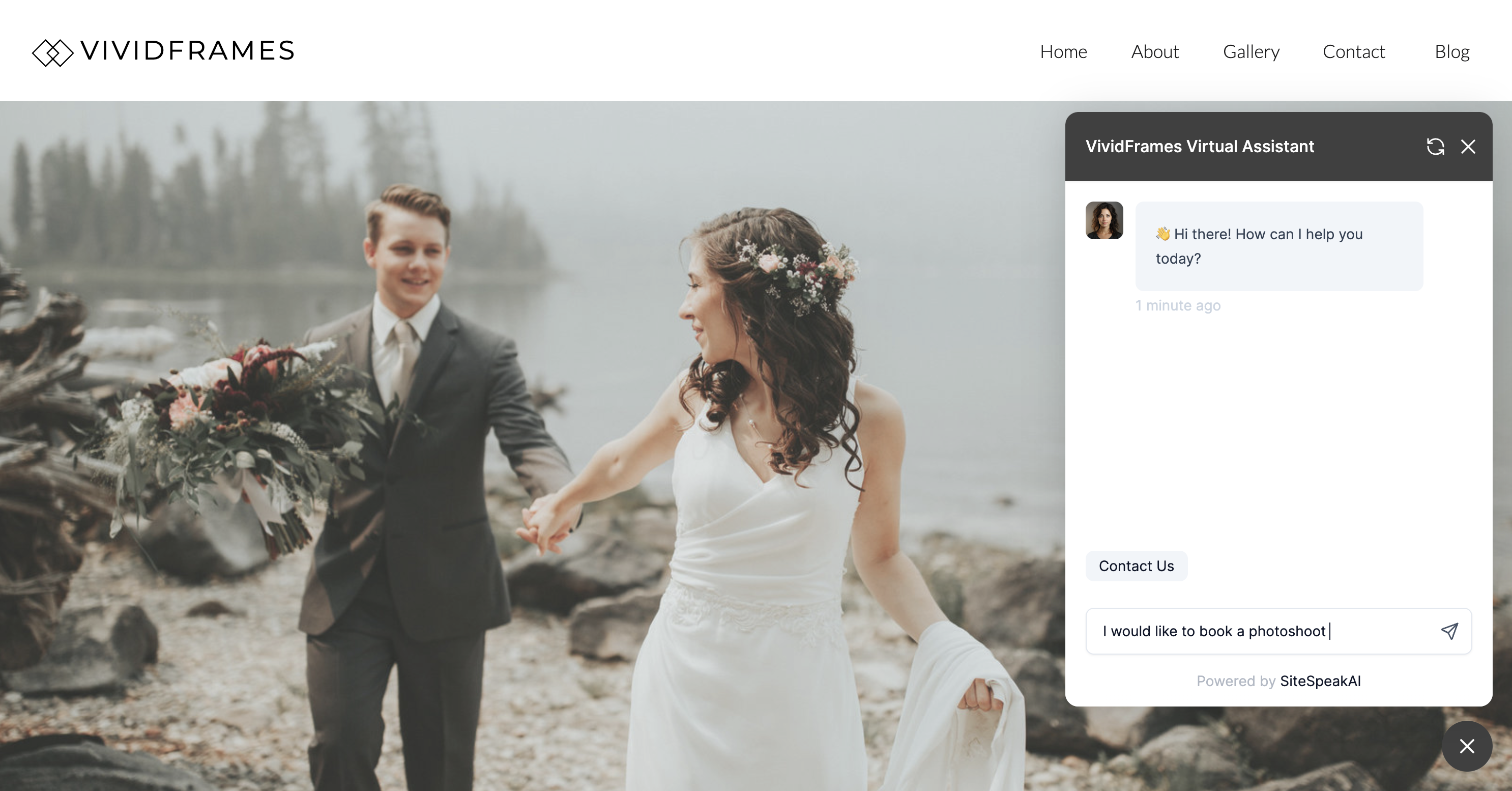 Your Showit website now has a custom trained GPT chatbot that can assist your visitors with more information about your services and help them make bookings.
Ready to automate your customer service with AI?
Join over 1000+ businesses, websites and startups automating their customer service and other tasks with a custom trained AI agent.