

Add your AI support agent to your beefree website
In SiteSpeakAI
Select your chatbot from the dropdown menu at the top, click on the Install Agent section in the sidebar, then click on the Copy Code button to copy your code snippet.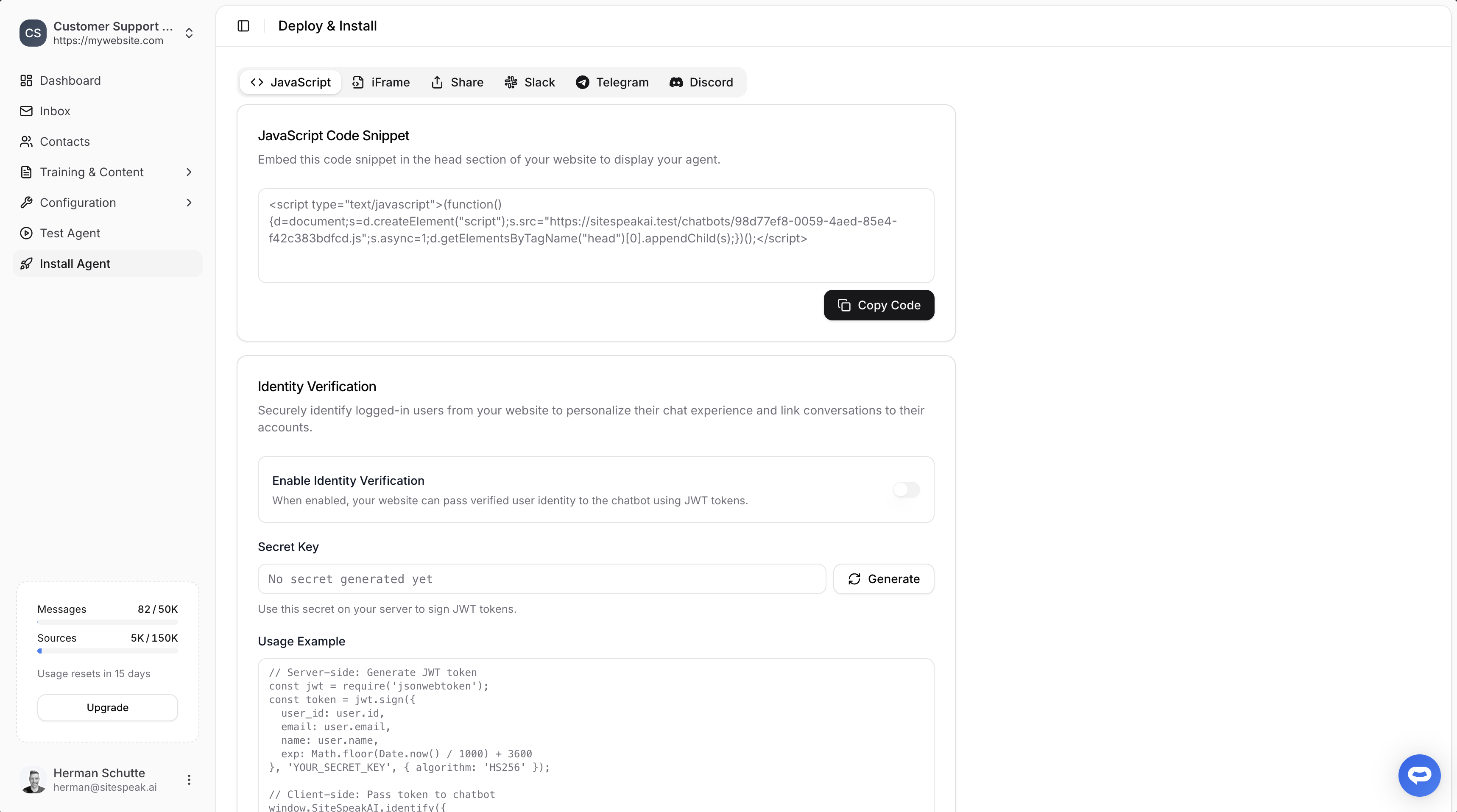
In beefree
- On your beefree dashboard, move your mouse cursor over the page you want to edit to add your chatbot to
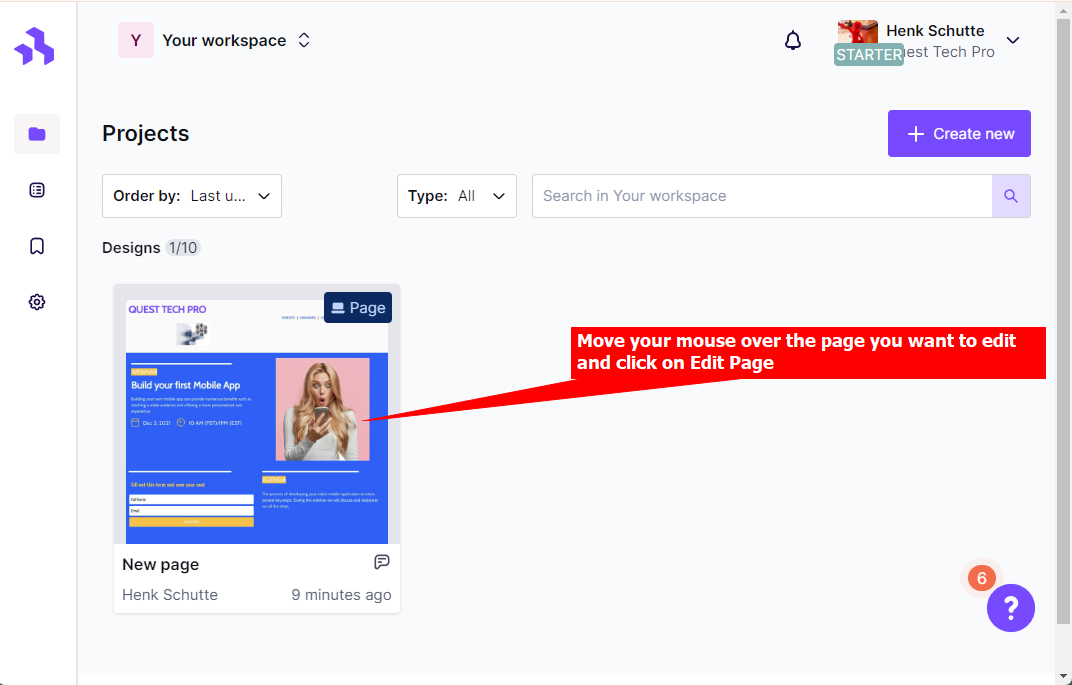
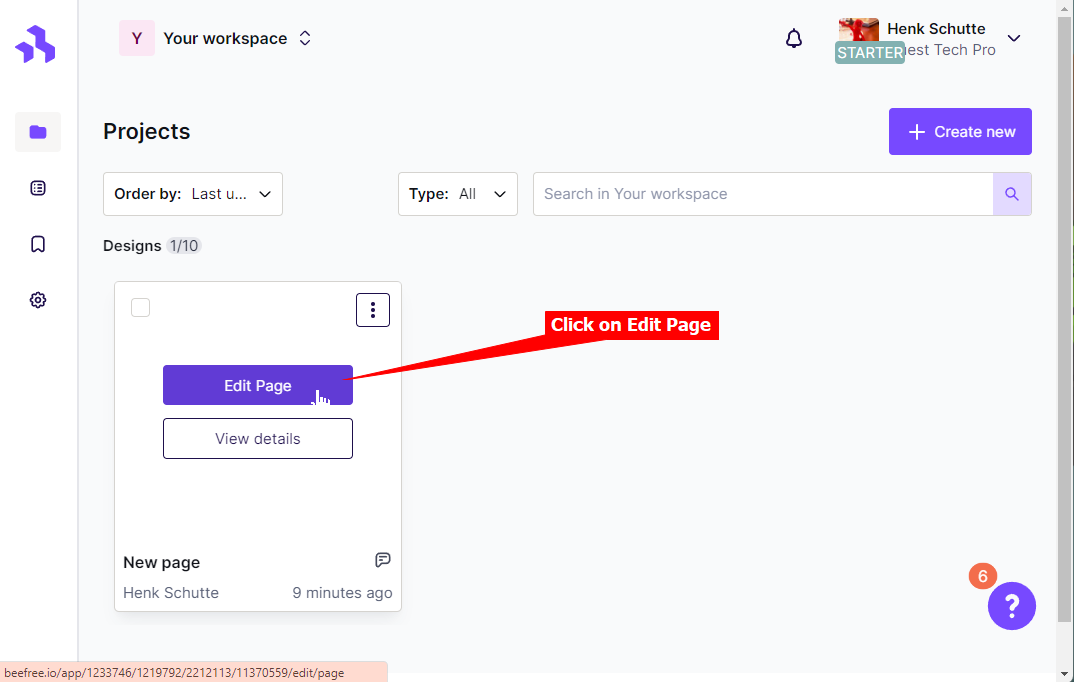
- Select Edit Page
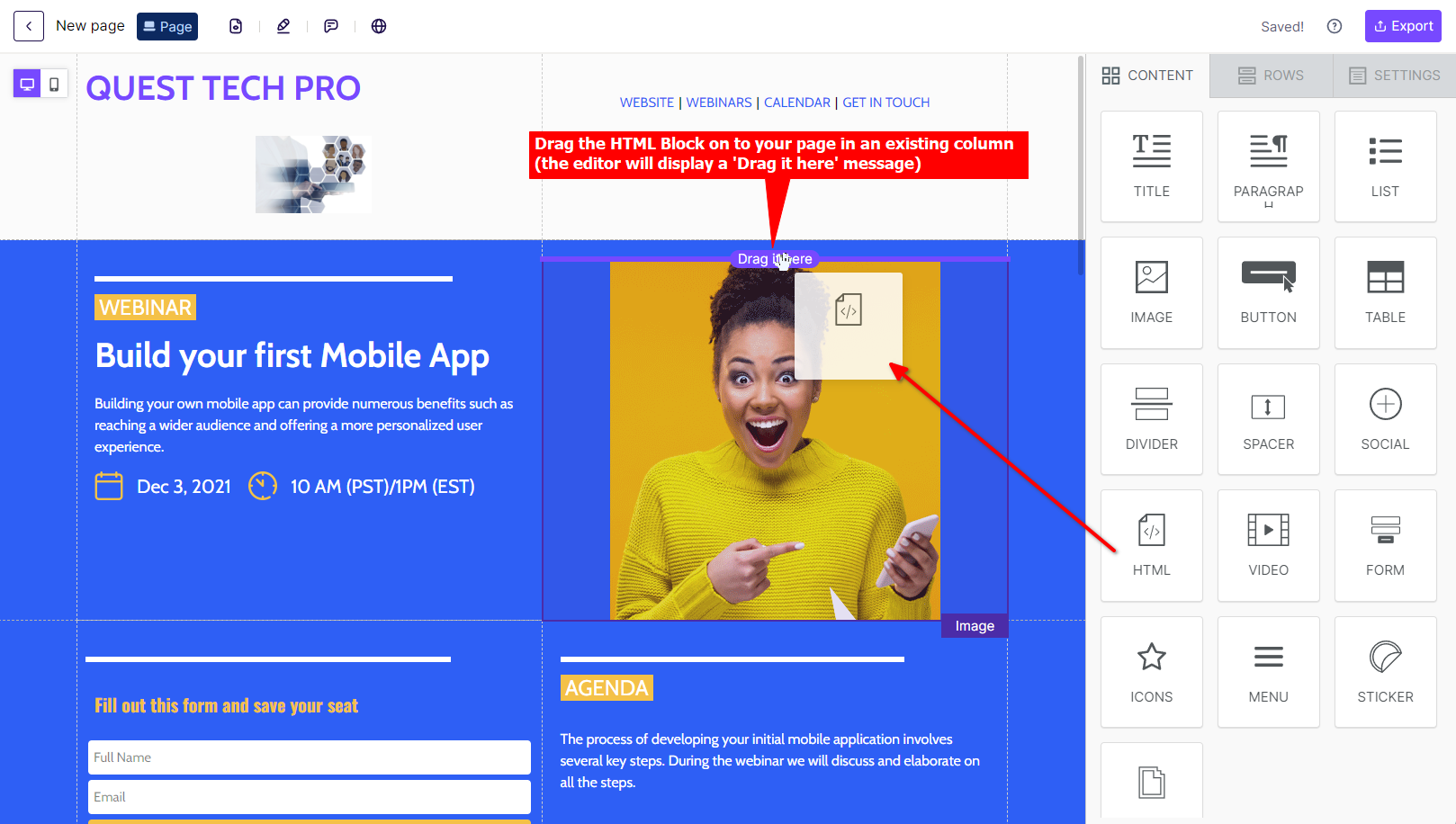
- Select the HTML CONTENT block
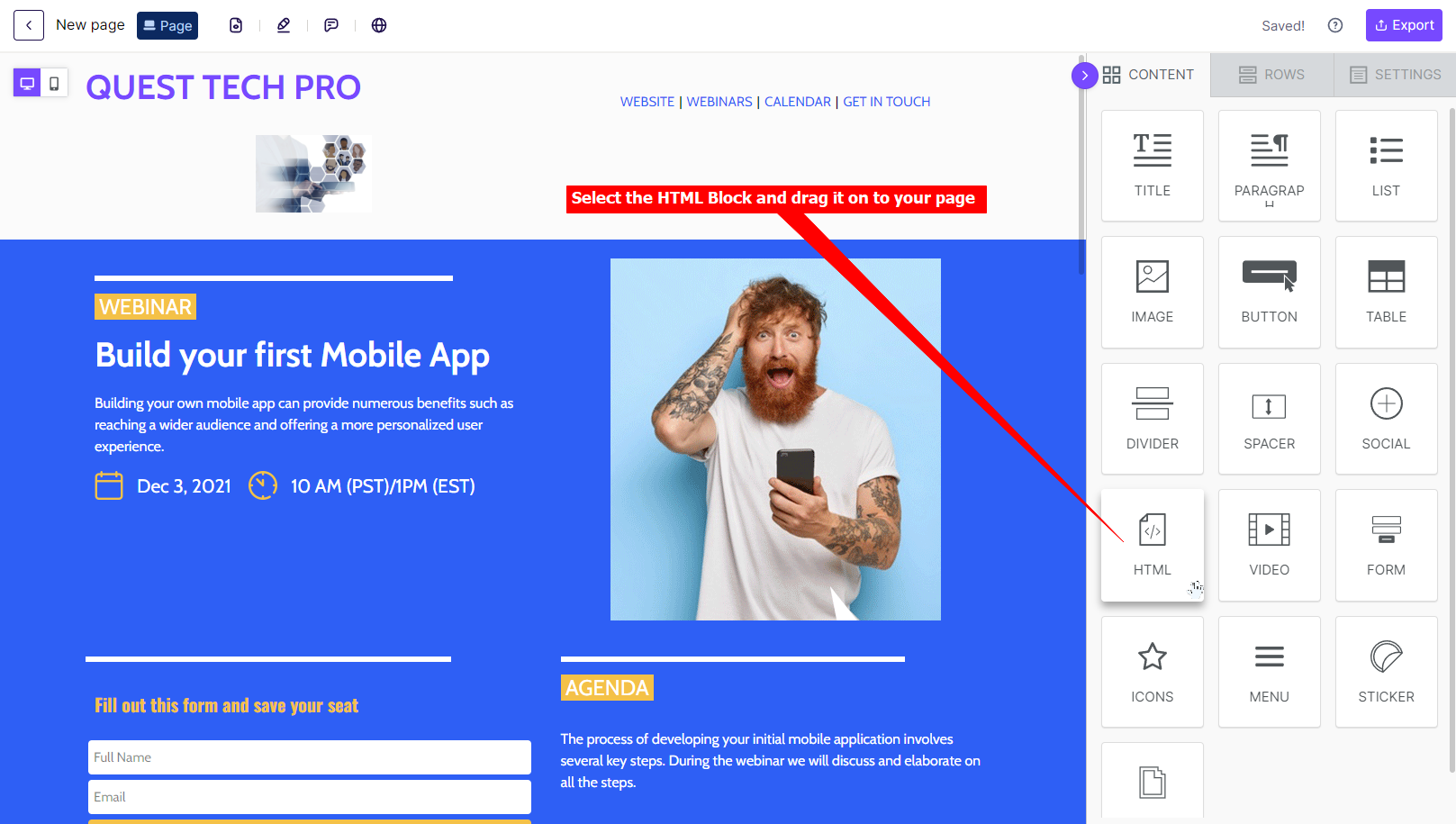
- Drag the HTML CONTENT block on to your page in an existing column - the editor will display a ‘Drag it here’ message
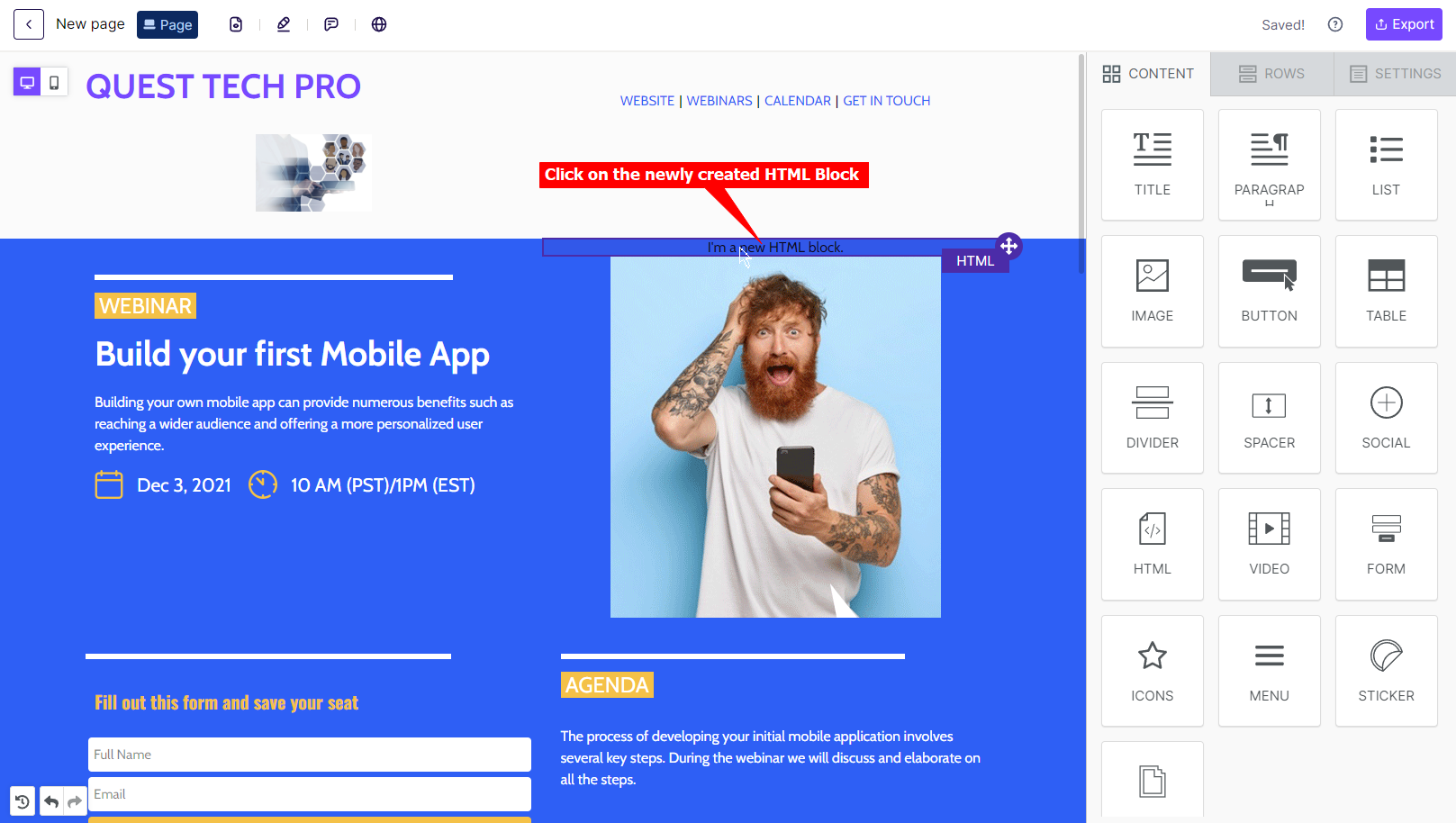
- Click on the newly created HTML block
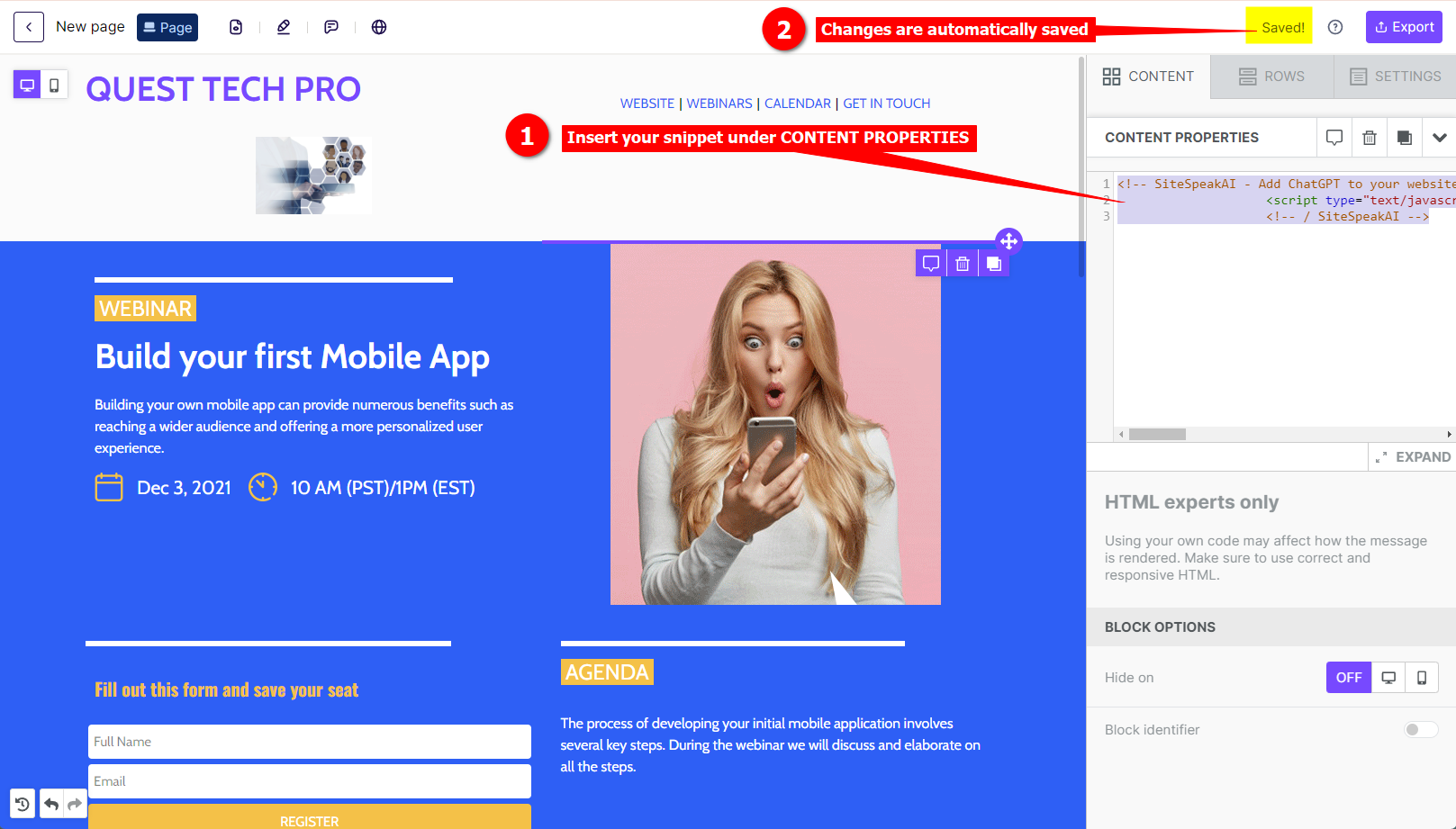
- Insert your snippet under CONTENT PROPERTIES. Changes are automatically saved.
- Your AI support agent button will now be displayed on your beefree website page
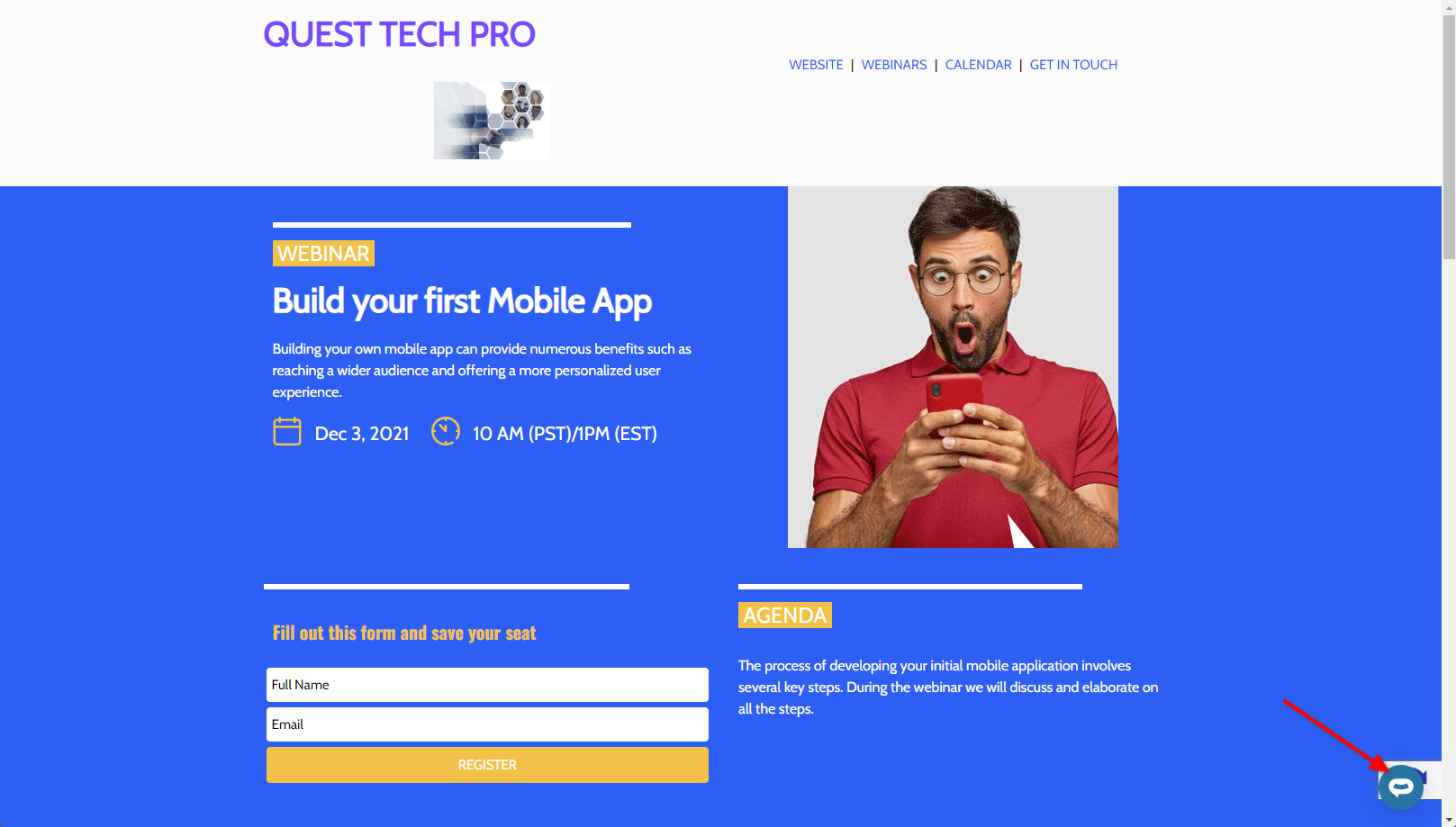
- If you click on the button it will display the AI support agent dialogue
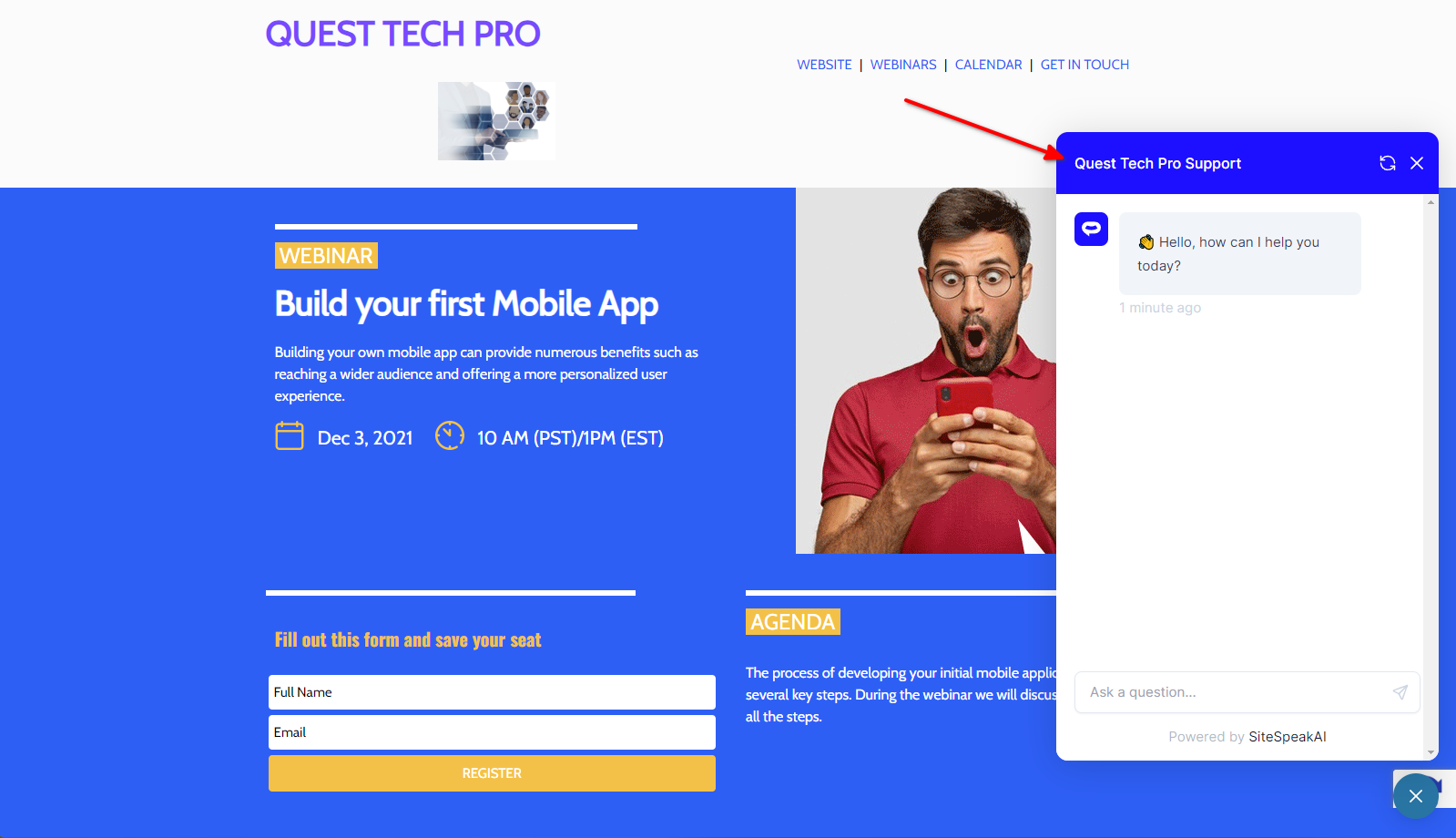 Your AI support agent has now been added to your beefree website and your visitors/customers can start interacting with it!
Ready to automate your customer service with AI?
Join over 1000+ businesses, websites and startups automating their customer service and other tasks with a custom trained AI agent.