

Add your AI support agent to your WeWeb website
In SiteSpeakAI
Select your chatbot from the dropdown menu at the top, click on the Install Agent section in the sidebar, then click on the Copy Code button to copy your code snippet.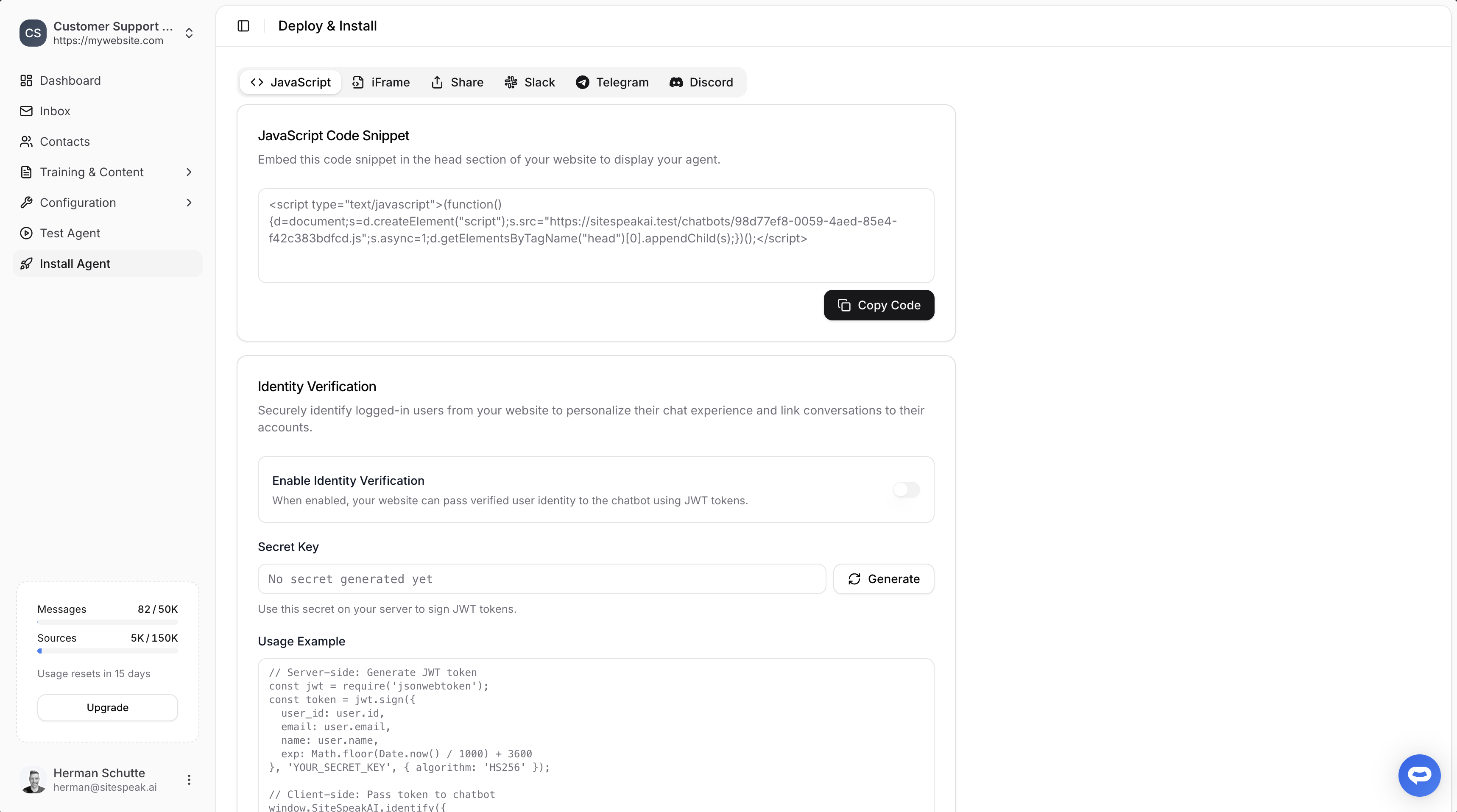
In WeWeb
- Log into your WeWeb account and on the dashboard select the project you wish to edit
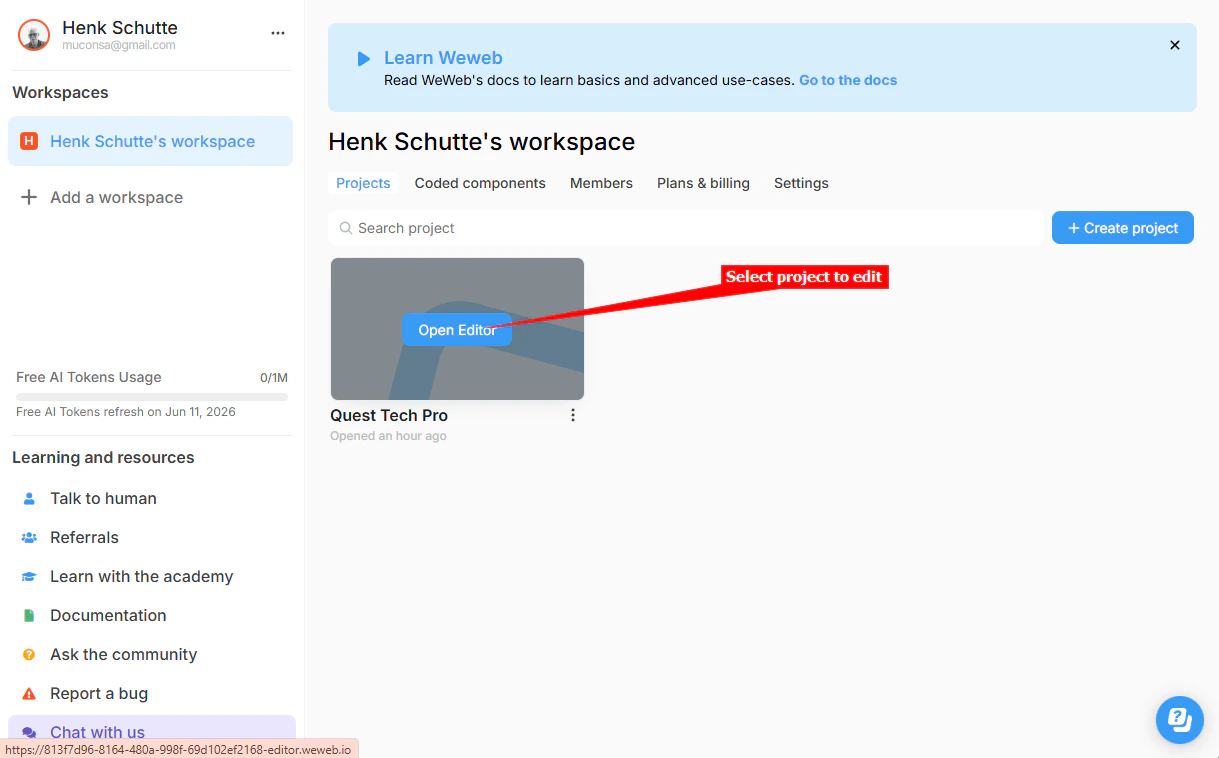
-
Please Note! There are 2 ways to add your AI support agent to your WeWeb website:
a. Adding custom code manually in the project editor or
b. Using the FullStack AI prompt bar in the project editor.
A. Adding custom code manually in the project editor
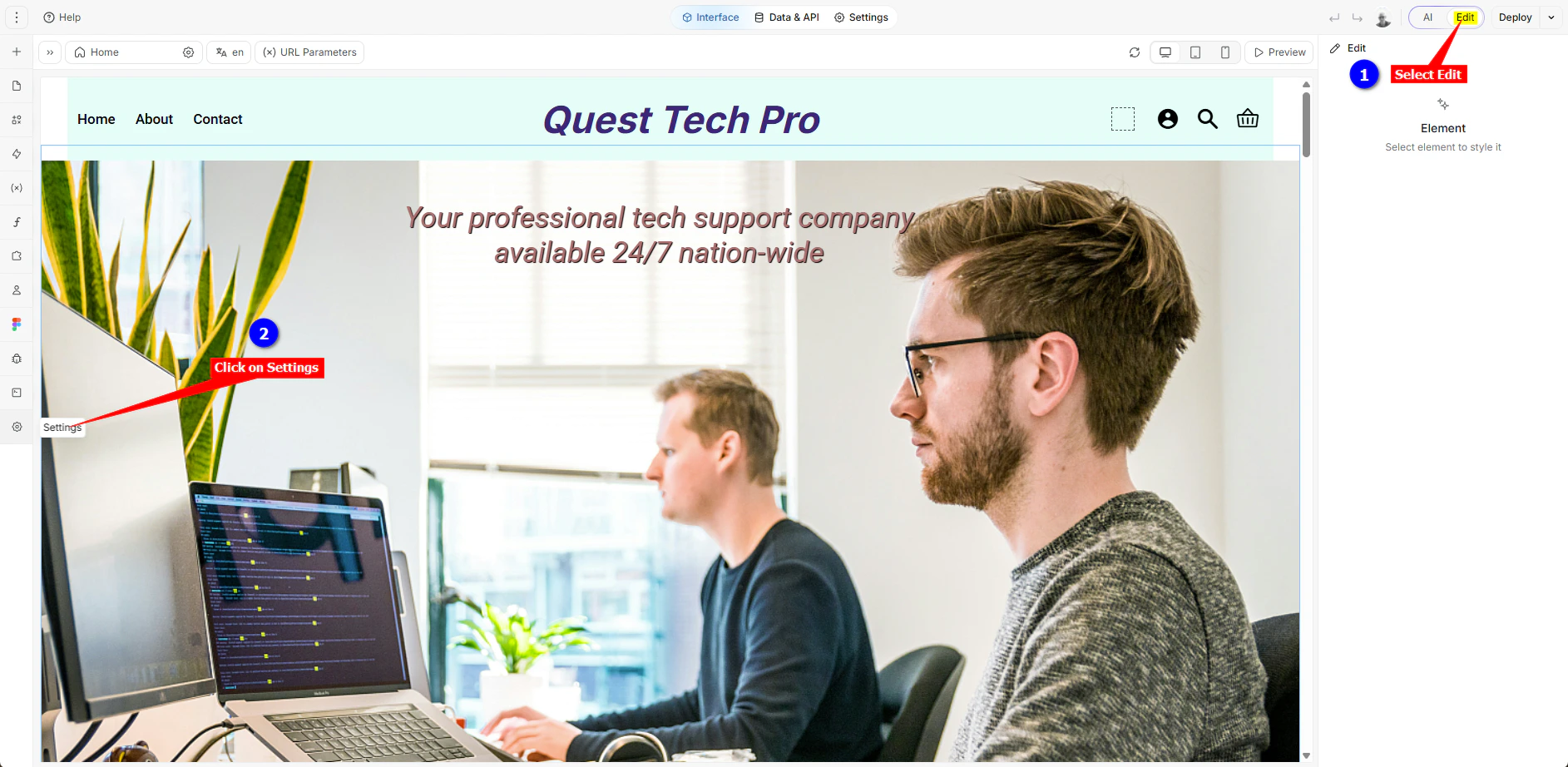
- On the project editor page, ensure that the Edit option is selected and click on Settings in the left side toolbar
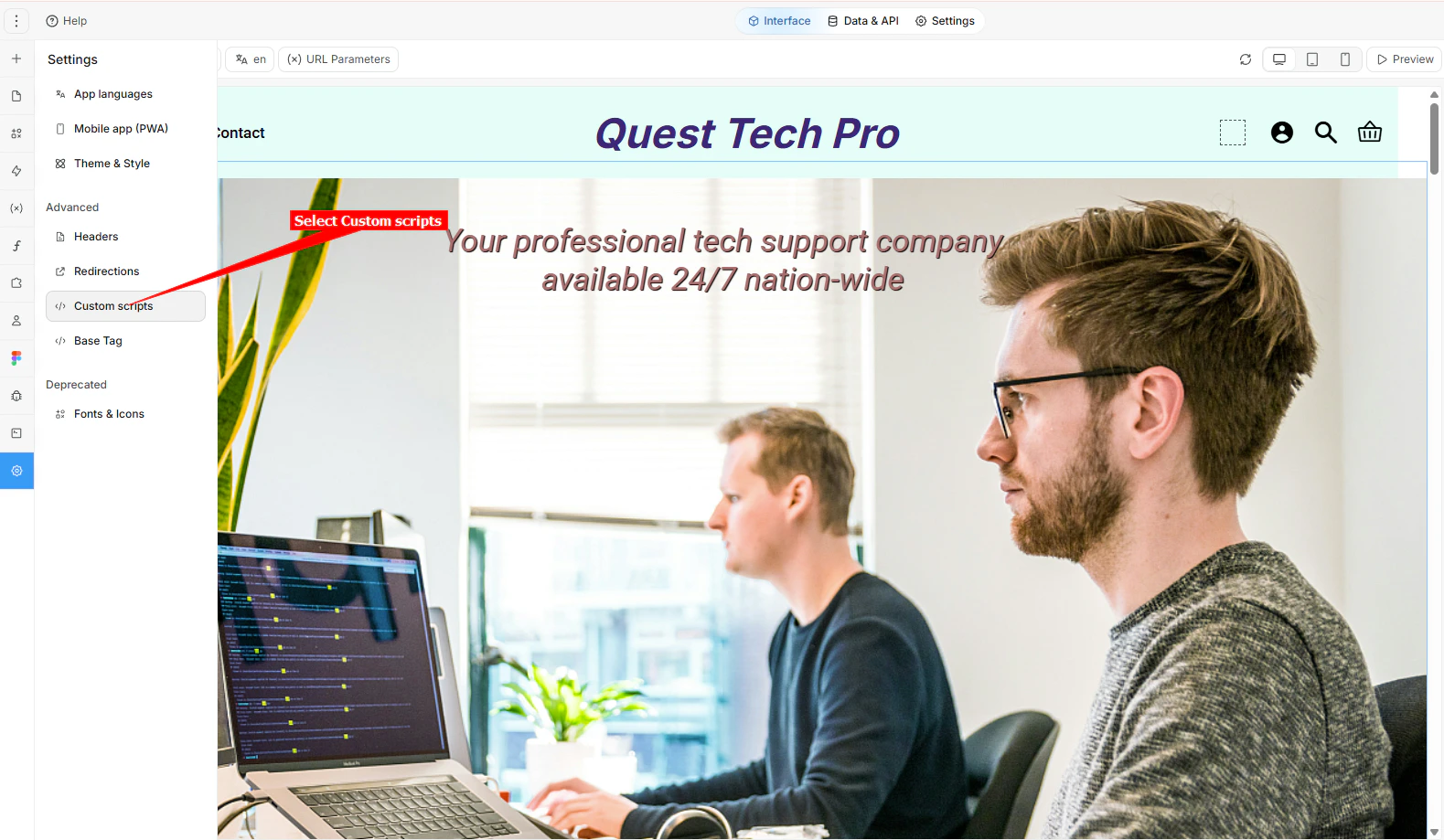
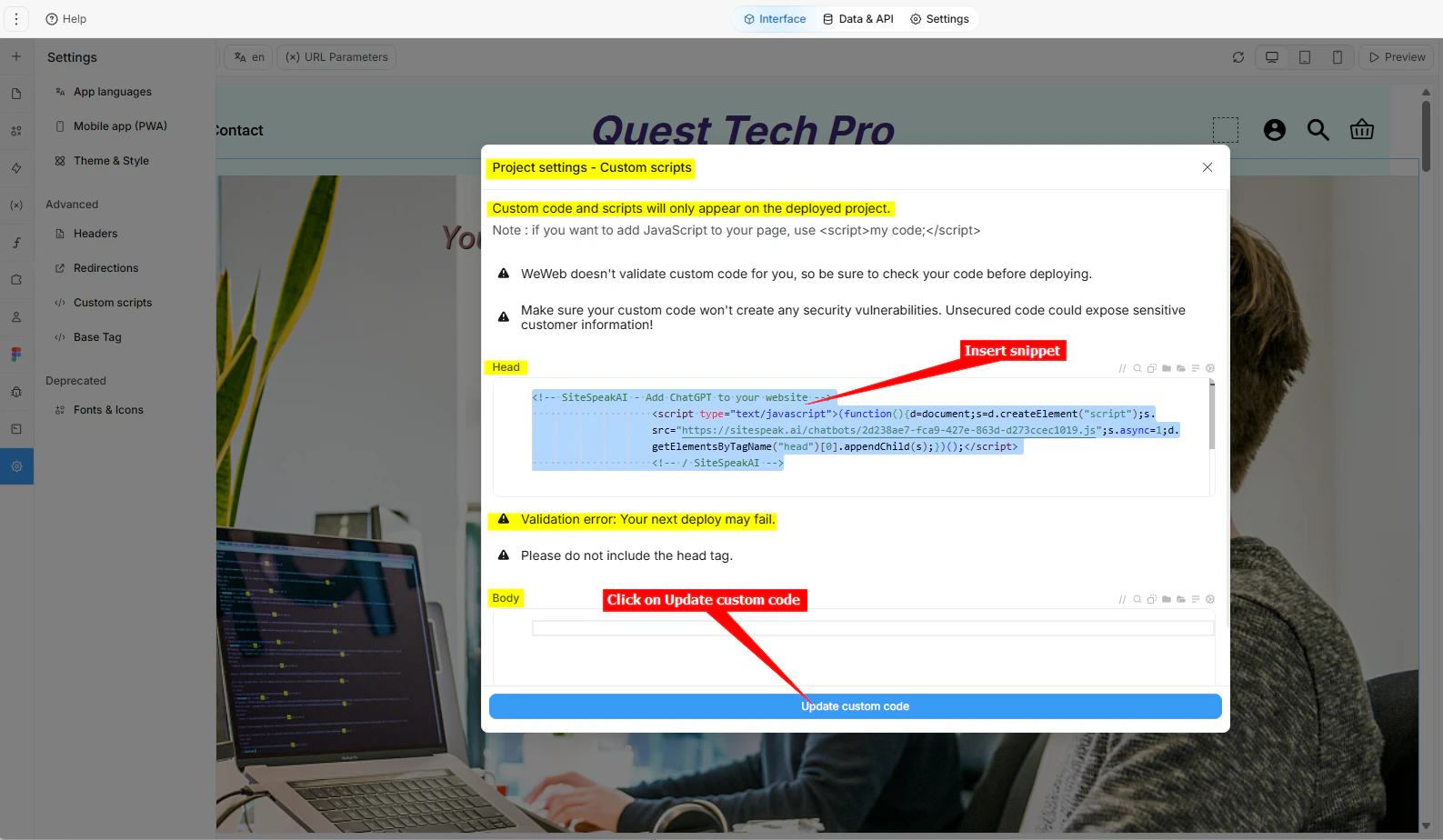
- Select Custom scripts in the left side toolbar
- Insert your snippet under Head or Body. A warning will appear to inform you that there is a validation error (Validation error: Your next deploy may fail.) but you can ignore the error. Click on Update custom code to save your code
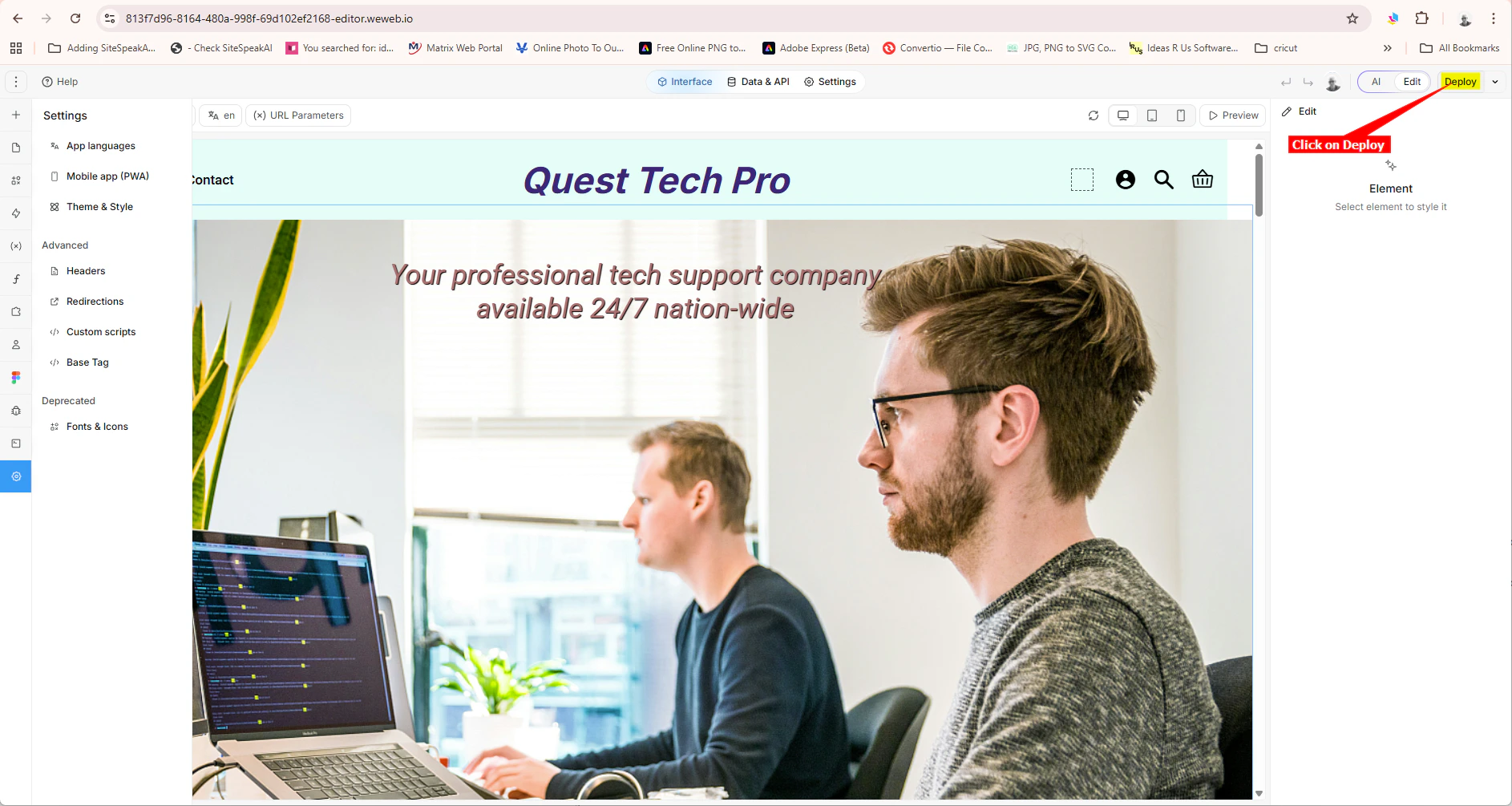
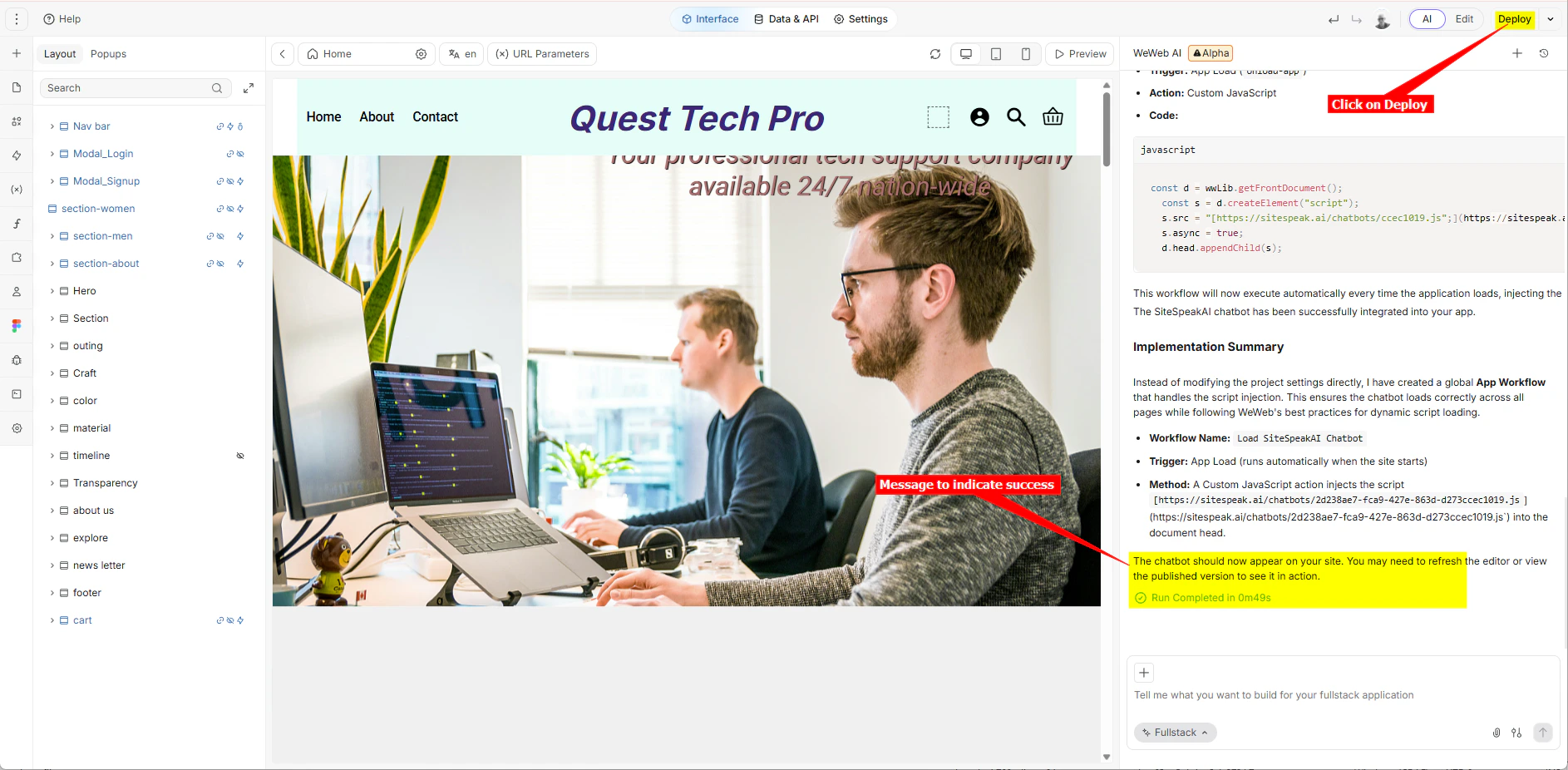
- Click on Deploy to deploy your website
B. Using the FullStack AI prompt bar
- Log into your WeWeb account as mentioned above and select your project to edit.
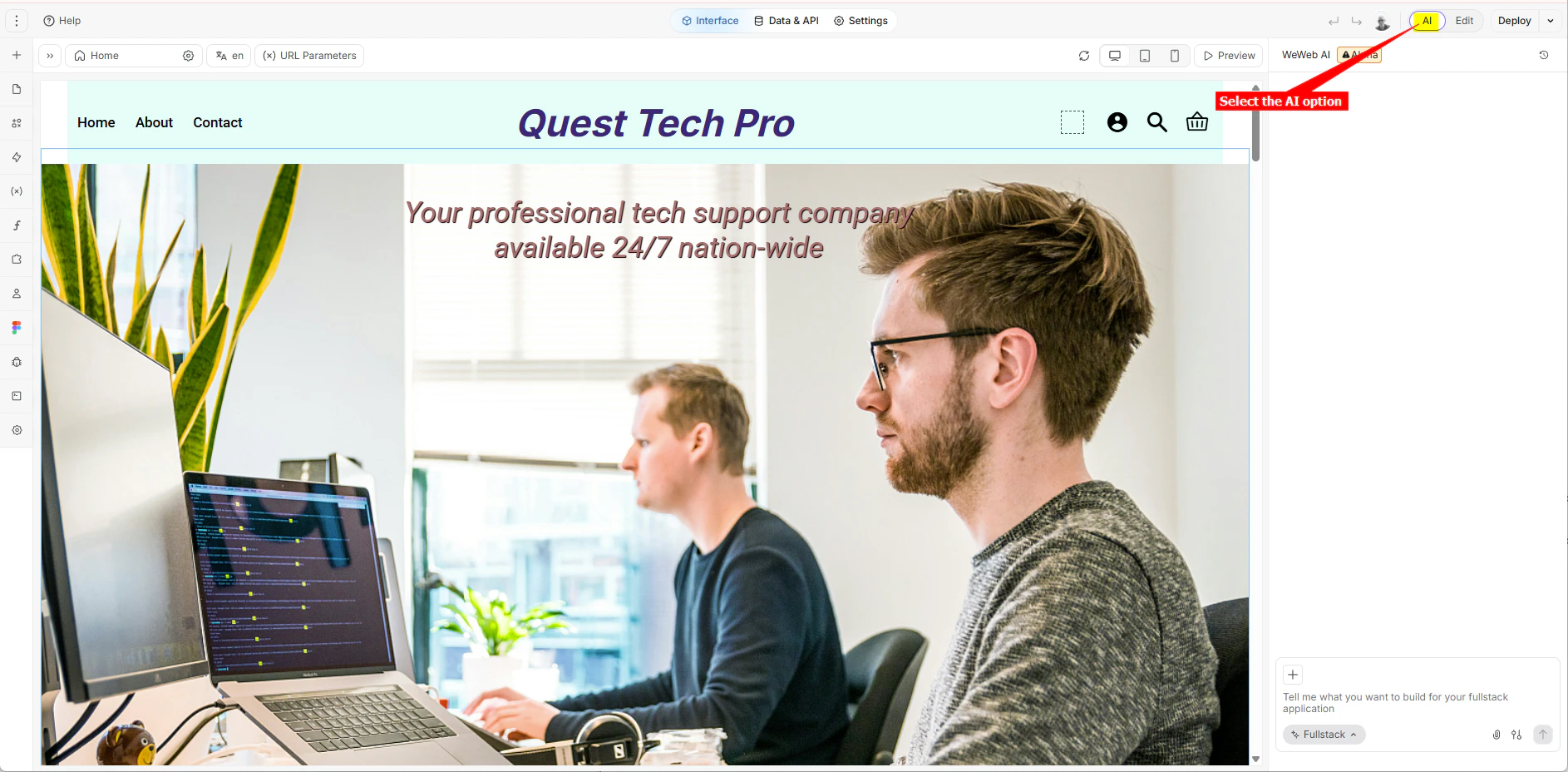
- On the project editor page, ensure that the AI option is selected.
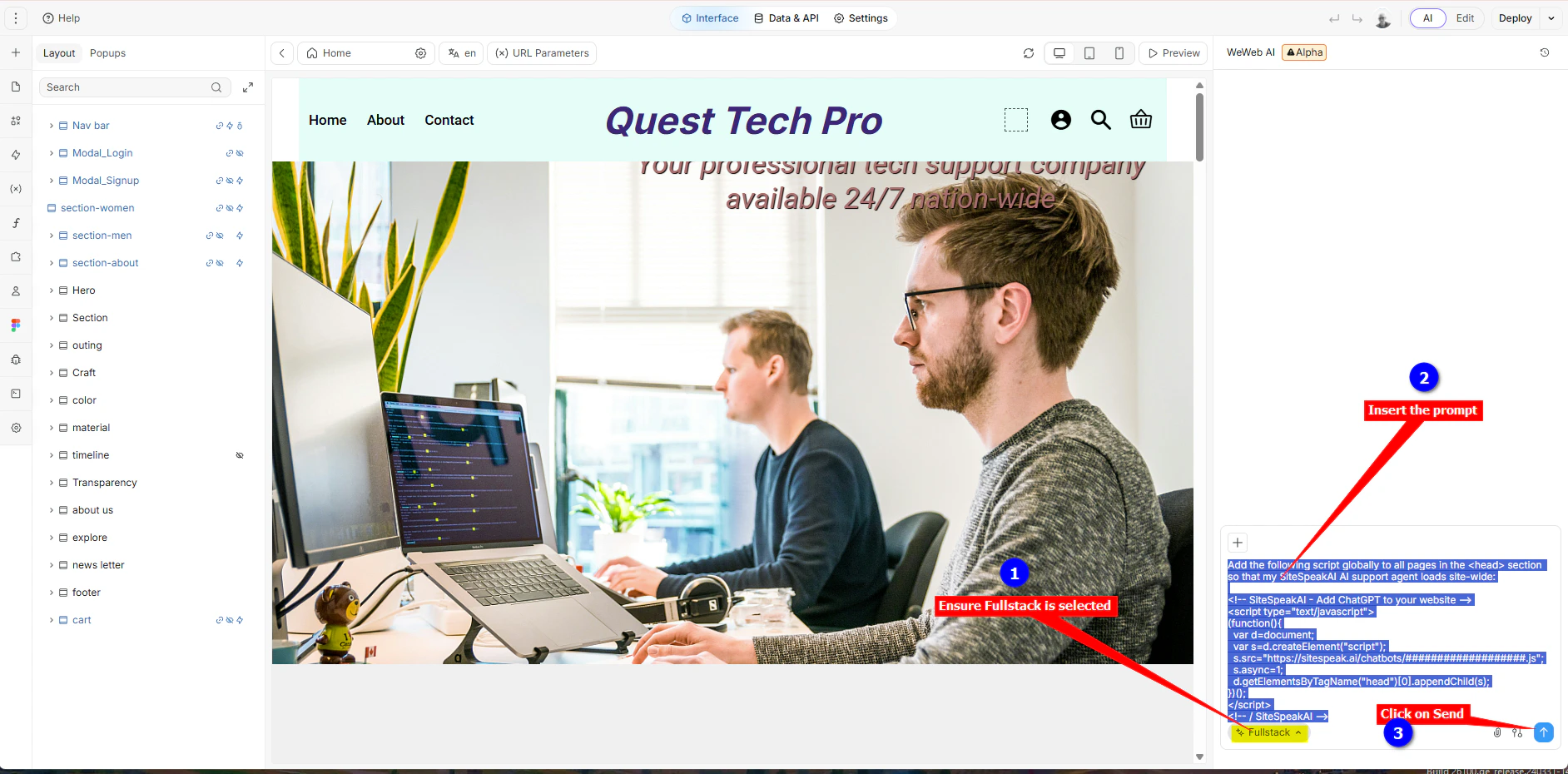
- Make sure the
Fullstackoption is selected, insert the prompt into the AI prompt bar and click on Send (or just press Enter)
- Finally it will indicate that the process was completed and then you can Deploy (Publish) your website.
C. For both options
-
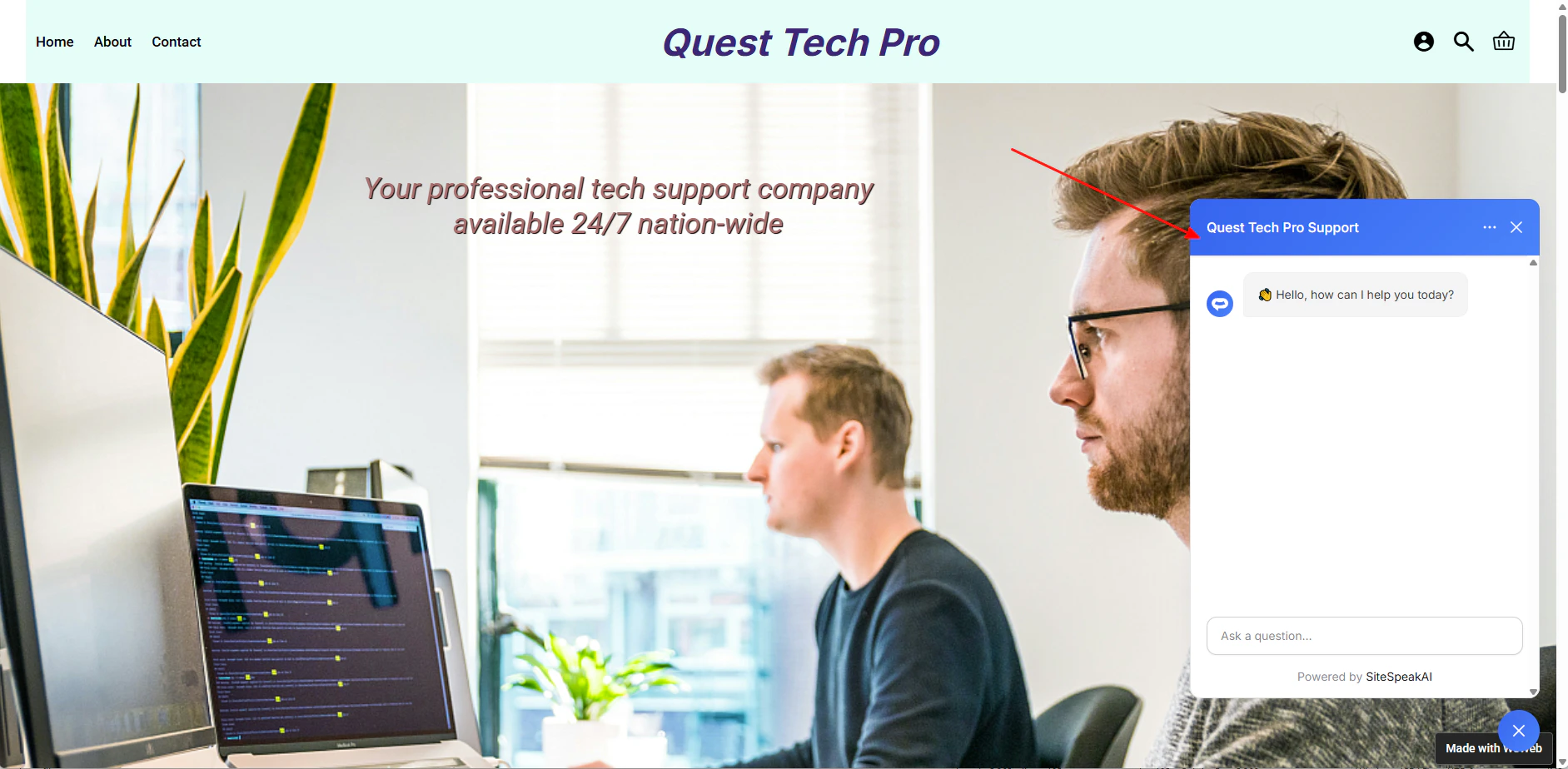
Your AI support agent button will now be displayed on your WeWeb webpage

-
If you click on the button it will display the AI support agent dialogue
Ready to automate your customer service with AI?
Join over 1000+ businesses, websites and startups automating their customer service and other tasks with a custom trained AI agent.