

Video transcript
Video transcript
Visitors on your Squarespace site have questions. Do you take custom cake orders? What time do you close on Sunday? Do you deliver?A SiteSpeak AI agent can answer these questions for you, at any time. This video shows how to make the agent, test it, and add it to your Squarespace site. It also shows how to collect leads, and how to make the answers better.Step 1. Make the agent. Log in to SiteSpeak. Type a name for your agent. Type the URL of your Squarespace site. SiteSpeak finds your pages and selects the main pages for you. Click Save and Continue. SiteSpeak trains the agent on these pages. This takes a few minutes.Step 2. Test the agent. Before you add the agent to your site, test it. Open Test Agent. Ask three questions that your visitors ask. For example, ask about prices, opening hours, and delivery. Read each answer. If an answer is not correct, add the missing information in Training and Content.Step 3. Brand the agent. Open Appearance. Set the Accent Color to your brand color. Under Icons, upload your logo. Type a Welcome Message. For example: Hi, ask me about our cakes, orders, or opening hours. Now the agent looks like part of your site.Step 4. Add the agent to Squarespace. Open Install Agent, and copy the install snippet. In Squarespace, open your site, and click Website. In the Pages menu, under Utilities, select Website Tools. Select Code Injection. Paste the snippet in Header. Then click Save. The chat button is now on your Squarespace site. Code Injection is not available on all Squarespace plans. Check your plan before you start.Step 5. Collect leads. Open Settings, and go to the Leads tab. Turn on Enable Lead Capture. Add the fields that you need, for example name and email. Now the agent asks for these details before the chat starts. You can see each lead in Contacts. Lead capture is available on the paid plans.Step 6. Send difficult questions to your team. Some questions need a person. For example, a large catering order, or a complaint. Open Settings, and go to Escalations. Turn on Enable Escalations. Type the email address of your team. When a visitor asks for a person, the agent sends the conversation to your team. You can read and reply to all conversations in the Inbox. Escalations are available on the Pro plan and higher.Step 7. Make the answers better. Open the Dashboard. Look at Top Unanswered Questions. These are the questions that the agent could not answer. For each question, add the missing information. Or add an Updated Answer. Do this each week. Then the agent can answer more questions each week.You can start with a free plan at sitespeak.ai.
Code Injection is available on Squarespace Business and Commerce plans only. If you’re on a Personal plan, you’ll need to upgrade to add custom code to your site.
Add your AI support agent to your Squarespace website
In SiteSpeakAI
Select your chatbot from the dropdown menu at the top, click on the Install Agent section in the sidebar, then click on the Copy Code button to copy your code snippet.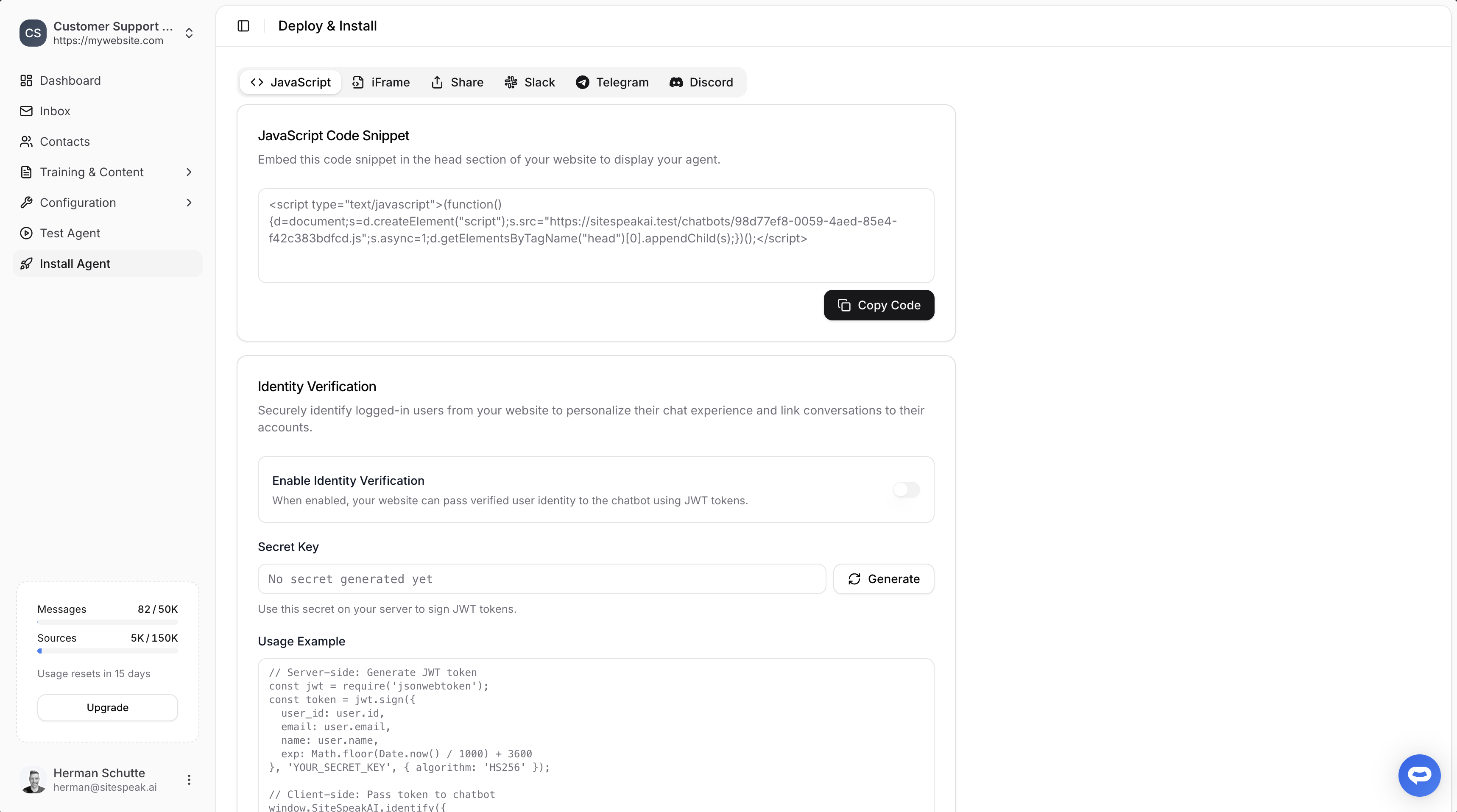
In Squarespace
- Log in to your Squarespace account and click on WEBSITE for the site you want to edit
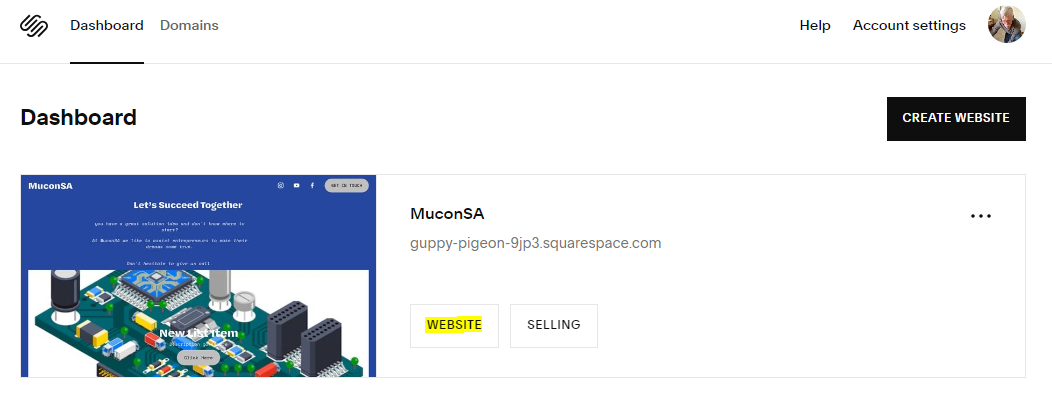
A. Adding your AI support agent site wide
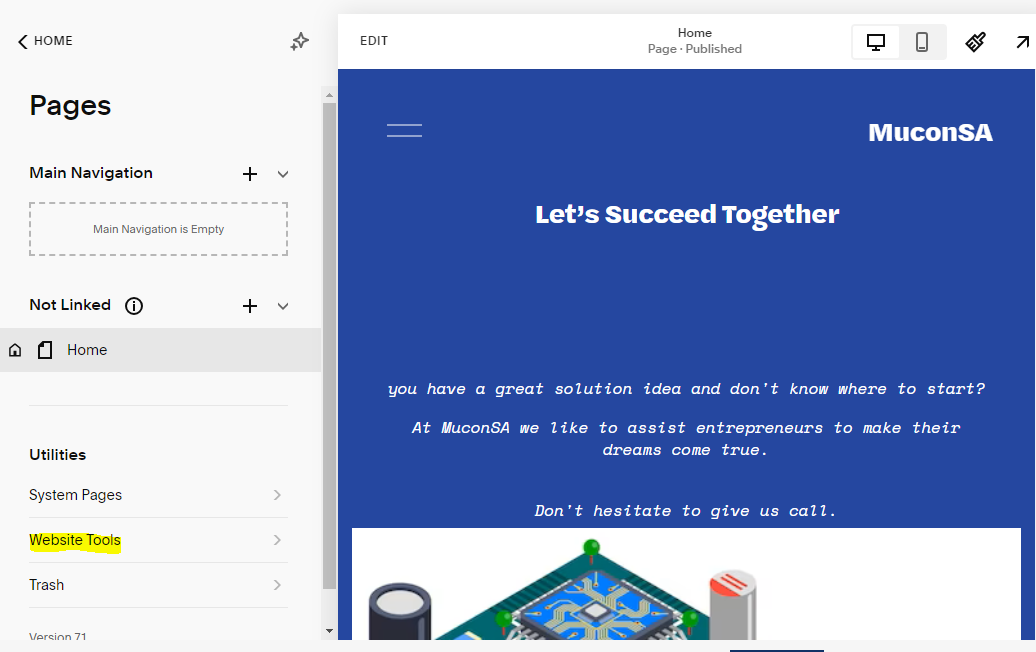
- Under Utilities on the Pages left-side menu, select Website Tools
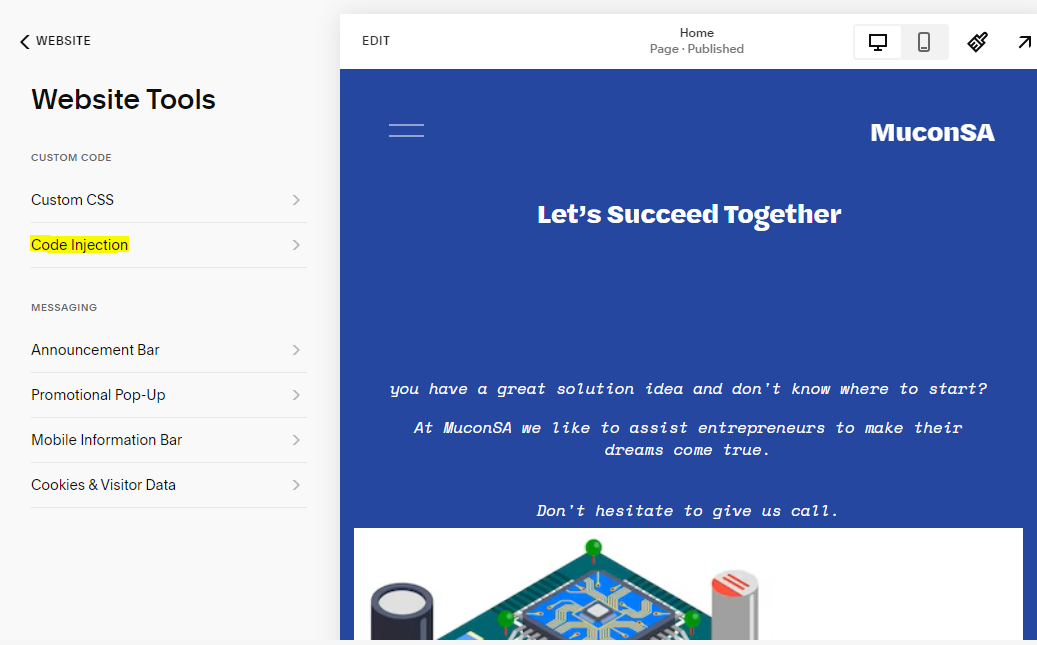
- Under Website Tools, select Code Injection
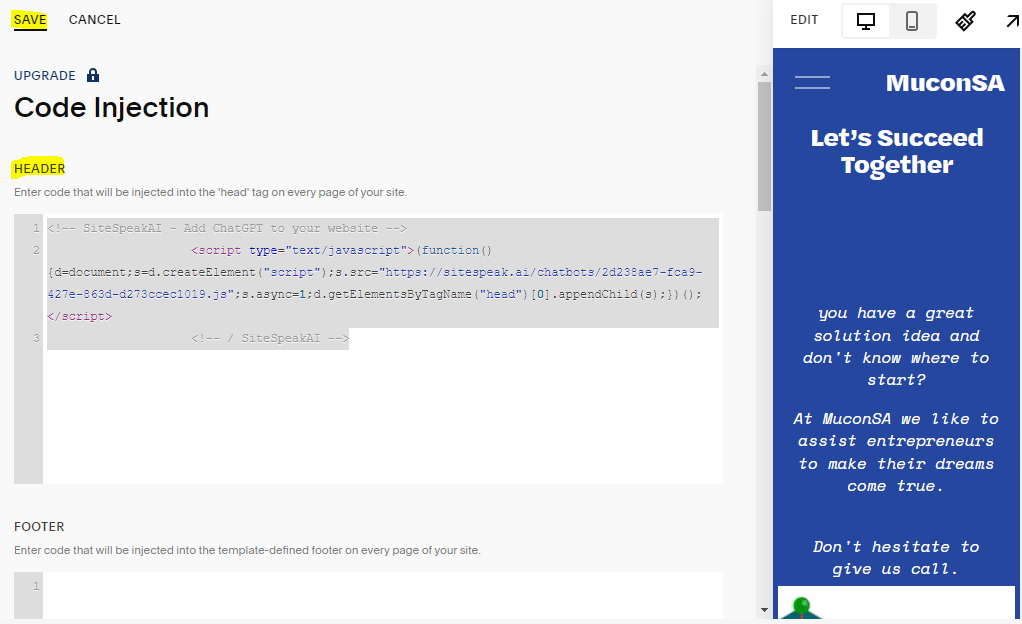
- Paste your code snippet in the Header section and click Save
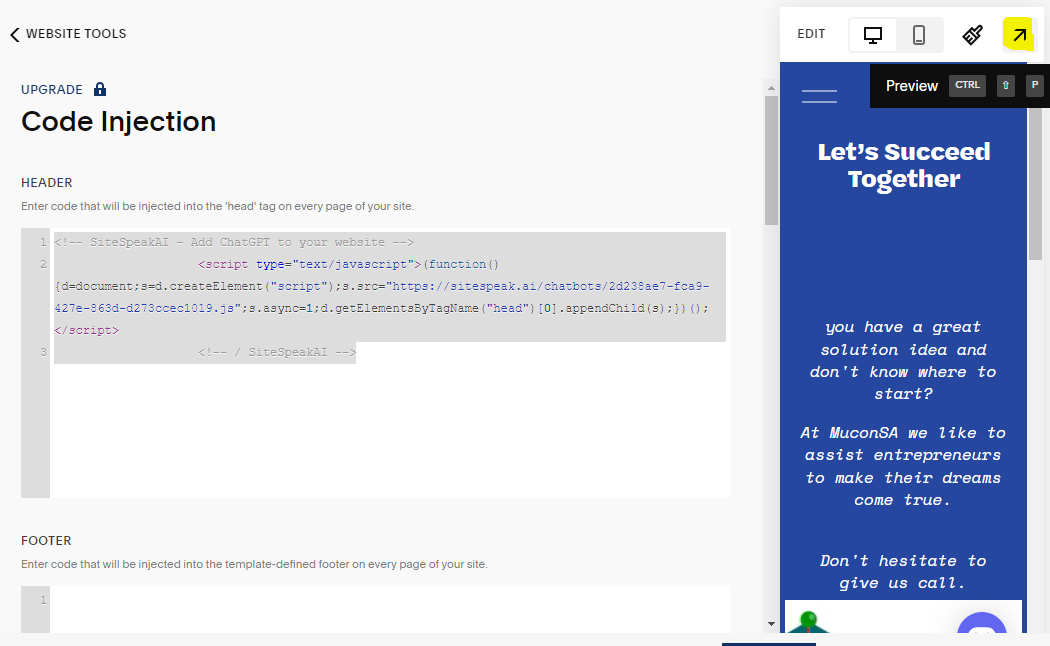
- Click Preview to see your AI support agent on your live website
- Your AI support agent button will now appear on your website

- Visitors can click the button to open the AI support agent chat and start asking questions
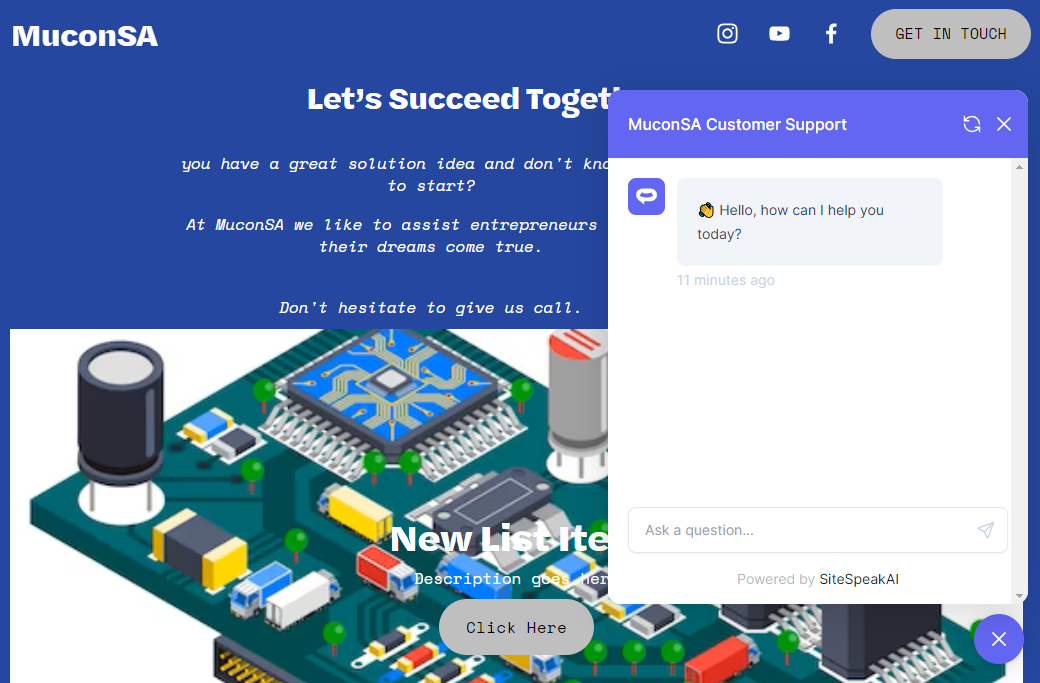 Your AI support agent is now live on your Squarespace website.
B. Adding the AI support agent to specific pages only
If you want the AI support agent to appear only on certain pages instead of your entire site:- In Squarespace, go to the specific page where you want the AI support agent to be displayed
- Click the gear icon to open Page Settings
- Select the Advanced tab
- Paste your code snippet in the Page Header Code Injection field
- Click Save
Troubleshooting
AI support agent not appearing? Make sure you clicked Save after adding your code, then refresh your website. It may take a moment for changes to appear. Style conflicts with your theme? The AI support agent widget is designed to work with all Squarespace templates. If you notice any visual issues, try adjusting the AI support agent position in your SiteSpeakAI dashboard settings. AI support agent position overlapping with elements? You can customize the AI support agent’s position (bottom-left, bottom-right) and offset in your SiteSpeakAI appearance settings to avoid overlapping with Squarespace elements like sticky footers or cookie banners. Code Injection option not available? You’ll need a Squarespace Business or Commerce plan to use Code Injection. Check your plan settings to confirm.Ready to automate your customer service with AI?
Join over 1000+ businesses, websites and startups automating their customer service and other tasks with a custom trained AI agent.