You want to embed your custom trained AI support agent in your createwebsite.io website page. Here’s how to add an AI support agent to createwebsite.io with SiteSpeakAI. createwebsite.io is a drag-and-drop website builder designed for beginners. It’s incredibly easy to use – you don’t need any coding knowledge. You simply choose a template, customize it with pre-built blocks (like text, images, buttons, and forms), and then publish your website. They offer a wide variety of templates for different types of sites (business, portfolio, blog, etc.) and have a free plan with limited features. It’s a good option if you want a simple, professional-looking website quickly and without technical hassle. Website: createwebsite.io

Add your AI support agent to your createwebsite.io website

In SiteSpeakAI

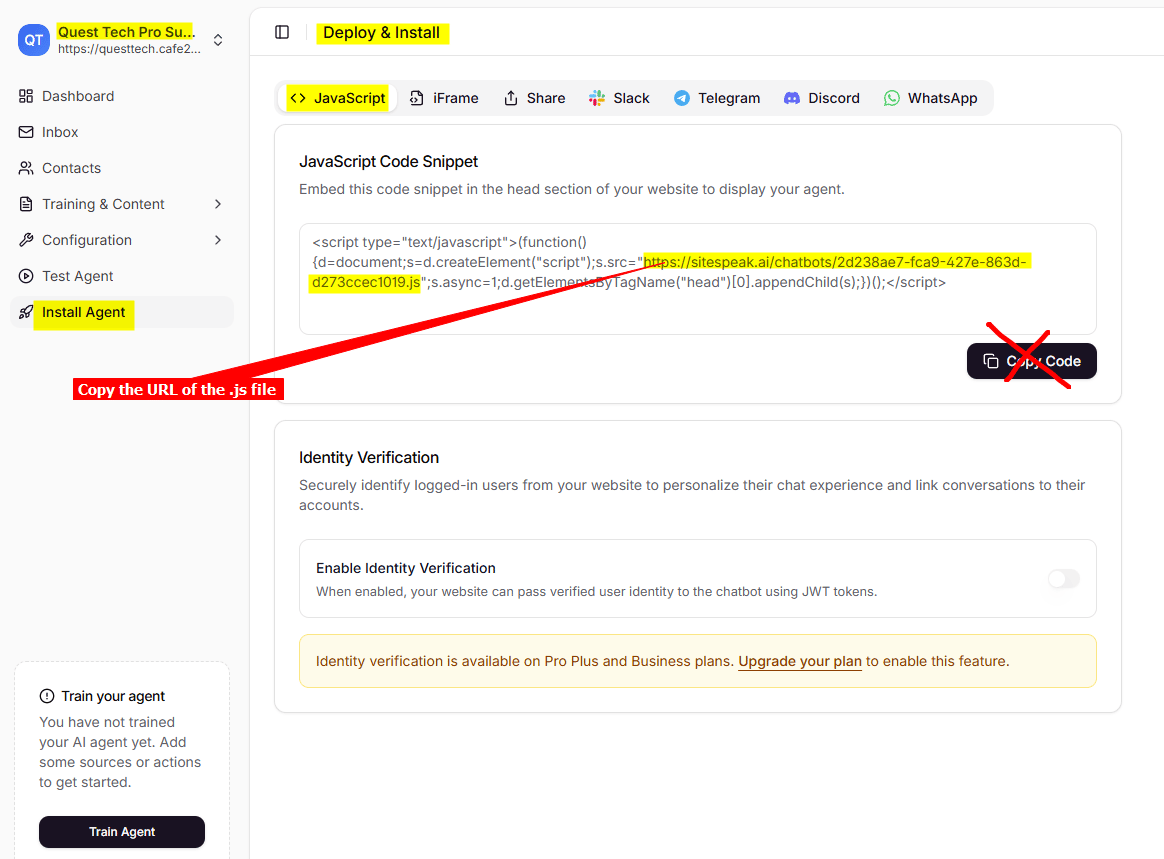
Log into your SiteSpeakAI account and select your agent from the dropdown menu at the top, click on the Install Agent section in the sidebar, select the Javascript tab and then copy the URL of the Javascript (.js) file (DO NOT click on Copy Code!!). You will use this later when we insert your snippet. uploads/help-center/images/pDlVg7EiE7D3hQ2cItIBvCuBnwVnINZyqDymzw1j.png
In createwebsite.io

  1. Log into your createwebsite.io account and on your dashboard select the project to edit
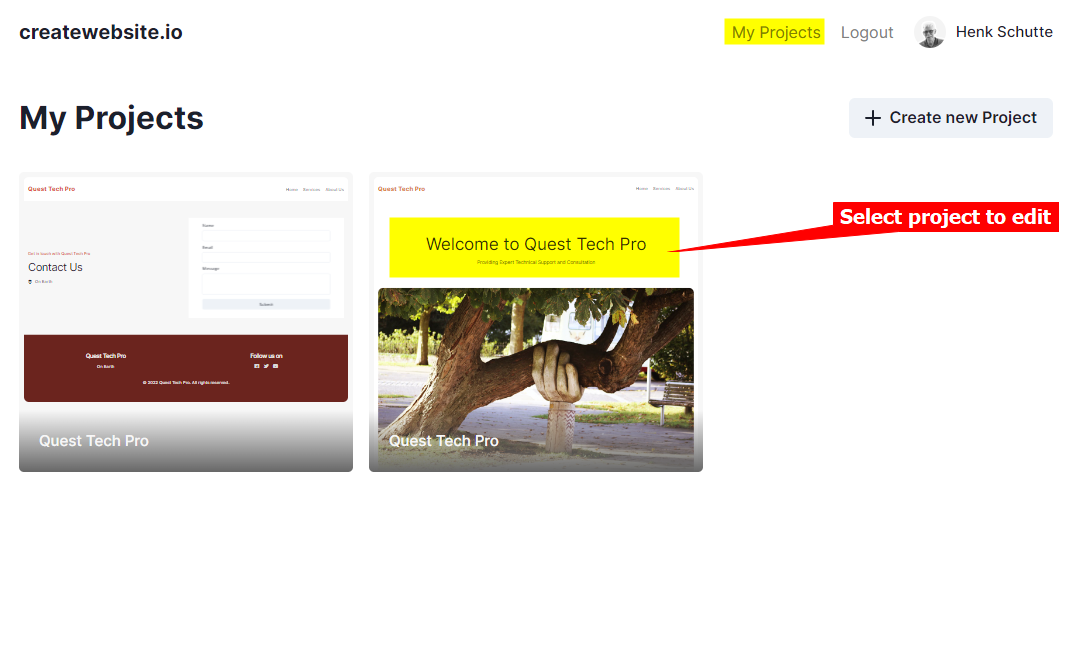
uploads/help-center/images/yxZ0qwm6ChlsYItmTqSl38675OiOtBxoWWF2d9C5.png
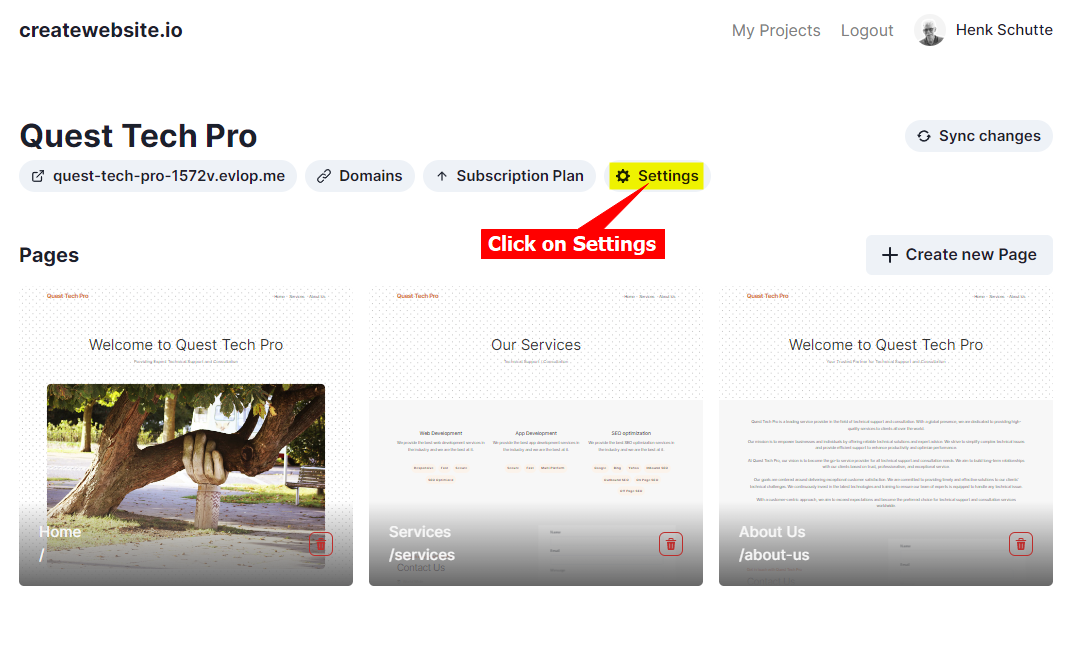
  1. Click on Settings
uploads/help-center/images/MFnENotyXx1rw4bRpzQGsEtglQJSs0g4kJsJhCyE.png
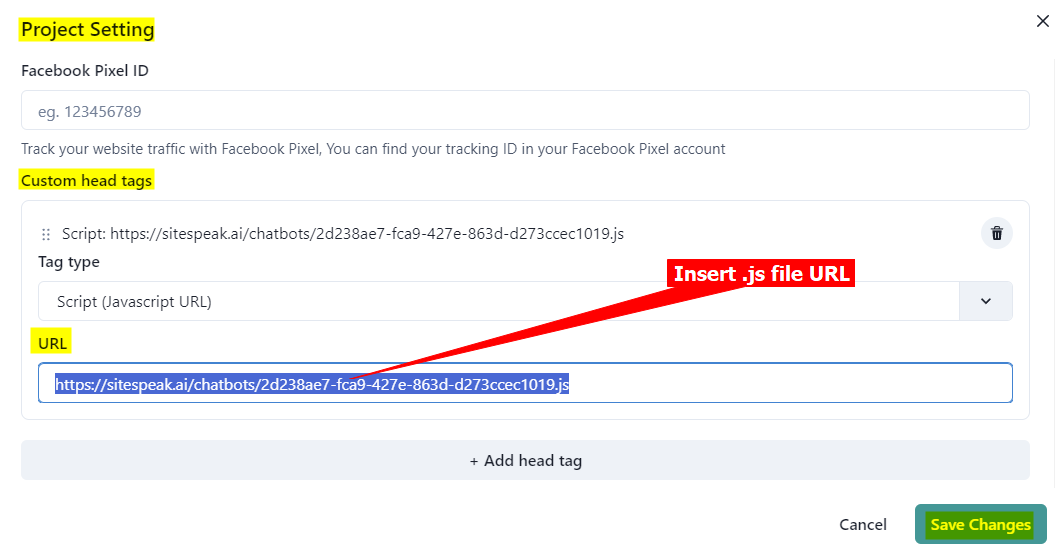
  1. Under Project Settings scroll down and select + Add head tag
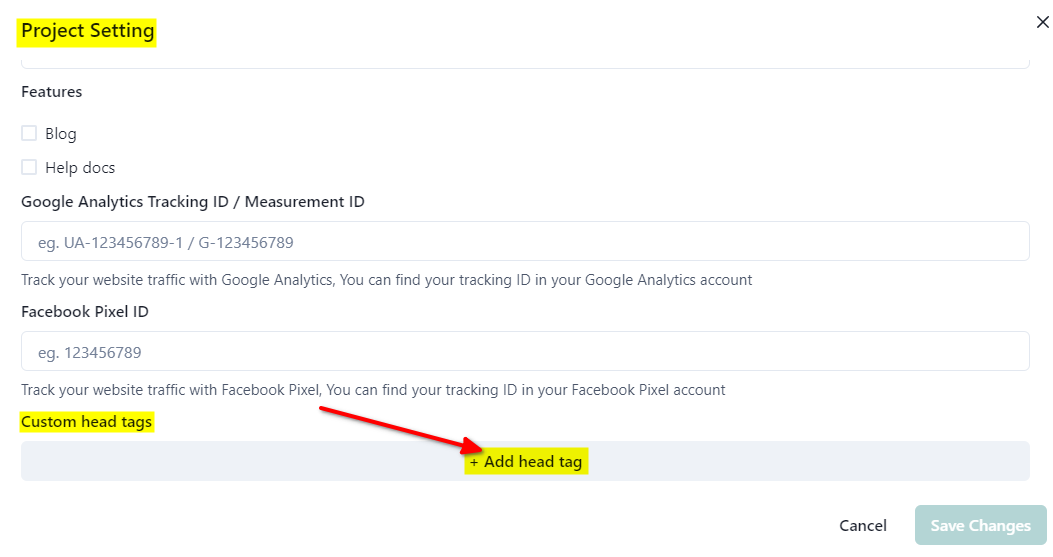
uploads/help-center/images/VgIHSKg4AskWfAIQWLwYmXiLINts4UTfOi2zs4Nm.png
  1. Insert URL of .js file that you copied at the start and click on Save Changes
uploads/help-center/images/VBT8ddgewNAkwpQMtoqjibAqtxV5JEIAEoyVjtQ3.png
  1. Click on X to close the Project Settings
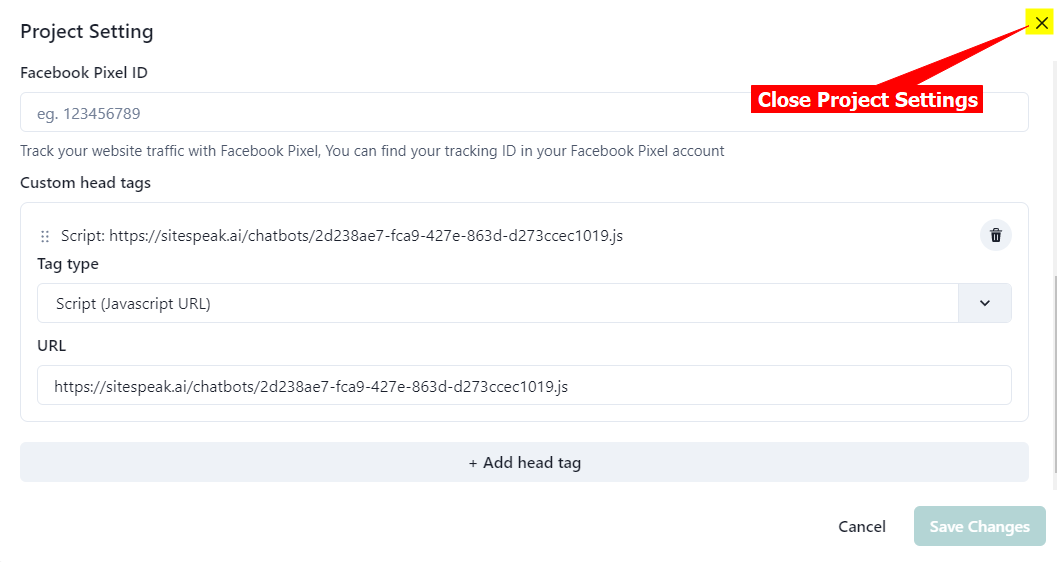
uploads/help-center/images/jrEw9Vp9z1BOekev6U9tKUEqbJLLGka1sugBq9e0.png
  1. Click on Sync changes to update your website
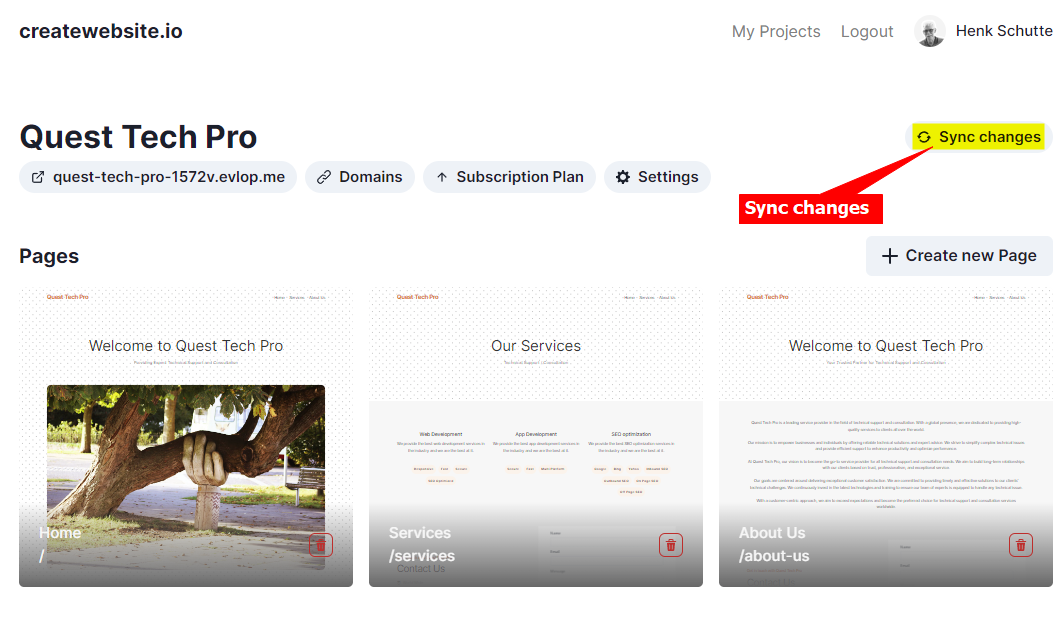
uploads/help-center/images/TluHUmTGpitmwVs2LQVUJxMmpL49EfRbIdjZuoO1.png
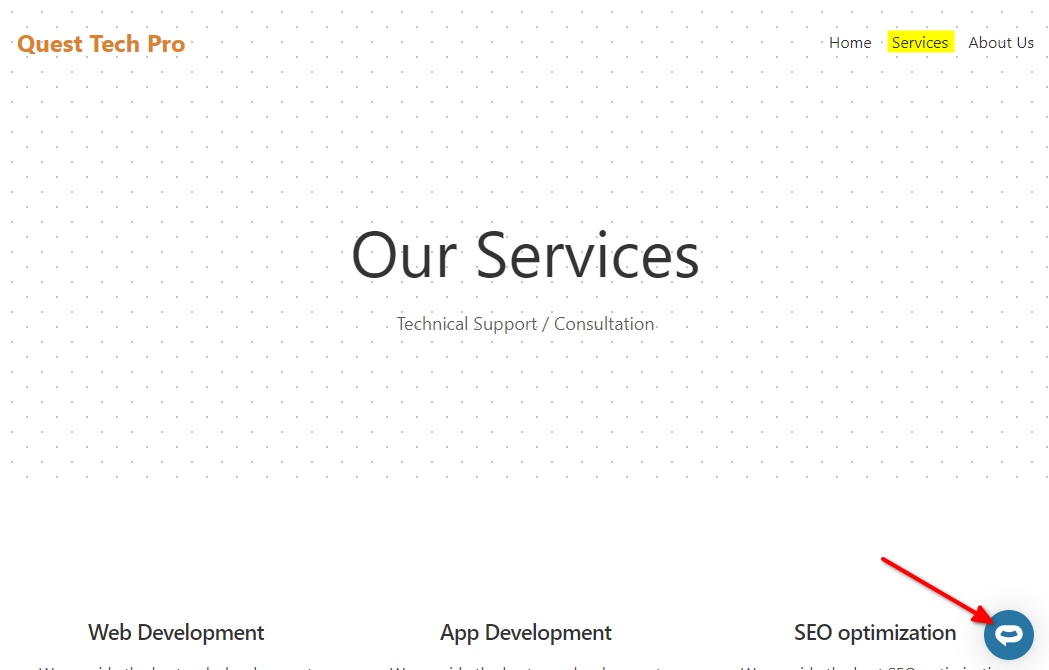
  1. Your AI support agent button will now be displayed on all your createwebsite.io website pages

uploads/help-center/images/iumxX0kMc1AU6neSoGdVPb9wxu5QdYgrdiyUtB0Y.png uploads/help-center/images/sdBjq6prR1HqwUplqsuPx7xtYR9XJKCakNdNdrNs.png uploads/help-center/images/MDWAMB5YYCWXSTKd1F46PLktC8Syd41VjAVHeE8H.png
  1. If you click on the button it will display the AI support agent dialogue
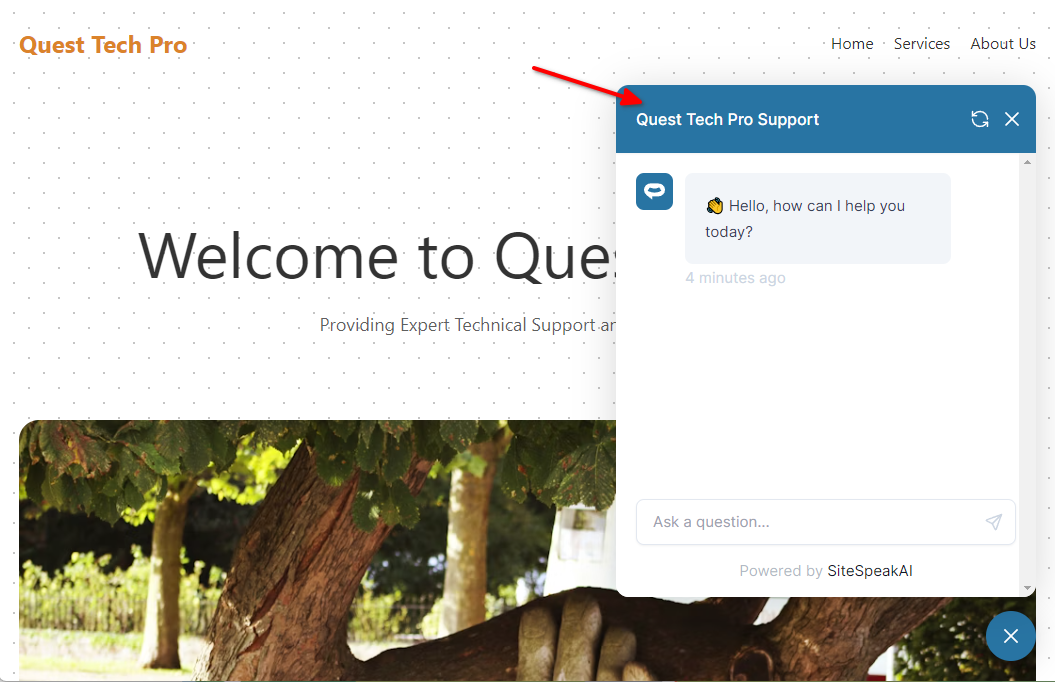
uploads/help-center/images/s6Dc9ZaUcZP80Ot62xacQATGzt4vus6yMcXlaTUq.png Your AI support agent has now been added to your createwebsite.io website and your visitors/customers can start interacting with it!

Ready to automate your customer service with AI?

Join over 1000+ businesses, websites and startups automating their customer service and other tasks with a custom trained AI agent.
Last modified on January 22, 2026