

Add your AI support agent to your Neocities website
In SiteSpeakAI
Select your chatbot from the dropdown menu at the top, click on the Install Agent section in the sidebar, then click on the Copy Code button to copy your code snippet.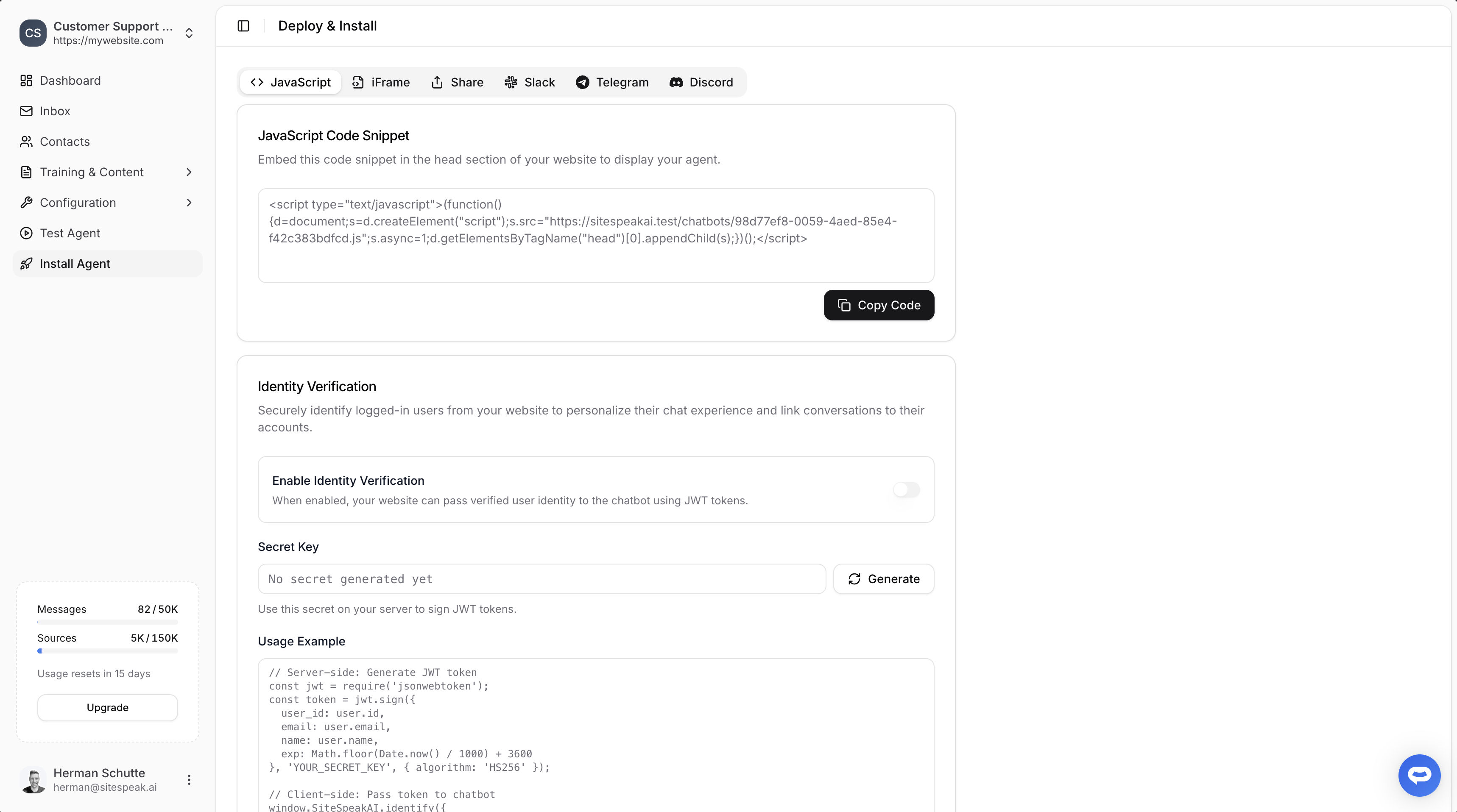
In Neocities
Neocities doesn’t have any elements or items you add to your page. Similar to the tutorial for Any Html website, it allows you to add your snippet to your website by adding the code to your page HTML code via the HTML Page editor.This needs some precautions to be taken because if you make changes to your HTML code, it could have adverse effects on the status of your website.We therefore suggest that when you have opened your website in the Page editor, copy your HTML code and save it offline in a text file as a backup in case something goes wrong during the edit process.
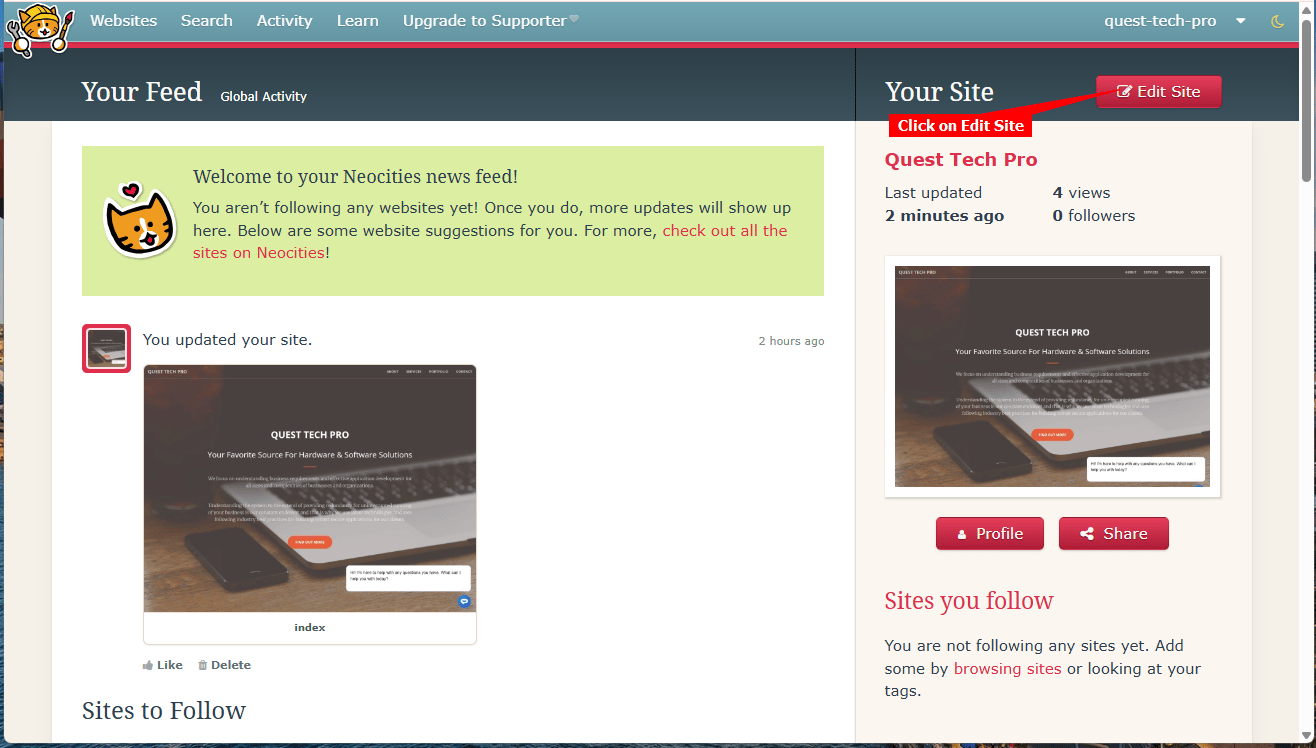
- Log into your Neocities account and on your dashboard, click on Edit Site
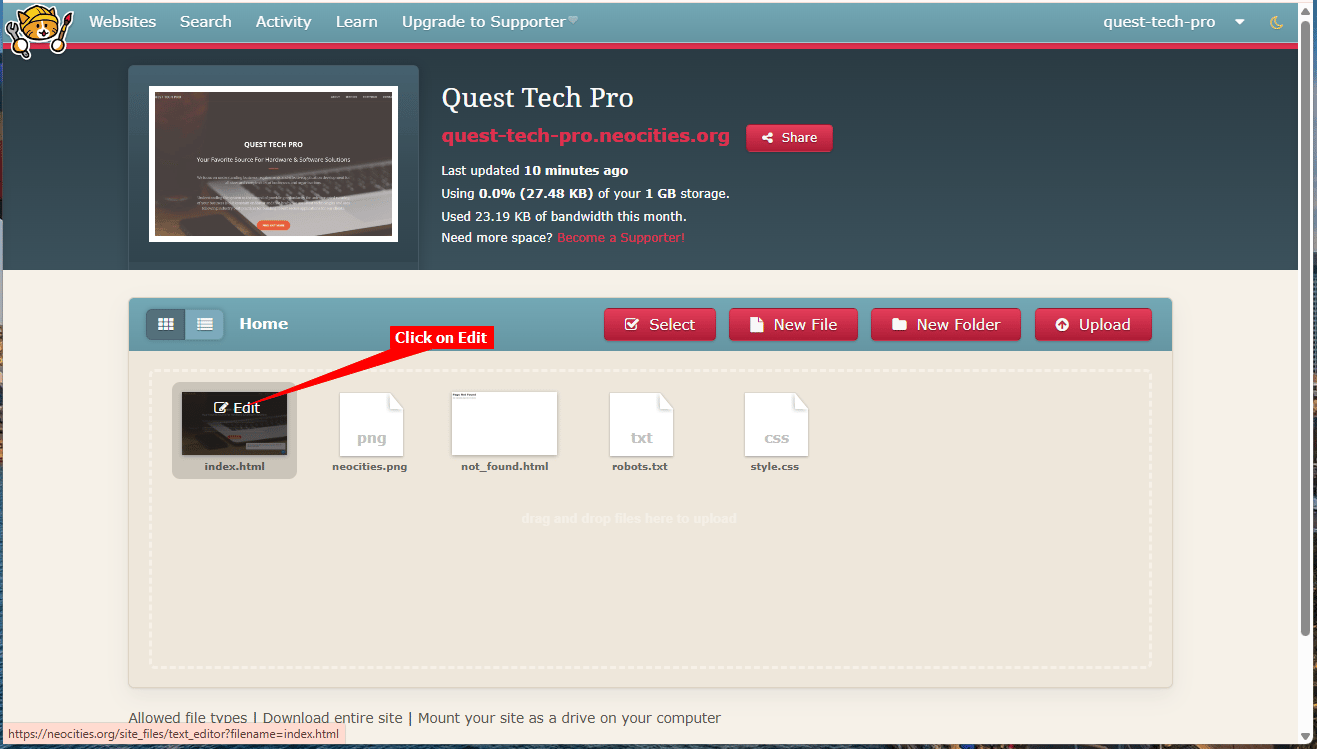
- On the Editor page, move your mouse over the index.html file and click on Edit to open the HTML page editor
As mentioned above, copy the current contents and save it offline in a text file.
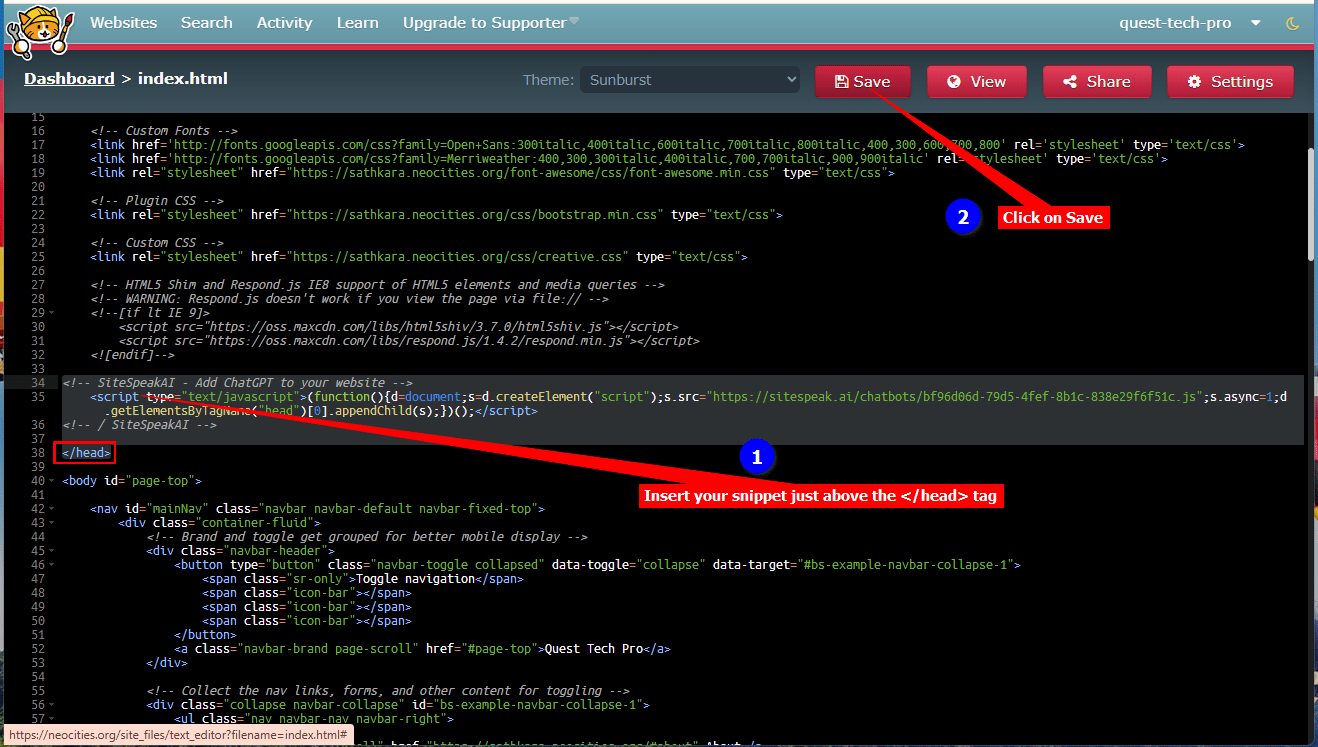
- Find the
</head>tag, insert your snippet just above this line and click on Save
- Click on View to preview your changes
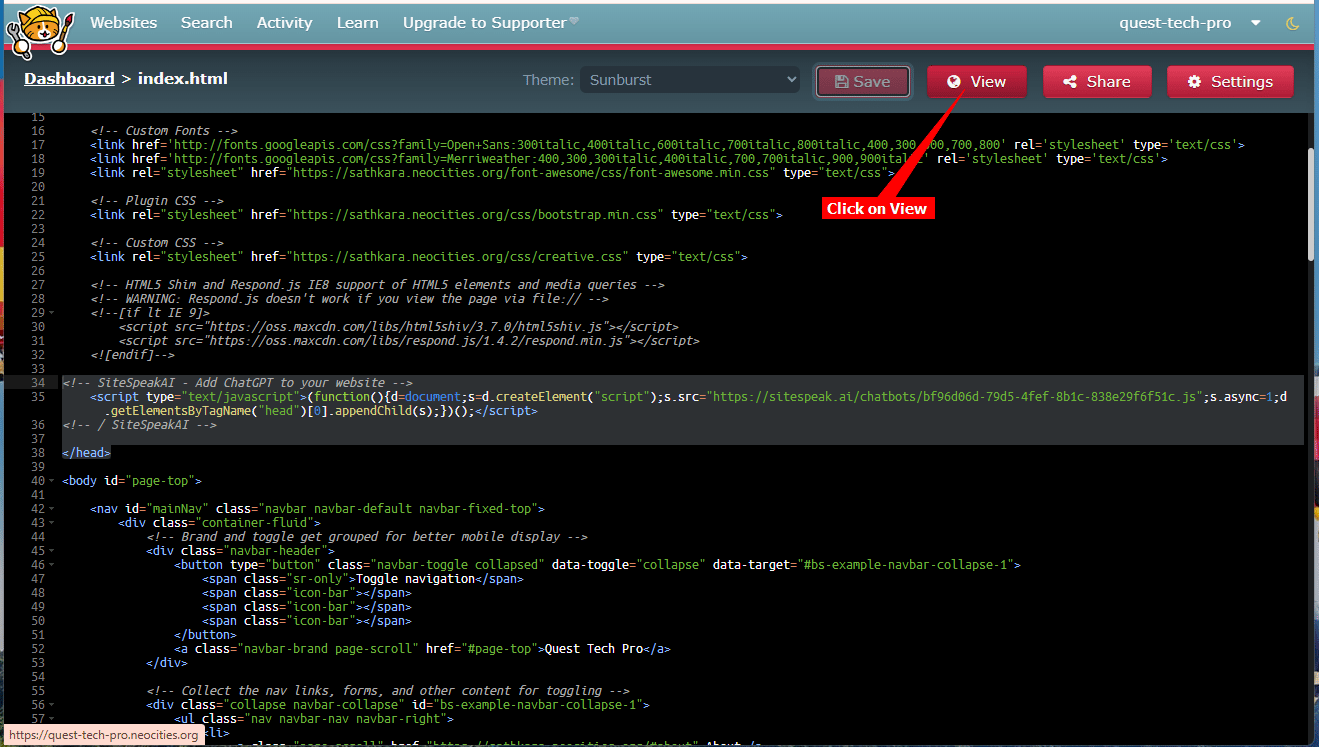
- Your AI support agent button will now be displayed on your Neocities website page

- If you click on the button it will display the AI support agent dialogue

Ready to automate your customer service with AI?
Join over 1000+ businesses, websites and startups automating their customer service and other tasks with a custom trained AI agent.