

Add your AI support agent to your Playcode website
In SiteSpeakAI
Select your chatbot from the dropdown menu at the top, click on the Install Agent section in the sidebar, then click on the Copy Code button to copy your code snippet.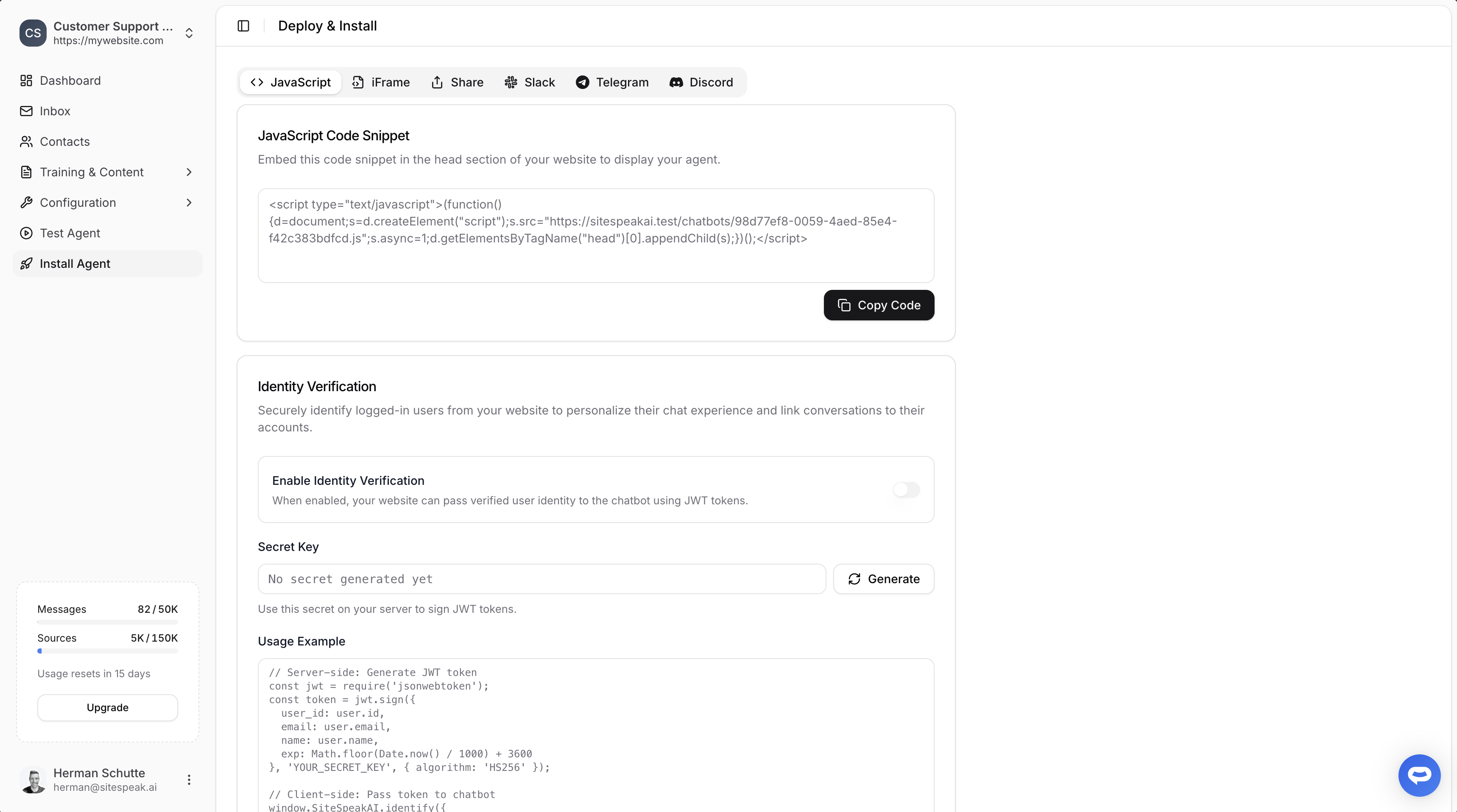
In Playcode
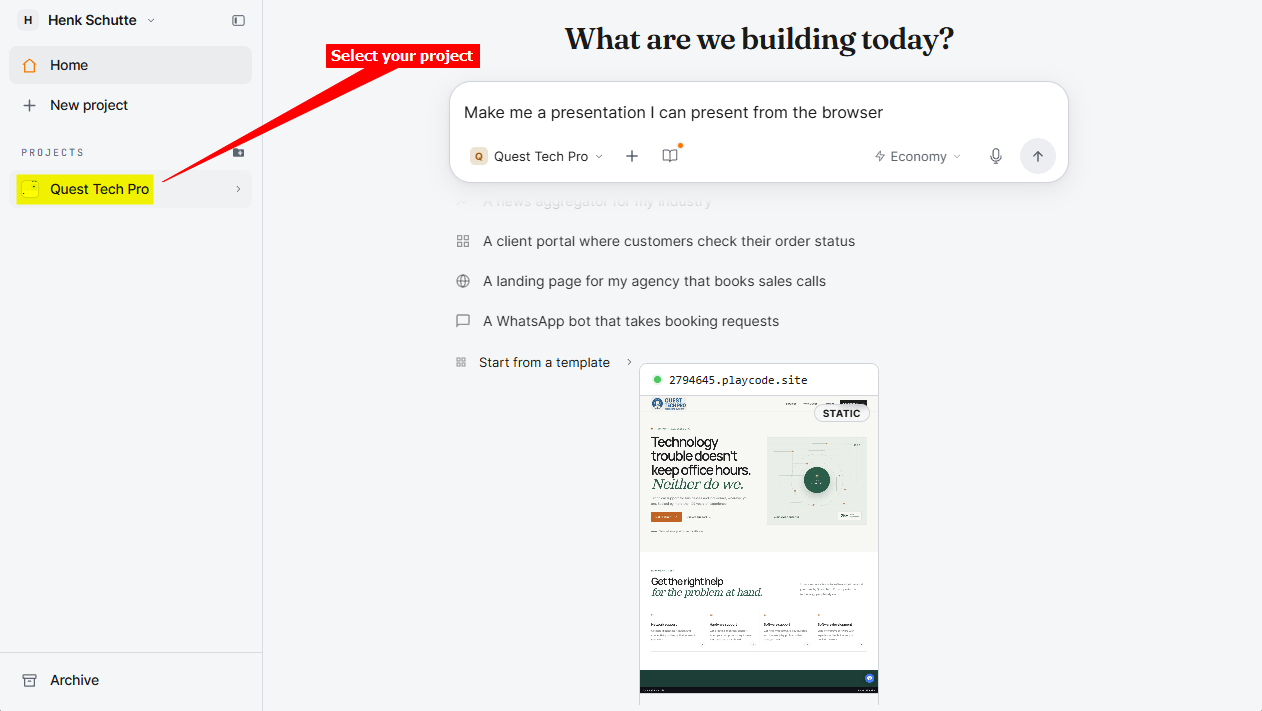
- Log into your Playcode account and on your dashboard select the project you want to edit.
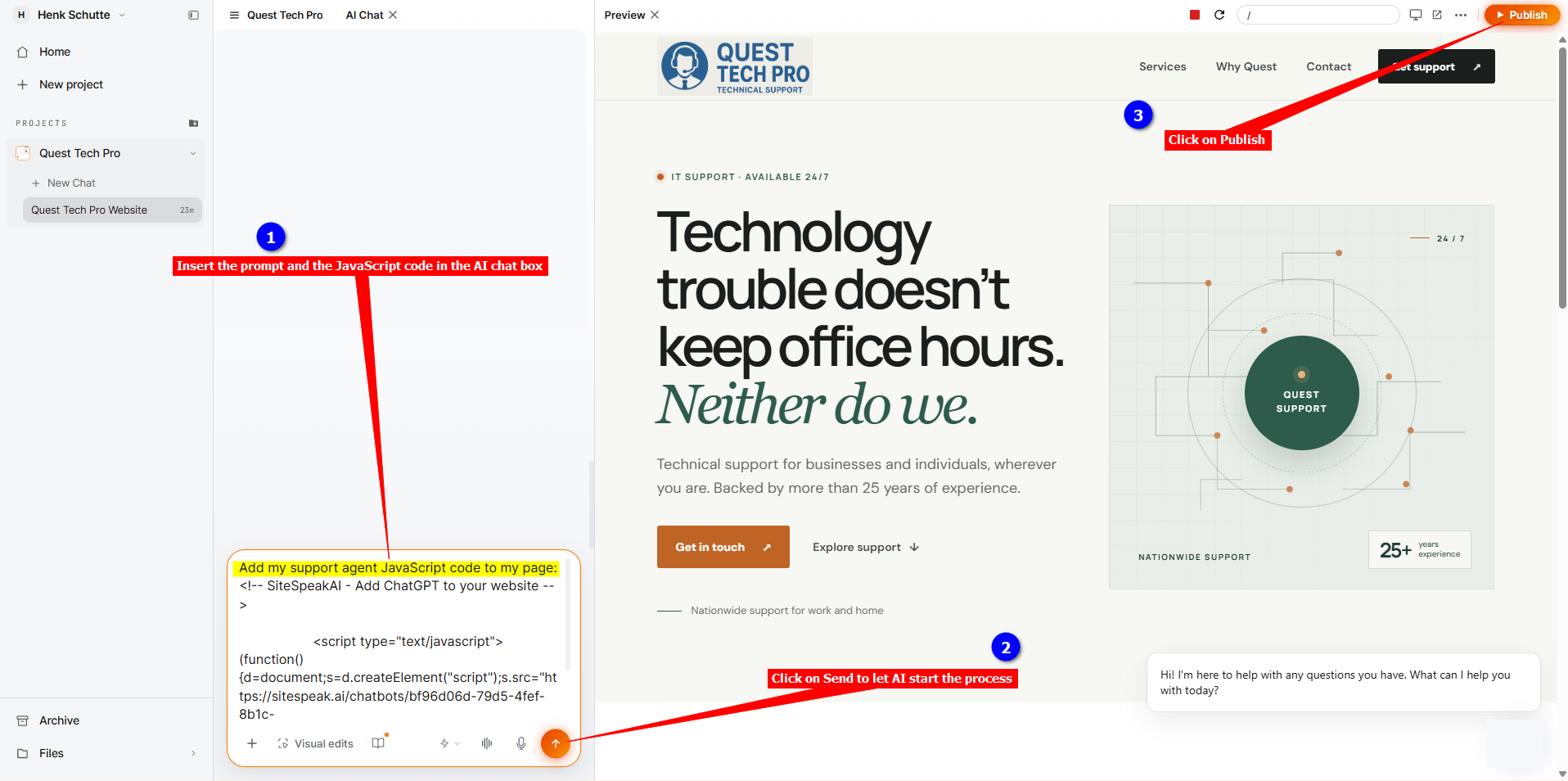
- Create your AI prompt and add it to the AI chat box. Click on Send to instruct the Playcode AI agent to add your custom code to your website. After the process completes, click on Publish to publish your changes to your live website page.
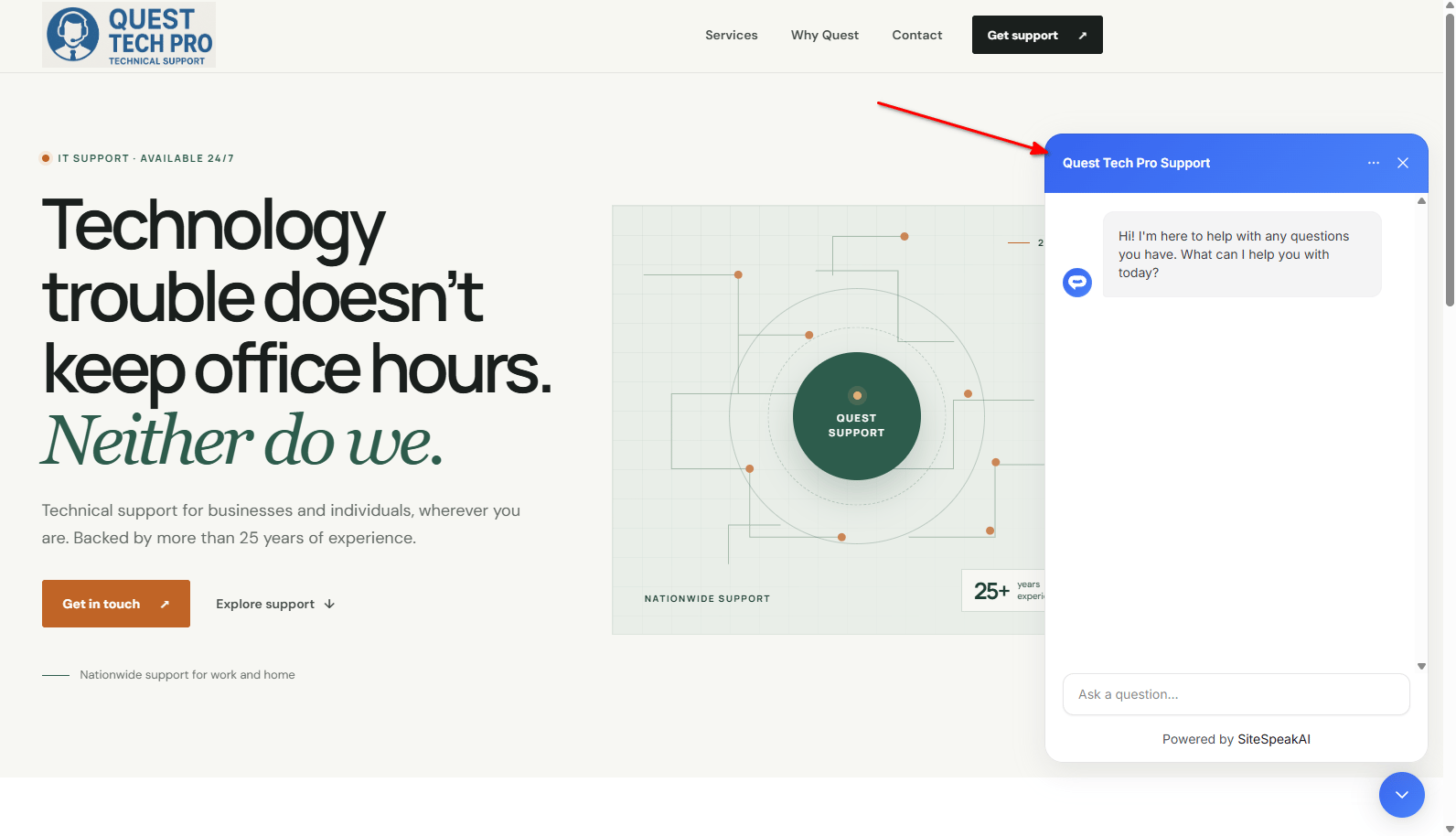
- Your AI support agent button will now be displayed on your Playcode website page
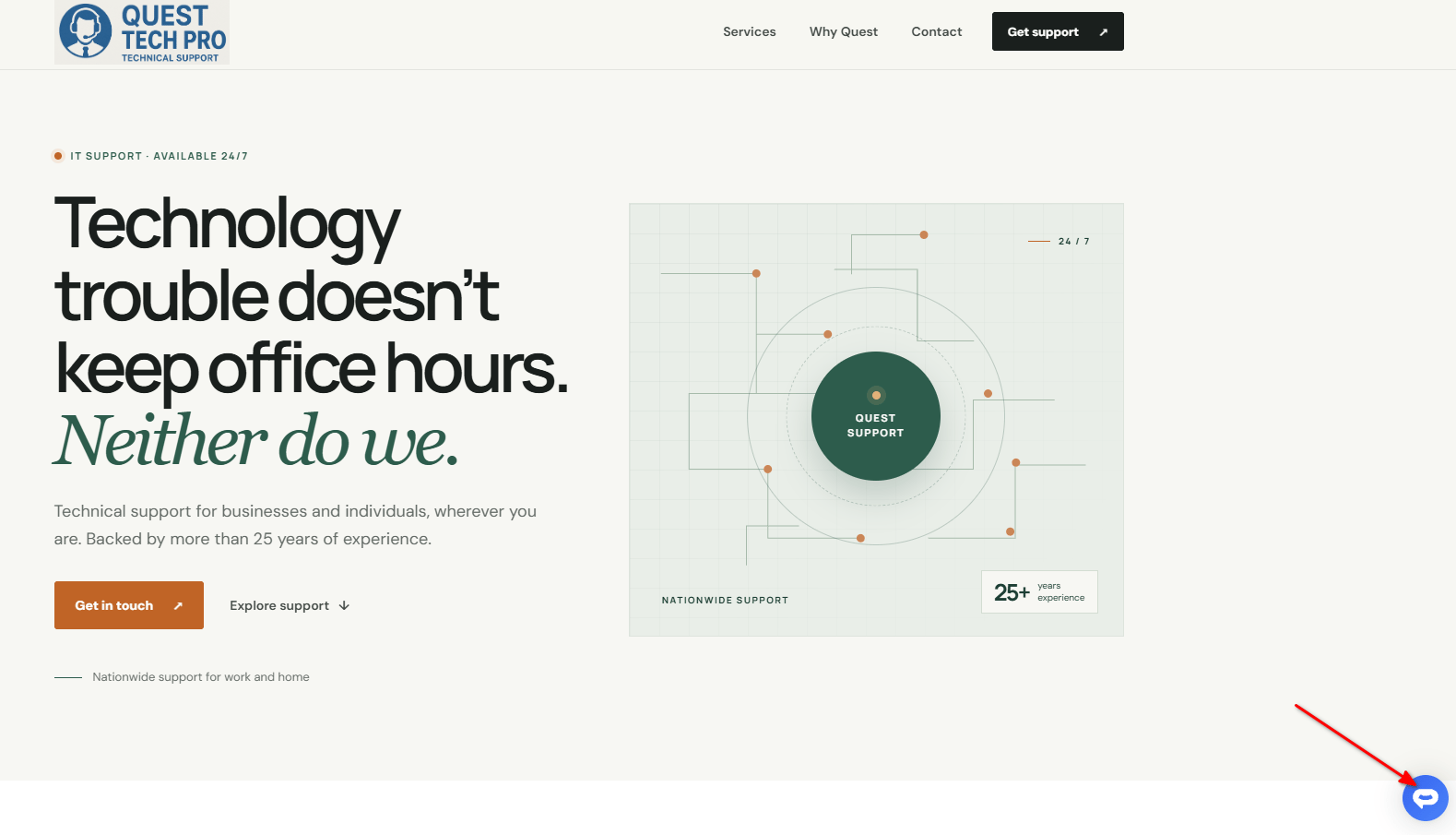
- If you click on the button it will display the AI support agent dialogue
Ready to automate your customer service with AI?
Join over 1000+ businesses, websites and startups automating their customer service and other tasks with a custom trained AI agent.